Input and output data
Input data
Tara supports the following types of input for Transaction Screening:
Streaming API input
The system obtains input data from the built-in streaming service. You can define and update API endpoints. A Business Process (BP) is available even when all records are processed.
To use the built-in streaming service, do as follows:
In your BP, select the Data tab.
Check the Streaming Records from External Sources box and specify the external source in the field.
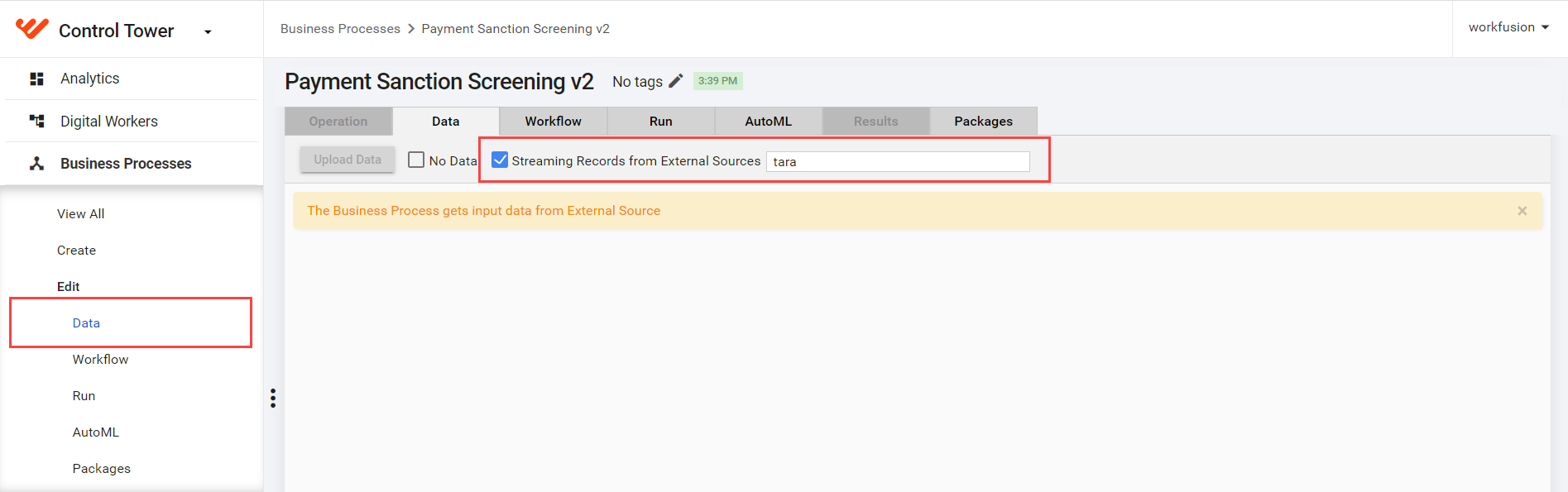
For more details, refer to API | Tara.
File input
The file input feature allows uploading an input CSV file. A BP finishes when all records are processed.
- The file-in-original format contains a JSON request. This format contains the following columns for execution:
request_json_object(required)decision_gold_json_object(optional)
- The file-in-flat format contains an unfolded
request_json_object. A BP treats each row as a separate request.
To upload data, follow the steps:
In your BP, select the Data tab, and click Upload Data.

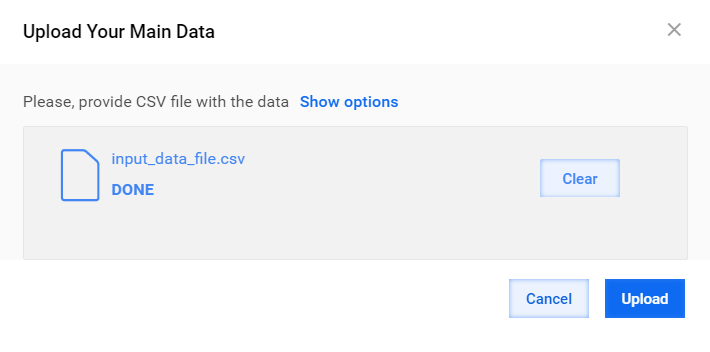
Click Add, find your CSV file, and click Open.
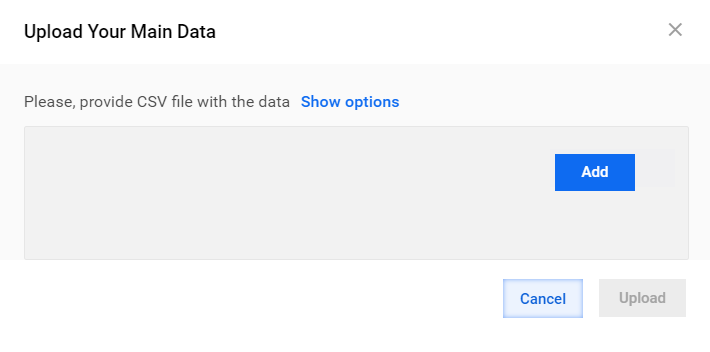
Wait till the file is processed and click Upload.
Using a CSV flat file as the template is the easiest input method for uploading input data for Transaction Screening.
Request Data Store
Tara accepts standardized input in JSON-formatted strings and saves requests into the pss_request_processing_v1 Data Store. For more details, see Run screening | Analyze results.
Example of the pss_request_processing_v1 Data Store:
| Column | Description |
|---|---|
system_id | Database generated ID |
request_id | UUID generated before adding a record to Data Store |
request_json_object | Original customer data for adjudication in the JSON format representing a Message object |
decision_json_object | Model Decision in the JSON format representing a MessageDecision object |
decision_gold_json_object | Gold Model Decision in the JSON format representing a MessageDecision object; used for model training and calculating statistics |
message_json_object | Processed or enhanced copy of customer data for adjudication in the JSON format representing a Message object; data from this column is sent to the model for processing |
request_insert_time | Insert data timestamp |
last_updated_time | Timestamp of last update |
decision | Final Message decision |
status | Processing status; updated during record processing |
client_id | User who sent the request for processing |
Output data
The Tara BP's output data field is model_result.
The model sends a response with structured data in the JSON format:
Category: reason code (differs for each client). The sample categories are as follows:
"type mismatch"
"type match"
"name mismatch"
"name match"
"partial_name_mismatch"
"location mismatch"
"location match"
"date of birth mismatch"
"date of birth match"
"msg names mismatch"
"ss_name_screened_name_mismatch"
"multiple names found"
"blacklisted"
"not implemented"
"escalate"Explanation: human-readable decision explanation
Score: classification model confidence of the alert to belong to the predicted topic
Model-decision attribute: full model decision in the JSON format
A sample model's result is as follows:
{
  "score": 1
  "category": "RESOLVE"
  "estimatedAccuracy": 0
  "attrs": {
    "model-decision": {
      "messageId": "58198"
      "suggestedAction": "RESOLVE"
      "hitDecisions": [
        {
          "hitId": "8194965"
          "suggestedAction": "RESOLVE"
          "comment": "Name mismatch. Screened entity name 'Witting-Armstrong Inc.' does not match Watch List Entity name 'Terry, Konopelski and Auer Solutions Inc'"
          "reasons": [
            {
              "code": "type match"
              "description": "Screened entity type <organization> matches watch ..."
            }
            {
              "code": "name mismatch"
              "description": "Name mismatch. Screened entity name 'Witting-Arms..."
            }
            {
              "code": "location match"
              "description": "Screened entity locations <VUT> either matches or ..."
            }
          ]
        }
      ]
    }
  }
}