Input and output data
Input data
Input to the Payment Sanction Screening Business Process (BP) refers to surveillance system alert details triggered against a given payment message or transaction.
Tara supports the following types of input:
File input
The file input feature allows uploading an input CSV file. A BP finishes when all records are processed.
- A file in the original format contains a JSON request. There are the following columns for execution:
request_json_object(required)decision_gold_json_object(optional)
- A file in the flat format contains unfolded
request_json_object, where a BP treats each row as a separate request. Using a CSV flat file as a template is the easiest input method for uploading input data for Transaction Screening.
To upload data, follow the steps:
In your BP, go to the Data tab and click the Upload Data button.

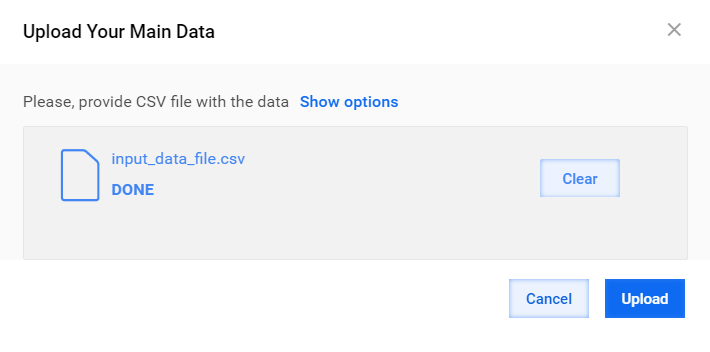
Click Add, find your CSV data file, and click Open. Mind that the template supports up to 250K records. It takes longer to process more records.
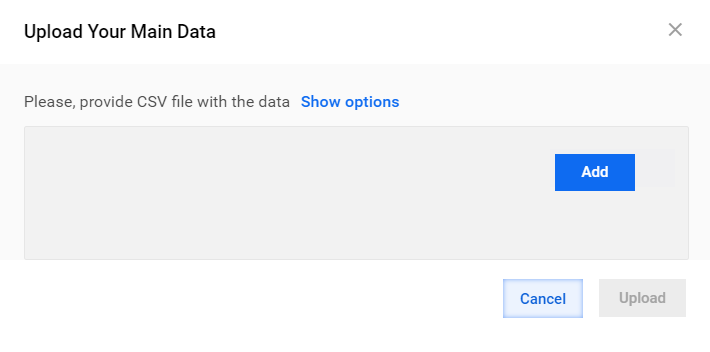
Click Upload.
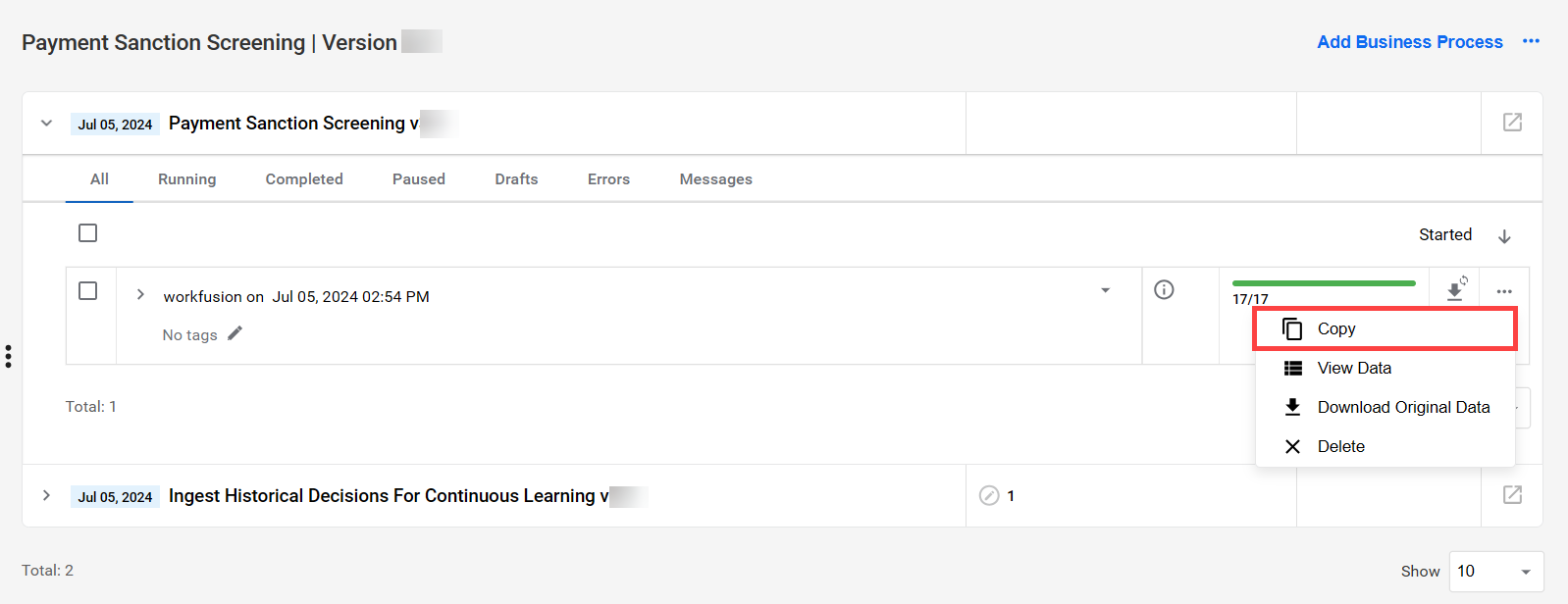
If you have already run the BP, you might need to copy it. To do that, select the Copy option.
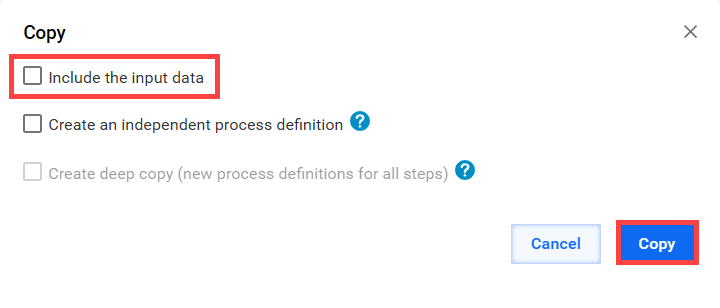
In the Copy window, do not select the Include the input data option. Then, you can add a new CSV file to your copied BP.
Streaming API input
The system obtains input data from the built-in streaming service. You can define and update API endpoints. A BP is available even when all records are processed.
To use the built-in streaming service, do as follows:
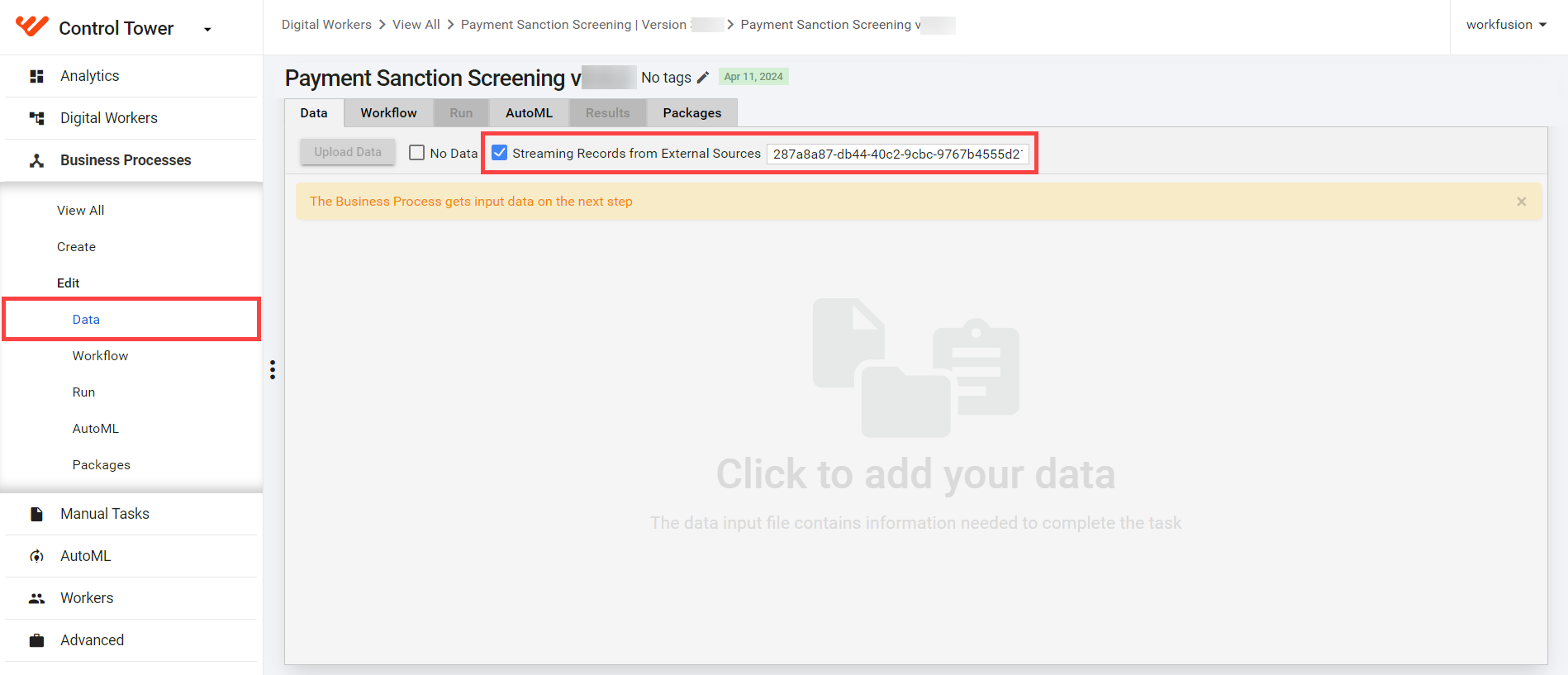
In your BP, go to the Data tab and select the Streaming Records from External Sources option.
Specify the external source in the field. For more details, refer to API | Tara.
Data from connector
Tara uses the following in-house connectors to communicate with alerting systems:
Depending on a screening system, there are two options for working with the connectors:
Install a stand-alone external connector that communicates with Tara using a signal ID.
Add a connector as a separate step within Tara's core BP.
To select the connector as the source of your input data, go to the Data tab in your BP and click No Data.

Output data
You can retrieve output from the decision model through a generated HTML report (in case you enabled the option during the configuration) or an API output response JSON object.
The final model decision is adjudicated by running the default list of rules pre-installed with the package. You can also choose to create custom rules.
The default rules are as follows:
RESOLVErules:"dob_mismatch": dates of birth provided are more than a year apart (you can configure the threshold)."type_mismatch_ind_org": sanctioned and screened entities are Individual and Organization or vice versa."type_mismatch_wle_vessel": a sanctioned entity is an aircraft or vessel, and a screened entity is not."type_mismatch_hit_location": a hit is an address, but a sanctioned entity is not a location."type_mismatch_wle_location": a sanctioned entity is a location, but a screened entity is not."type_mismatch_hit_account": a hit is an account on the screened side, but a wathlist entity is not an account."type_mismatch_hit_vessel": a screened entity is a vessel, but a watchlist entity is not."name_country_mismatch_strong": a mismatch between entity and watchlist entity names and countries of origin."name_mismatch_strong": a mismatch between entity and watchlist entity names."name_country_mismatch_weak": names are a partial match, but countries of origin differ."id_mismatch": screened and watchlist entity IDs do not match."location_mismatch_sender_receiver": sender and receiver locations are the same and differ from the watchlist entity location."location_mismatch_ind": screened and watchlist entities are individuals with different countries of origin."location_mismatch_loc": screened and sanctioned entities are different locations on the map.
NO_DECISIONrules:"blacklist_item": a name or a country contains a blacklisted item."id_match": one or more screened IDs match a sanctioned ID."bic_match": a sanctioned name contains BIC code information, or ID contains a short company name."location_match_loc": inferred screened and sanctioned countries are the same."location_match_part_name": a sanctioned name, country, or city is part of a screened entity name."id_map_match_on_name": a screened name contains an ID or code matching the sanctioned entity data."id_match_on_name": one or more screened entity IDs match the sanctioned entity name."cannot_identify_entity": not enough information is provided to make an informed decision.
NO_DECISIONaftermath rules fire if none of the above rules fired before:"name_match": names associated with screened and sanctioned entities match with a high score, and the screened entity is not an ID or code."partial_name_match": names associated with screened and sanctioned entities match partially, and the screened entity is not an ID or code."no_applicable_rules_fired": none of the above rules fired and thus cannot be resolved.
Request Data Store
Tara accepts standardized input in JSON-formatted strings and saves requests into the pss_request_processing_v1 Data Store. For more details, see Run screening | Analyze results.
See a sample pss_request_processing_v1 Data Store in the table below.
| Column | Description | Example |
|---|---|---|
| system_id | Database generated ID. | 1 |
| request_id | UUID generated before adding a record to a Data Store. | 73116728-493e-4355-875d-78d6d2456f32 |
| request_json_object | Original customer data for adjudication in the JSON format representing a Message object. | |
| decision_json_object | Model Decision in the JSON format representing a MessageDecision object. | |
| decision_gold_json_object | Gold Model Decision in the JSON format representing a MessageDecision object; used for model training and calculating statistics. | |
| message_json_object | Processed or enhanced copy of customer data for adjudication in the JSON format representing a Message object; data from this column is sent to the model for processing. | See the original Message object. |
| request_insert_time | Insert data timestamp. | Type: LocalDateTimeType—"yyyy-MM-dd HH:mm:ss.SSSX" |
| last_updated_time | Timestamp of the latest update. | Type: LocalDateTimeType—"yyyy-MM-dd HH:mm:ss.SSSX" |
| decision | Final message decision. | RESOLVE or NO_DECISION |
| status | Processing status; updated during record processing. | NEW, IN_PROGRESS, COMPLETED, or FAILED |
| client_id | User who sent the request for processing. | |
| run_uuid | BP run UUID used for data search and analysis. | |
| tara_version | AI Agent version used for data analysis. |