Qualification
On the Qualification tab, you can narrow down or filter a Workforce for optimal performance.
Basic mode
To configure in the Basic mode, follow the steps below:
- In the appropriate drop-down box, select a Set of Qualifications. For more information about Qualifications, refer to the Create and Assign Qualifications to Workers topic.
- If workers need to have all Qualifications in the Set, select the Require All Qualifications to Preview the Task checkbox. By default, workers with any Qualification in the Set are allowed to preview the Task.
- To limit the number of workers with a Qualification, select the Maintain Constant Number of Qualified Workers checkbox and specify the required number.
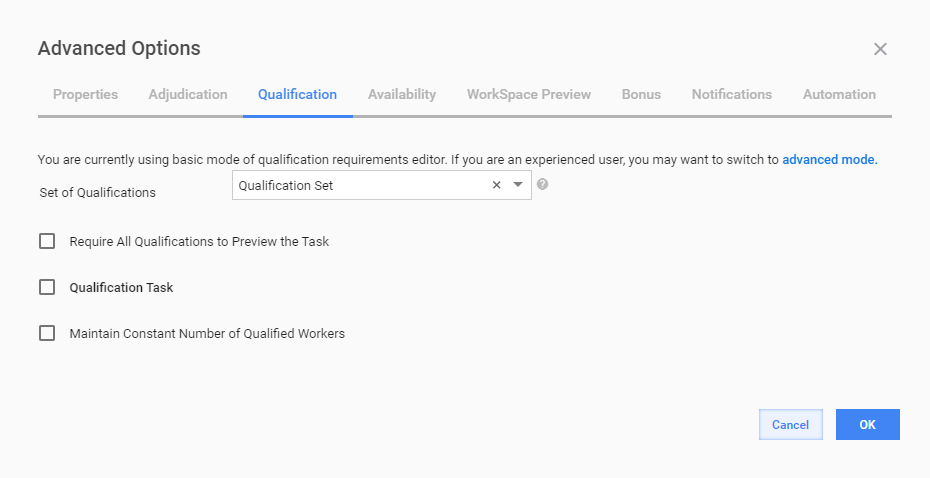
To create a Qualification Task, select the corresponding checkbox. For details, read the Create Qualification Task topic.
Advanced mode
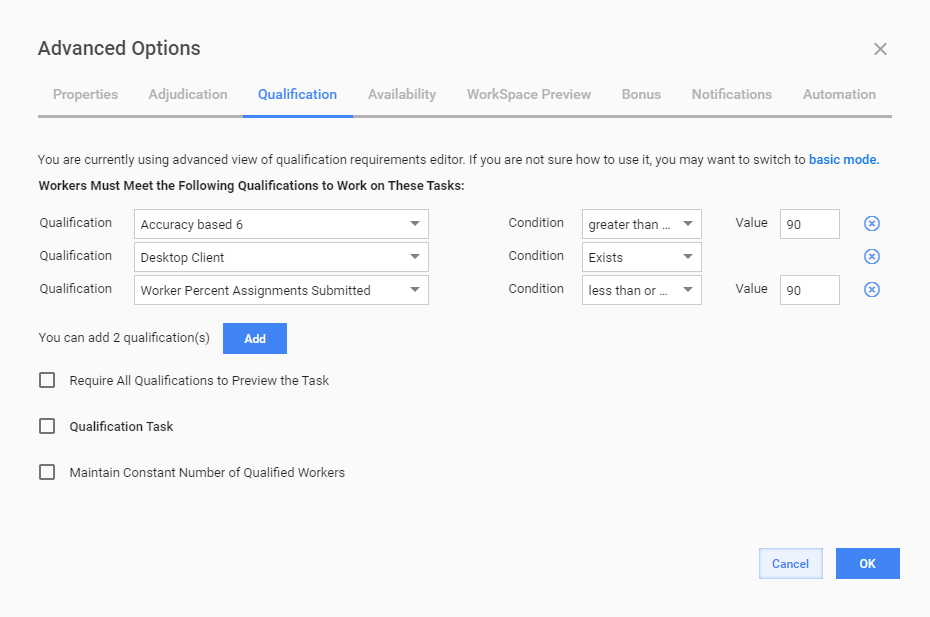
To switch to the advanced mode, click the appropriate link. In the advanced mode, you can:
- add up to five Qualifications by clicking the Add button
- set Condition and Value for each Qualification
- remove Qualifications by clicking the (x) icon