
Version 10.2.7
Release date
February 16, 2023
With this release, we are setting a higher standard of user experience, traceability, and security within IA Cloud Enterprise:
- Optimize costs without compromising security by employing the multi-tenancy feature to share cloud resources with other customers safely.
- Get more profound insights into Digital Worker metrics with Superset analytics and extended monitoring capabilities in Kibana.
- Onboard new users with less effort and reduce related security risks by leveraging the overhauled User Management workflows.
- Deliver better-quality Machine Learning models within a shorter time while enjoying the enhanced no-code model training experience in Control Tower.
- Save time getting your Digital Worker up and running by importing it to your environment with a schedule configured to your process in advance.
- Escape the creative constraints of custom Workers with the new mechanism allowing you to use any framework when writing Java-based processes.
The WorkFusion team invested significant effort in eliminating issues and bugs causing Business Process performance degradation and failures. We've also upgraded several Product components to reduce security risks and empowered your engineers with more means to do the following:
- Trace malfunctions down to root causes and troubleshoot them efficiently.
- Set up the REST connector to fetch your transaction data.
- Import Digital Worker variations without failures.
- Export process step results of any size without server crashes.
- Test and upgrade Digital Worker variations in SPOKE without multiple redeployments.
- Deliver Manual Tasks using Manual Task Designer with more convenience.
- Check whether your server is appropriately configured to host the RPA component.
- Run multiple Business Processes asynchronously in parallel using a new convenience API.
- Manage WorkSpace queues more efficiently.
- Get faster and easier access to Secrets Vault aliases and reprogram the
SecretsVaultServicebehavior to account for missing secret entries.
New features
Multi-tenant access
IA Cloud Enterprise now supports multiple Tenants, making it possible to store users of different customers separately. For now, the multi-tenancy is supported only for WorkSpace and DW REST API. It provides the following capabilities:
Multiple Tenants reside in the same environment and share cloud resources.
A Tenant's data is securely protected from being exposed to the other Tenant due to the security mechanism based on the API-first principle. The platform's architecture assumes that a user must be authenticated to access data. When authenticating, users have access only to the Tenant they belong to and interact only with this Tenant's data.
Each Tenant can configure roles within their installation, not affecting other Tenant's configurations.
Any Tenant can interact with the system through the DW REST API.
For instructions on adding and configuring a Tenant, see Add Tenant. For WorkSpace settings in a multi-tenant environment, refer to Configure multi-tenancy for WorkSpace.
Enhanced no-code ML experience
We continuously improve non-engineer users' experience with our Machine Learning (ML) functionality. This time, we introduced the following enhancements to facilitate model training and management:
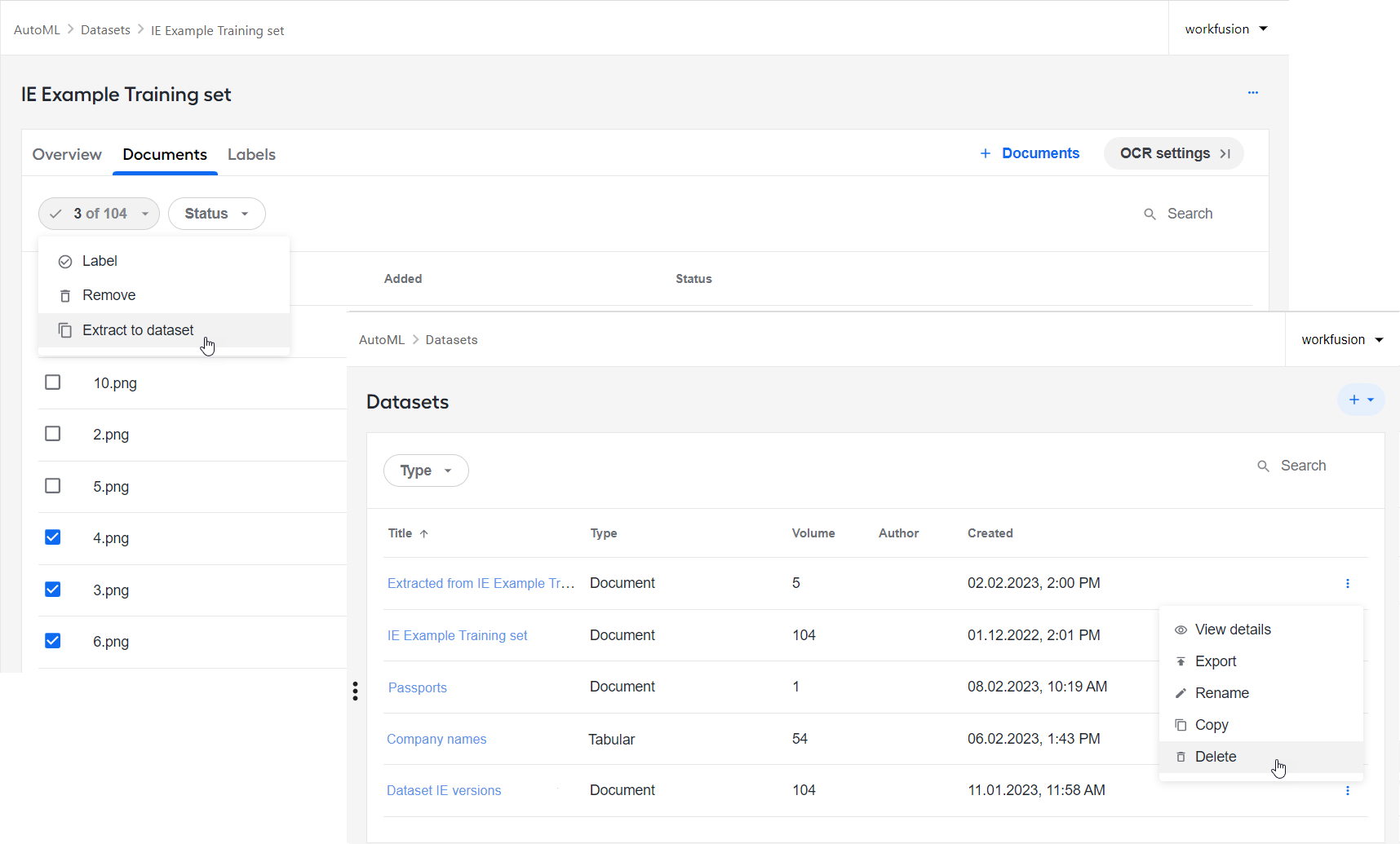
More ways to start model training: in addition to the existing flow to train a model from scratch, you can launch a similar process directly from a pipeline's details screen. In this case, the model you train will use the data fetched from the specific pipeline. For more details, see Manage Pipelines | Train model.
Revamped dataset management:
- Fast preview of uploaded documents regardless of their type and with no need to OCR
- Easy link-based access to new datasets created by copying
- Extracting subsets of documents to a separate dataset
- Ability to remove datasets
- Elaborate document selection mechanism
- Statistics for Tabular datasets
- Breadcrumb navigation
- Auto-redirect to a new dataset after copying or extracting
- Possibility to switch between the JSON representation and Builder UI
- Improved error handling in the labeling flow
- Sample datasets available out of the box for IE and Classification models
Advanced OCR:
- OCR configuration options enable you to set up the OCR provider and provider-specific parameters.
- Support of native PDF processing without OCR allows extracting only searchable text, which reduces your OCR license usage.
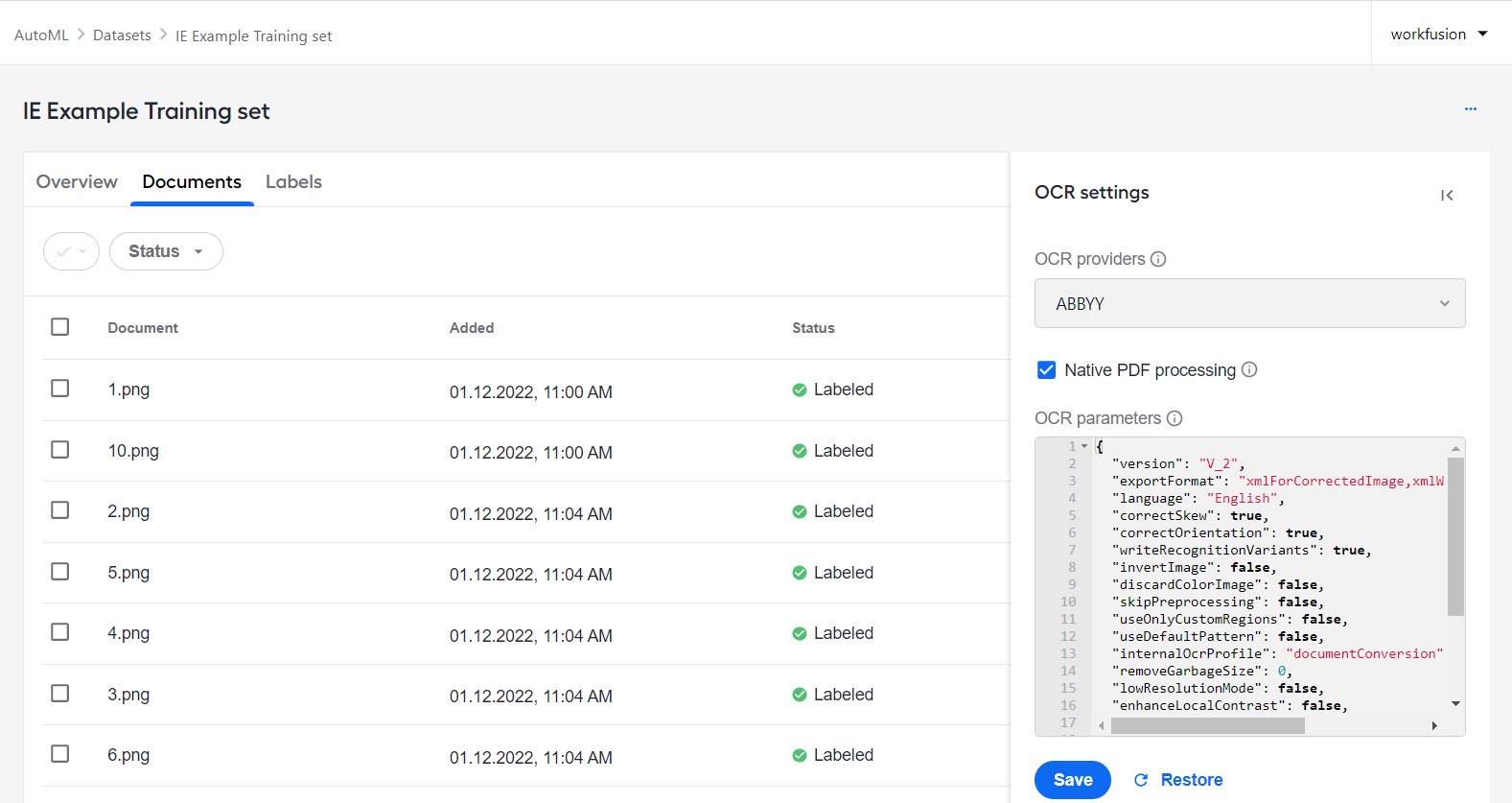
For more information about datasets and OCR configuration settings, see the Manage datasets section.
Revamped Digital Worker analytics
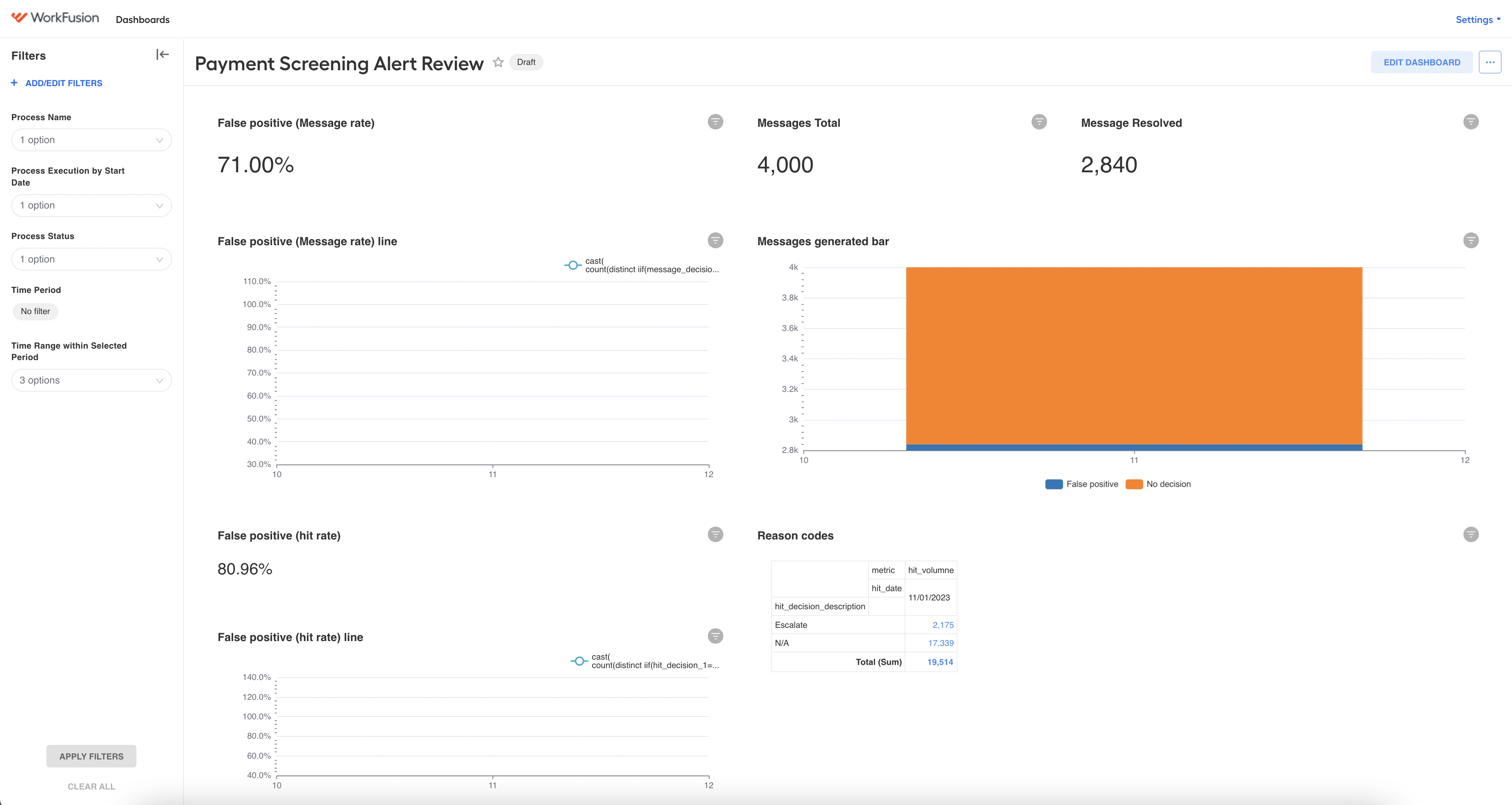
To let you securely monitor Digital Worker metrics with ample customization options, we have added the support of Superset analytics. The new release allows you to experiment with this tool and its capabilities for Digital Workers. Apart from the monitoring function, the novel solution provides segregated access to the Product's analytics by Tenant ID, thus upgrading your security. The dashboards in the Superset come prepackaged and are available in the read-only mode only.
Compared to Tableau, Superset has the following advantages:
- Improved performance: Superset is built on top of modern web technologies and is known to provide faster performance.
- Enhanced data exploration: Superset provides a wide range of data visualization options, including heatmaps, treemaps, and word clouds, which can help users gain insights from their data in new ways.
- Greater flexibility: Superset is open-source software that can be easily integrated with other tools and technologies, providing greater flexibility in data analysis.
- Lower costs: Since Superset is open-source, it is free to use, which can result in significant cost savings for users compared to the expensive licensing fees associated with Tableau.
- Advanced analytics: Superset provides advanced analytics features such as data filtering, data slicing, and ad-hoc analysis, which can help users gain deeper insights from their data.
- Collaboration: Superset allows users to share their dashboards and visualizations with other users, making it easy to collaborate on data analysis projects.
The well-known Tableau remains in its place and provides the same old-but-gold capabilities. To check the new Superset feature, investigate the Insights area of Control Tower.
New flows to enhance user management
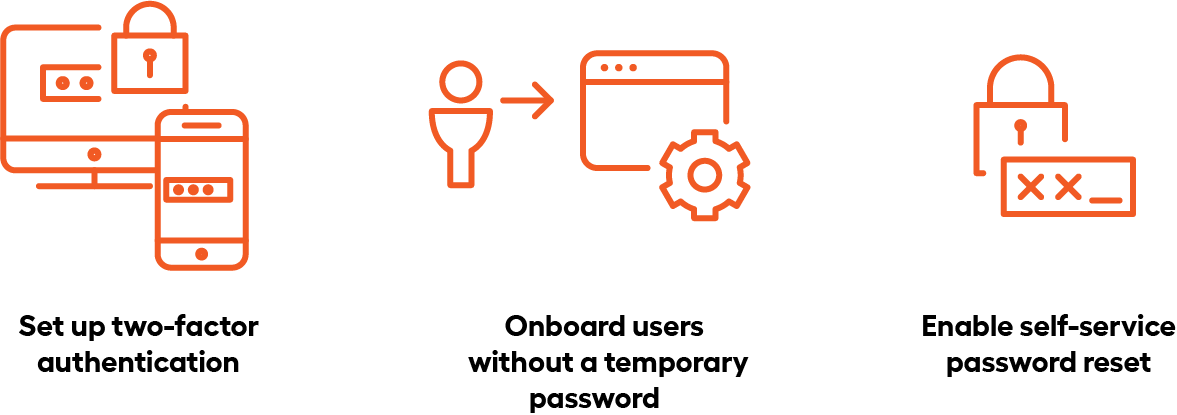
To simplify onboarding and managing users, our team has overhauled the User Management service functionality. As a result, three new flows became available, including for those who choose not to integrate with an Identity Provider:
Two-factor authentication to reduce the risk of security breaches. For instructions about how to set the flow, refer to Configure two-factor authentication.
Local user onboarding without a temporary password to save your administrators the trouble of creating multiple passwords and mobilize employees to work within a shorter time. For details, refer to Manage users | Configure credentials.
Self-service password reset for local users to restore their access to WorkFusion services within a few clicks without involving administrators.
Creating custom Java-based Workers
With the release of 10.2.7, we've made it possible to write and deploy Java code with improved performance and access to a wider range of libraries. The new mechanism enables engineers to create their pure Java-based Worker that can be deployed as a single artifact, eliminating the need for dynamic library loading/unloading. This increased flexibility results in faster data processing and allows automation engineers to use any libraries or frameworks they need for their automation. On the PSS BP example, we've seen a 10x decrease in transaction processing. For the instructions, see Java Native Worker.
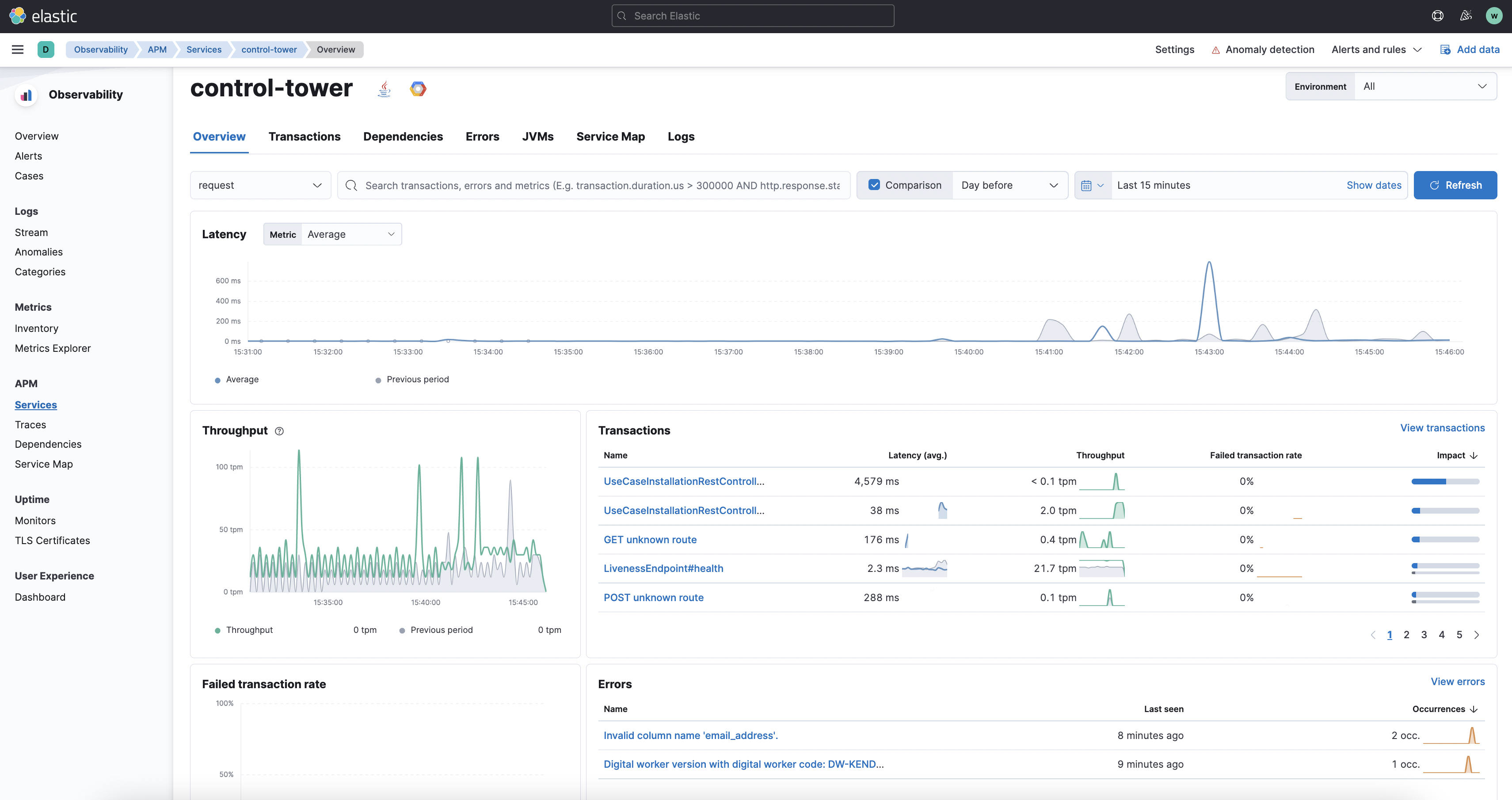
Digital Worker monitoring in Kibana APM
To improve process transparency across the Product, our team configured the Digital Worker transaction tracing data to appear in Kibana APM. The new feature can give you valuable insights into high-level statistics on record processing time and routine actions, such as calls, extended operations, and so on.
You can enable and disable the distributed tracing feature on the installer side. For details, refer to Prepare for installation | Configure services.
Schedules import with Asset Bundles
Instead of setting schedule configurations in the Control Tower interface, you can now package and import them into your environment as part of a Digital Worker bundle. With the preconfigured schedules, you can get your Digital Workers up and running to their full capacity with less effort and in a shorter time.
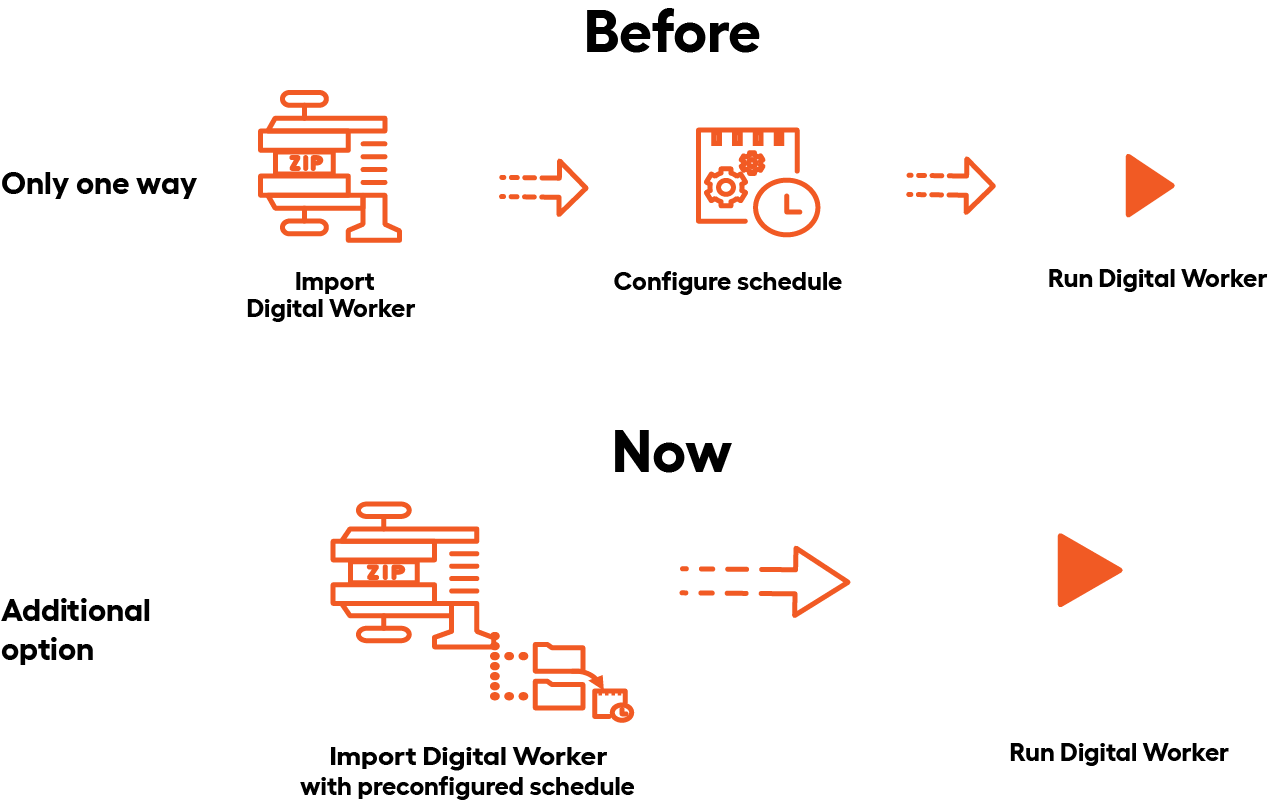
For detailed instructions about adding a schedule to a bundle, refer to Import Business Process schedule with Asset Bundle.
Improvements
AutoML
Log processing was improved for wrapped Python-based models so that you can get more details about anything that goes wrong with your Python models.
The generated archetypes for Python-based models now contain files with minimum requirements so that ML engineers can understand which libraries are compatible with the environments where models are run.
A linkage was defined between modified and parent models by storing the parent ID in the metadata of modified models. The API to get children and parents is available now.
Logging for Python-based models was improved to eliminate issues with debugging Python errors while installing dependencies.
A file with minimal requirements was added for Python-based models to predict if a model can be run in the environment with such libraries.
The ML workflow was enhanced with an animated loader for the Start button on initiating the Train, Modify, and Test actions.
Control Tower
To help you detect stuck Business Processes, we implemented a new out-of-the-box watcher mechanism. Available as part of the installer package, the mechanism runs health checks at two-minute intervals and alerts you if the system can't process any bot steps.
We have provided the means for you to trace the root causes of the following malfunctions:
Failed import of Digital Worker variation bundles. Now, import failure messages clearly explain why the failure occurred, and you don't have to look through extensive logs to understand what is happening.
Failed import of an Asset Bundle containing BCB due to Nexus rejecting the SNAPSHOT version. Now, the API response for a failed import allows you to conclude positively whether the cause is the invalid SNAPSHOT version of the bundle's BCB component.
Thanks to fixes we made in our internal API calls, you can download Business Process step results of any size. As you click the Export button to get them, you can be sure your download will not cause servers to crash.
Our team added filtering based on the 'empty' and 'not empty' criteria to expand your Data Store search capabilities. As you set the UI filter using the equals to condition and leave the value field blank, Data Stores are filtered to find empty columns with the data type specified by the filter.
All operations with Digital Worker variations are available from the Digital Worker list and the Variation details pages. So, everything you need to configure and manage variations is immediately accessible at any stage of your workflow.
Installer and infrastructure
- Kibana now displays logs allowing you to monitor the scaling process across your environment.
- To improve the security of your Linux servers, we've introduced default
nodevandnosuidfstab mount options into the IA Cloud installer. - To reduce the total cost of ownership, we introduced cluster autoscaling. The Worker Management Service tracks the task load and distribution of Worker applications per cluster, and the scaling mechanism measures resource utilization and starts a new server or shuts down the existing one when needed. For more details, see Perform cluster autoscaling.
Manual Task Designer
To enhance user experience with Manual Task Designer for those who design tasks and process them in WorkSpace, we made the following changes:
Improved the design of the Line Item component. Now, it features a context menu, like in Excel tables, with options to delete or add rows and clear selected cells.
Revamped scrolling to tags. As you select a tag in a document, a corresponding field is highlighted on the data point panel, and the highlighting holds longer for the user to see it clearly. For Line Items, an entire row is highlighted when you click a related tag. We also added keyboard support for tag scrolling actions.
Enabled raw document rendering for the Excel format, though with the following limitations: tagging is not yet available for such documents, and the Excels cannot be more than one page in size.
ODF 2
A new
input-connector-rest-apiartifact is now available in the Nexus repository at repository.workfusion.com. The dependency is designed to simplify working with the REST API connector to process Business Process transactions. For details, refer to Process transactions with REST connector.The new
api/v1/secrets-vault/aliasesAPI is used to source options from the list of Secrets Vault aliases, which does not require access to credentials and provides a better UX for the Digital Worker configuration. For more details, see Source list of Secrets Vault aliases.SecretsVaultServiceisolating operations with Secrets Vault now features the newOptional\<SecureEntryDTO\> getOptionalEntry(String alias)method. The method returns theOptional.empty()value enabling you to configure alternate behavior if an entry is missing.New convenience methods are introduced in Spoke to update Digital Worker configurations without redeploying Asset Bundles. For more details, see the new Digital Worker API description.
A new convenience API is used to run Business Processes asynchronously, starting multiple instances in parallel. For instructions, refer to Running multiple Business Processes asynchronously.
MlBridgeInputTaskis extended with the ability to modify document content provided to a model and define additional behavior. For more information, see ML models | Implement tasks.
RPA
To facilitate zero-failure RPA component installation, our engineers delivered a script to check whether the target server is configured correctly to run RPA. The script does the following:
- Verifies that required ports are open.
- Removes the proxy configuration on Windows machines, if any.
- Inspects group and registry policy settings.
- Makes sure Windows RDS is set up.
- Checks CPU, disk, and memory and recommends RPA unit counts based on them.
Updated the command starting Nginx, Filebeat, Metricbeat, and APM server to close a console window in case of the process crash.
Updated
worker.batto generate heap dump by default in case of OutOfMemoryError.Added APM server on an RPA machine, enabling the Windows RPA installer to unpack and configure the APM server.
Added a property to hide Unit display to the
WFRDPClient.exe.configfile in the Windows RPA installer. For more details, see the documentation.Enabled structured logging for RPA Worker and Bot Agent by default. For more details, see the documentation.
Added a button to Bot Manager to switch on and off sending video to S3. For more details, see Troubleshoot with RPA unit screen video recording.
Added additional notifications for the video recording feature in Bot Manager. For more details, see Troubleshoot with RPA unit screen video recording.
Provided patched DLL with additional logging if the "Access Denied" WINAPI error occurs.
WorkSpace
- To improve the usability of WorkSpace, we have extended the number of custom queues listed in the interface from 20 to 50. The limit of shared queues is also increased to 50. Once the limit of listed queues is reached, you can no longer create them until you remove the old ones.
Bug fixes
AutoML
Resolved the issue when a model modification operation caused the training set information to be overwritten by the test set data. After modifying a model, the details page lists the correct training set statistics.
Added missing post-processor descriptions or clarified unclear ones within the model training flow in the AutoML user interface in Control Tower.
Fixed a pure Python model issue when the out-of-the-box script failed to launch Workers locally until the associated Asset Bundle was unpacked. Now, Workers for pure Python models are launched without unpacking built assets.
Eliminated the issue with model artifact validation during synchronization. Now, it is impossible to import artifacts with invalid code.
Fixed the problem with the unhandled exceptions or validation errors upon double-clicking the Create button for datasets. Now, provided you enter a unique dataset name, double-clicking the button will cause the creation dialog to be closed, and the Dataset will be created with no errors.
Fixed the issue with date normalizer parameters not being applied on the Modify action when training an IE model.
Fixed pure Python IE model behavior causing exceptions during training.
Resolved the "Models were not imported with the error: "The specified key does not exist." issue when installing a Bundle with an AutoML model.
Fixed definitions of some common normalizers.
Fixed the issue when generating artifacts with a pre-trained model failed due to an optional missing parameter.
Fixed the issue with incorrect filtering and sorting by status in the Experiments UI.
Resolved the issue with an incorrect background for tabs in the Datasets UI.
Fixed the issue with trained models failing to be merged or split in case of line items in the fields.json file.
To eliminate bad requests on the document dataset creation stage, a loader was added for the Create button to wait for an IE schema to be fetched and used in a request.
Fixed the issue with the Labels tab in Datasets reloading many times on editing.
Fixed the styles for breadcrumbs in the Datasets UI.
Fixed the broken styles in the Dataset UI when returning to the Dataset after model training.
Fixed the incorrect error message appearing on labeling if a document doesn't exist.
Fixed the styles broken for the model details UI in case of a model with 0 statistics.
Fixed the performance issue with the dataset dropdown in the model train, test, and modify flows.
Control Tower
Eliminated Business Process failures due to the incorrect recursive behavior of the S3-list plugin. Now, the plugin has a new optional parameter to enable or disable the recursive behavior. For you to properly apply the new parameter, we've also updated our documentation with best practice examples.
Fixed the date format issue in downloaded CSV and XLSX files with Data Store data. The date format in the downloaded files matches that in the Data Store.
Resolved the issue with Bot Config removal failing after the deletion of the associated Business Process run.
Resolved the problem causing new Business Processes to fail to pick up Digital Worker configurations.
Fixed issues entailing failed export of Digital Worker variations.
Infrastructure and installer
Fixed accidental post-upscale Business Process failures resulting in 502 Bad Gateway responses to internal Control Tower API and WorkSpace requests. As a resolution, HAProxy was set to preserve the state of healthy components after reloads during upscaling events.
Eliminated the insecure cipher vulnerability detected on the Marathon endpoint. The Marathon service was reconfigured to use the Diffie-Hellman module of 2048 bits or greater.
Eliminated the vulnerability of the 'jackson-libs' component by updating it to the latest version.
OCR
Resolved the issue with missing coordinates for symbols in the OCR output of the Google provider.
Fixed the issue with Azure OCR producing duplicated values for OCRed text.
ODF 2
Enabled ODF 2 plugins to update constraint versions. Now, developers do not have to do this manually, which helps to avoid errors due to multiple constraints having the same name. For more information, see Digital Worker versioning | Work with migrations.
Resolved the monitor bot redeployment issue. Now, you can start using an updated monitor bot right after its import without clearing any previous version traces manually or via code.
RPA
Fixed the lost focus issue in Internet Explorer. RPA API now includes a new method to allow focusing on specific web elements before the typing action. For details, see the documentation.
Fixed the issue with the RPA installer failing on the CA_ConfigureRDS custom action execution with the
INSTALL. Return value 3.code.Fixed the Bot Master RDP connection issue for the VDI environment when the Bot Agent cannot create a Bot Master RDP session.
Studio
- Resolved the issues with the
screenshotLinkvalue in theErrorEntityfield not populated in the out-of-the-box logic. To eliminate the problem, we delivered a service that can make screenshots of the RPA server RE, save images to S3, and provide links to them. Developers can now use them to implement custom error-handling logic to their requirements.
User management
Fixed Keycloack crashes by updating the domain extension for IA Cloud Enterprise.
Resolved the problem with users in the Developer role unable to view or deploy Digital Workers. Now, all required permissions are granted to the role by default.
Fixed the issue when the workfusion user got a 403 error when attempting to access the User Management UI from Control Tower after IA Cloud installation. After the fix, as the workfusion user logs into Control Tower and tries to open the User Management UI from the top left menu, they are redirected and authenticated successfully. In case the user does not have the required permissions, the respective menu item is not shown on the menu.
Updates
- Updated the installer with the latest 8.x JDK version.
- Updated Erlang to the latest 24.3.x version.
- Updated RabbitMQ to version 3.10.
- Updated Tableau to version 2021.4.13.
- Updated Filebeat and Metricbeat to version 7.17.5.
- Updated Tomcat to version 9.0.7.
- Updated Apache Commons Text to version 1.10.0.
Deprecations
- Removed the A/B testing and Bot Retraining features for Digital Workers from the Control Tower UI.
Known issues
When users with the Admin permissions click Logout All in the Keycloak administrator's panel, they still need to log other users out separately from Superset to ensure that all sessions are correctly terminated. We will fix this issue in Enterprise Edition 10.2.8.
For upgrade details, refer to the Upgrade guide.