
Manual Task Use Case
important
The topic covers the creation and editing of Manual Tasks Use Cases. On reading it, proceed to the Create Manual Task section.
For more details on Bot Tasks, refer to Create Bot Operation.
Use Case Categories
Each Use Case must belong to a Use Case Category. To manage Categories, go to System Settings > Use Case Categories.
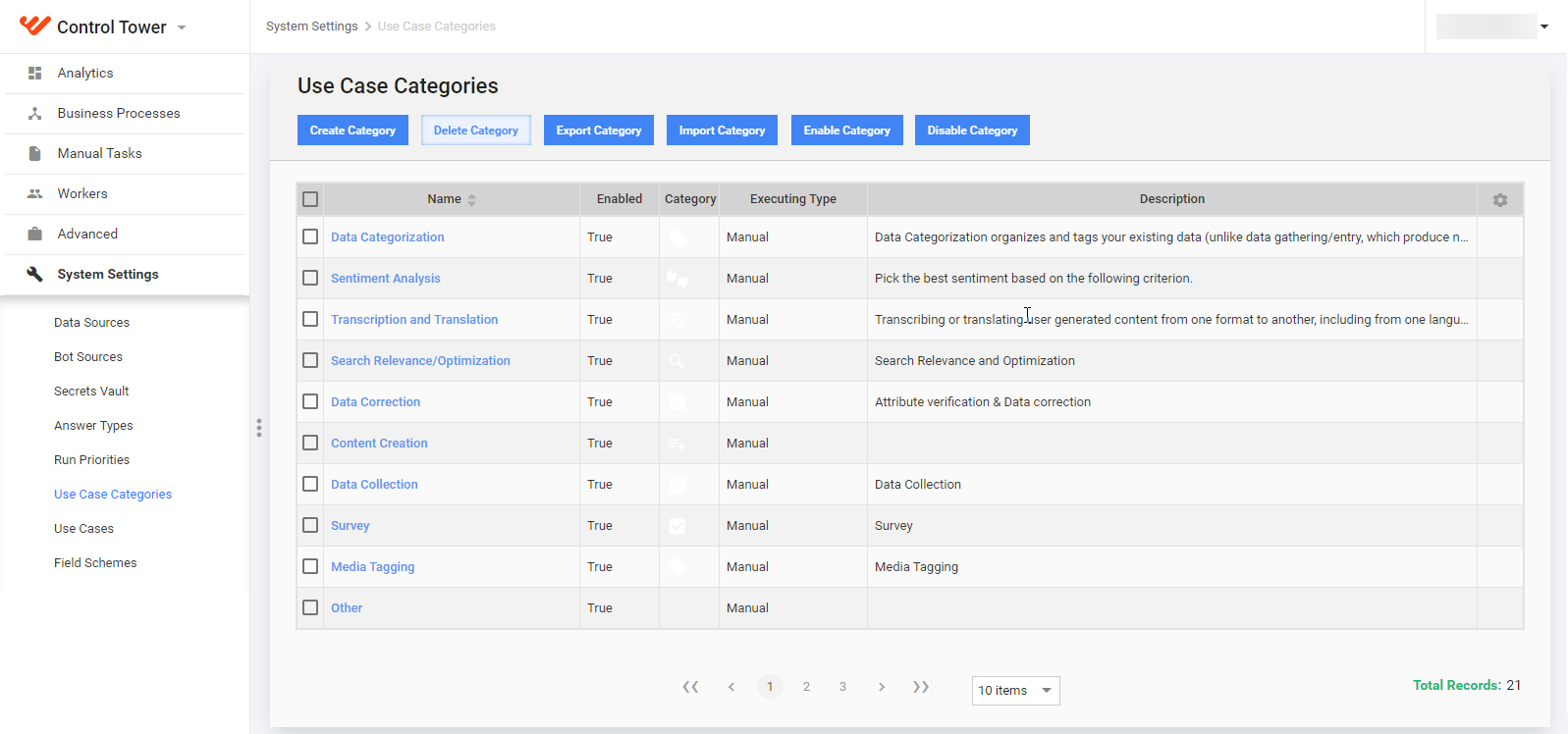
On the Use Case Categories page, you can perform the following bulk actions with a Category:
- create and edit
- delete
- export and import in the XML format
- enable and disable
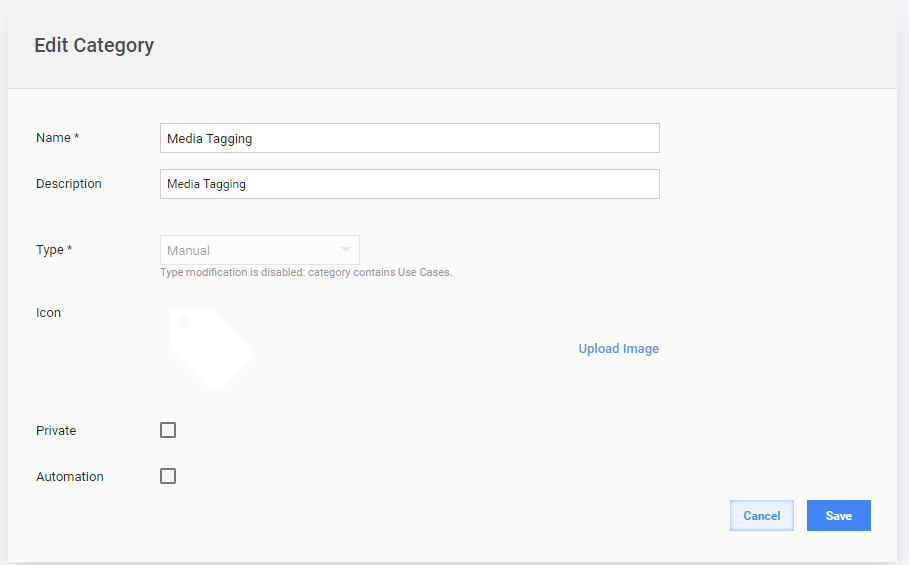
When you create or edit a Category, you set the following parameters:
| Field | Description |
|---|---|
| Name | Specify a unique Category name. |
| Description | Enter common information about the Category items. |
| Type | (Manual or Bot). Type modification is disabled if category already contains some Use Cases. |
| Icon | Upload an icon to distinguish the Category among others. |
| Private | If unchecked, WorkSpace Workers will see this Category on the Tasks page. |
Use Cases
To manage Use Cases, go to System Settings > Use Cases.
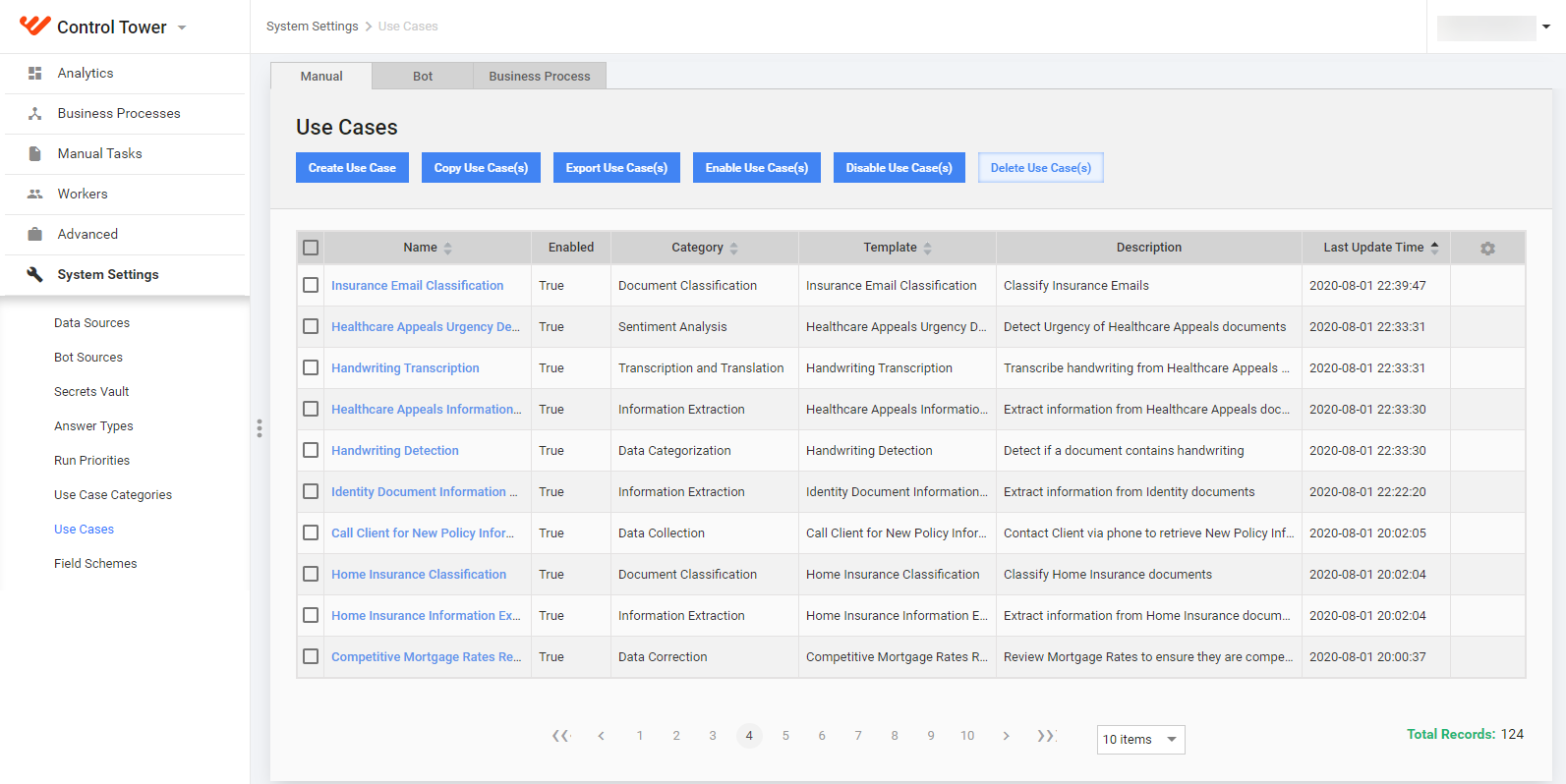
On the Use Cases page, you can perform the following bulk actions with a Use Case:
- create and edit
- delete
- copy
- export and import in the XML format
- enable and disable
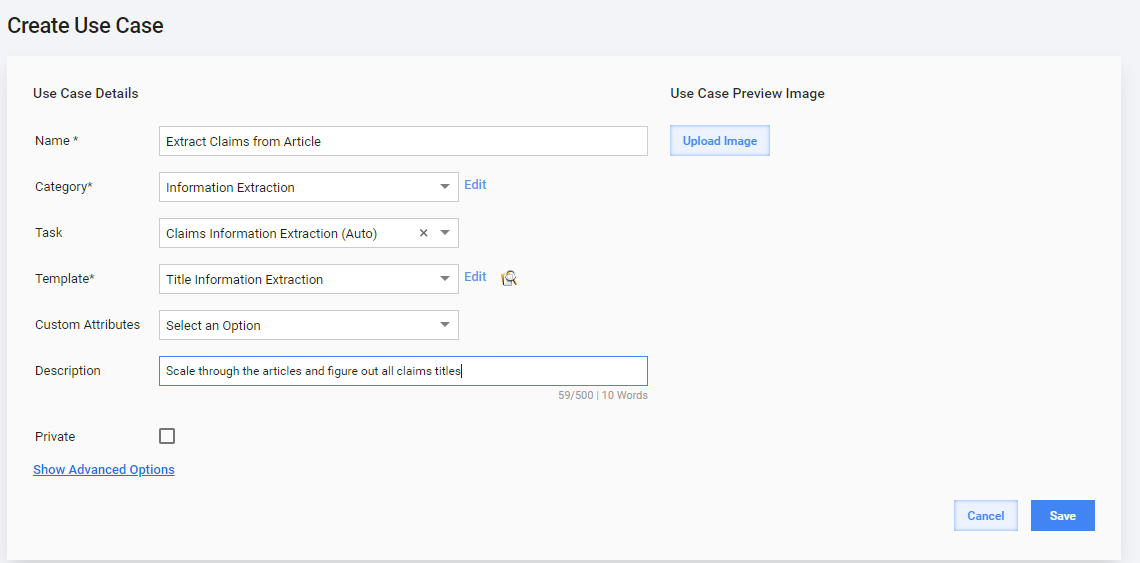
When you create or edit a Use Case for Manual Tasks, set the following parameters:
| Field | Description |
|---|---|
| Name | Specify a unique Use Case name. |
| Category | Select a Category that fits your Use Case. To edit the Category, click the appropriate link. |
| Task | Select a Task that will be a source for the Use Case. After you have selected a Task, the Template will load automatically. You can preview or edit the Template. |
| Custom Attributes | See Manage Custom Attributes. |
| Description | Enter common information about the Use Case. |
| Private | If unchecked, WorkSpace Workers will see this Use Case on the Tasks page. |
| Preview Image | Upload an image to distinguish the Use Case among others and give the user initial information about the look of the Task. |
| Advanced Options | Click this link to display the Task Options and Task Designer. We recommend creating Use Cases from the previously tested Tasks only and not editing the Use Case Advanced Options. |