
My Profile
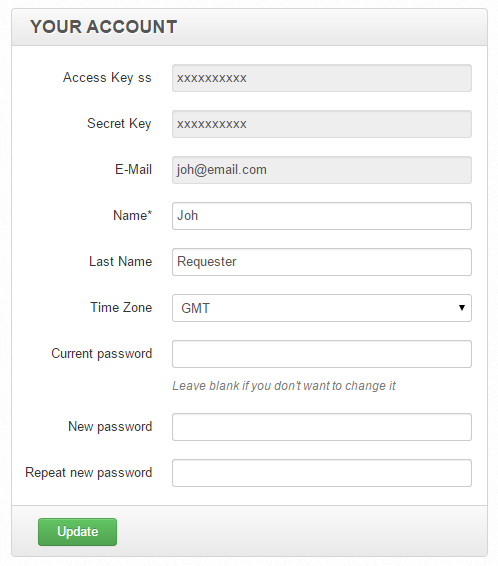
On the My Account page, you can view the following information:
- Access Key ss
- Secret Key
You can also view and edit the following fields:
Name
Last Name
Time Zone
Current password / New password / Repeat new password
To change your password, enter all the three passwords: your current password, the new one, and repeat the new password.
note
When you log in using the SSO (Single Sign-On) or LDAP (Lightweight Directory Access Protocol) authentification, the fields for changing the password are not displayed.
After you finish editing your account information, click the Update button.