Run Priorities
Run Priorities allow you to control the order in which Tasks are processed.
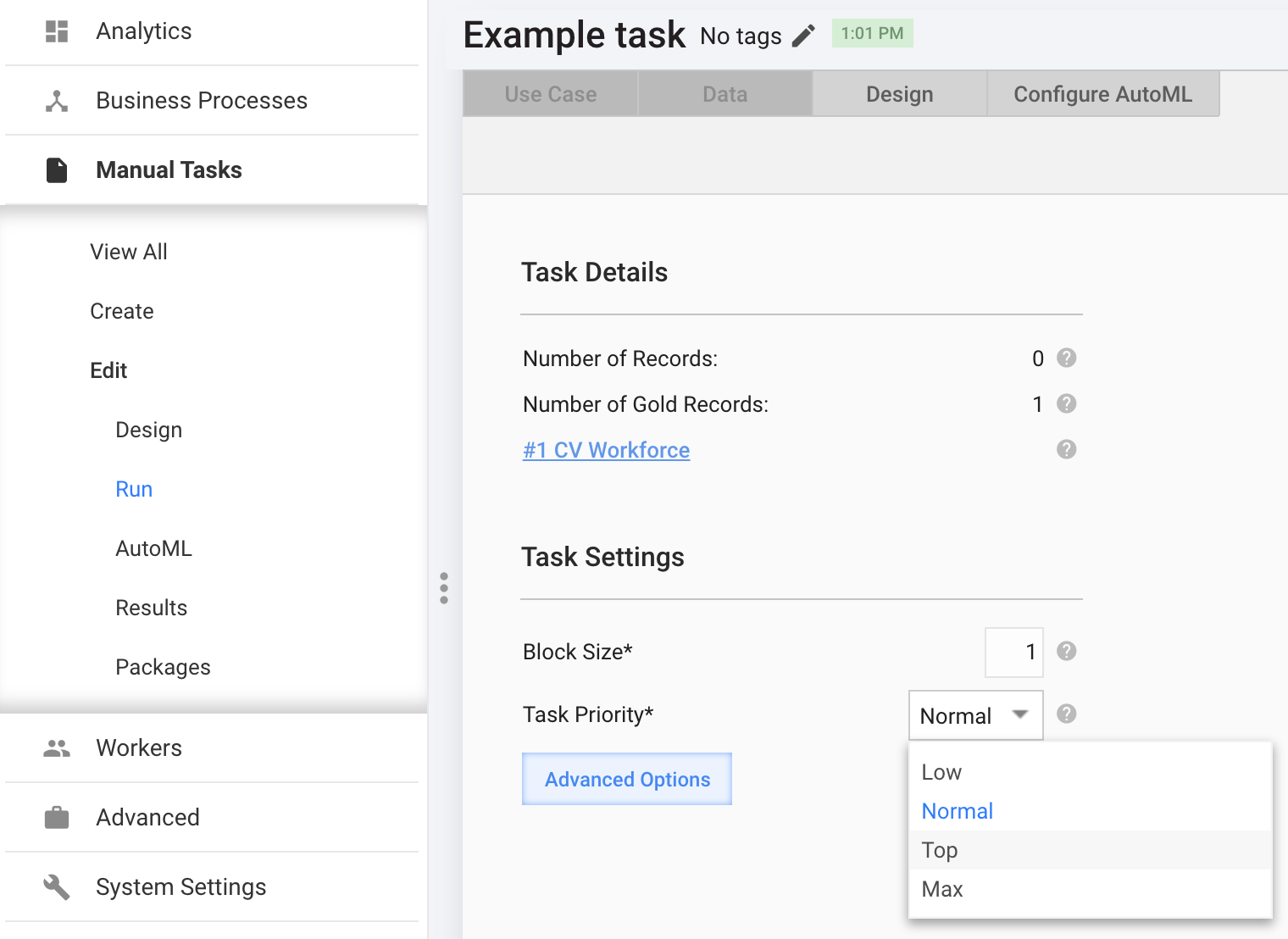
For example, you are running several Tasks simultaneously on a given Endpoint and you want a certain Task to have a higher priority than other Tasks. You can assign this Task a higher Run Priority in Task Settings, and Workers will see this Task at the top of their search.
To start managing priorities, go to System Settings > Run Priorities.
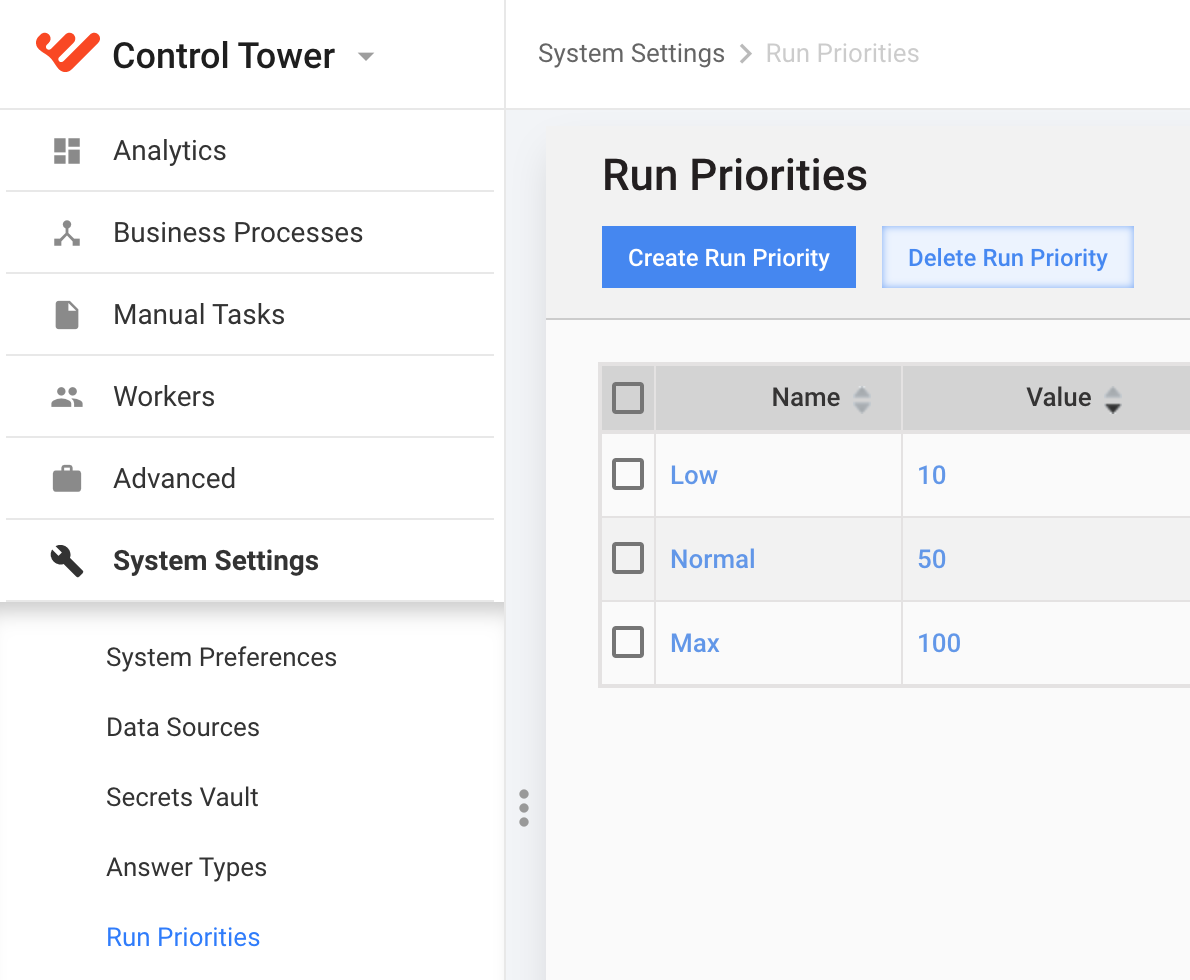
You can perform the following actions with Run Priorities:
- create
- edit (click the appropriate name)
- delete
The "Normal" priority is default and cannot be deleted.
Creating / Editing a Task Priority
- Click the Create Run Priority button or click the appropriate priority name in the grid.
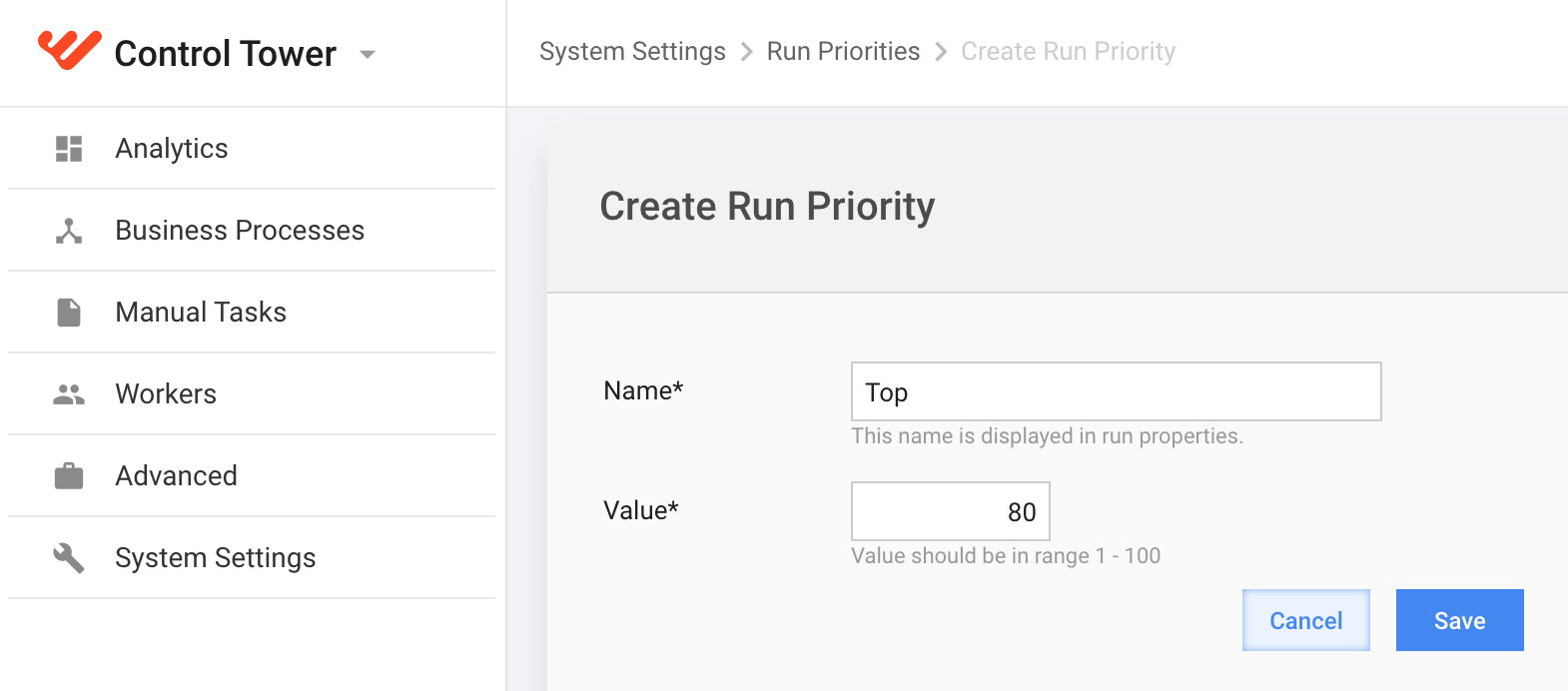
- Enter a unique Name for the priority.
- Enter a priority Value from 1 to 100. The higher this value, Task with higher priority will be processed in the first turn.
Using Run Priorities
All the existing priorities appear in Task Settings: