
Getting started with Keycloak
What is Keycloak
Keycloak is an IDP (identity provider) service integrated into the out-of-the-box WorkFusion package to implement Access Control List (ACL).
Keycloak enables centralized user management and provides single sign-on and sign-out across WorkFusion applications (Control Tower, WorkSpace, Kibana) and customer-side systems (for example, LDAP) under predefined security policies.
Additional supported features include:
- Identity Brokering enabling authentication with external SAML and OpenID Connect (OIDC) identity providers
- User Federation allowing to import and sync users from LDAP/Active Directory
How Keycloak works
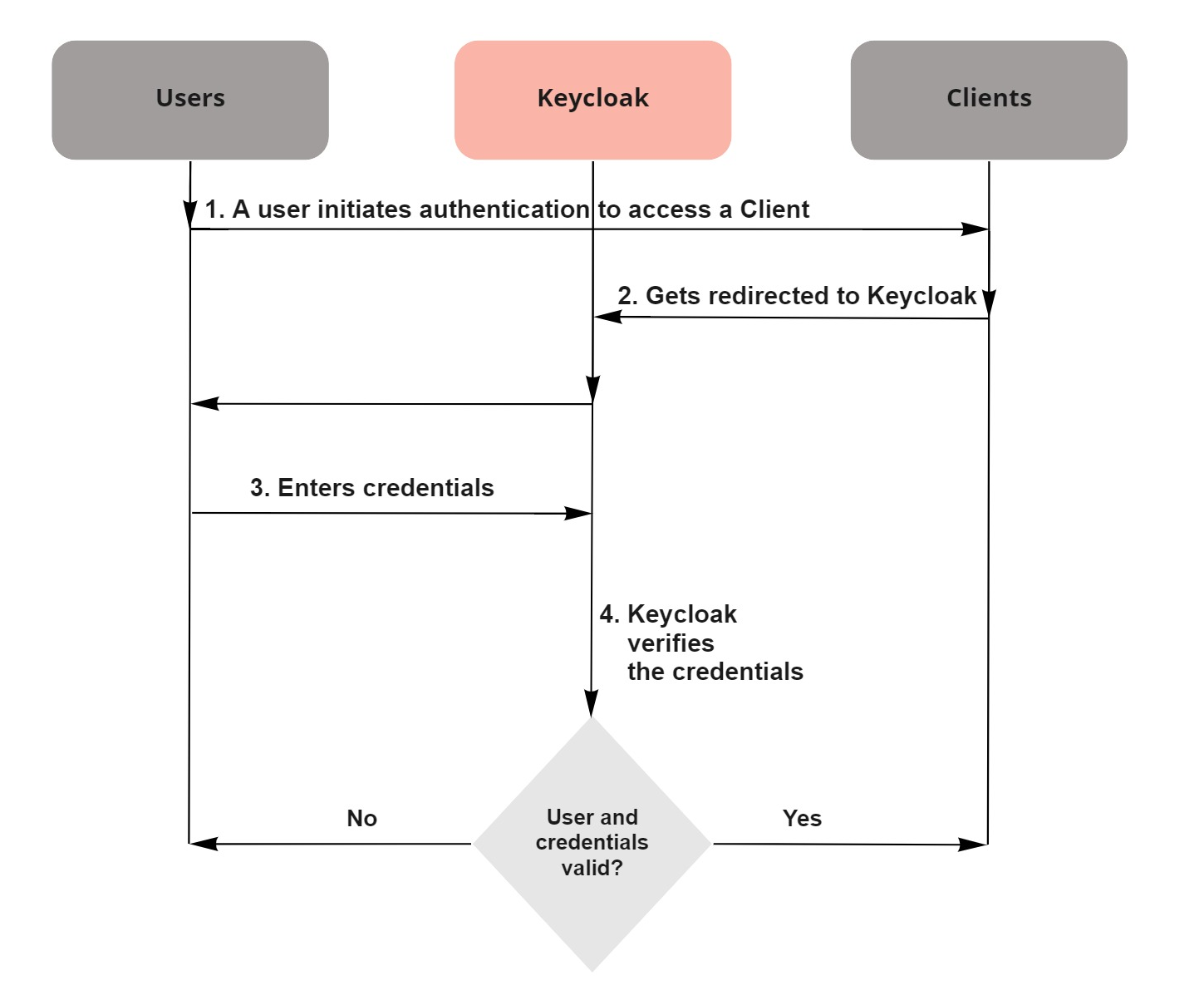
WorkFusion applications are preconfigured to point to and be secured by Keycloak using the OIDC open protocol standard. Whenever users attempt to sign on any of the WorkFusion applications, they get redirected to the Keycloak authentication server, where they are requested to enter credentials.
In this way, users are completely isolated from the applications, and the applications never see user credentials. Instead, the applications work with an identity token or a cryptographically signed assertion. These tokens can include identity information (for example, username, email) and permission data enabling the applications to make authorization decisions.
The general flow is as illustrated in the figure below.
On the inside, Keycloak functions based on the total of preconfigured and user-defined realms, clients, groups, roles, users, and credentials.
- Realms are dedicated spaces to store and manage a particular set of clients, users, as well as user roles, groups, attributes, and credentials.
- Clients are entities that can request Keycloak to authenticate a user.
- Users are entities that can log into a system or application.
- Groups provide a single space to apply roles and attributes to a collection of users.
- Roles identify a type or category of a user (for example, admin, user, manager, employee) granted specific permissions to access and manage realms.
- Credentials are pieces of data that Keycloak uses to verify a user's identity (for example, passwords, digital certificates).
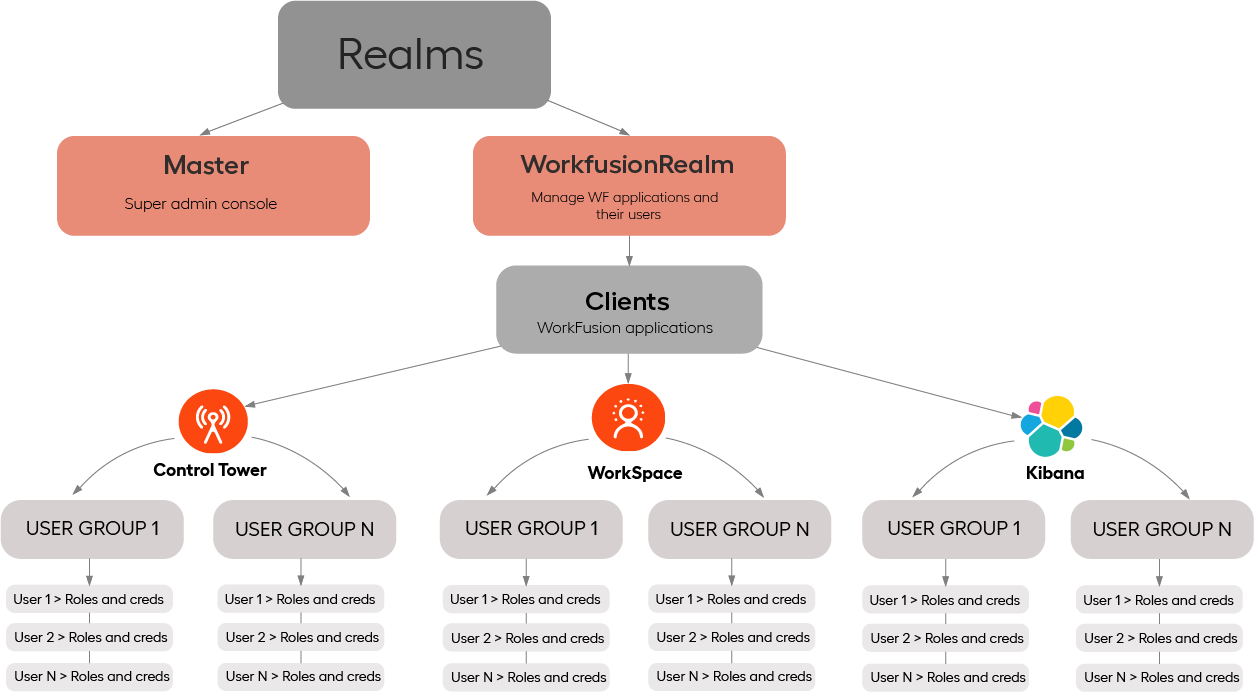
In the WorkFusion-integrated Keycloak implementation, realms and clients are preconfigured. Therefore, at first start, complete the initial setup steps as described in the Getting started with Keycloak section below.
Getting started with Keycloak
When getting started with Keycloak for WorkFusion user management, log in to Keycloak as a super admin (the administrator for the master realm). The role is created in the course of installation.
To log in to Keycloak, go to Control Tower. In the top left corner, open the drop-down menu and select User Management.
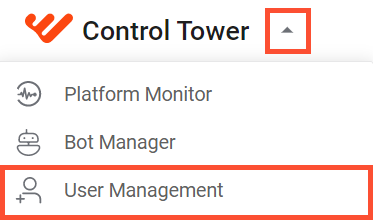
Once you are signed in, complete the following steps for the initial setup:
- Configure the SMPT server and security lockouts for the existing realms. For details, refer to the instruction.
- Add users to the preconfigured realms in one of the following ways:
- Import users from your previous IAC version. For details, refer to the migration guide.
- Create users manually. For details, refer to the Create users sub-section.
- Import users from an external identity or storage provider based on the guides:
- Configure the settings for the created users or edit the settings for the imported ones. For details, refer to the instruction.
- Create user groups and configure the groups' settings or edit the imported groups and their settings. For details, refer to the Create groups section.
- Map roles to new users and user groups or edit the existing role mappings for imported users and user groups. For details, refer to the instruction.
note
In case of migration from a previous IA Cloud version, all users, including LDAP and IDP ones, are migrated together with their roles and related mappings. Therefore, you can skip steps 3 to 5. For details, refer to the migration guide.
After you complete the steps, you can use Keycloak to manage users across WorkFusion applications and related systems.