
Add connections
All BP elements must be linked by connections which define the flow of Data file Records. The arrow displays the connection direction.
Create outgoing connection
- Deselect element by clicking on Canvas empty space.
- Hover over the element. An arrow icon will be displayed to the right of the element:
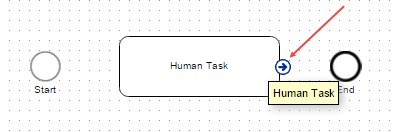
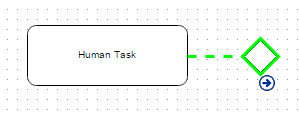
- Drag the arrow icon on another element. A colored dashed line will be displayed.
- If the line is green, the action is allowed.
- If the line is red, the action is not allowed. An error message will be displayed.
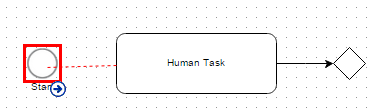
- If the line is green, the action is allowed.
Each connection start and end need to have blue squares, otherwise it's likely not connected and the WorkFusion engine will throw an error message.
Edit connection
You can edit connections or delete them.
To edit a connection:
- Select a connection by clicking it.
- Drag and drop the beginning or ending point to another element
- If the line is green, the action is allowed.
- If the line is red, the action is not allowed.
You can also place a connection label by dragging a yellow square in the middle of the label.
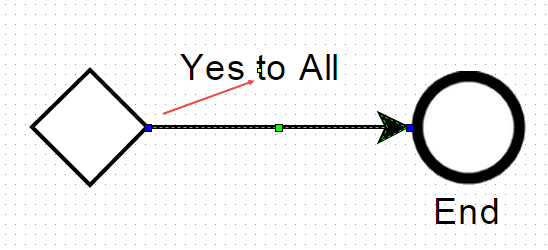
You can rename or delete a connection using context menu.
Outcome for Rule
Outcome is a Rule outgoing connection. You can edit the Outcome Name and Conditions by double clicking it or from context menu.