
Automation Business Process complete, but there are no charts on Automation tab
Case 1
A user gets the Resource not found message.

Solution
Check the GET method in the console. If the link includes ${tableau.new.automation.workbook}, the tableau.new.automation.workbook property is not specified for the instance.
For new models, the tableau.new.automation.workbook property value equals to WF-Automation-j.
Case 2
Empty space instead of charts.
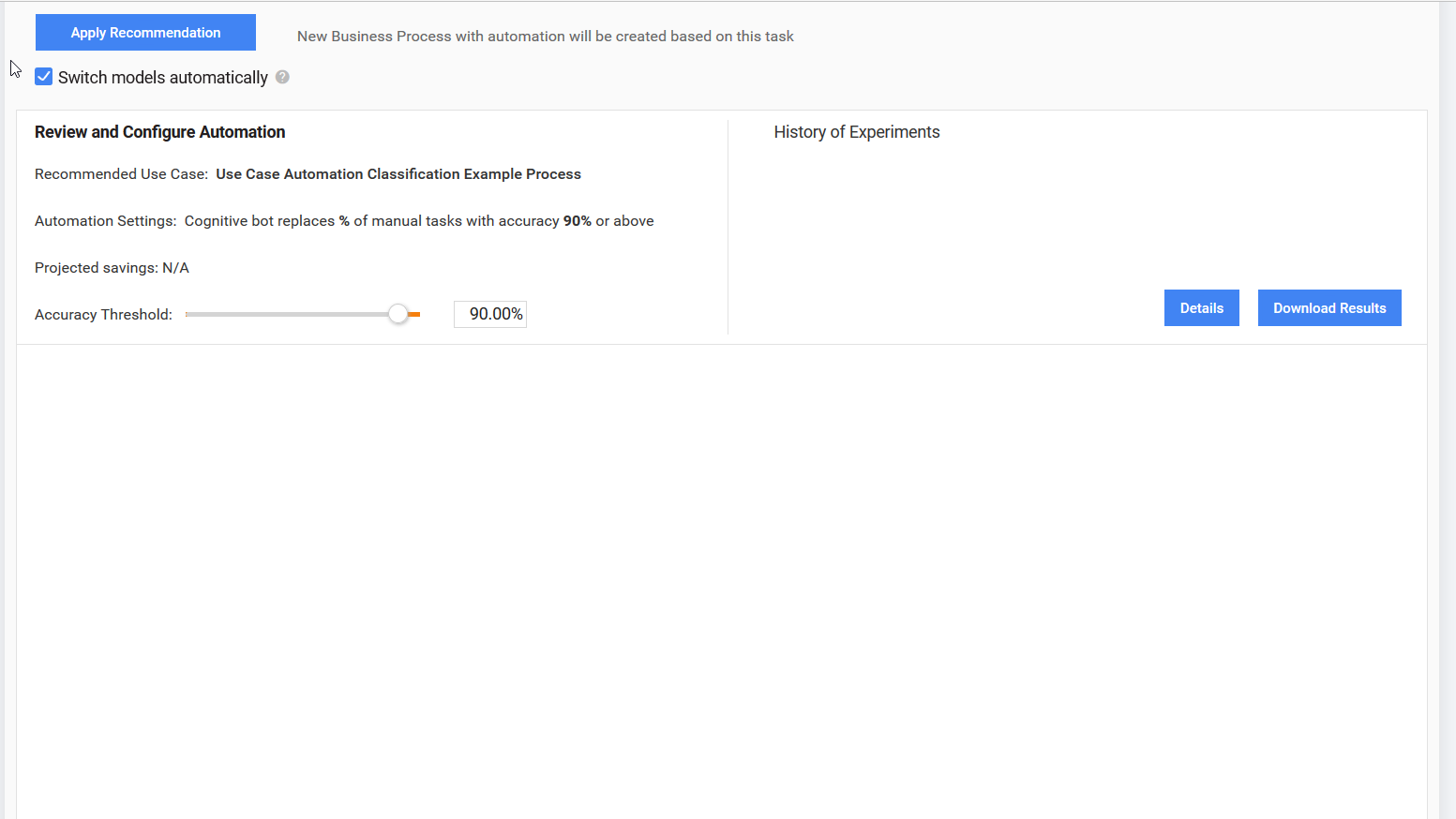
Solution
- Data saved to an incorrect Tableau database.
- Check that
tableau.db.urlis specified:- If yes, check that
tableau.automation.hostmatchestableau.db.url. - If no, contact the OPS team.
- If yes, check that
- Restart training.
- Check that
- Check the startEval plugin properties in the Training Business Process (
config: Start Train&Evaluation). It should contain theuse-tableau='true'option. - If Tableau is enabled, check that workbooks are configured correctly, or contact the Tableau team.
- If Tableau is disabled, check that wfbi-service and tableau db use the same database.
Case 3
A wrong configuration of wfbi/tableauDb.
Solution
- Check that the JDBC parameter table is configured for the database used by the current WorkFusion instance.
- Open
/opt/tomcat/conf/Catalina/localhost/workfusion.xmlor/opt/tomcat/cont/context.xmlif the previous file does not exist. - Find the following parameters:
tableau/db/url: Tableau databasetableau/host/automation: Tableau server
- Make sure that the Tableau service configured in
tableau/host/automationis set to use the database defined intableau/db/url. Contact the system administrator to get more help.
Case 4
An error saving data to Tableau because the port is not open.
Solution
Log in to the Mesos master and check logs: /data/vds/eval/vds/<egid>/process/logs/workflow-000000.log.
When the port is not open, C3P0 pool improperly detects this situation as a deadlock as the connection does not return to pool for a long period. So, search for the error as shown below:
APPARENT DEADLOCK!!! Creating emergency threads for unassigned pending tasks!
2017-05-12 10:52:59,500 WARN  ThreadPoolAsynchronousRunner [4:eval_26.FEaT_8.SSTT] com.mchange.v2.async.ThreadPoolAsynchronousRunner$DeadlockDetector@67f53442 -- APPARENT DEADLOCK!!! Complete Status:
        Managed Threads: 3
        Active Threads: 3
        Active Tasks:
                com.mchange.v2.resourcepool.BasicResourcePool$ScatteredAcquireTask@1a56afdd
                        on thread: C3P0PooledConnectionPoolManager[identityToken->2so18a9n1y01lxnoxjmf0|63028e09]-HelperThread-#0
                com.mchange.v2.resourcepool.BasicResourcePool$ScatteredAcquireTask@6c88a44
                        on thread: C3P0PooledConnectionPoolManager[identityToken->2so18a9n1y01lxnoxjmf0|63028e09]-HelperThread-#2
                com.mchange.v2.resourcepool.BasicResourcePool$ScatteredAcquireTask@556423fa
                        on thread: C3P0PooledConnectionPoolManager[identityToken->2so18a9n1y01lxnoxjmf0|63028e09]-HelperThread-#1
        Pending Tasks:
                com.mchange.v2.resourcepool.BasicResourcePool$ScatteredAcquireTask@789191b3
                com.mchange.v2.resourcepool.BasicResourcePool$ScatteredAcquireTask@3a49ae4f