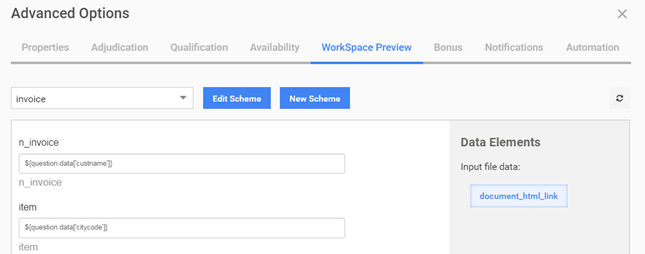
Field Scheme migration
As packages of Business Processes (BP) with Manual Tasks containing Field Schemes with the same name get imported from one environment to another multiple times, each migration added more Field Schemes with the same name on a Control Tower instance. As a result, during the WorkSpace Preview configuration on the Advanced Options tab, Field Schemes are not set automatically, and one can select them from the drop-down list only. Moreover, the values of fields were missed after a selection. See the example below:
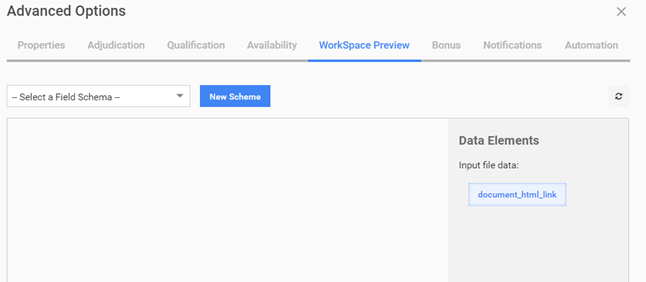
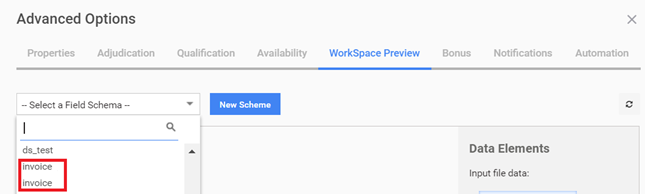
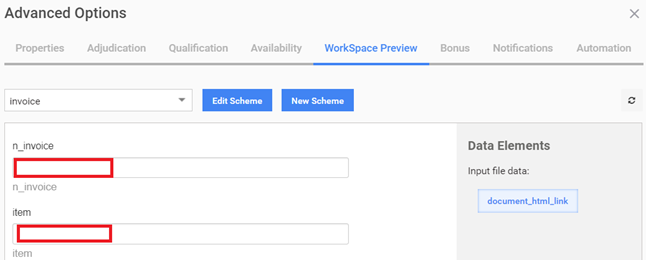
The name of a Field Scheme is not a unique identifier. That is why it duplicates appear on the new environment after each BP migration.
Below are two workarounds:
Before a BP migration, delete duplicate Field Schemes manually from the instance.
Before launching a BP, select the corresponding Field Scheme manually from the drop-down list: