
Gather data for RPA performance analysis
To investigate possible issues related to the WorkFusion environment configuration and performance, it is required to gather logs and the configuration information described on the page.
Deployment diagram
Hubs and nodes deployment diagram covering all WorkFusion components
- Control Tower (hostnames, IP address, NGINX port, tomcat port)
- RPA Manager (hostname, IP address, port)
- RPA Hubs (hostnames, IP addresses, Nginx port, port)
- RPA Nodes (hostnames, IP addresses, ports)
To download a deployment specification example, click here.
Bot sources configuration for RPA
To make sure you are not overloading the RPA cluster, you need to know the following:
- The number of Business Processes (BP) or steps using robotics plugins.
- Bot Source configuration (Bot Source name and thread count number) for each robotics step. For details, see Bot Source threads for RPA.
Quota and custom capabilities
To make sure that you are not overloading the RPA cluster, you should know the following:
- Which and how many steps of BPs use custom capabilities for each custom capability.
- Which and how many steps of BPs use quota for each quota.
Environment checks
Result of checking if all nodes are working Check RPA hub health.
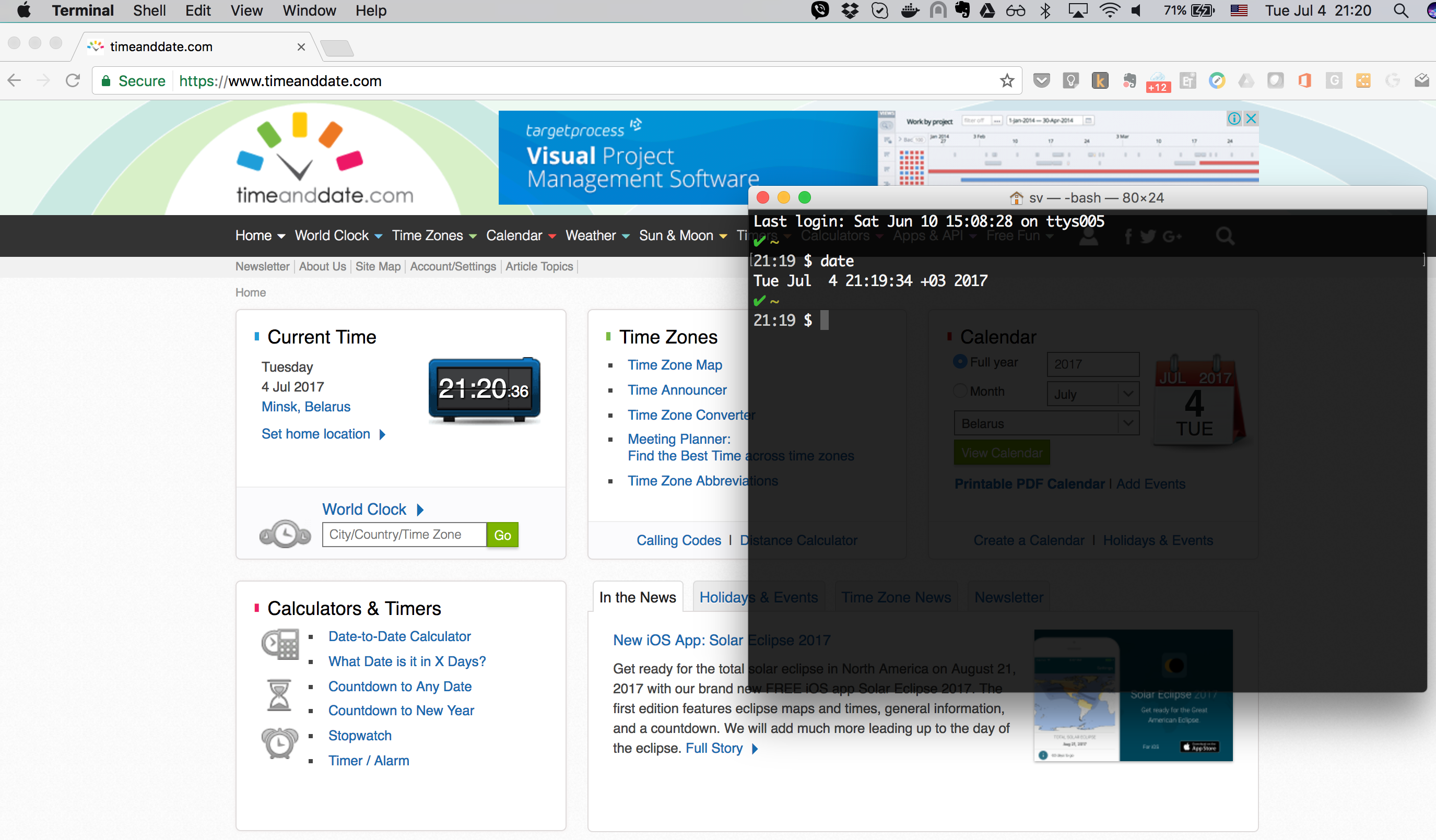
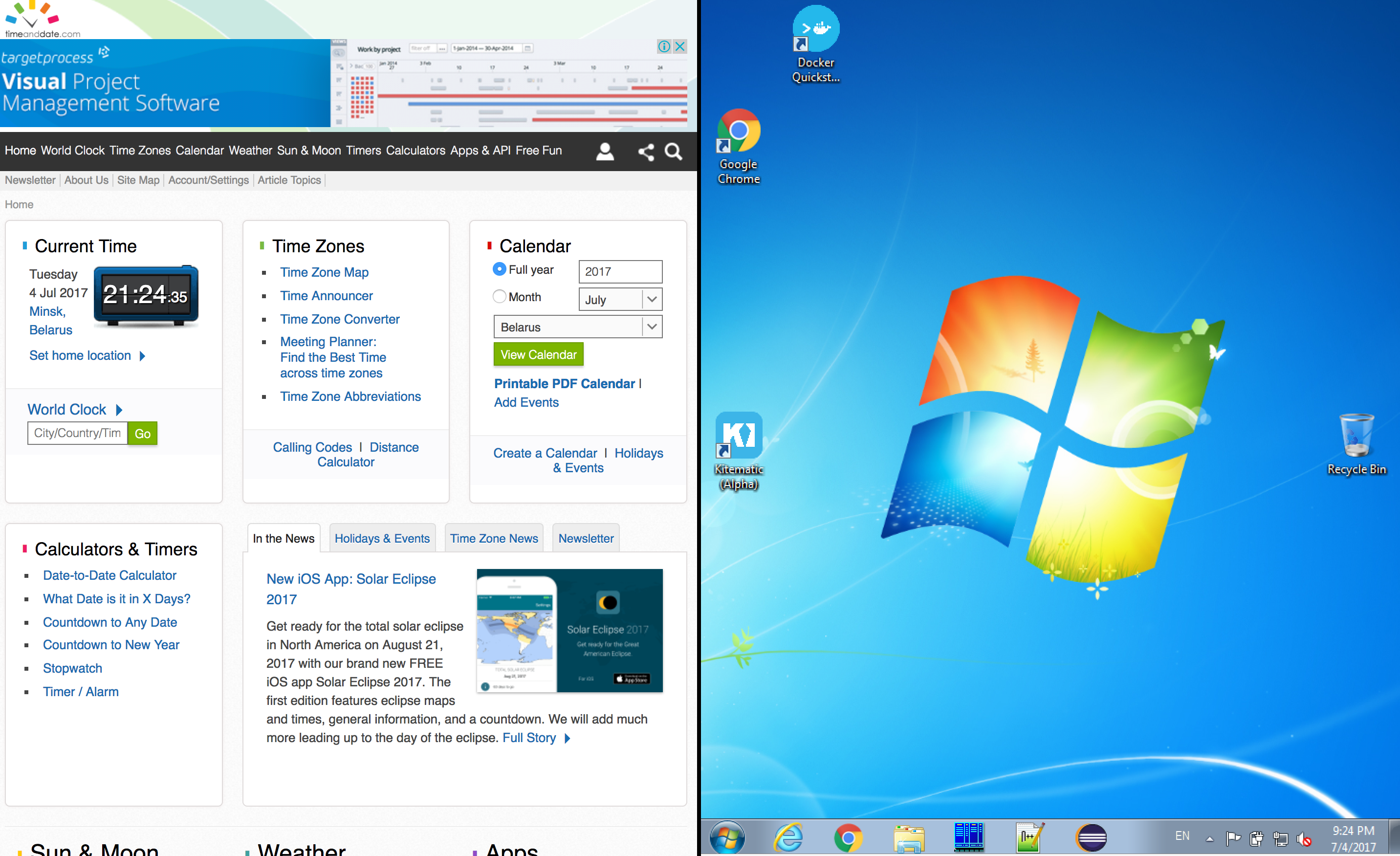
System clock settings. In a box with access to the Internet, open a browser in the full-screen mode and navigate to the URL https://www.timeanddate.com/ or alike.
Control Tower:
Open a terminal with an SSH session to the Control Tower's Linux box.
Run the following command:
> dateTake a full screen screenshot as in the example:
RPA Hubs
Open an RDP session to the RPA Hub
Take a full screen screenshot as in the example:
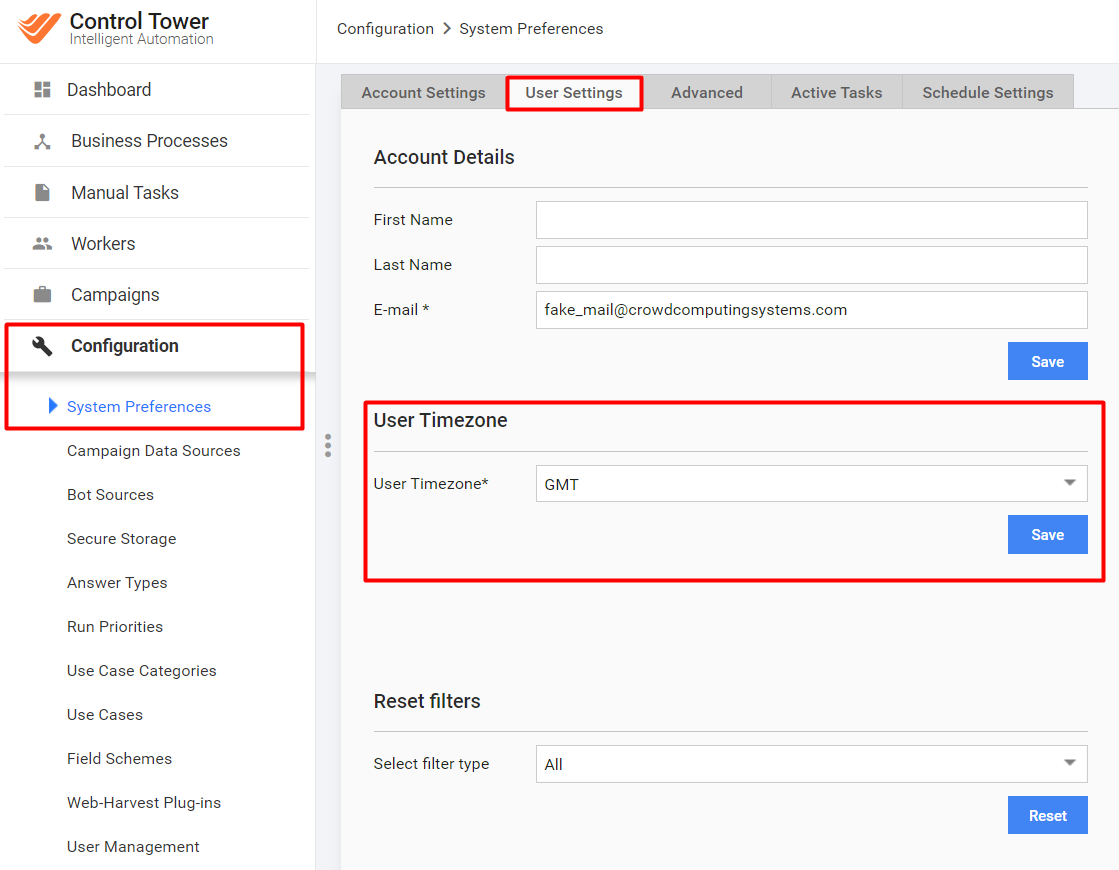
Control Tower's User Timezone setting. Provide a screenshot of the following page:
 .
.
Logs
Logs of every RPA hub
$RPA_DIR is the folder with RPA hubs or nodes on the Windows server. The default settings is C:\\RPA.
$RPA_DIR\\logs\\\*$RPA_DIR\\nginx\\logs\\\*
RPA Manager logs
$INSTALL_DIR/apps/rpa_manager/log/grid-router.log
Tomcat logs
At least, the last 100,000 lines are required. Tail -n 100000 in each of the following files. The entire file is a better option.
$INSTALL_DIR/apps/webapps/tomcat/logs/webharvest.log$INSTALL_DIR/apps/webapps/tomcat/logs/webharvest-config.log$INSTALL_DIR/apps/webapps/tomcat/logs/selenium.log$INSTALL_DIR/apps/webapps/tomcat/logs/crowdcontrol.log$INSTALL_DIR/apps/webapps/tomcat/logs/catalina.out
Control Tower Nginx logs
${INSTALL_DIR}/apps/nginx/log/access.log${INSTALL_DIR}/apps/nginx/log/error.log
APM logs
Gather the logs from the APM server:
${INSTALL_DIR}/apps/wfagent/logs/status-agent.log
Thread dump
Control Tower
See Thread dump analysis.
Configuration files
General configuration
$INSTALL_DIR/app-all/environment.conf$INSTALL_DIR/app-all/system.conf
Nginx configuration
Control Tower
$INSTALL_DIR/apps/nginx/etc/nginx.conf$INSTALL_DIR/apps/nginx/etc/conf.d/$INSTALL_DIR/apps/nginx/etc/conf.cc/$INSTALL_DIR/apps/nginx/etc/sites-enabled/
Each RPA Hub:
$RPA_DIR\\nginx\\conf\\nginx.conf
RPA Configuration
$RPA_DIR\\node\*.json$RPA_DIR\\hub\*.json$RPA_DIR\\start-\*.bat$RPA_DIR\\logback-\*.xml
Tomcat configuration
Control Tower
$INSTALL_DIR/apps/webapps/tomcat/conf/web.xml$INSTALL_DIR/apps/webapps/tomcat/conf/context.xml$INSTALL_DIR/apps/webapps/tomcat/conf/server.xml
RPA Manager
$INSTALL_DIR/apps/rpa_manager/grid-router/application.properties$INSTALL_DIR/apps/rpa_manager/grid-router/users.properties$INSTALL_DIR/apps/rpa_manager/grid-router/quota/*.xml
APM configuration
Gather the configuration data from the APM server if installed:
- All files from
$INSTALL_DIR/apps/wfagent/conf/
Source codes
- Source code of all Business Processes
To get a BP package, read Migrate run of Task and Business Process.