Override property value
Spring Boot has many options to set or override application properties. On startup, it loads properties from all places and saves them into objects—PropertySource. Then, the PropertySource objects are arranged in the order of priority.
Subsequently, when an IA Cloud component tries to use any property value, Spring Boot starts searching this property from the first PropertySource by priority. For more details, refer to Spring Boot application properties priority.
Also, IA Cloud Enterprise uses the Spring Cloud Config ZooKeeper solution, and these properties are loaded into the system before all others.
According to the information below and WorkSpace 2.0 configuration, you can add the following properties:
Those set in ZooKeeper with a specific profile.
Those set in ZooKeeper.
Java System properties saved in the
JAVA_OPSvariable that is set in the/bin/setenv.shTomcat file.OS environment variables.
worksapce.propertiesfile located in the Tomcat/conffolder.application-{profile}.ymlinside thewar/jarfile. You can set profile-specific properties insideapplication.yml.#application.yml properties spring: main: web-application-type: servlet --- # application-ws2.yml properties spring: profiles: ws2application.ymlinside thewar/jarfile.The default value set in the property object annotated by
@ConfigurationProperties.bootstrap.yml.
note
The bootstrap.yml file has the least priority but is loaded at the Bootstrap phase where only Java System properties, OS environment variables, and bootstrap.yml are loaded.
Set properties in ZooKeeper
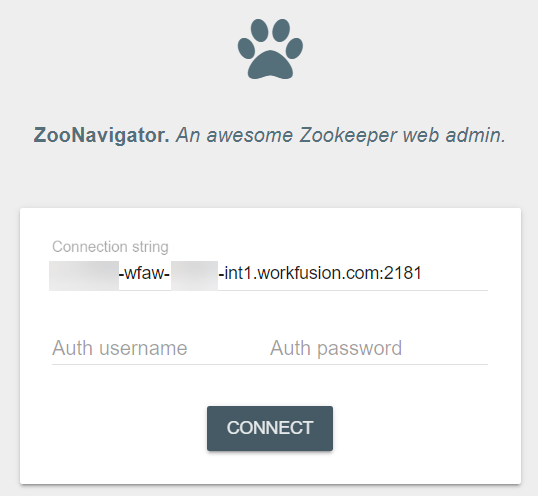
You can set properties in ZooKeeper using the ZooNavigator UI.
URL: https://{instance-name}-wfaw-{aws-account}-ct1.workfusion.com:10999/zoonavigator
Connection string: {instance-name}-wfaw-{aws-account}-int1.workfusion.com:2181
To set ZooKeeper with a specific profile property, do as follows:
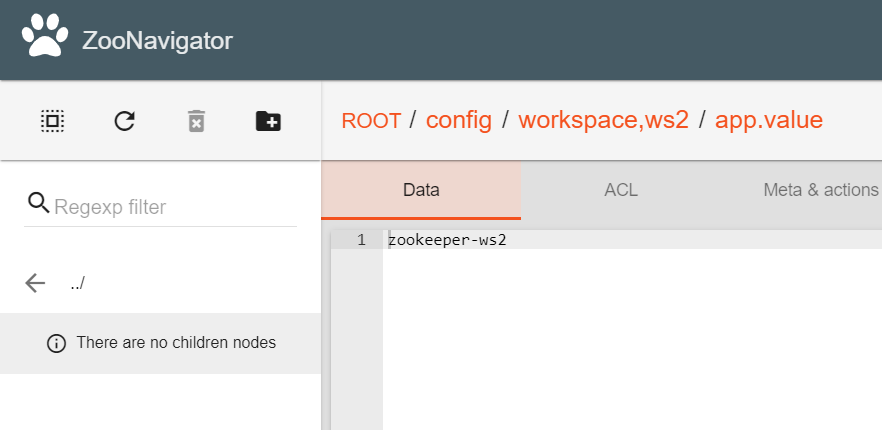
- Go to the /config/workspace,{your profile name} node, where {your profile name} is the name of your profile.
- Type in a new property and click on the Create new node button.
- In the data window, set this property value.
In the example below, the property is app.value with the zookeeper-ws2 for the ws2 profile. This property value will be used if the ws2 profile is enabled.