Identify keywords
overview
Task: identify or count keywords in documents for rule-based classification or features.
Jupiter Notebook: KeywordCounter
Input:
- Data saved to a Data Store
- A CSV file
To identify or count keywords:
Launch all the dependencies and prerequisites.
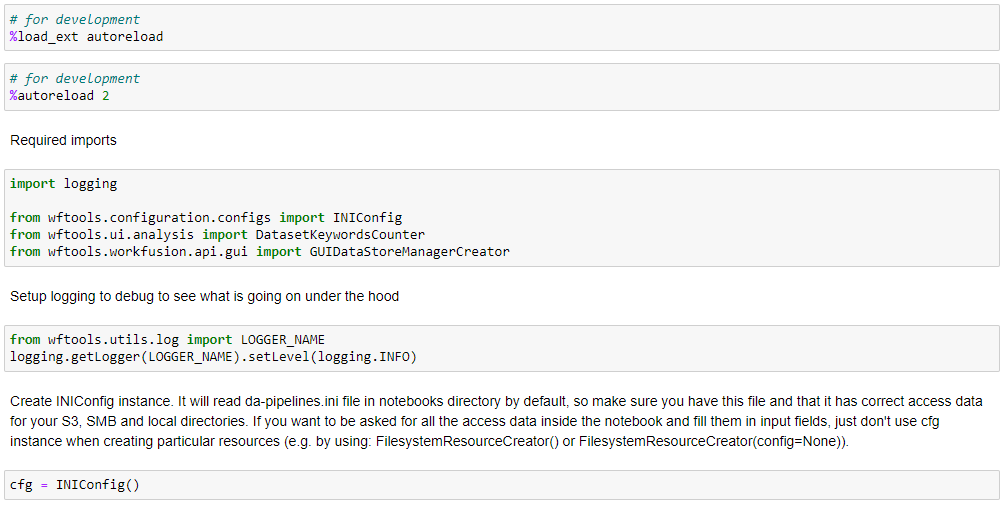
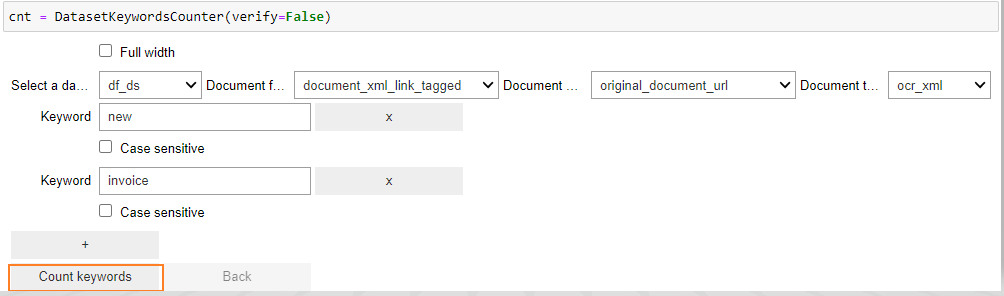
Upload data by any method specified here. Launch the widget to identify keywords. In the menus, provide all the data and keywords to search for, and click Count keywords.
- Select a dataframe: specify the name of the dataframe that contains the dataset.
- Document field name: select a set column in the dataframe that contains the tagged text.
- Document URL field: select a column with the links to documents.
- Document type: specify the format to open documents.
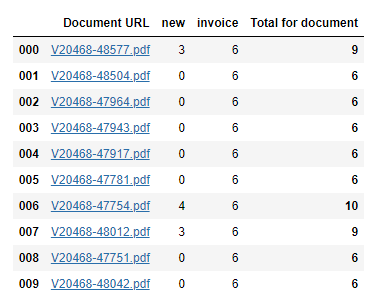
Statistics are displayed for each document. Click any row to check keywords in the document.
As a result, the keywords are highlighted.
