SAP controls list
The SAP GUI desktop client's internal structure is seen as any other Windows application. SAP GUI is automated using the Inspector tool distributed with the RPA package.
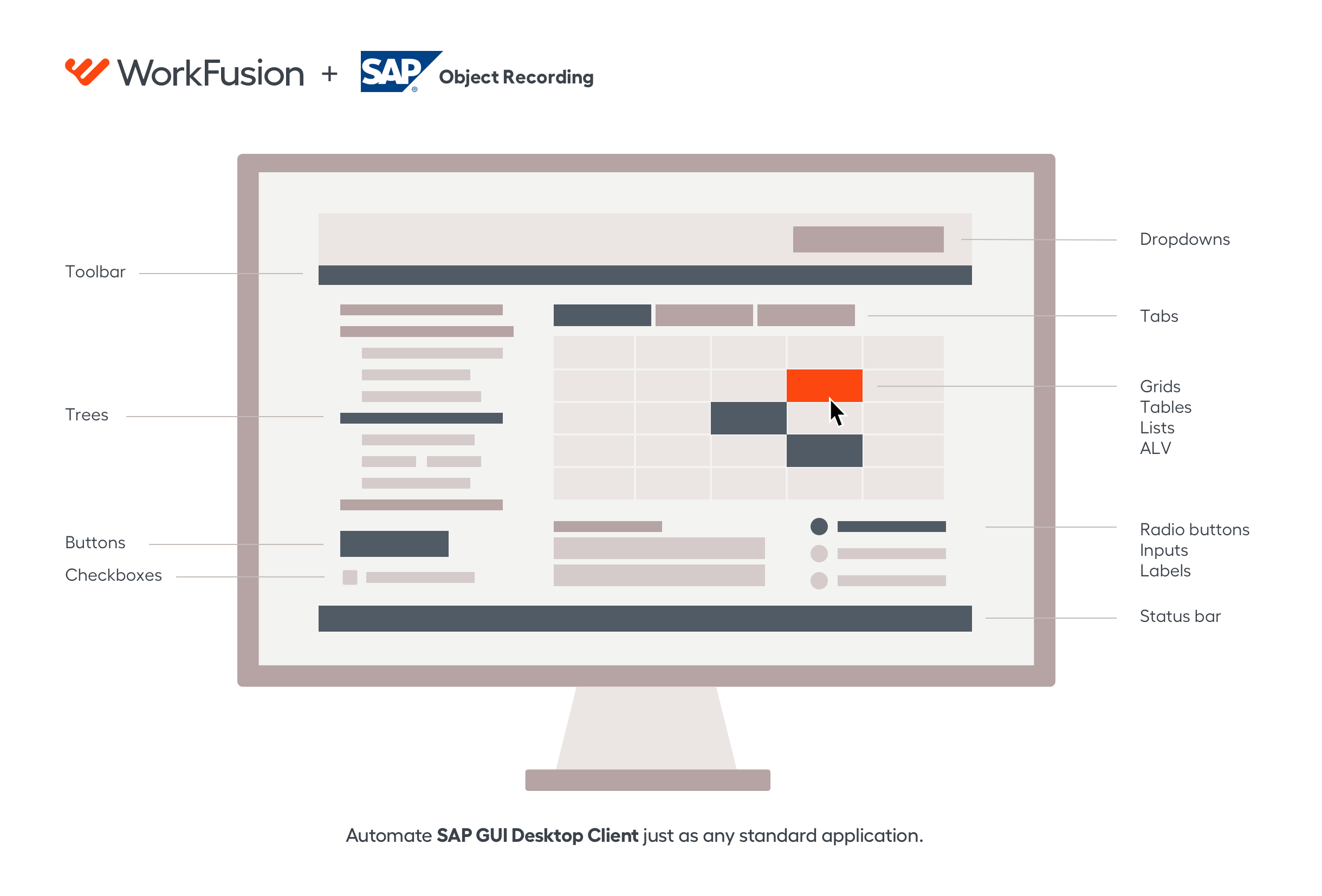
The section contains the list of SAP UI controls that a WorkFusion Bot can interact with.
tip
Mind some restrictions applied to using certain UI controls. Also, refer to SAP tips where we collected some tips and tricks for you to automate faster.
| UI control | Selector | Notes |
|---|---|---|
Tool bar  |
| |
Title bar  | [CLASS:GuiTitlebar] | |
Status bar  |
| |
Checkbox button  | [CLASS:GuiCheckBox;NAME:P_LAY04] | |
Push button  | [CLASS:GuiButton;NAME:btn[17]] | |
Radio button  | [CLASS:GuiRadioButton;NAME:RS38M-FUNC_EDIT] | |
Label  | [CLASS:GuiLabel;TEXT:Vessel ID is;INSTANCE:3] | |
Text field | [CLASS:GuiTextField;NAME:SOURCE_ID] | |
Text field with search help  | [CLASS:GuiCTextField] | The Search Help button within the text field can be clicked on using clicks with offset. |
Ok code field  | [CLASS:GuiOkCodeField] | |
Combobox  | [CLASS:GuiComboBox;NAME:BUS_LOCA_SRCH01-SEARCH_ID] | |
ALV grid (fullscreen) 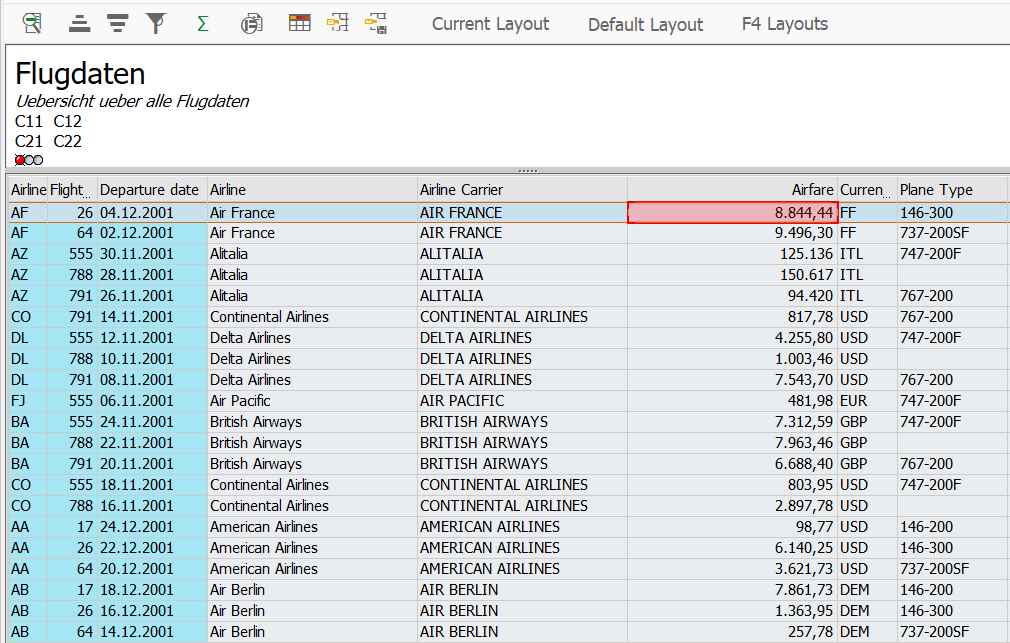 | [CLASS:Normal;NAME:PRICE:1] | The ALV grid control (ALV = SAP List Viewer) is a flexible tool for displaying lists. ALV grids contain all rows and columns, regardless of whether they are displayed or not. To view a cell that is not on the screen, right-click it in Inspector and select the Focus option. |
ALV grid (embedded) 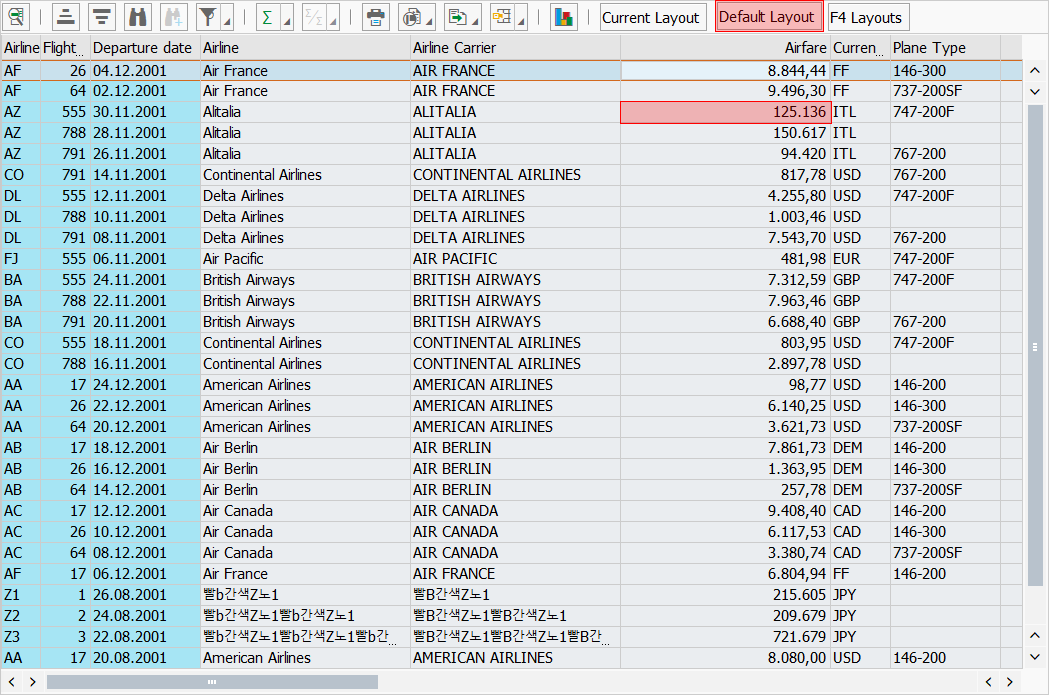 |
| ALV grids contain all rows and columns, regardless of whether they are displayed or not. To view a cell that is not on the screen, right-click it in Inspector and select the Focus option. |
ALV list 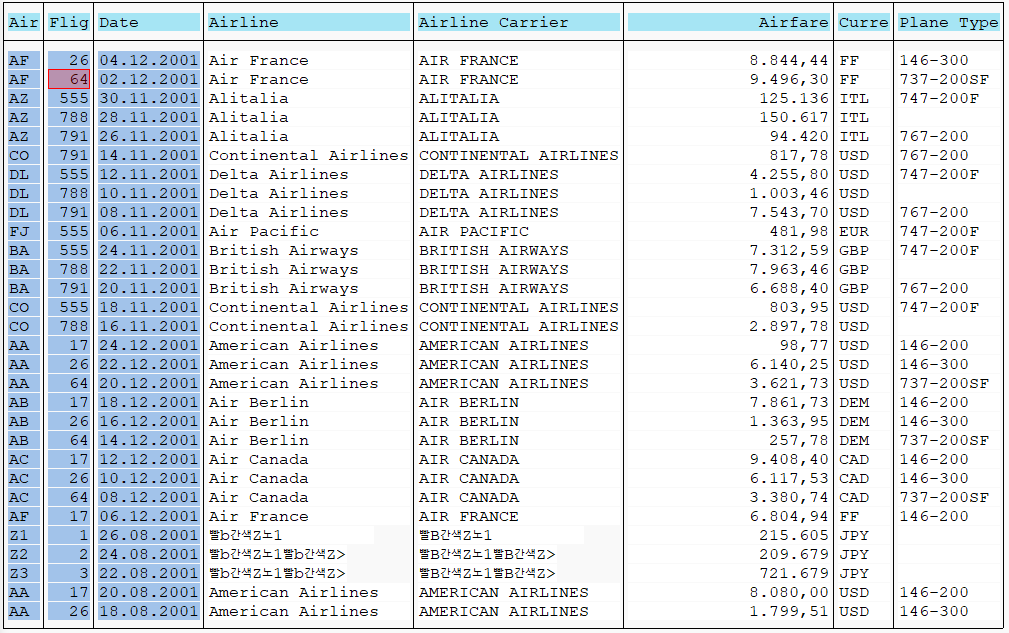 | [CLASS:GuiLabel;CELL:2,3] | ALV lists generate their content dynamically for visible area only with SAP API not being able to get all the children outside it. Thus, for columns and other content outside the visible area, you need to scroll the content using your mouse or keyboard. |
ALV hierarchical list 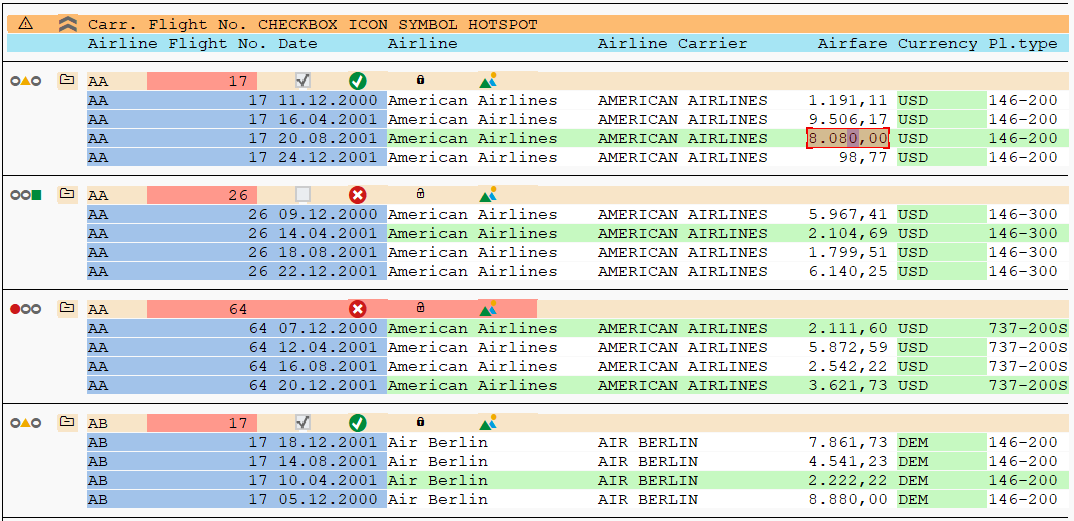 | [CLASS:GuiLabel;CELL:5,12] | ALV hierarchical lists generate their content dynamically for visible area only, with SAP API not being able to get all the children outside it. Thus, columns and other content outside the visible area cannot be inspected. |
Table control  | [CLASS:GuiTextField;NAME:Column 1:1] | To activate a cell that is not on the screen, use the focus () method. |
Easy tree  | [CLASS:TreeItem;NAME:New1:2] | |
List tree  | [CLASS:TreeNode;NAME:Child1] | |
Column tree  | [CLASS:TreeItem;NAME:Child1:3] | |
Tabstrip control  | [CLASS:GuiTab;NAME:BUS_LOCATOR_TAB_01] | To activate an invisible tab, use the focus() method. |