Follow labeling rules
Consistency
As a specialist reviews a document manually, they can notice useful data at any position: in the document body, in the header, and so on. From the business perspective, it doesn't matter if the value is correct. From the model's perspective, the position and context of the value matters a lot.
The Data Analyst (DA) helps to select the best position for labeling the value and reflects it in the instructions. Therefore, once the optimal position is determined, everyone should observe it when labeling. The rule influences the model confidence. In other words, when the value is labeled inconsistently, the probability that the model extracts it in production is lower.
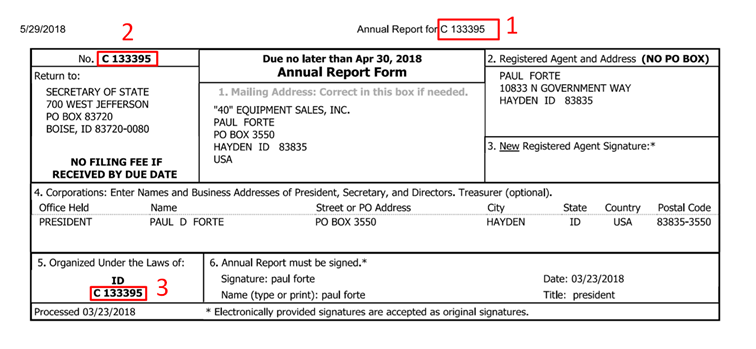
In the sample above:
- The business_id field is mentioned three times in the document.
- The value is C 133395.
- According to the instructions, it should be tagged at position No.2.
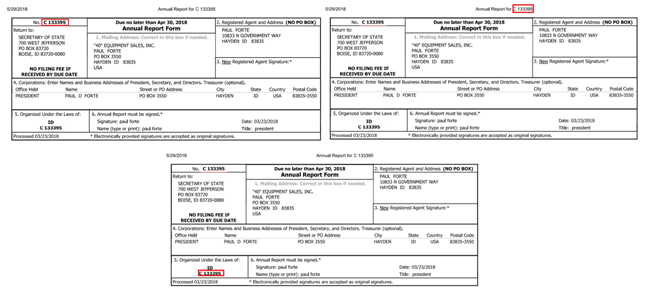
The correctly labeled batch of documents should be labeled in a similar manner. Incorrectly labeled documents contain the same values in different places.
CORRECT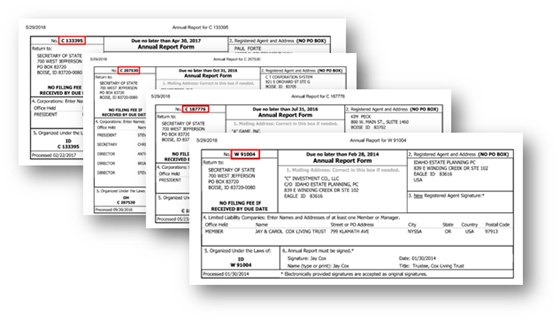
You can change the order of fields. If you are sure that a particular order can improve your labeling speed, let the DA know about it.
Completion
If a field is available in a document, it should be labeled. If it's OK not to label certain values under certain conditions, the DA must specify it for each particular case. However, in most cases, the selected value should be labeled. In 80% of cases where values are omitted, it's due to inattentiveness. This can give worse results for model training for the two reasons:
- The model has fewer samples to train for each field, so the statistics for these fields is lower.
- The automation rate is lower since the dataset for model training contains the same samples of labeled and non-labeled values.
Also, the value should be labeled correctly. All the words making up a string with the value should be included. Any additional words should not be labeled. The shape of the same value should be the same across all documents. Let's consider an example:
| Required value | Incorrect value |
|---|---|
| WorkFusion, Inc. |
|
The data value for the labeled string should be corresponding and correct.
Correctness
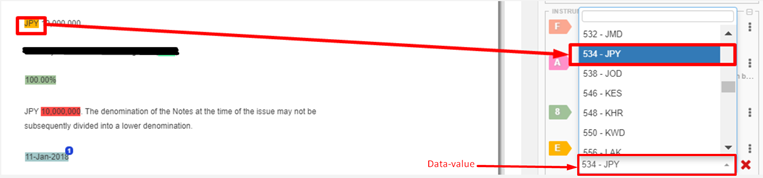
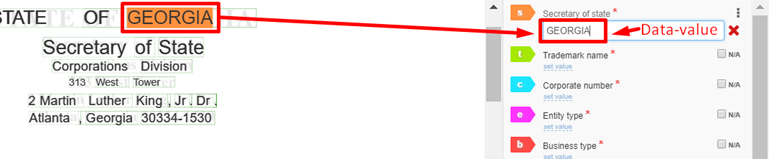
Let's distinguish between the labeled value and data-value:
- The labeled value is actually a highlighted string in the HTML document.
- The data-value is the data corresponding to the highlighted text displayed in the right panel. It is also the business value that the final user receives.
Ideally, in documents with high-quality OCR, these values should coincide. There are several reasons for these values to differ:
The picture below is the first case, which is called value conversion. The value might need to be converted into codes or indexes. For example, some companies have a list of clients with corresponding codes.
The second case is called OCR misprints. The value can differ due to OCR misprints and should be corrected. This is a special case, and the DA should specify how to handle it.
Normalization
For some values in a Manual Task, there is normalization by default, in particular for dates and amounts: various formats are converted into a single one. In this case, the data-value should not be corrected manually. The format of the value is specified by the DA.
| Values | Normalized |
|---|---|
| 01/18/2017, January 18, 2017, Jan-18-2017 | 18/01/17 |
| 10,000,000.00 or 10,000,000 or 10 000 000.00 or 10 000 000 | 10000000.00 |
Submission
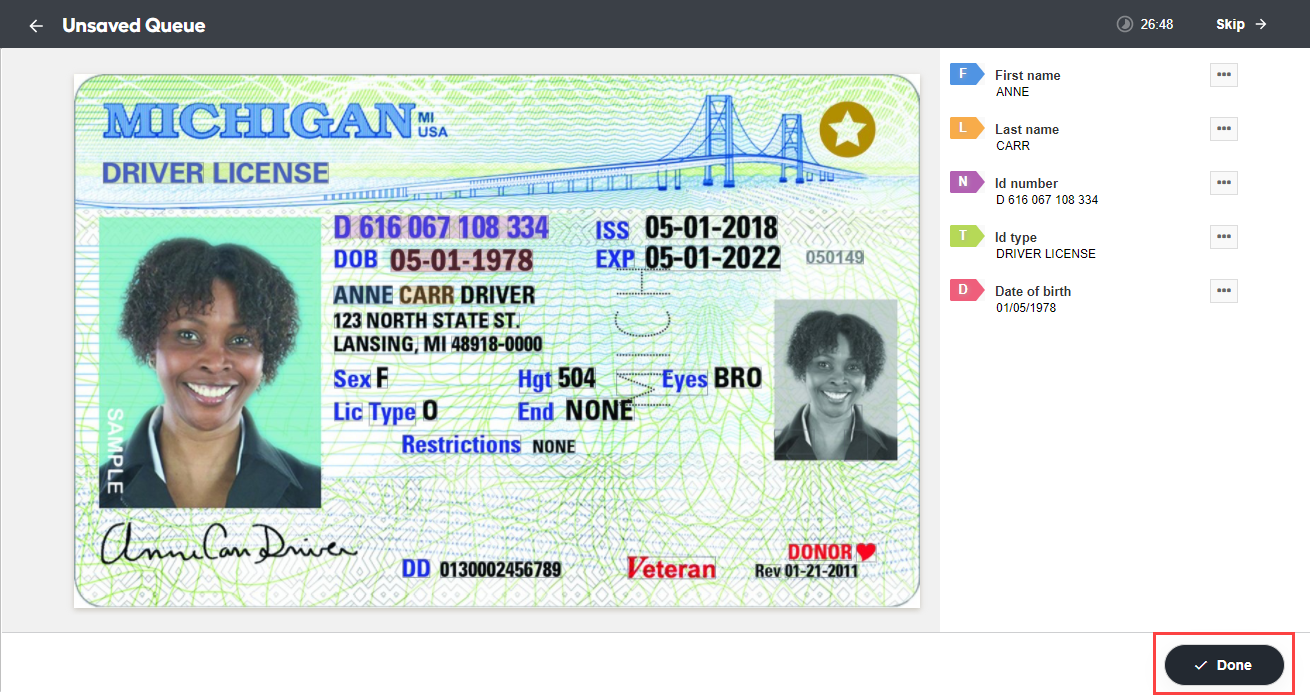
When all available data is tagged, you are to submit the document by clicking Done.
OCR quality estimation
The OCR quality is evaluated in terms of the following aspects:
- Quality of the entire document
- Labeling of the values for dataset collection
- Validation of the data in production
Usually, the DA estimates the OCR quality on a percentage of OCRed documents (10%). Subsequently, all documents are reviewed during the labeling process. Here, it's necessary to understand that, until that time, even despite the selected optimal parameters and conducted quality checks, some bad-quality or random documents may appear in a Manual Task while labeling. The model is trained well only on good documents, but then it can process even low-quality documents in production. So, for dataset collection, it's important to define and exclude bad-quality documents.
Though it is not obligatory, DAs add a checkbox for Bad OCR quality in the right panel of the Manual Task. This is to identify completely corrupted documents and filter them out.
There are some criteria that can help you define high- and low-quality documents even before OCR. Let's consider them.
| High OCR quality | Low OCR quality |
|---|---|
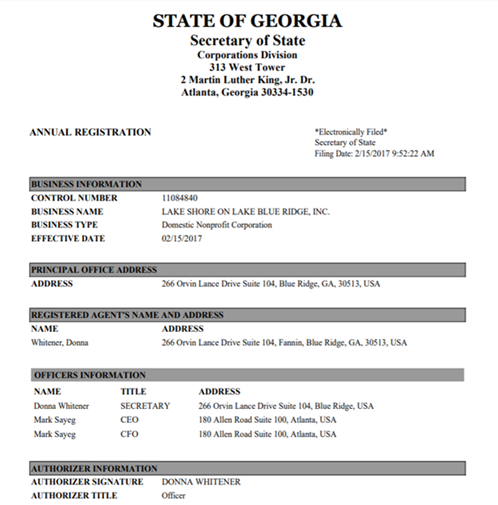 | 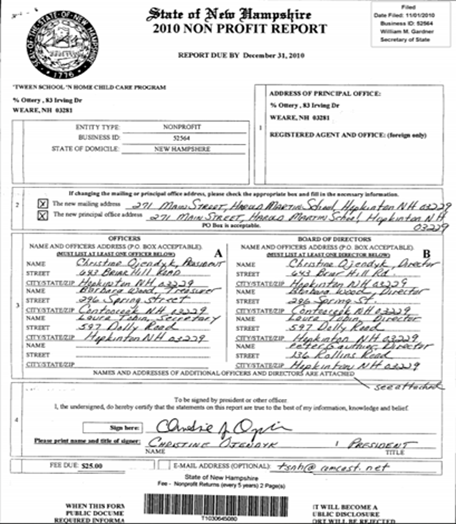 |
| The original document has good resolution, optimal font size and style, and no noise or any other defects. There is no handwritten text, stamps are clear, and no marks cover the text. | The original document has complicated font styles, handwritten text, bar codes, and blurred stamps, which can cause additional noise, low recognition, or vertical lines while scanning. Other marks over the original text cause confusion. |
The main rule to mark a document as Bad OCR quality is that most of the text is either lost or unreadable. Sometimes, for some rare layouts, even low-quality documents can be included if higher-quality documents are not available. It is essential so that the model can train at least some fields that may not be corrupted during OCR.
Let's sum up the criteria of a bad OCR quality document based on the illustration below:
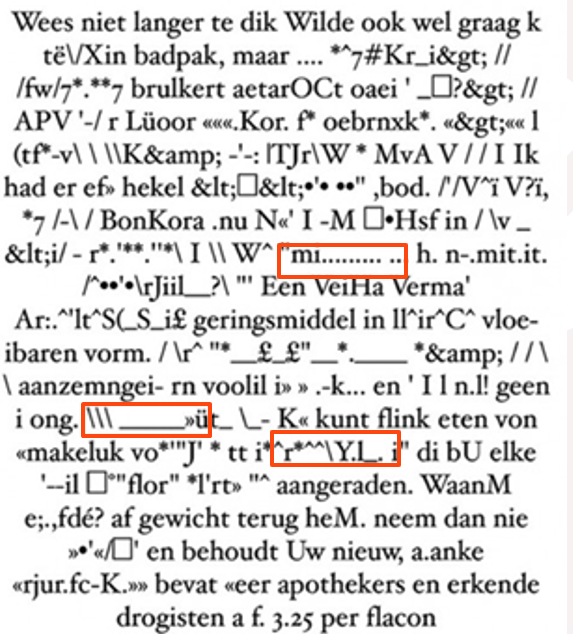
- Most of the fields to be labeled are corrupted—more than half or any other number specified by the DA.
- There are too many misprints in the surrounding context, so the content of the document could hardly be reproduced without consulting the original document.
- There are some stamps, lines, handwritten text, or any other data apart from the necessary text that should not normally be there.
Also, you should take into consideration the document structure. Quite often, original documents have particular formats. For example, data is organized in tables or lines. Sometimes, this structure changes after OCR, and you can see that the table is corrupted or vice versa. For instance, where data that is supposed to be a free text, it is organized as a table.
Original document: all original documents have approximately the same structure as shown below.
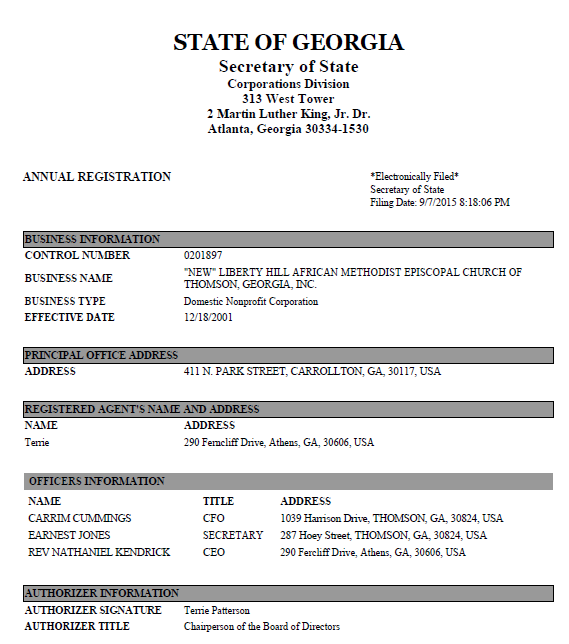
Layout 1 after OCR
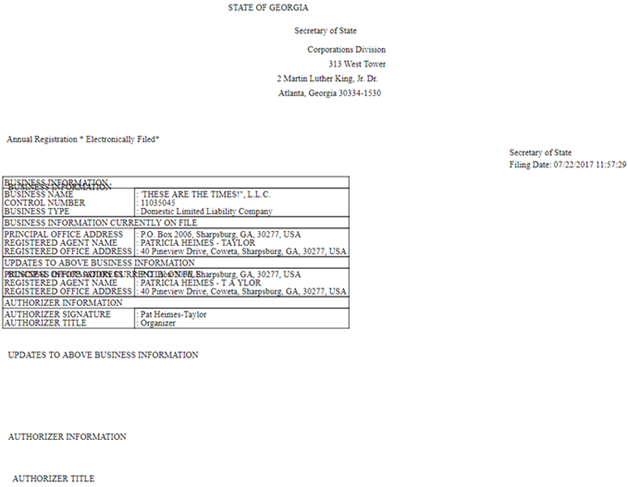
Layout 2 after OCR
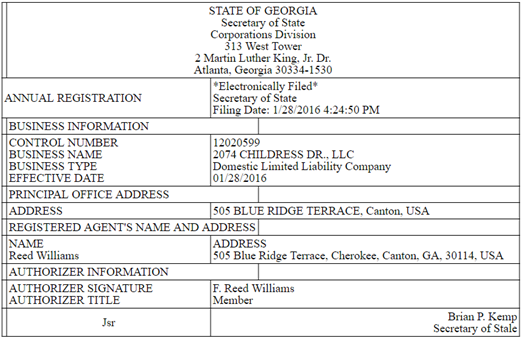
Next step
To avoid errors, let's consider common labeling mistakes.
To address OCR quality issues, read the following guides: