Application session invalidated
As a Control Tower user, you can face one of the following issues:
- You are uploading a heavy bundle from the user interface or Postman, and the session gets invalidated. For instance, you cannot execute the
workfusion/api/v1/bundle-import/{{bundle_id}}request as the session has already expired. - You are performing actions in the user interface, and the session gets invalidated.
To mitigate the issue, increase the session timeout using one of the following settings:
| Setting | Explanation | Default value |
|---|---|---|
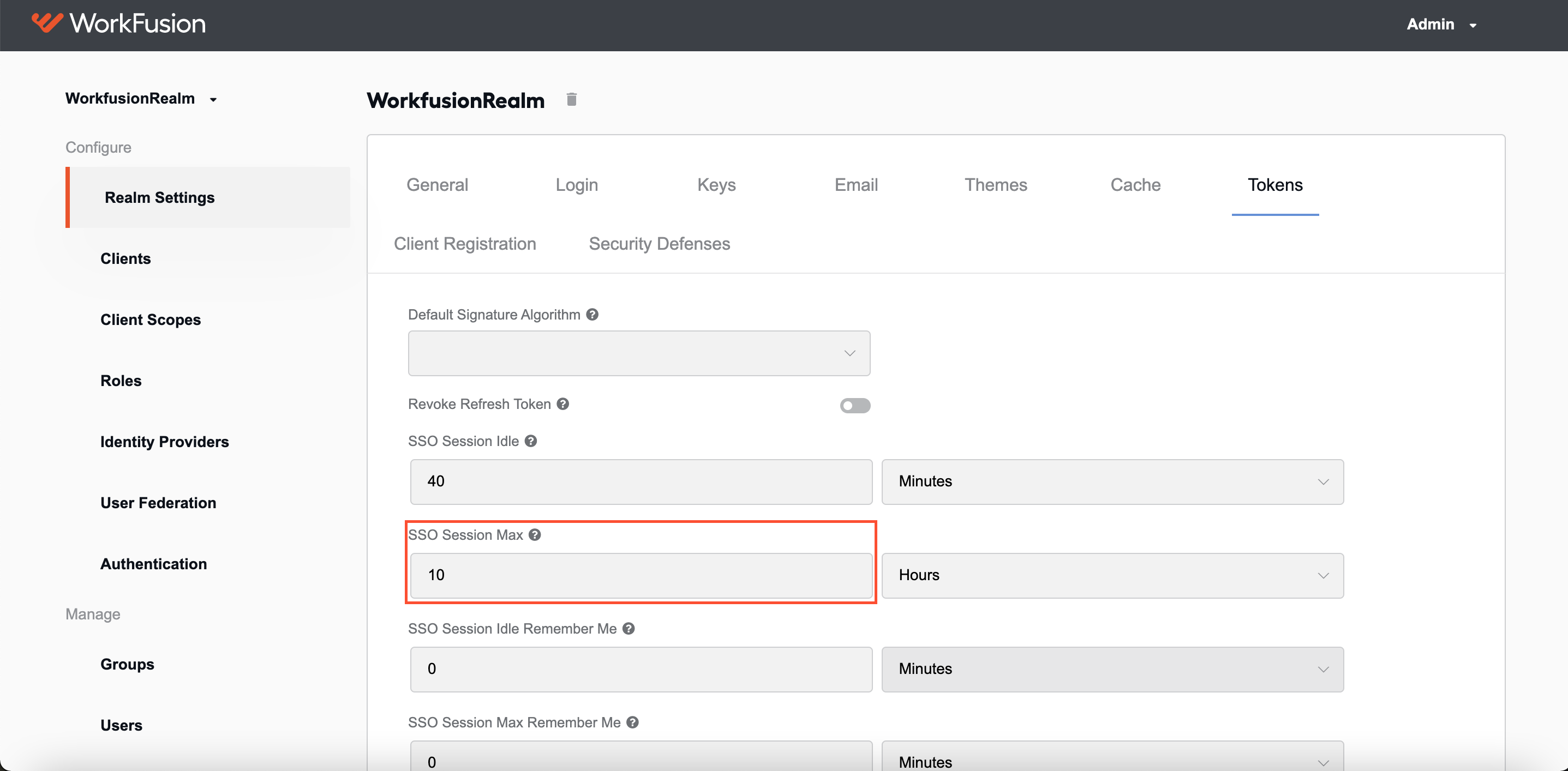
| SSO Session Max | Maximum time before a user session expires and is invalidated, regardless of the user activity. Users can define the time precisely, which means sessions are invalidated strictly based on the specified value. It is defined for all Clients in a realm. | 10 hours |
| Client Session Max | Maximum time before a client session expires. Tokens are invalidated when a client session expires. If not configured, the setting uses the standard SSO Session Max value. | 0 minutes |
The instruction to change the session timeot is as follows:
Log in to the Keycloak admin page.
To update the timeout setting for all Keycloak clients, including Workspace and Kibana, go to WorkfusionRealm > Realm Settings > Tokens and increase the SSO Session Max parameter to the desired value:
To update the timeout setting only for Control Tower, go to Clients > wf-control-tower > Settings > Advanced Settings and increase Client Session Max parameter to the desired value. If the value is not set, it uses the
SSO Session Maxsetting.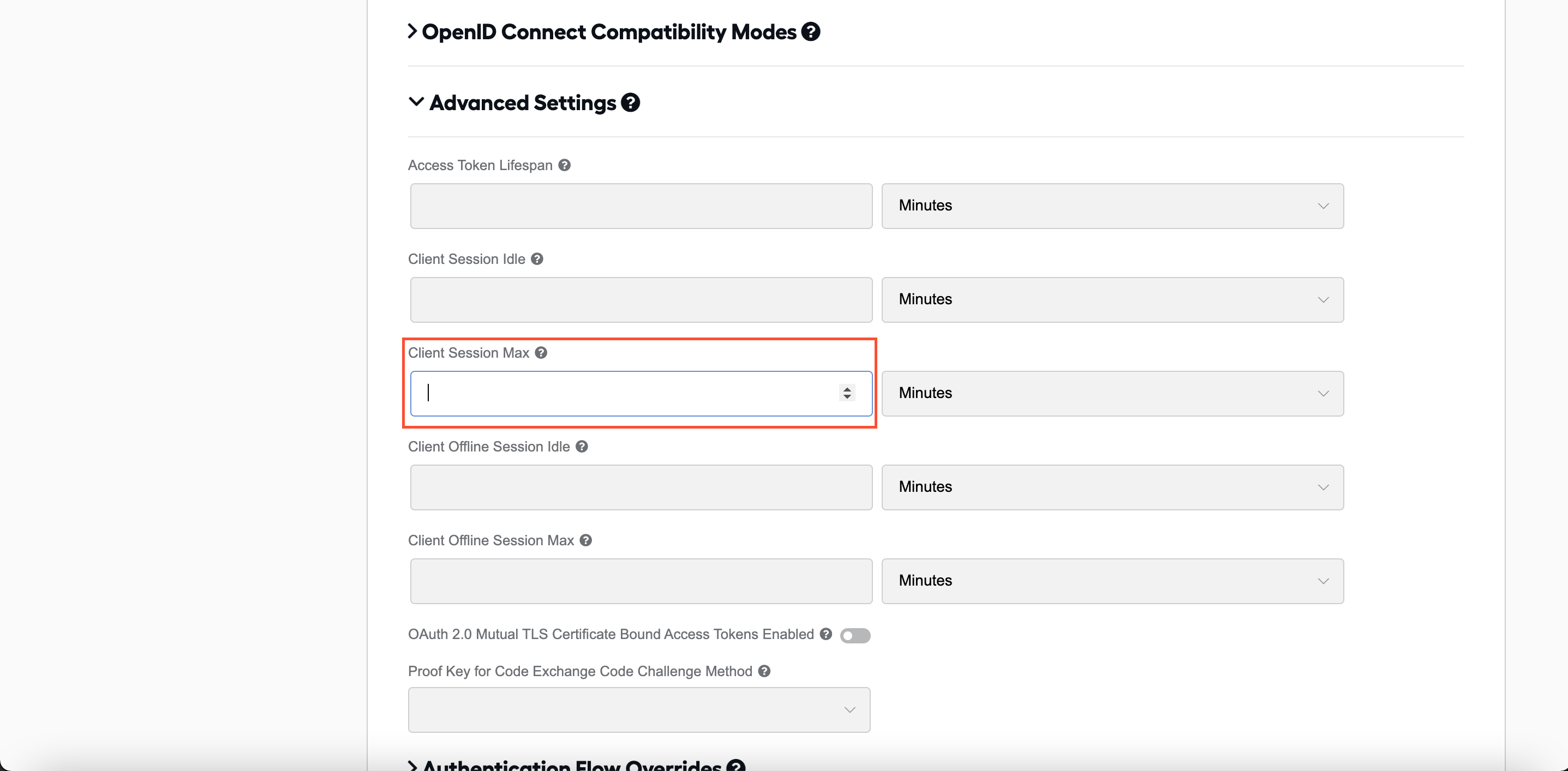
View also: