How to configure Internet Explorer settings
note
Before making any changes to the Internet Explorer settings, make sure no Java processes are running.
Security settings
- Open the Internet Explorer browser and go to Tools > Internet options.
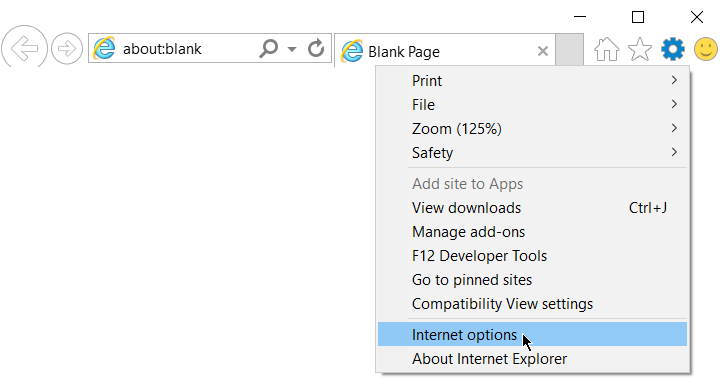
The Internet Options dialog appears.
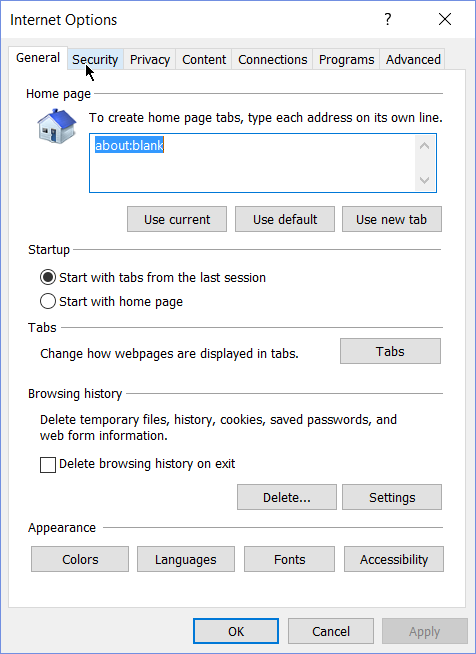
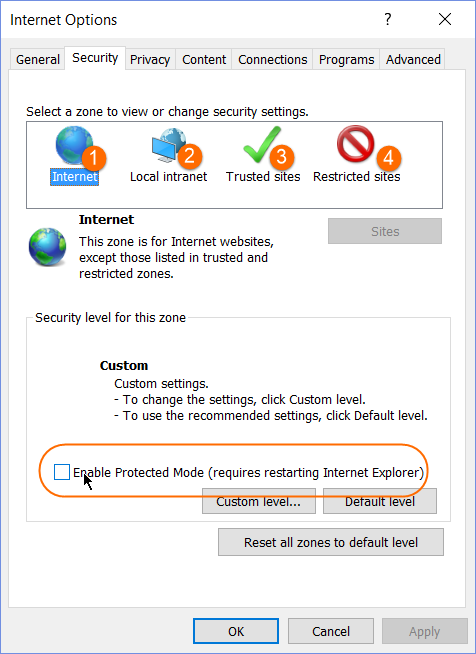
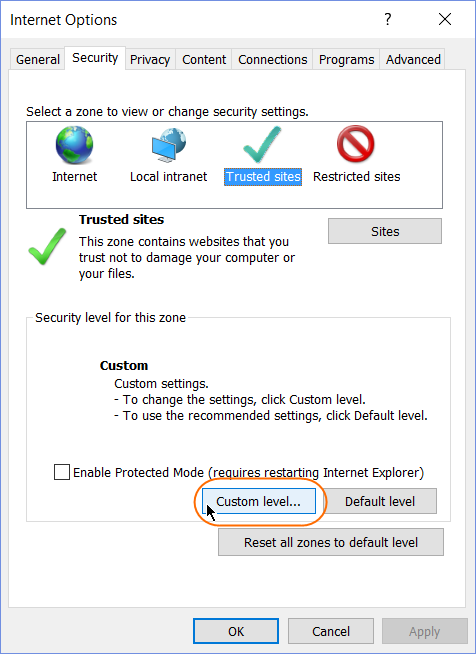
- Open the Security tab and check that the Enable Protected Mode option is disabled for each security zone.
- On the Security tab, select Trusted sites and click the Custom Level button.
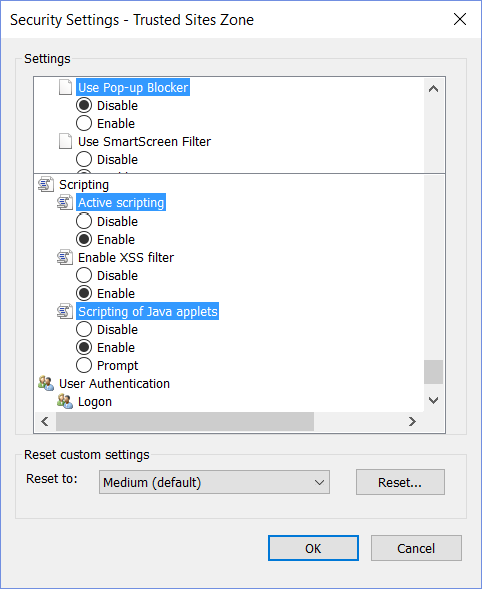
- Disable the Use Pop-up Blocker option.
- Scroll down and check that the Active scripting option is enabled.
- Scroll down and check that the Scripting of Java applets option is enabled.
Privacy settings
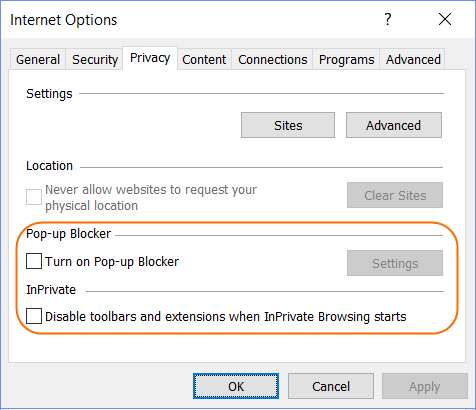
To disable pop-ups and extensions in the Private mode, switch to the Privacy tab on the Internet Options window. The Turn on Pop-up Blocker and Disable toolbars and extensions when InPrivate Browsing start options should be disabled.
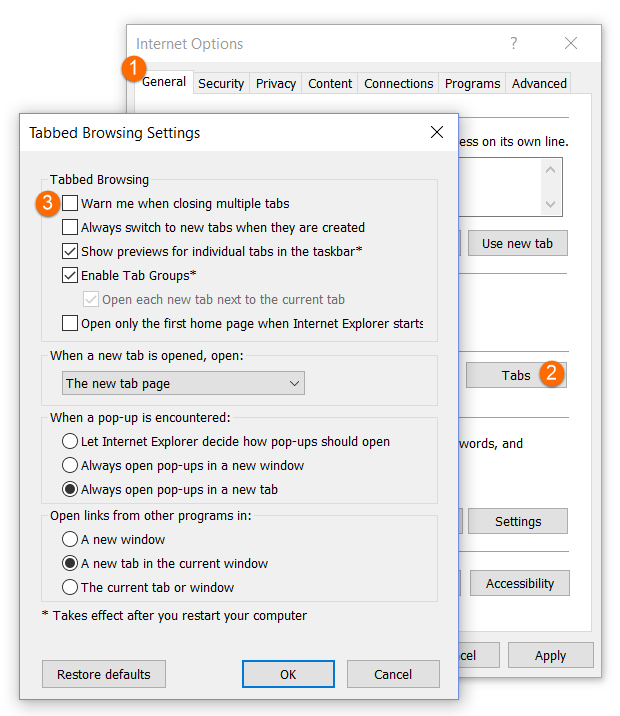
- Switch to the General tab.
- Click the Tabs button.
- Check that Warn me when closing multiple tabs is disabled.
Zoom level
To set up zoom, do as follows.
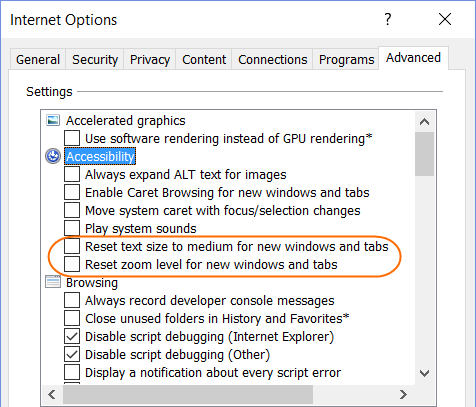
- Switch to the Advanced tab and uncheck the options Reset text size to medium for new windows and tabs and Reset zoom level for new windows and tabs.
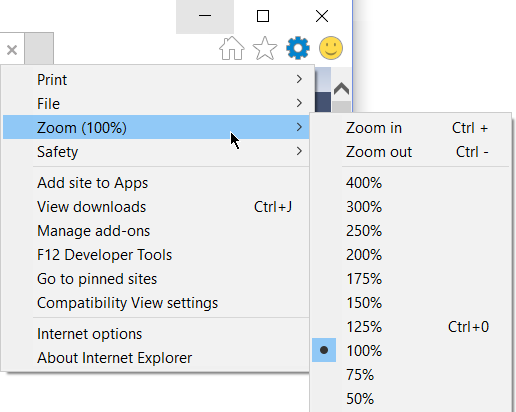
- Set browser Zoom to 100% and close Internet Explorer.