Review search results
In the Manual Task, the system presents the retrieved articles with summaries to review and decide whether the submitted set of news can be evidence of any money laundering activity for a given company/person. In the case of the positive answer, the issue is handed over for further AML investigation.
Once the search is completed, the Negative News Review page appears on the screen. The page comprises three sections:
Summary (1). The ordered list of news articles. The high-risk articles are displayed at the top. See the explanation of colors used for article ranking in the table below.
Preview (2). Preview of the selected article with highlighted keywords.
Validation (3). The answer panel to log a final decision. The section also contains the list of the used keywords and high-risk countries).
When reviewing the articles, we recommend you to answer the following questions:
- Is the article about the Entity? The analyst makes sure that the Entity name is not highlighted by accident.
- Would the article trigger an additional investigation? The analysts decide to deliver the article for further analysis if the highlighted keywords give evidence of the Entity's suspicious activity.
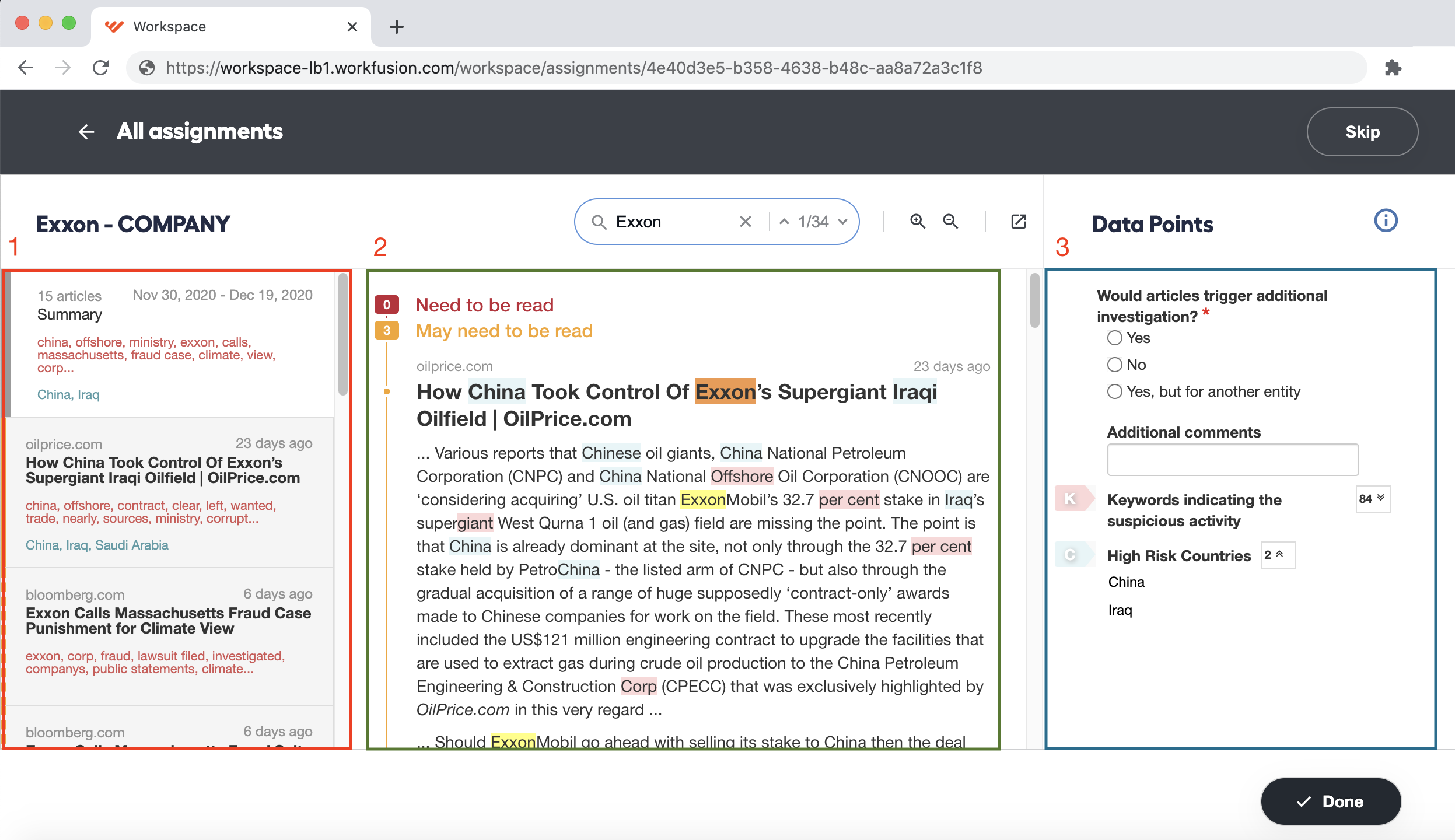
The table below describes the categories of the retrieved articles' ranking per the model confidence score.
| Category | Color | Description |
|---|---|---|
| Needs to be read | Red | High probability that the article is correctly marked as relevant. Study the article further |
| May need to be read | Orange | The article may be considered both relevant and irrelevant. The article may be worth reading |
| Most likely does not need to be read | Green | High probability that the article is irrelevant to the query. Most likely, you don't need to study it further |
| Does not need to be read | Gray | The article barely contains any useful information. Skip the article |
Occasionally, users who utilize Google API for investigations may encounter articles that could not be processed for various reasons, such as a language that is not supported by the model or a website that is down for maintenance. In that case, you receive a message saying, "Could not process the article". A link to the article's source will be provided for analysts to review the content manually.
To review the search results:
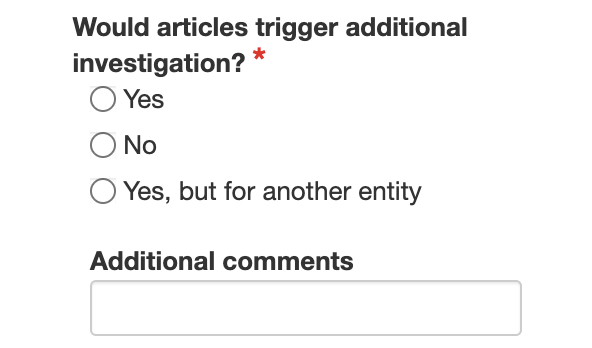
View as many articles in full as required and choose the resolution on the Validation panel (3):
yes
no
yes, but for another entity
Note: in the body of each article, all search keywords are highlighted. To add more keywords to the search list, on the Preview panel, click any word within the text body.
Repeat step 1 for the other entities or individuals on the search list.
At the end of the Negative Search process, the pre-trained bot generates a report containing a detailed analysis of the investigation results.
By default, the report has a standardized format. However, you can configure the report's design according to your company's requirements.