Run Business Process
Once Isaac is installed and the configuration is complete, you can initiate its Business Processes (BP) from Control Tower. The BPs can be triggered ad hoc or configured to run on a schedule.
Prior to running the Isaac Transaction Monitoring File Ingestion BP or starting the schedule, make sure all required input data files are uploaded to their appropriate locations if you are using file ingestion to source data for Isaac.
Run ad hoc
After configuring the variation, click it on the Digital Workers page. As you get to the page listing Isaac's Business Processes, expand the definition of the BP you want to run.
If it is the first time you run the BP, click the Actions menu for the appropriate BP instance and select Edit and Run. Otherwise, choose Copy to create a new BP and then open it.
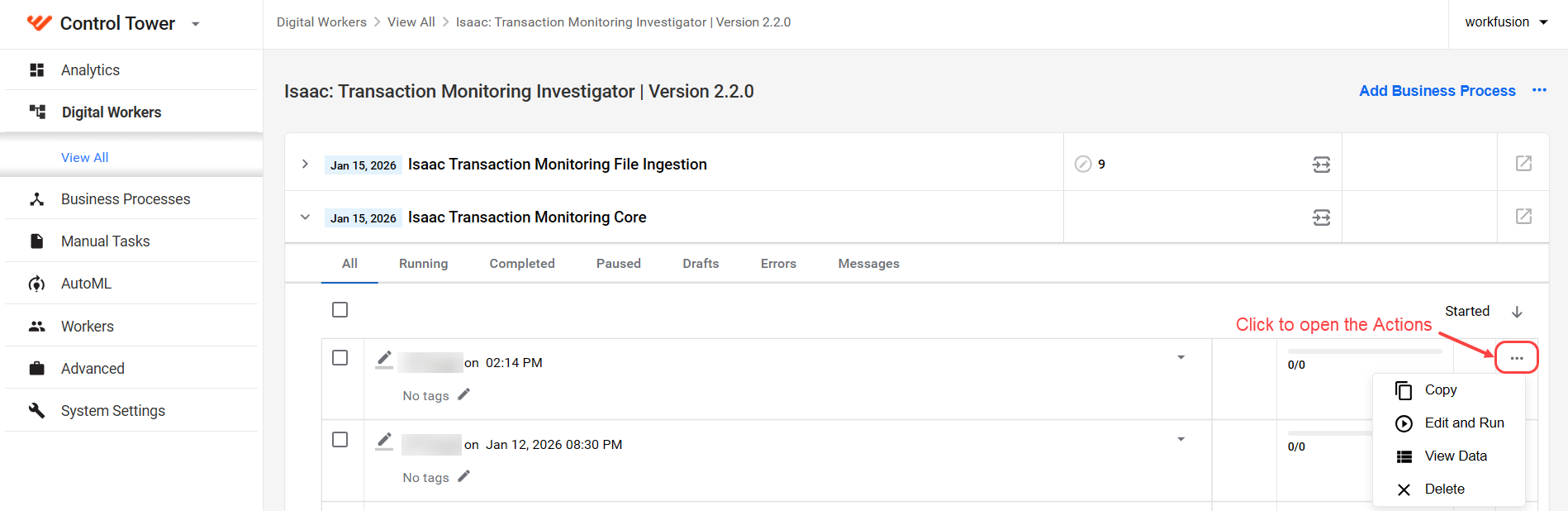
On the Data tab, do as follows:
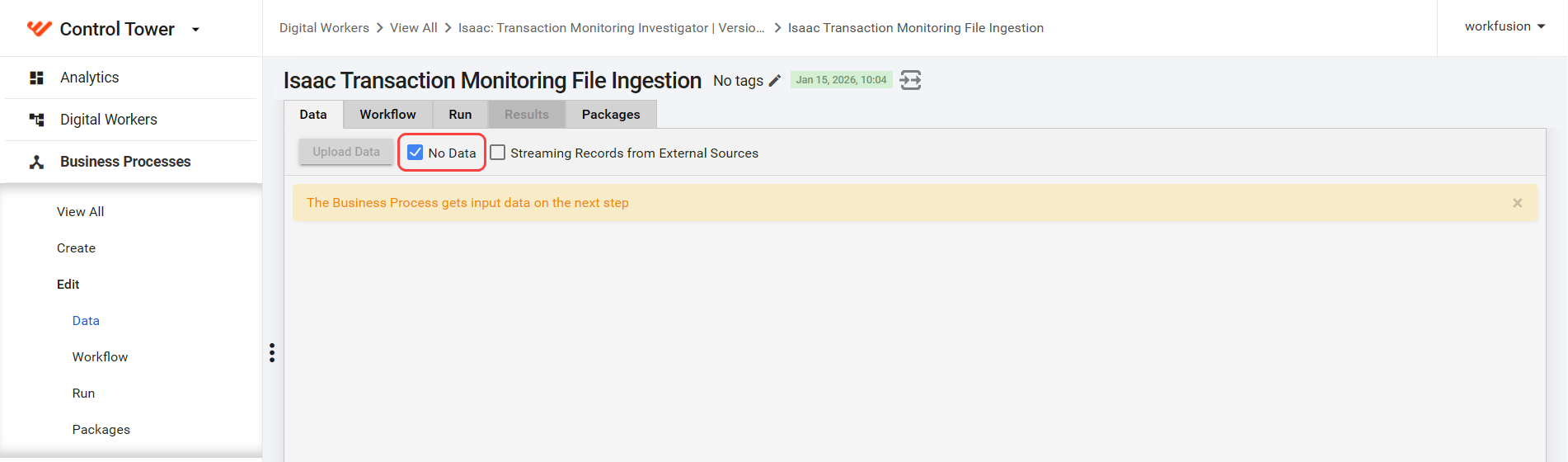
For the Isaac Transaction Monitoring File Ingestion, select No Data.
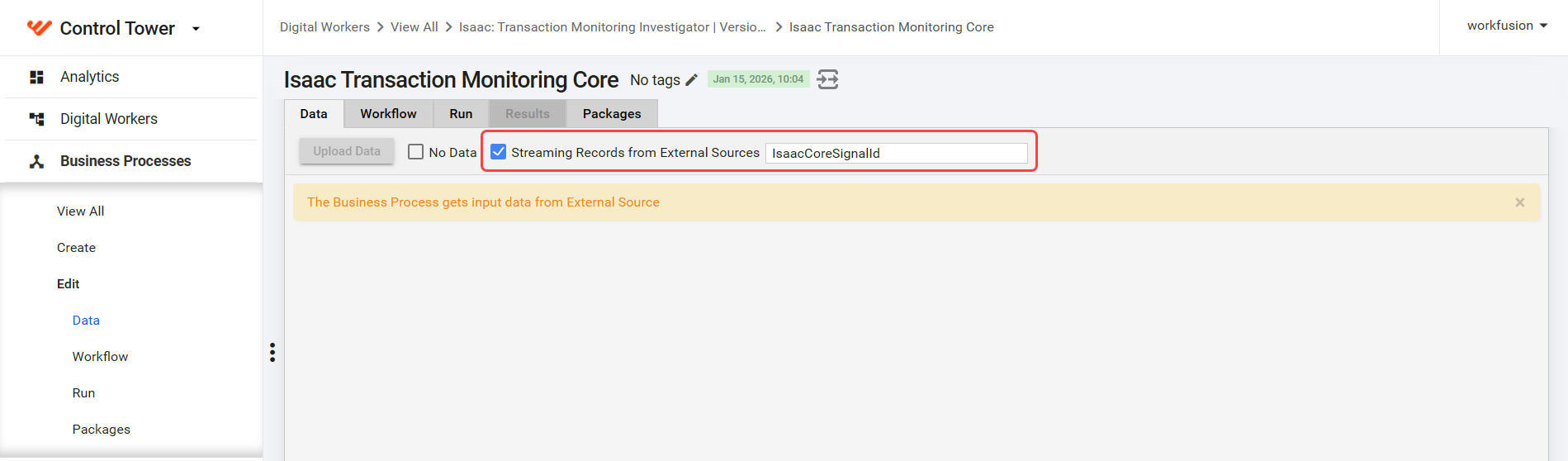
For other BPs, make sure Streaming Records from External Sources is selected.
Then, navigate to the Run tab and click Run this Process to start it. The input files are automatically picked up and processed.

Run on schedule
After configuring the variation, you can schedule the BP to run at intervals. For more information about creating and managing schedules, read the Schedule Business Process topic.