Perform data purge and archiving
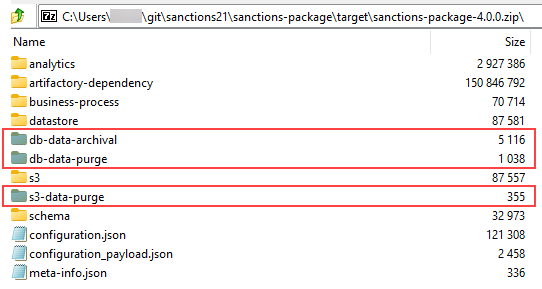
The installer bundle includes default data purge and archival configurations.
View data management configurations
To view data management configurations, in Control Tower, go to Advanced > Data Management.
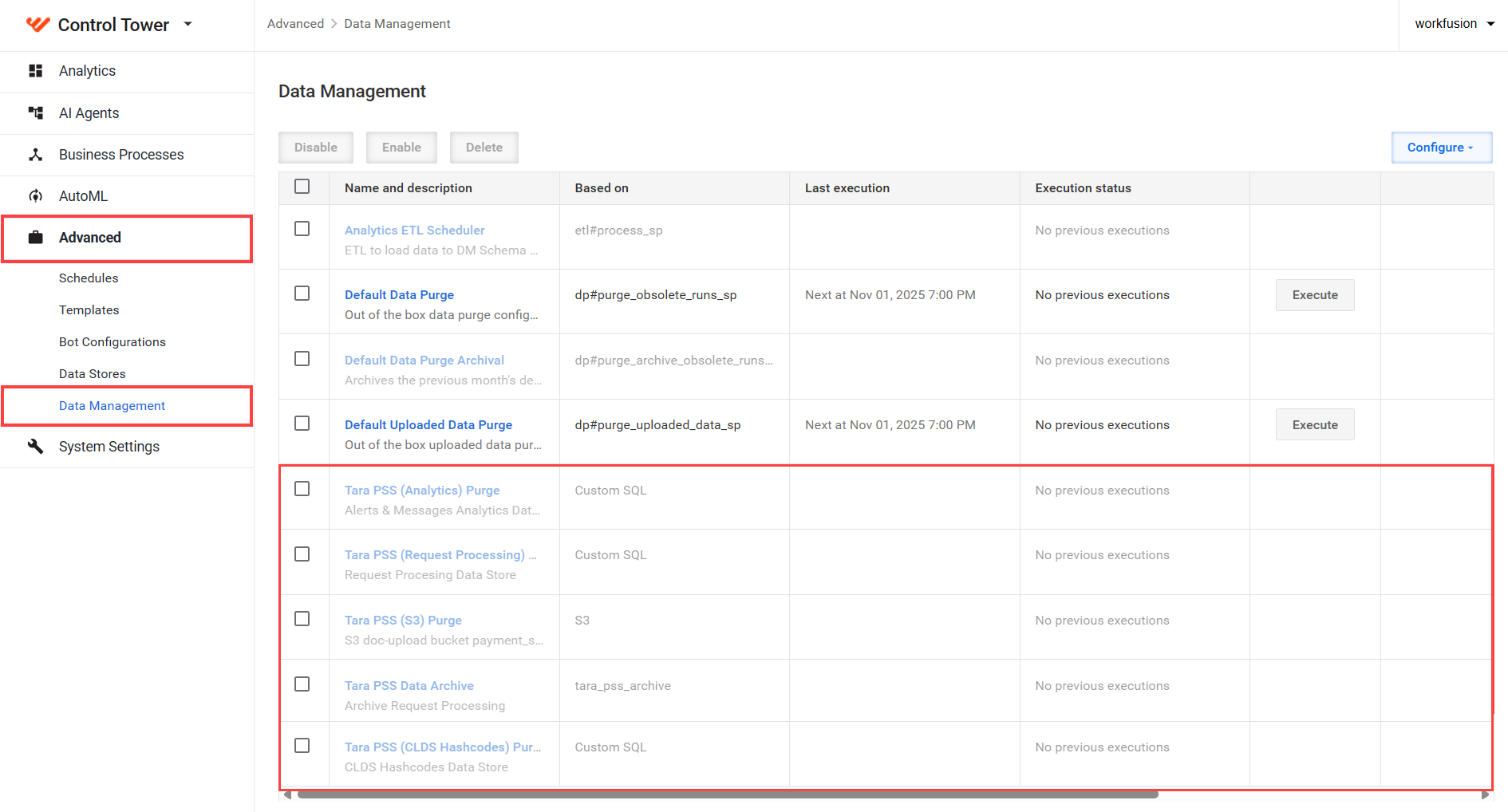
Tara-related configurations are as follows:
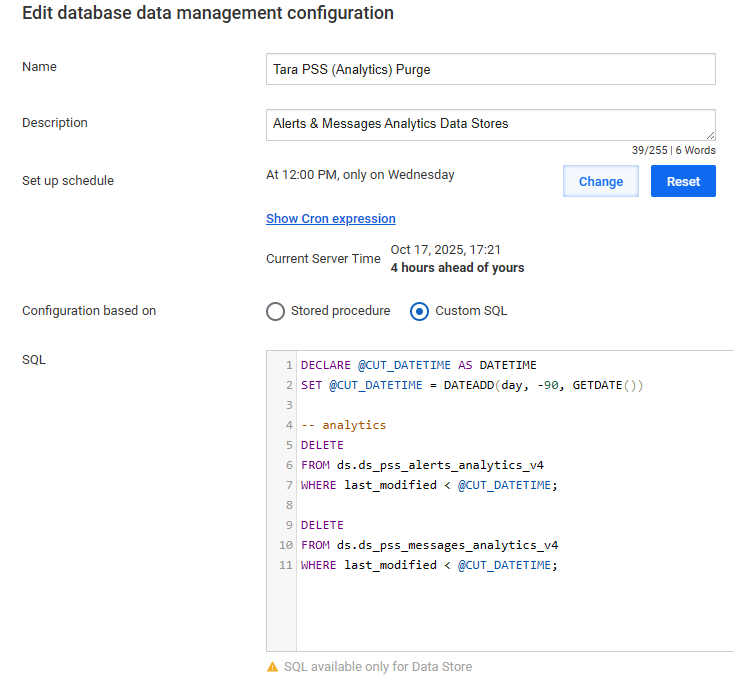
Tara PSS (Analytics) Purge
The purge deletes analytics data from Data Stores that is older than 90 days (not real-time analytics data used by Superset dashboards).
To modify the 90-day default value, in the SQL field, update the number in DATEADD(day, -90, GETDATE()).
The purge is disabled by default. It is recommended to enable it in production, development, or test environments, as the analytics data is primarily used for troubleshooting.
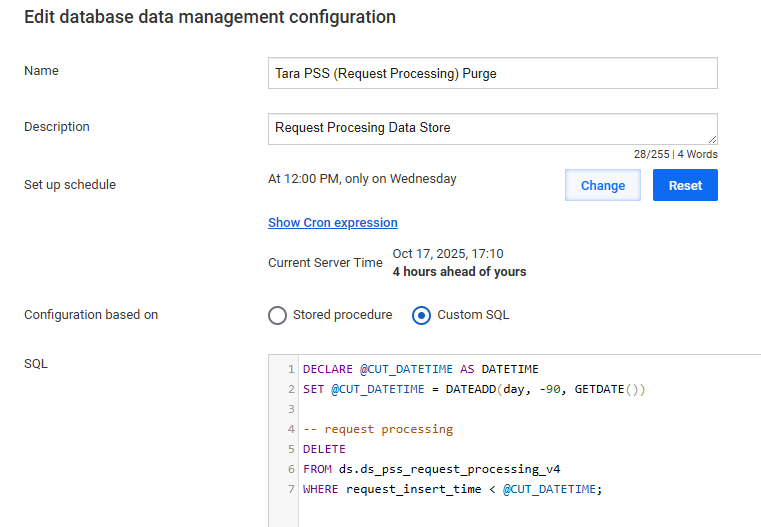
Tara PSS (Request Processing) Purge
The purge deletes Tara internal processing data from Data Stores older than 90 days.
To modify the 90-day default value, in the SQL field, change the number in DATEADD(day, -90, GETDATE()).
The purge is disabled by default but it is recommended to enable it in development or test environments to save disk space, as this is the largest Tara SQL table. In production environments, keep this purge disabled. Instead, use the data archival functionality to compress and back up this data to S3, where it can be restored for audit purposes. Different clients have varying policies requiring data retention for several years.
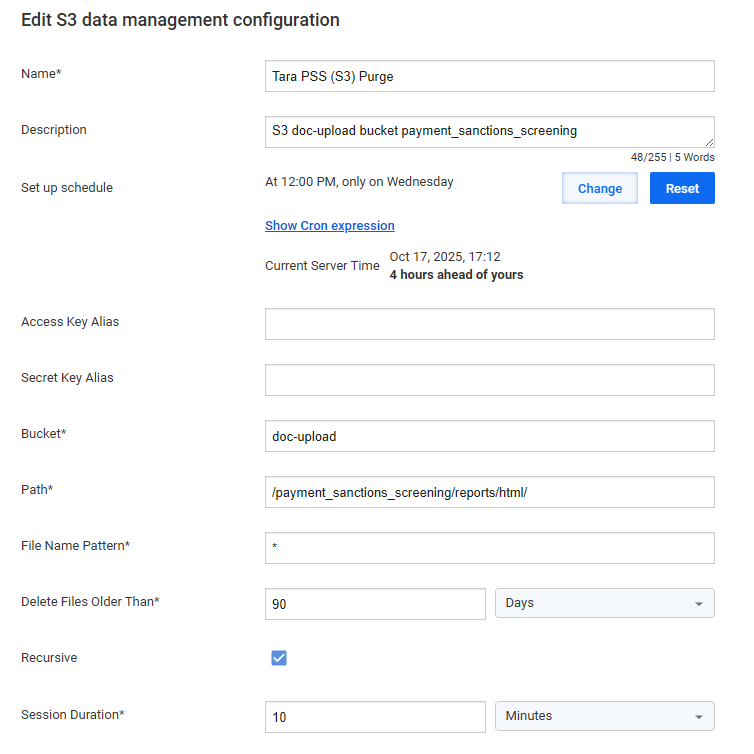
Tara PSS (S3) Purge
The purge deletes HTML reports from the S3 object storage that are older than 90 days.
The purge is disabled by default. It is recommended to enable it unless HTML reports are required for audit purposes. Reports are human-readable, but the same information is available in Quality Control (QC) reports and analytics.
HTML report files are generally only used for troubleshooting, and they represent the largest portion of Tara data stored in S3.
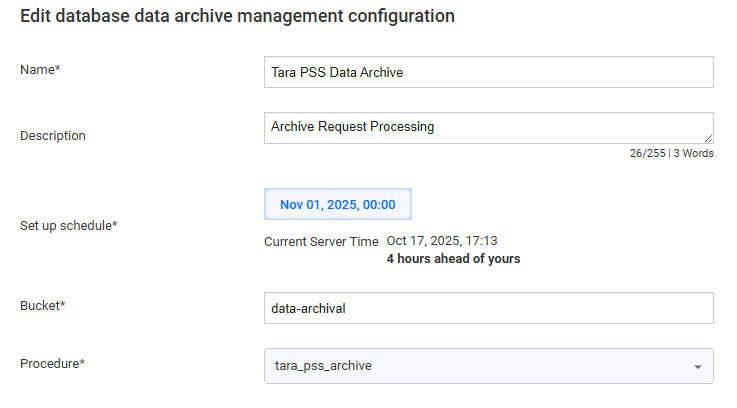
Tara PSS Data Archive
The configuration archives Tara internal processing data from Data Stores older then 90 days by compressing and moving it to S3. In production environments, it is recommended to use Tara PSS Data Archive instead of Tara PSS (S3) Purge for audit purposes.
Enable data management configurations
All Tara data purge and data archive configurations are disabled by default. To enable required configurations, do as follows:
In Data Management, select the checkbox next to the desired configuration.
Click Enable.
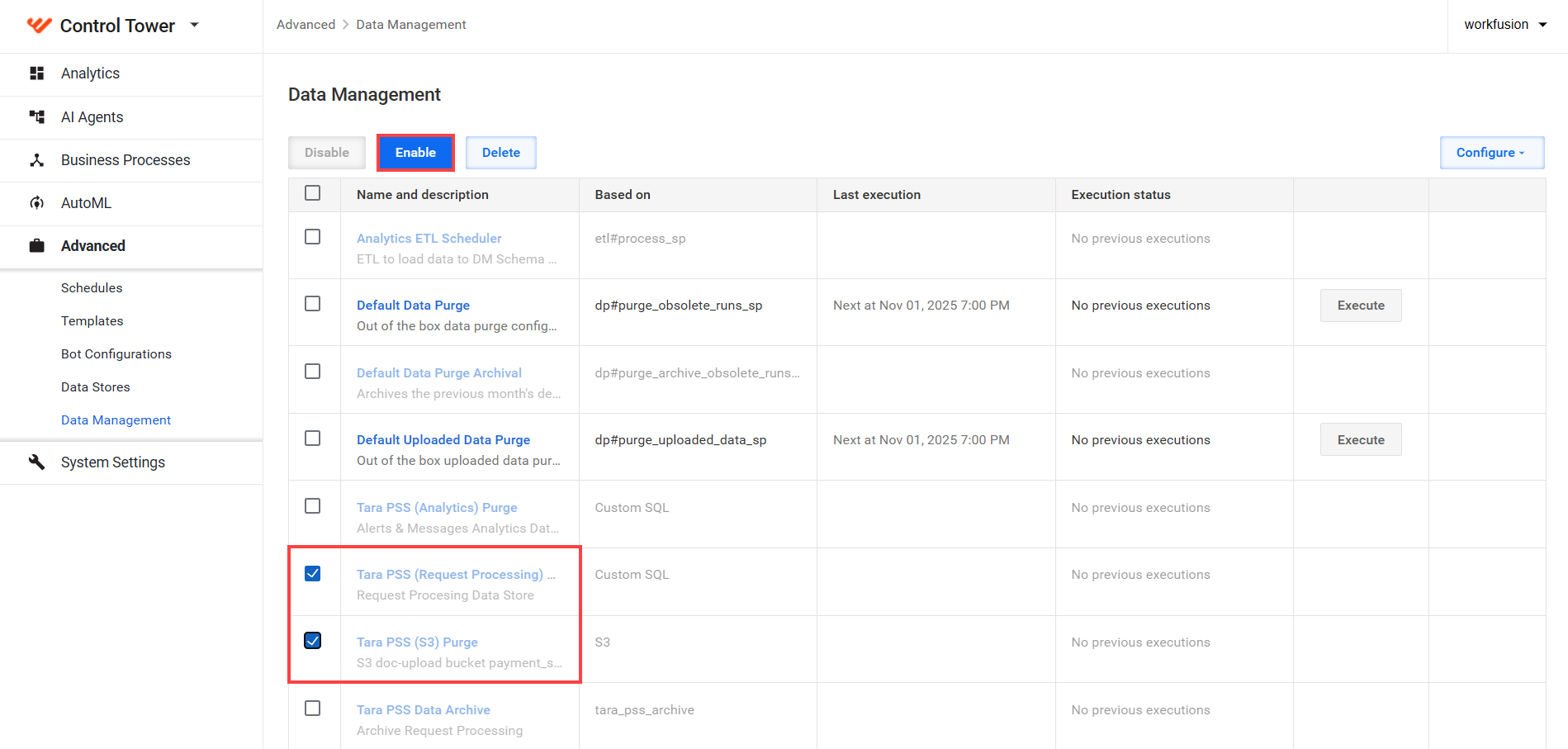
To disable configurations you do not need, select the checkbox and click Disable.
Restore archived data
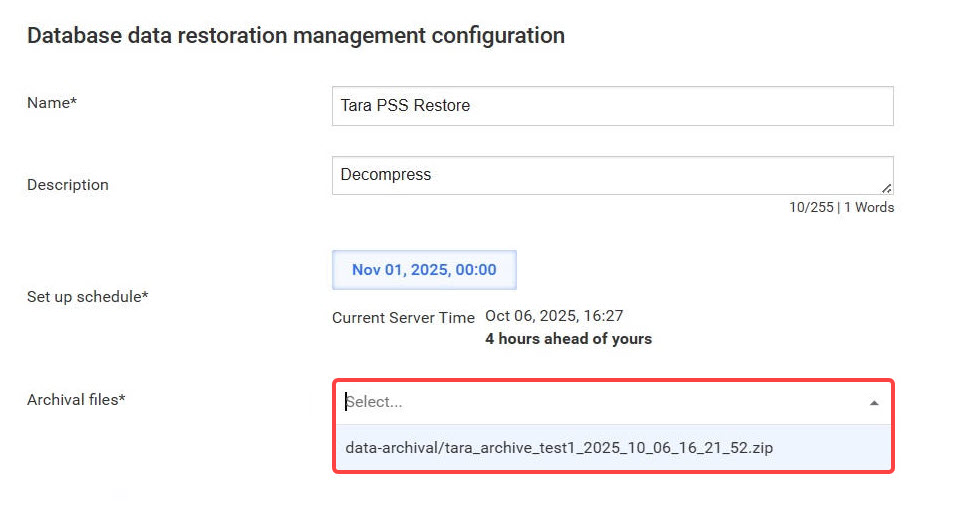
Archived data is saved to the S3 object storage, usually in the data-archival bucket, as a compressed zip file with the date and time of the archive process.
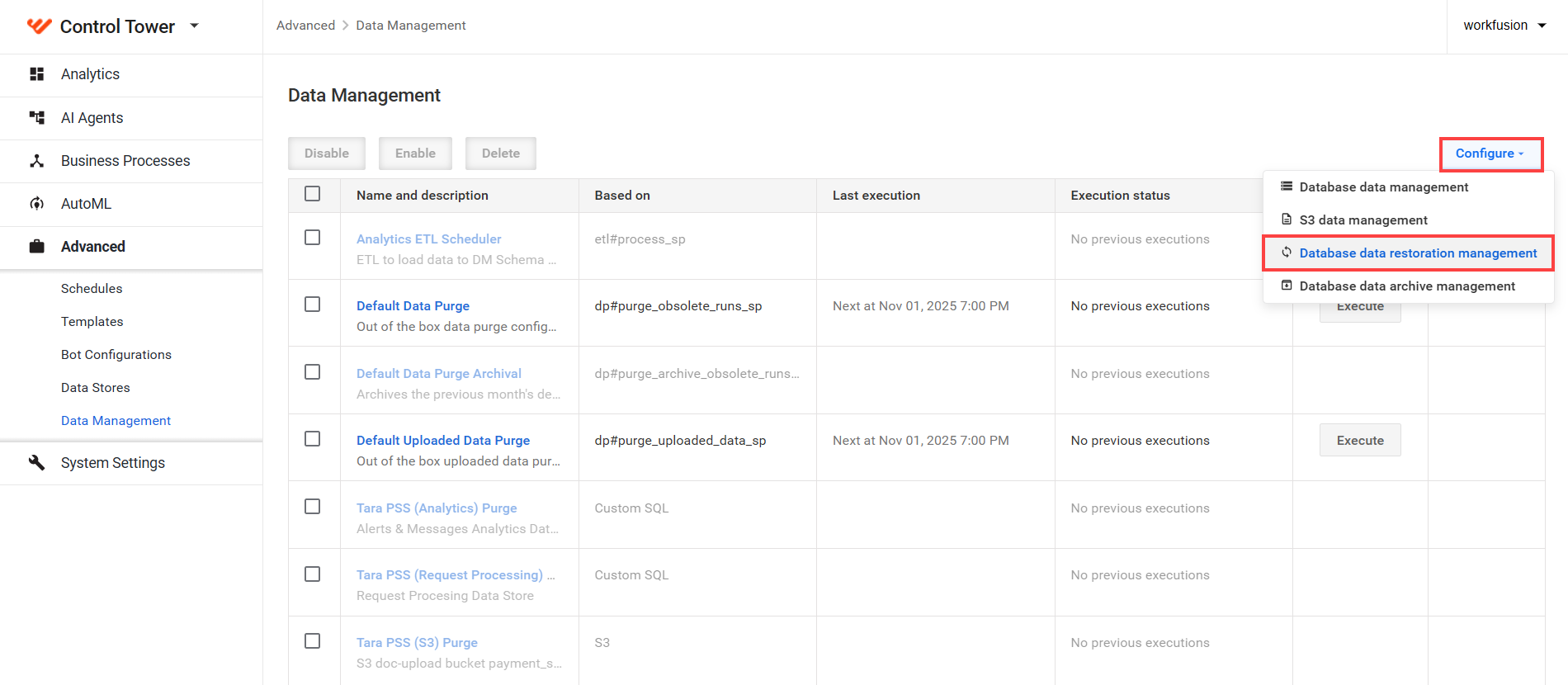
In Data Management, click Configure and select Database data restoration management.
In Archival files, select the file to restore and click Save.