Overview
Tara is an AI Agent for Payment Sanction Screening (PSS) Alert Review who detects real-time transactions or payments to or from sanctioned individuals, entities, or jurisdictions during onboarding and throughout the customer relationship lifecycle, helping to mitigate risks to financial institutions. Screening primarily involves sanction lists published by the Office of Foreign Assets Control (OFAC) and often includes external and internal bank sanction lists.
Financial institutions (FIs) and other organizations use sanctions screening or watchlist filtering technologies, such as Fircosoft Continuity, CGI Hotscan, and NetReveal, to compare inputs, such as transactions with items on a sanction list. The output of these technologies is alerts or hits.
Tara is designed to ingest each alert generated by a financial institution's sanctions screening system and determine if it is a false positive. She is also trained to escalate potential true hits to a predefined team within the institution. Human workers manually review all flagged transactions or payments to clear false positives.
Why banks or financial institutions screen transactions
To stop illegal or questionable transactions in real time, regulators of banks and financial institutions enforce the screening of their transactions. These screenings determine risk management steps to protect the institutions from legal consequences, heavy financial penalties, and damage to their reputations.
Today's sanction screening process
Global banks process millions of payments annually. Rule-based and keyword lookups, such as Fuzzy, Soundex, and SEMrush, paired with sanctions screening software, produce critical alerts. These alerts flag approximately 5% of transactions—an enormous volume given the scale of global banking. However, 95% of these alerts turn out to be false positives. As a result, banks and financial institutions employ large teams to manually resolve such alerts, incurring costs of $2 to $5 per alert.
WorkFusion helps in sanction screening process
WorkFusion's pre-trained Machine Learning (ML) models and intelligent bots review payment messages and alerts for several common false-positive scenarios. This reduces the four-eye investigator-checker model to a two-eye investigator-checker one. Using out-of-the-box ML models, bots can serve as investigators (makers). Analysts still serve as checkers who understand and validate insights and quality.
This process reduces mundane and repetitive tasks and empowers employees to focus on high-value work.
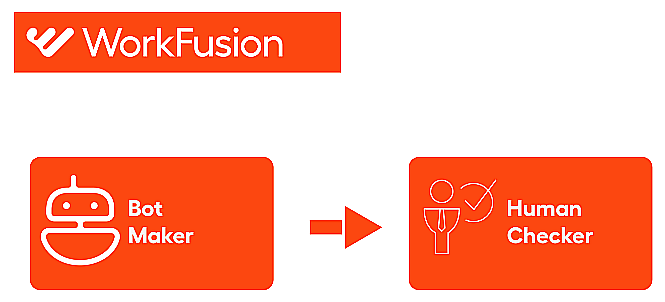
WorkFusion's intelligent bots and ML models automate all the repetitive tasks:
- Conducting payment entity research through intelligent bots
- Validating the payment entity mapping scenario using multiple sanction lists with no human supervision needed
As these intelligent bots produce the conclusion report from multiple sources, decisions are more accessible because intelligent bots provide all the evidence on a single screen.
Benefits of Transactions Screening Intelligent Automation
Automating Transactions Screening Intelligent Automation provides the following benefits:
- Manual work is replaced with more reliable and accurate automation.
- The screening process is simplified and standardized.
- False positives are identified and excluded.
- Rationale is recorded with the audit trail.
- Easy implementation is provided for the robot-human "four-eye check" requirement.
Efficiency criteria
WorkFusion aims to achieve the following:
- Improve automation rates: up to 70% or more reduction of false positive hits.
- Provide accuracy of STP of less than 1% error rate for missing valid sanctioned entity.
- Increase volume: ~ up to 5000 alerts per hour. This is scalable.
Note that scalability depends on hardware resources and the number of agents.
Business Process overview
A Business Process (BP) represents the core workflow and design of any automation in the WorkFusion platform. Tara is managed via Control Tower and has several BPs for you to use.
Core Business Process
Tara performs the following actions in the core Payment Sanction Screening BP:
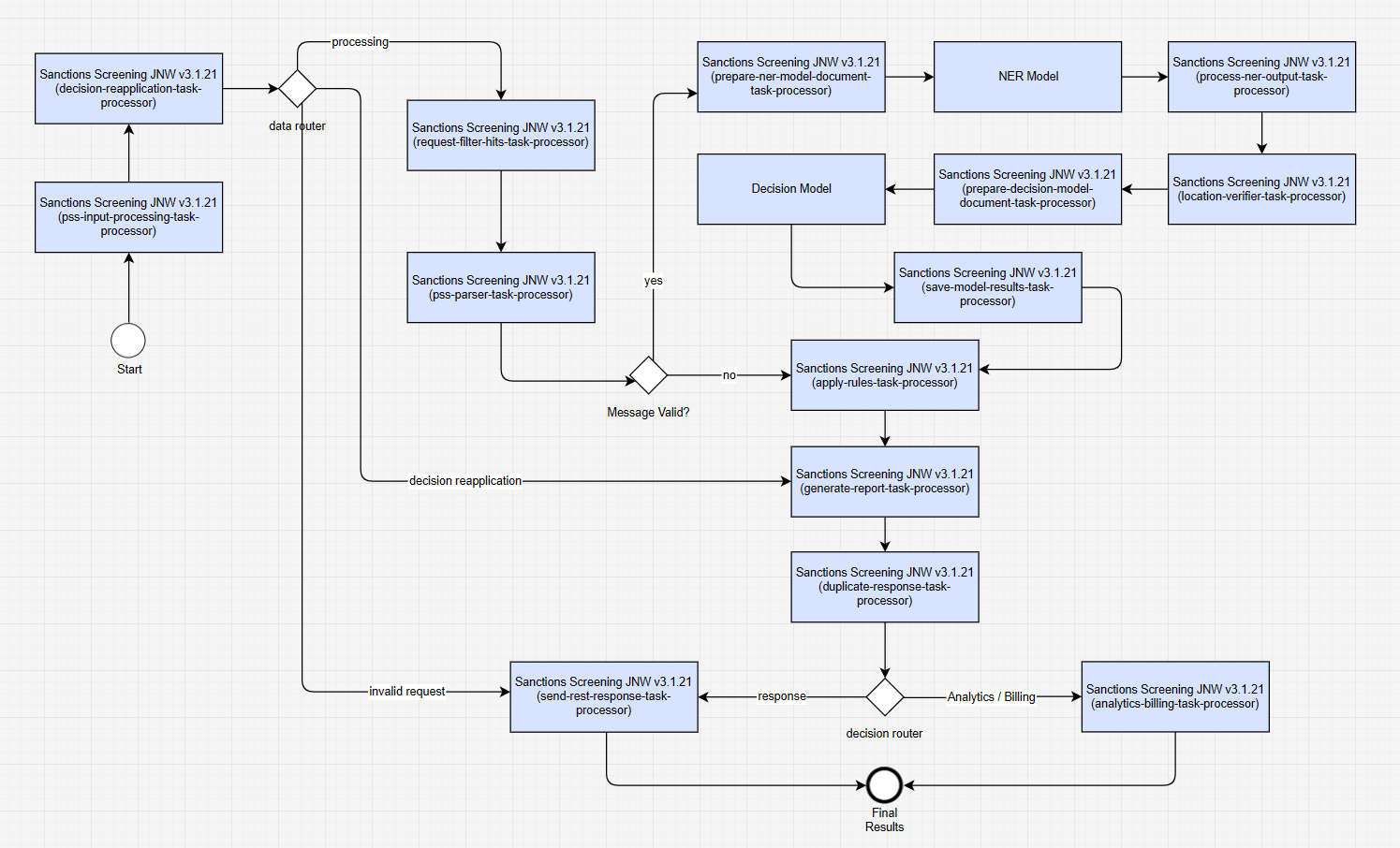
- Acquires input records and validates input.
- Navigates through all payment messages and hits.
- Applies Continuous Learning (CLDS) (Decision Reapplication) if possible and configured.
- Filters hits according to the rules specified in the Data Store.
- Extracts payment messages, hit text, and hit properties (like address verification) if configured.
- Passes data to the Named Entity Recognition Model (NER Model) for entity recognition and calculates which entity is a hit.
- Runs through message data enrichment steps (like address verification) if configured.
- Passes data to the Decision model to calculate all data points. Note that the model does not make the final decision.
- Makes payment adjudication on the message and hit level using the rule engine.
- Generates output results and reports.
The data processing workflow depends on the message format if Tara is required to parse the message content (FUF, SWIFT_MT, SWIFT_MX, SWIFT_NPP). If parsing is not needed, the workflow is independent of any specific client or message format.
The BP flow steps are as follows:
Read input data retrieves input data from loaded files, API calls, or the connector. The input data is validated against the standard request object. Processing is skipped if the request is invalid or non-existent.
Expected input: a request JSON object or a flattened representation of it
Expected output:
"sys_transaction_id","processing","ct_data_input"
If validation fails, additional values are returned:
"exception_message","api_rest_response","connector_response","message_decision".Continuous Learning (CLDS) checks if a decision is made on the same payment message by an analyst and recorded. If such a decision exists, configurable rules allow the system to copy and reapply the decision, bypassing the rest of the workflow. Processing then continues at the Generate report bot step, where the decision is recorded and a response is returned. The supported formats are FUF, SWIFT_MT, SWIFT_MX, and SWIFT_NPP.
Data router controls the flow for valid and invalid requests.
BP messages filter retrieves a record with the request ID from the request Data Store, converts it into a
Messageobject, and applies hit filters using the rules defined in the filtering_rules Data Store. These rules determine which data types the model will attempt to resolve. The bot normalizes data and updates the message-processing Data Store.Expected input:
"sys_transaction_id","message_datastore_name"Expected output:
"message_type"
Parse payment message parses the message content according to its specified format. It searches through all message hits, matches screened entities with message content, composes entity fields using the type's dictionary, updates
Messageobjects, saves them for further processing, and creates a document for ML processing. The document is saved to the output for further processing. The supported native formats are FUF, SWIFT, and ISO20022.Expected input:
"sys_transaction_id","message_datastore_name"Expected output:
"document","hit_id","message_id","exception_message"
Validation data checks if the request proceed for ML processing.
NER Model predicts all entities recognized within the message for further processing in the pipeline.
Location verification validates the location information in screened and additional data.
Execute ML model reads a list of hits and identifies false positive cases. The ML Python model accepts input JSON representing a
Messageobject and returns a response as a JSON document containing aModelDecisionobject.Expected input:
"document","model_id","go_forward_on_failure"Expected output:
"model_result"or"model_error"
Save model result collects model decisions, individual factors, and data points to enable informed decision-making.
- Expected input:
"sys_transaction_id","message_datastore_name","model_params","model_result", or"model_error"
- Expected input:
Make message decision based on model results and rules uses model results and rules to make an adjudication decision at the message and hit levels, determining whether hits are false positives or require escalation. The bot updates the pss_request_processing Data Store with the decision and builds responses for the connector and API.
- Expected output:
"exception_message","api_rest_response","message_decision","connector_response"
- Expected output:
Generate HTML report generates HTML reports and saves them to MinIO if configured.
- Expected output:
"links_to_report"
- Expected output:
Split response sends the response back to the client and performs bookkeeping.
Save analytics and billing produces analytics data for dashboard display, such as the automation rate and other BP execution data. It also sends a billing report to a specified RMQ.
- Expected input:
"generate_report","sys_transaction_id","message_datastore_name"
- Expected input:
Generate REST response sends the response back to the client if the Streaming Records from External Sources option is enabled. The step can be replaced with any connector's output step.
Expected input:
"api_rest_response"Expected output:
"rest_response"
Ingest Historical Decisions for Continuous Learning Business Process
The Ingest Historical Decisions For Continuous Learning BP is used to reapply previous decisions. The BP loads historical decisions into Data Stores through the following steps:

Fetch historical decisions retrieves historical decisions from S3 and converts them into a CSV file formatted for Tara.
Save historical decisions batch-loads the decisions into the relevant Data Stores using a URL to the Tara-formatted CSV file.
For more details, see Apply continuous learning.
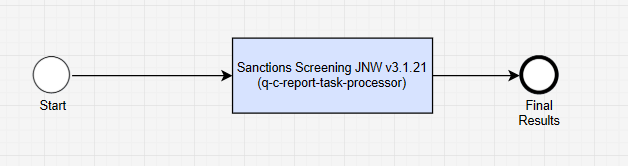
PSS QC Report Business Process
The PSS QC Report BP is used if you enable quality control (QC) reports for auditing and compliance reasons during the output configuration. You can run the BP manually or on schedule.