Delete duplicates
Task: Identify and delete duplicate documents in a dataset.
Jupiter Notebook: Deduplication
Input
- Local CSV file with links to documents
Import the Deduplicator.

Upload data.

Launch the Deduplicator.
Provide required data as indicated below and click Deduplicate.
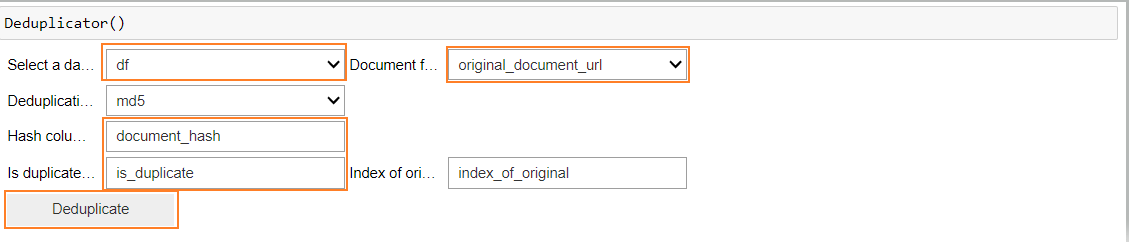
Select a dataframe: specify the name of the dataframe that contains the data set.
Hash column name: add the name of the column in the dataframe that will have a hash generated
Is duplicate: specify the name of the new column that will contain the result (True or False) for the duplicate check.
Document field name: enter the name of the column that contains the input for checking (the column with the links to the documents or tagged text).
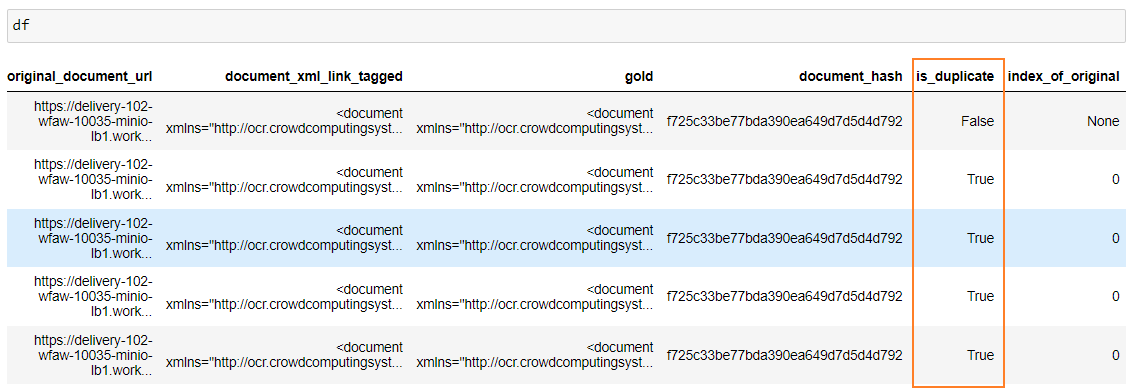
In the output, you’ll see a column containing the True result for all duplicate documents.
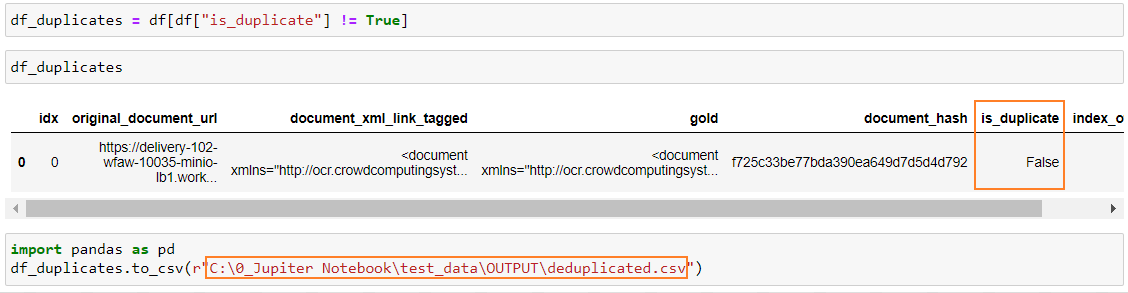
You can filter out duplicate values and save the result to a file.