
Get started with Eclipse IDE
IA Cloud Developer has multiple components: Launcher, Eclipse IDE, Control Tower, WorkSpace, Secrets Vault, File Storage (Minio), Java and RPA task execution workers, OCR.
note
It is recommended to use IA Cloud Developer with Eclipse IDE (WorkFusion Studio) to build automation solutions of any complexity.
Eclipse IDE contains the following components:
- Code and Recorder perspectives for the Automation Engineer and the Low-Code Developer, respectively
- The Inspector tool to collect handlers from native Windows or multiple frameworks, Java, SAP applications
- The Git and Subversion (SVN) IDE plugins to work with version control systems
- The Maven build tool IDE plugin for an Automation Engineer
- Out-of-the-box integration with ODF 2 Archetypes to quick-start RPA or ML automation projects
Eclipse IDE also provides compatibility with IA Cloud Enterprise. It means a specific compatible Enterprise version depends on the ODF 2 Archetype version used.
Code perspective
The general view of Eclipse IDE is as follows:
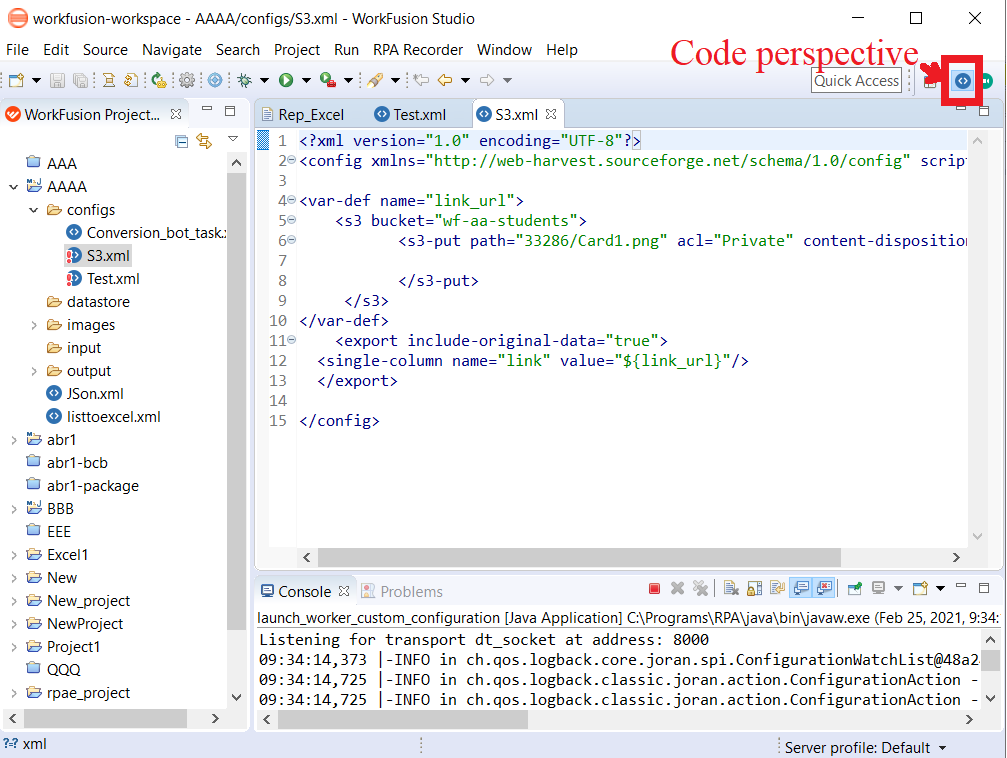
The Code perspective is the main workplace for an Automation Engineer. The recommended standard is to start a Maven project from the Maven Archetype to leverage the entire scope of IDE features.
From the Code perspective, a developer works with a version control system—Git and SVN plugins are included out-of-the-box. However, the main advantage is using the IDE standard code debug features, making it possible to debug any Bot Task (with or without RPA) executed on either a local workstation or a remote IA Cloud environment server.
Recorder perspective
The Low-Code Developer uses mainly the Recorder perspective:
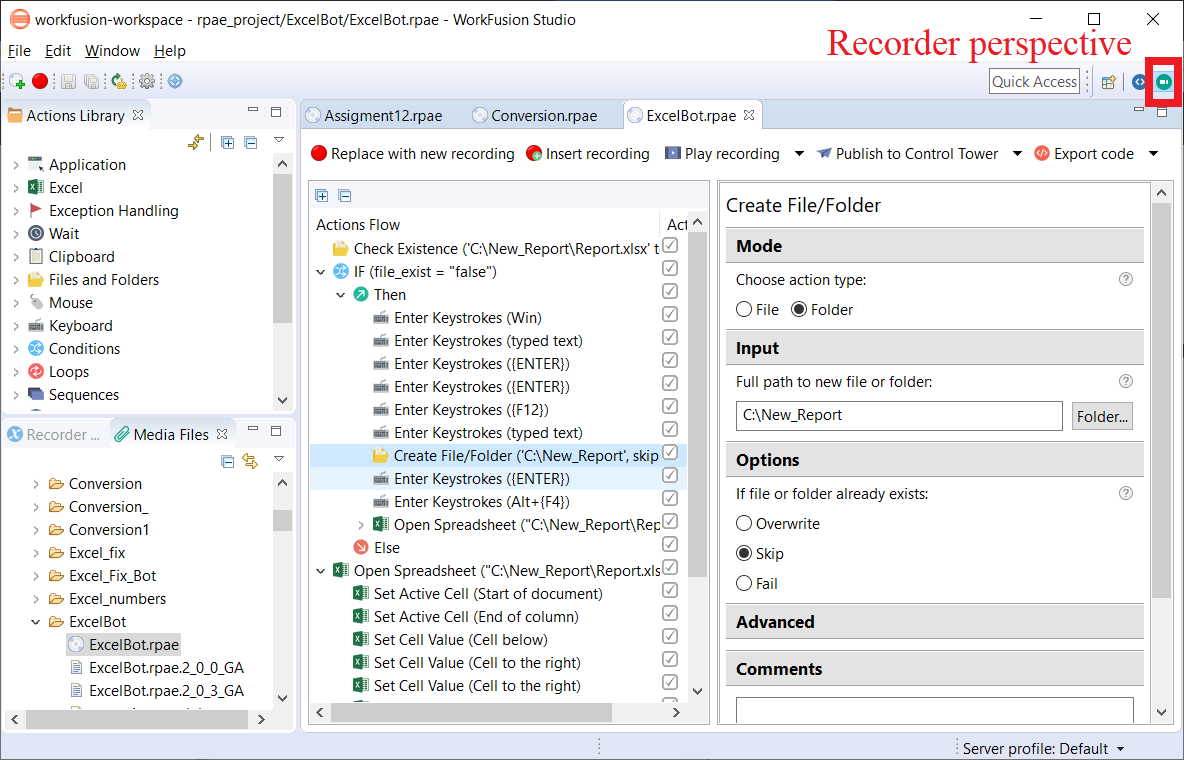
The perspective allows one to create RPA bots using the low-code approach. In other words, it enables users to automate web, desktop, and mainframe applications in a natural macro-like way without any coding or scripting. For more details, refer to RPA Recorder.
Developers are not the target audience for Recorder, but they can also benefit from its features. For example, Recorder accelerates image-based RPA coding. It provides convenient tools for capturing screenshots and cutting required areas to generate a Groovy script. You can then easily convert the script into Java code for further use in an ODF-based project.
Inspector
Inspector is a tool within Eclipse IDE used to explore the properties of the objects from which an automated application consists. To launch, either use a toolbar icon or a Ctrl+Shift+I shortcut, or go to Window > Inspector > Start Inspector.
With Inspector, you can navigate through objects in a real application with visual highlights. The ultimate goal is to obtain a selector, for example, an XPath or a CSS-like expression, to be further used in a recording or RPA Bot Task code.
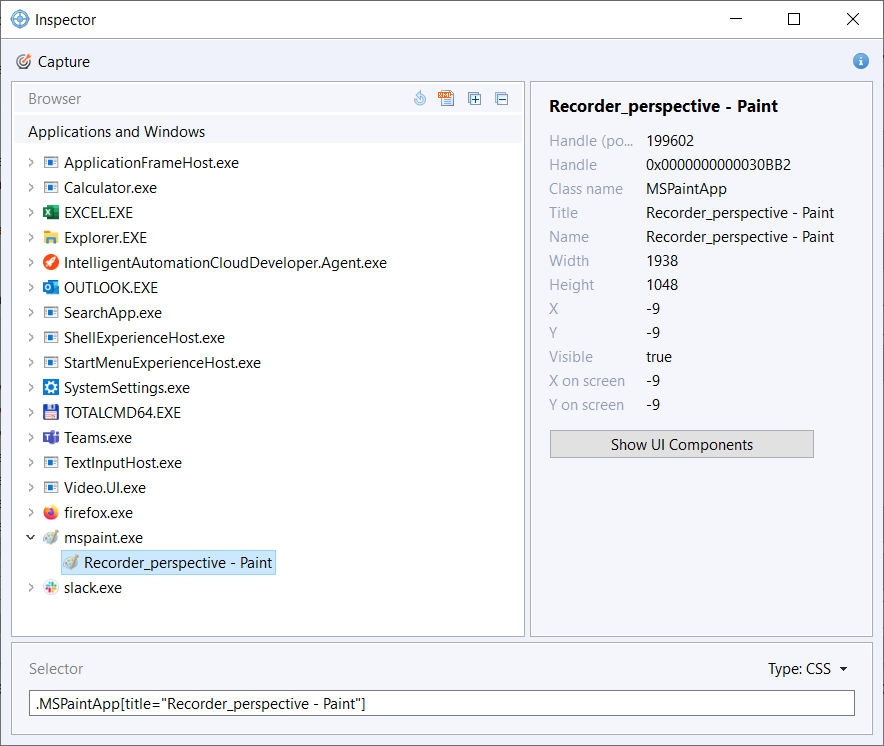
The usual workflow contains the following steps:
- Inspect UI controls.
- Check selectors.
- Apply selectors.
For more details, refer to Inspector.