Build SDLC with ODF
SDLC principles
Team SDLC
Delivery Pod SDLC looks as follows:
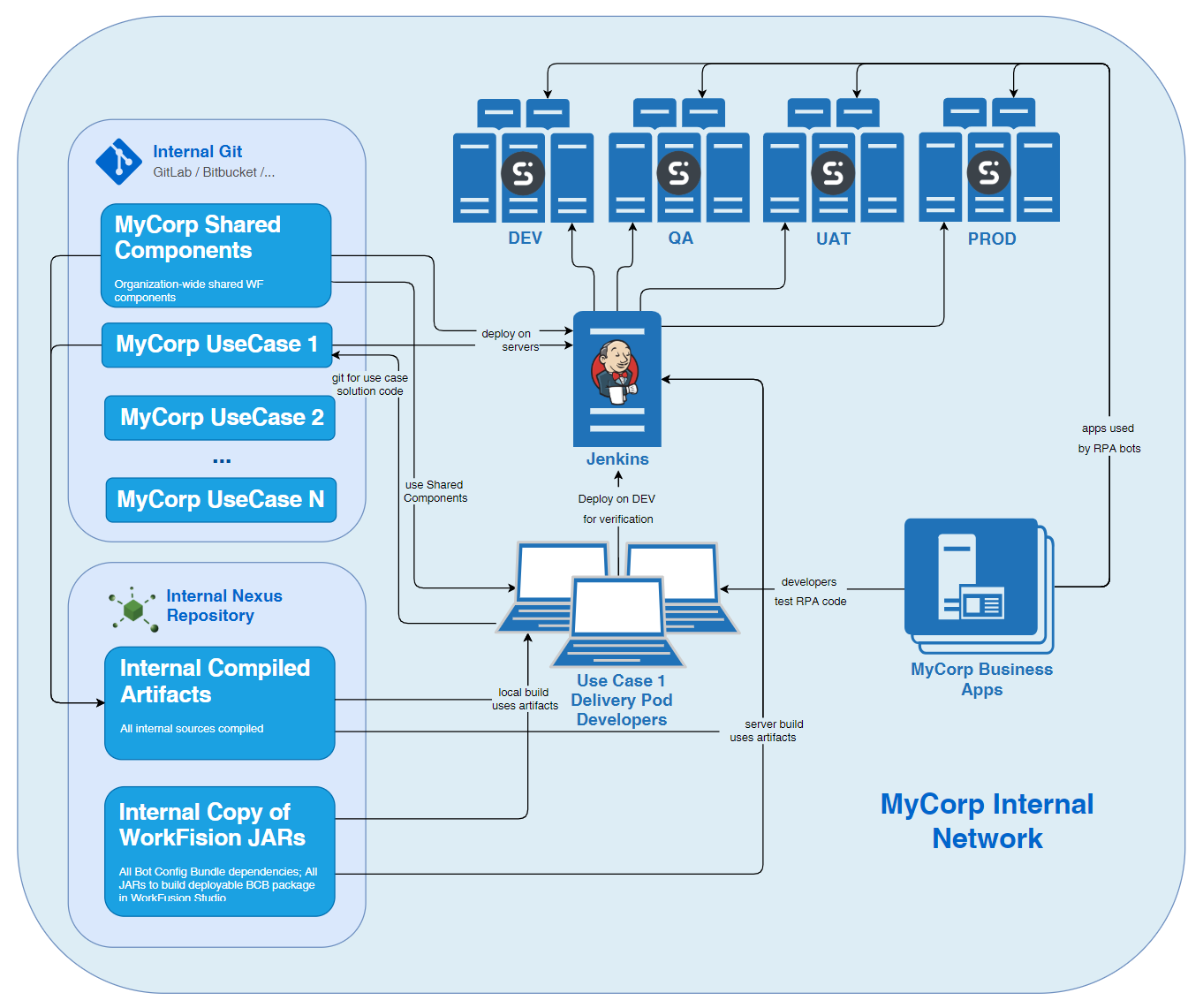
Key practices for Delivery Pods include:
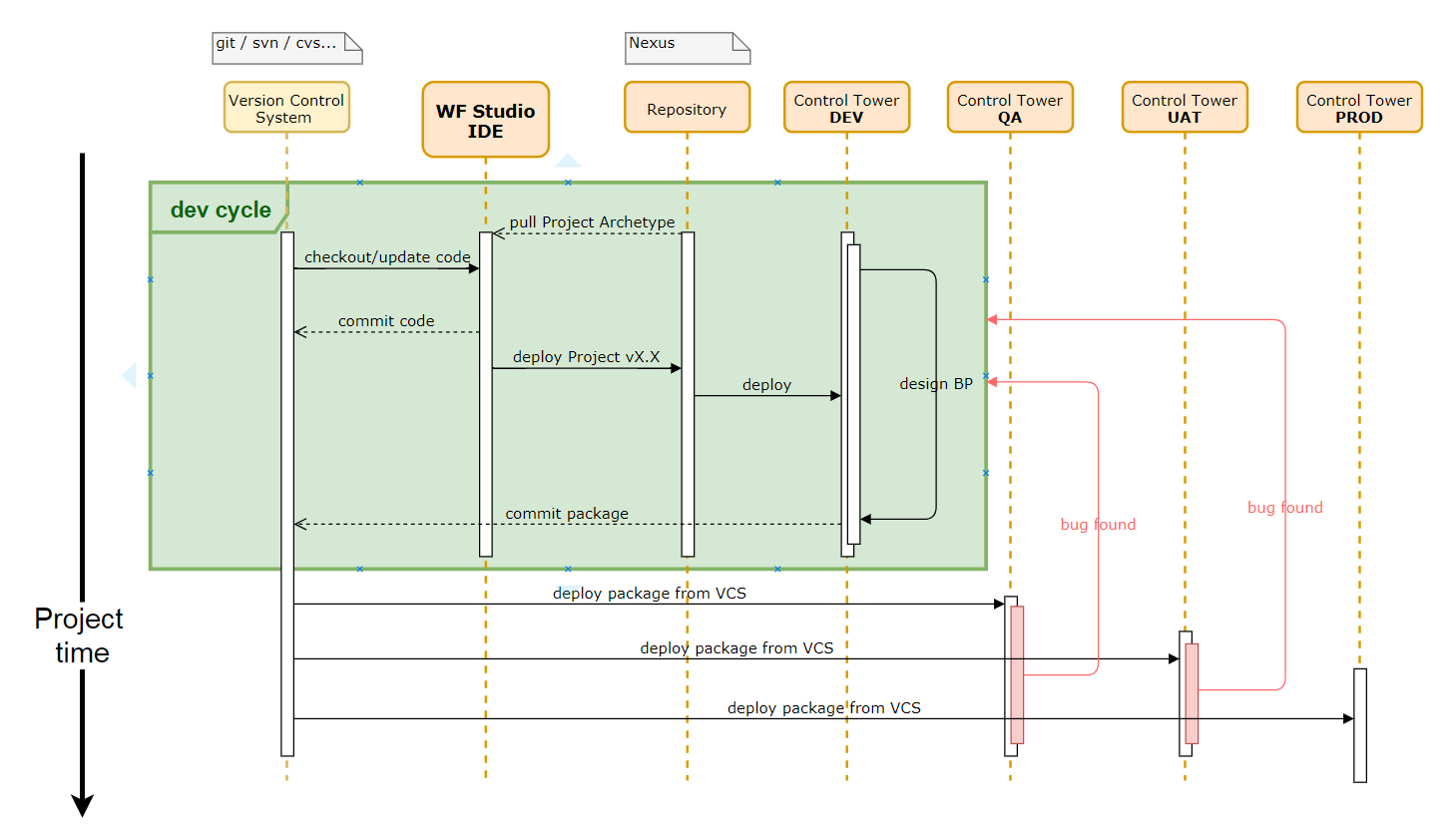
- Release builds from tagged code.
- Auto-deploy builds from Git.
- Reuse components shared as JARs.
- Avoid any changes in Control Tower.
- Redeploy for any change or bug fix.
- Have access only to required Git repositories.
Multi-team SDLC
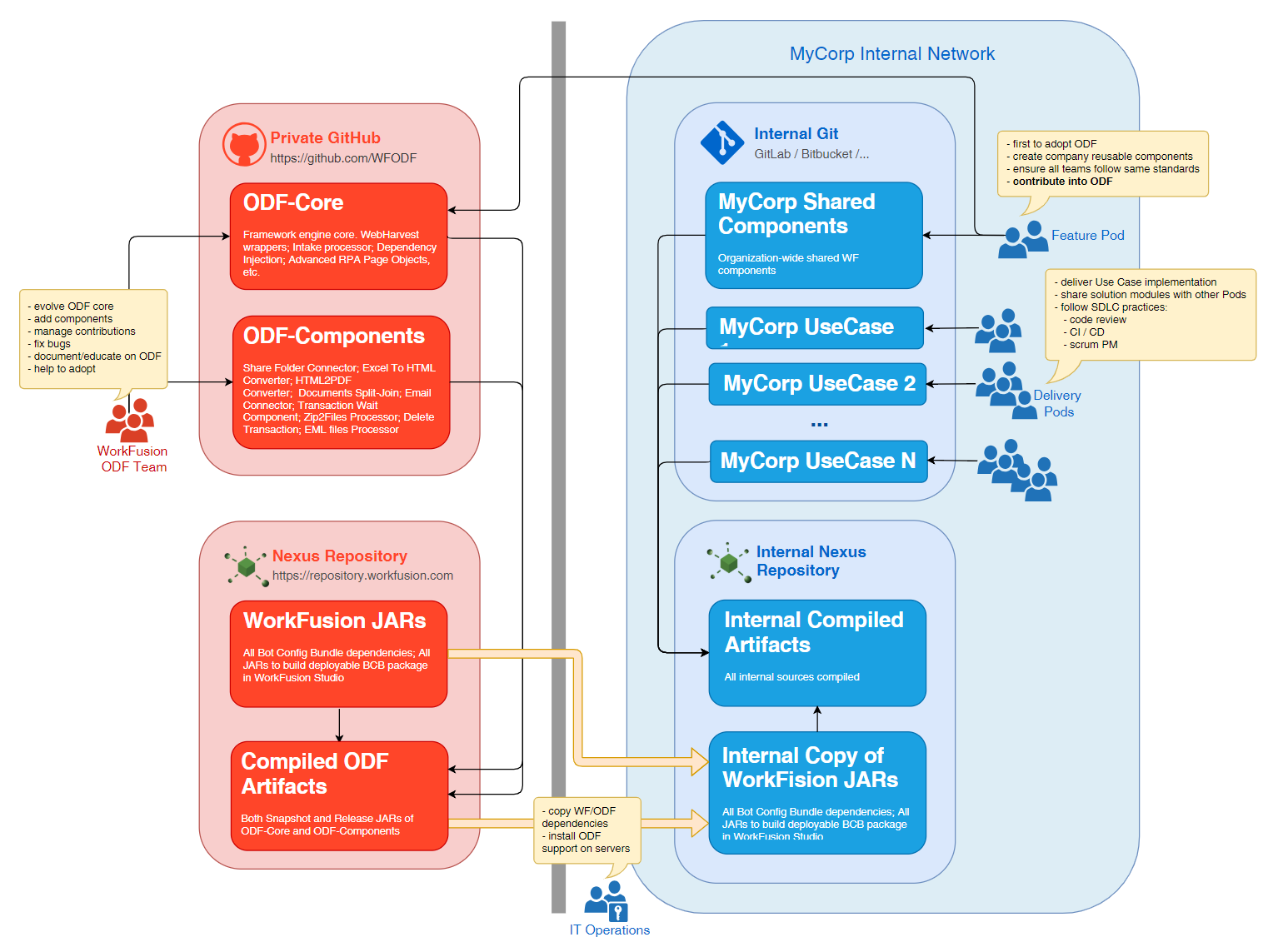
ODF is designed for adoption by large companies where WorkFusion rolls out SAA programs. Regarding team structure, SAA offers two types of groups:
- Feature Pods
- Delivery Pods
ODF enables effective shared code ownership within this team structure. It is critical to establish and follow well-defined processes, as they must align with the following requirements:
- Security. No organization-internal business solution code can be shared outside the organization.
- Contribution. It may be beneficial for the organization if WorkFusion accepts some company components or code features. This can save effort during version migrations and simplify or accelerate implementation.
- Permissions management. Internal repositories should be accessed by the organization's designated groups.
- Easy start and adoption. ODF must be possible to learn and try before it is deployed to the company's VCS or repository.
Multi-team code ownership is organized as follows:
How to start new ODF-based project
Below are general steps that the project's technical team should follow when adopting ODF for the fist time in their organization.
Prepare server environment
LEAD DEVELOPER | ARCHITECT | IT OPERATIONS
- Patch Control Tower with ODF JAR.
- Roll out the deployment automation REST service into Control Tower.
- Add WorkFusion dependencies (from https://repository.workfusion.com) into the organization's local repository.
- Create the organization's local VCS (Git) repositories:
- Shareable with other teams (for Feature Pods)
- Non-shareable (for Delivery Pods)
- Set up developer access.
- Agree on and document naming conventions for repositories and modules to be followed by all teams.
Project setup
LEAD DEVELOPER | ARCHITECT
- Generate the initial Java project structure from the quickstart archetype (provided by ODF in the repository).
- Generate all RPA modules (one per automated business application) and other shareable components using the quickstart-module archetype (provided by ODF in the repository).
- End up with a Maven project containing multiple Maven modules.
- Verify that the build is successful and can be deployed to server Control Tower.
- Push the project into the organization's local Git.
Implementation
ALL DEVELOPERS
- Each developer checks out the project from the organization's local Git.
- Project Lead Developers guide the team on where to place shareable vs. non-shareable code.
Release activities
RELEASE ENGINEER
- Create a tag in Git.
- Build a deployable package.
- Install all modules into the organization's local repository (Nexus).
- Deploy using the deployment automation REST service into server Control Tower.
Bug fixes in QA, UAT, or PROD
ALL DEVELOPERS | RELEASE ENGINEER
- Roll out a local project version from the Git tag of the build where the bug was found.
- Apply the fix.
- Create a tag in Git and follow the rest of the release activities.