REST API authentication with enabled IdP
When working with an integrated identity provider (IdP) using REST API, you cannot utilize your IdP ID or password. The recommended approach is to explicitly set passwords for users locally in Keycloak. Thus, users can log in to the user interface with their IDP credentials and log in via REST API with a local password set up in Keycloak.
To set up a password in Keycloak, follow the steps below:
Go to Users, find the required user and click its name in the list.
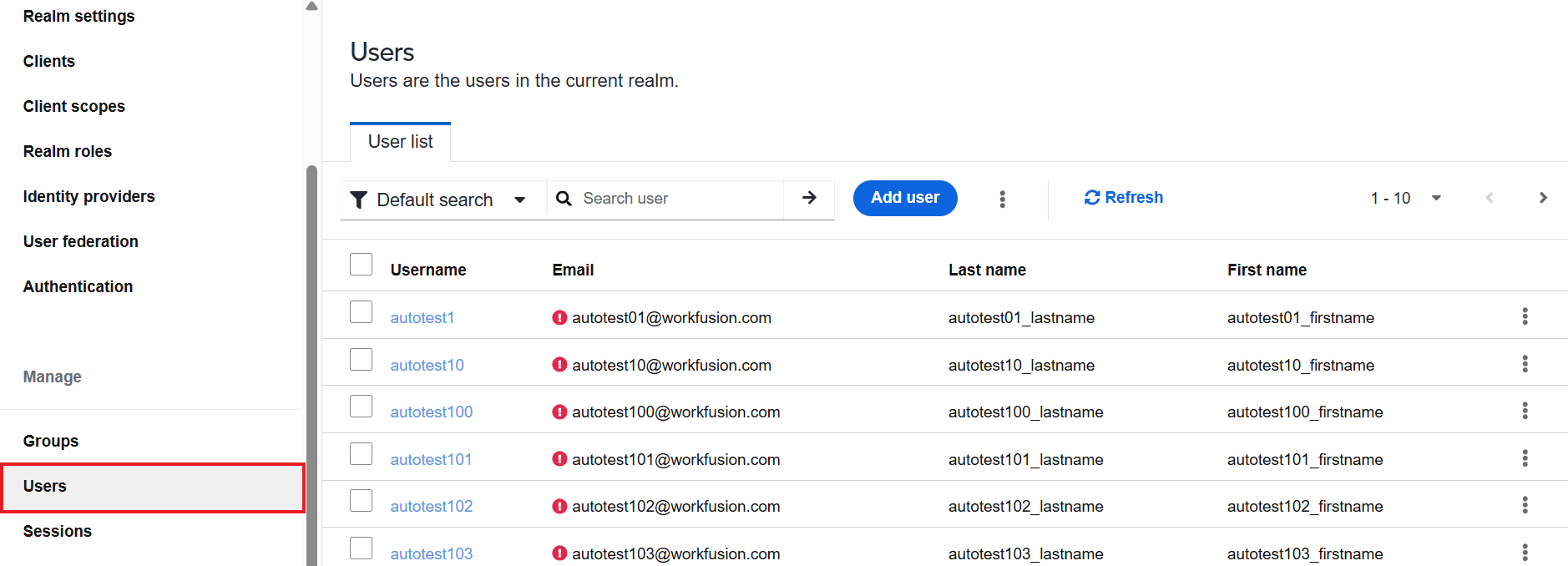
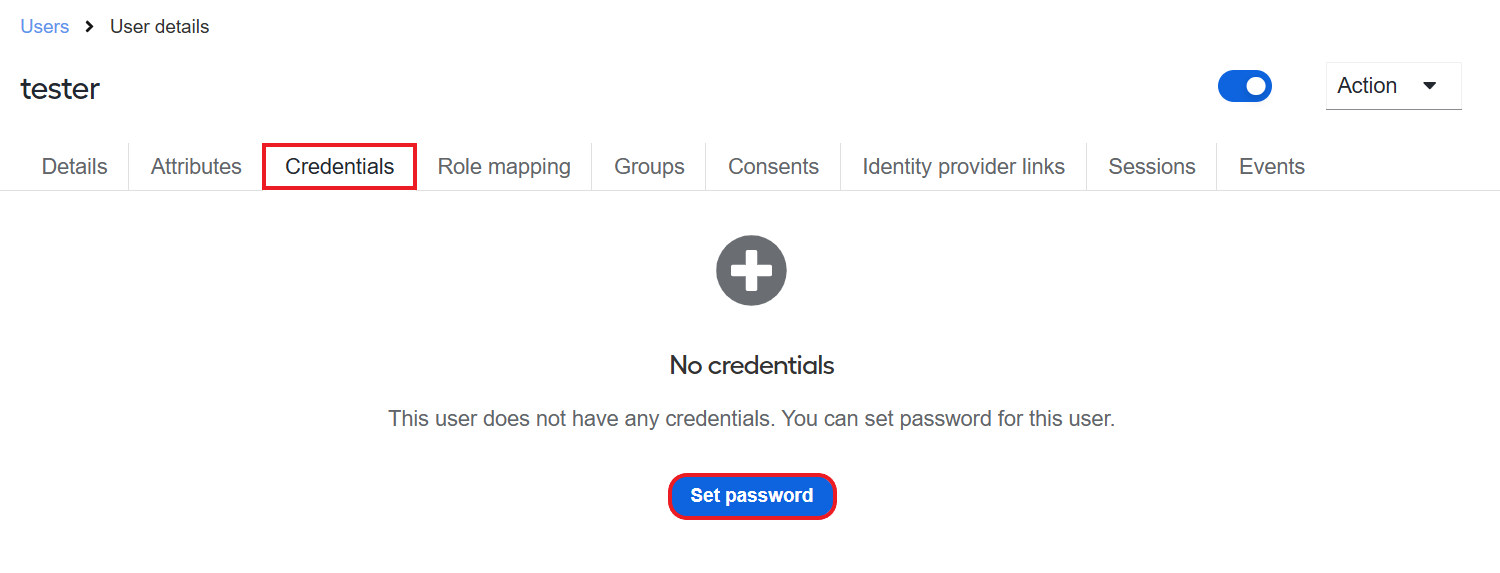
Go to the Credentials tab and click Set password.
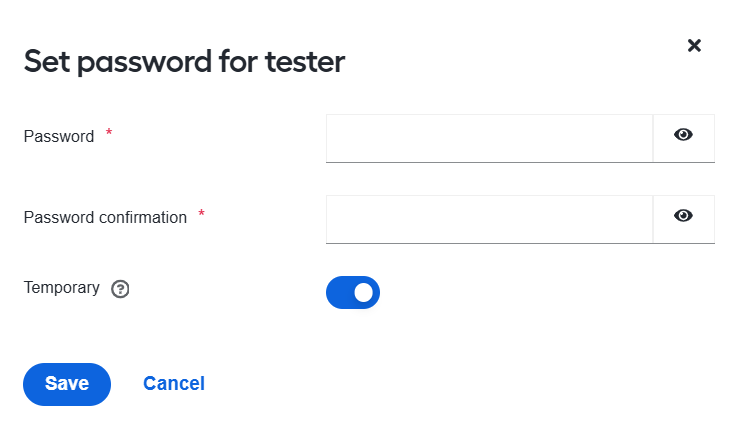
Specify a password for the user and click Save.
This approach is better because it allows for better tracking of user actions. Alternatively, you can create a separate user for REST API authentication as described below:
Go to Users and click the Add user button.
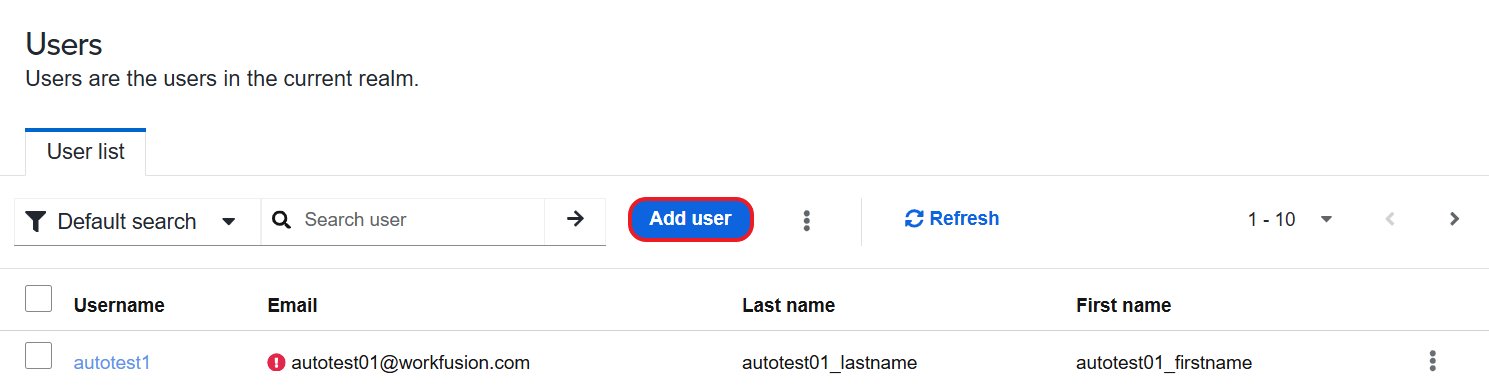
In the Create user window, configure parameters. For detailed instructions, see Manage users.
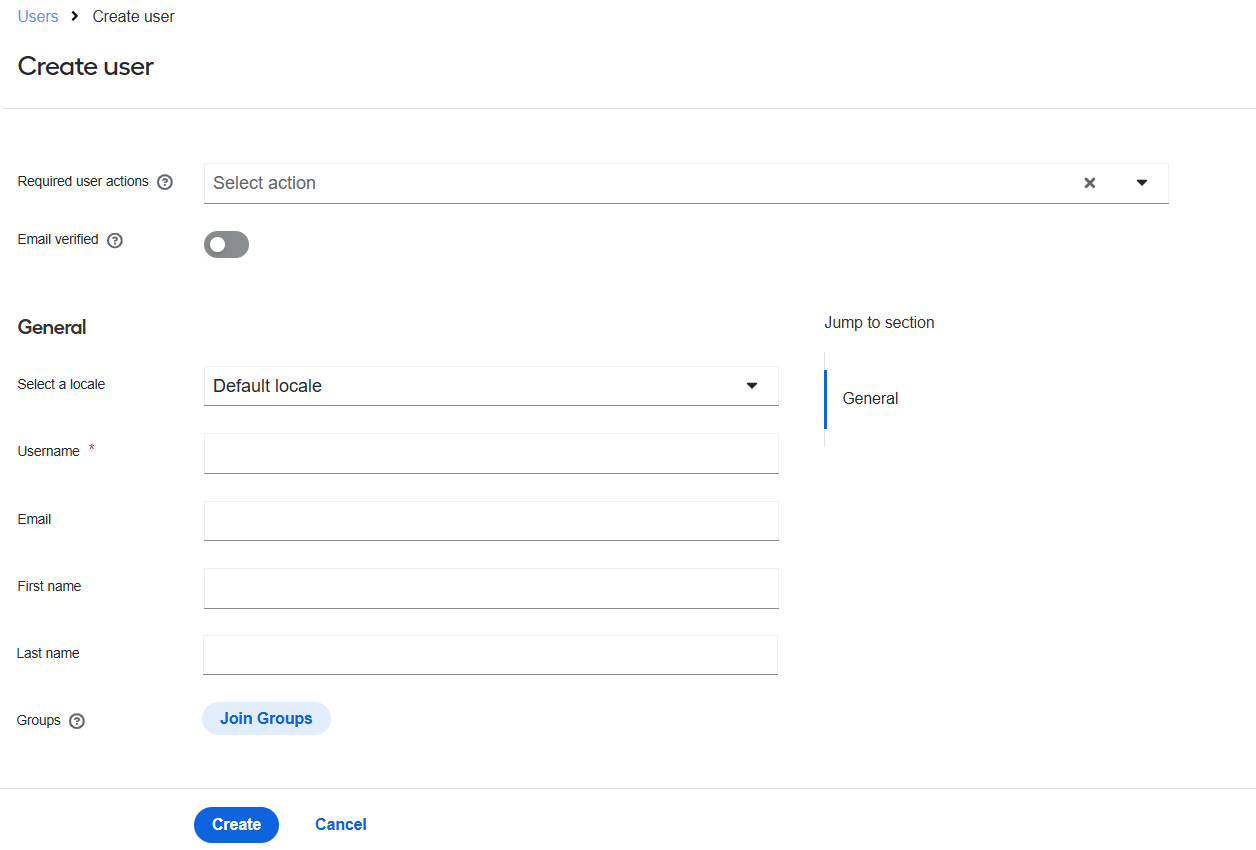
Navigate to the Credentials tab and click Set password.
Specify a password for the user and click Save.
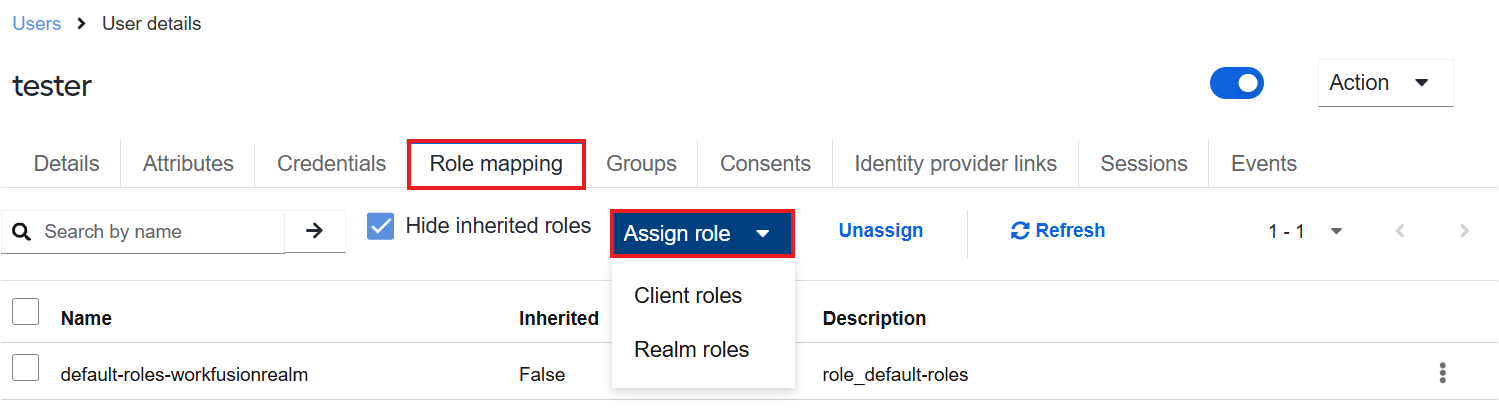
Navigate to the Role mapping tab, click Assign role, and choose the Client roles option.
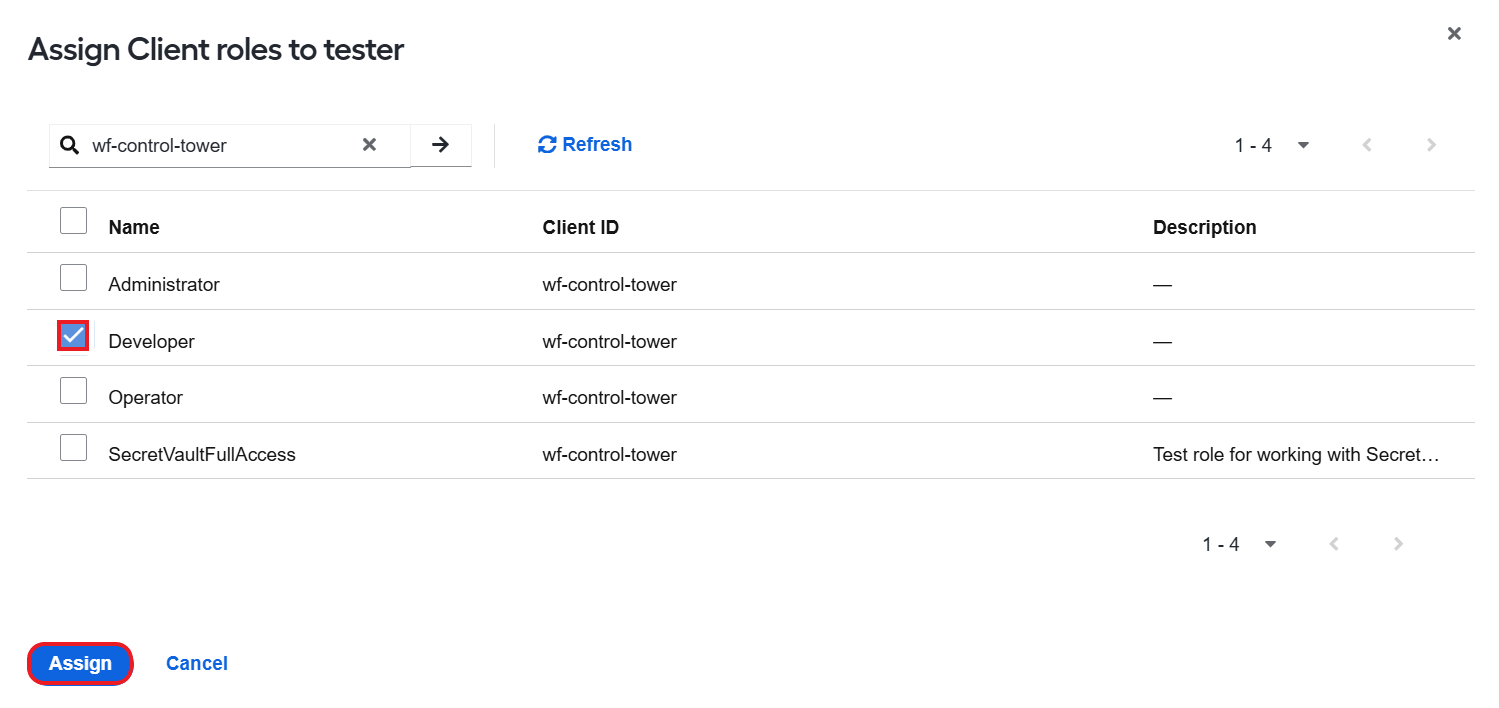
Select the roles you want to assign to the newly created REST API user and click Assign.
Now that IDP is enabled explicitly, you can use the REST API user ID and password for REST API authentication.