Deactivate users
To deactivate users means to disable them after a configured inactivity period has elapsed. For WorkFusionRealm, the default period is set to 90 days, meaning that all users who are inactive for more than 90 days are automatically disabled. For all other realms, the default value is zero days, meaning the User deactivation feature is off, and users won't be deactivated automatically.
Change deactivation period
Before changing the deactivation period, make sure you have the manage-realm role set for the realm-management client in Keycloak. For detailed instructions, refer to Manage and assign realm and client roles.
To change the default deactivation period, follow the steps:
- Choose the required realm and open Realm Settings.
- Go to Security Defenses > userDeactivation.
- Specify the required user deactivation period in days and click Save.
To disable the User deactivation feature, set the deactivation period to zero days.
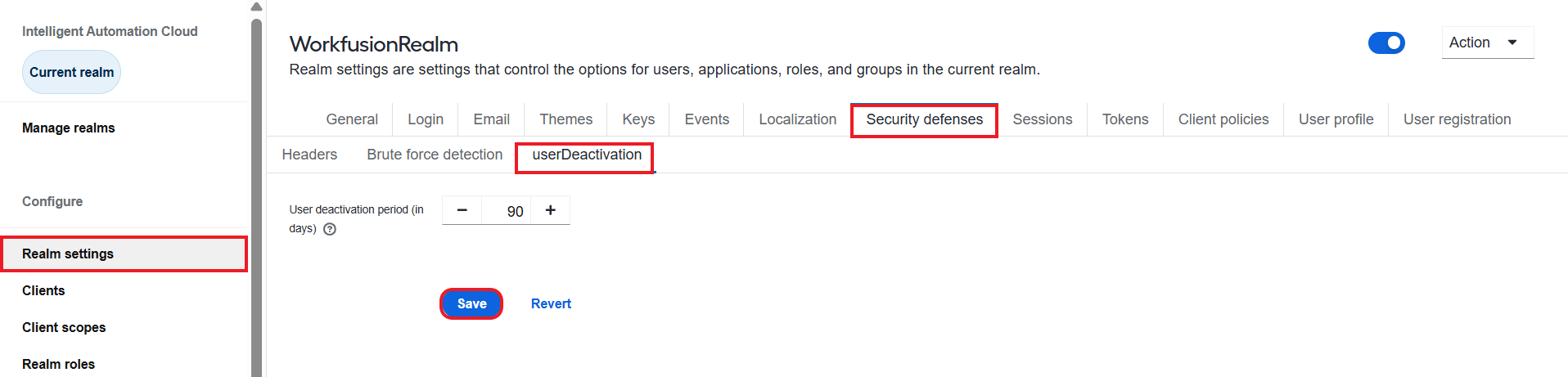
Enable deactivated user
After the deactivation, users remain visible in the system. However, in the user list, you will see the Disabled indication next to the user's name. On the User details page, the Enabled toggle will be in the off position.
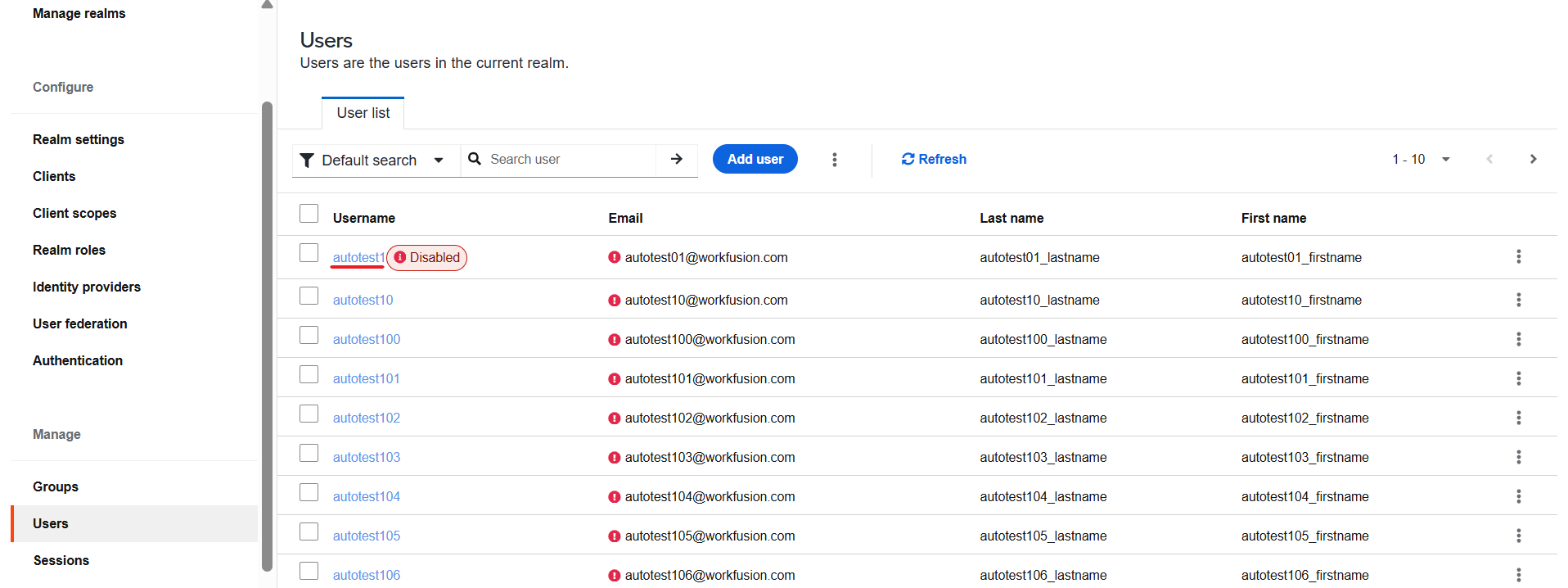
To enable a deactivated user, follow the steps below:
On the user's Details tab, click the Enabled toggle.
Click Save.
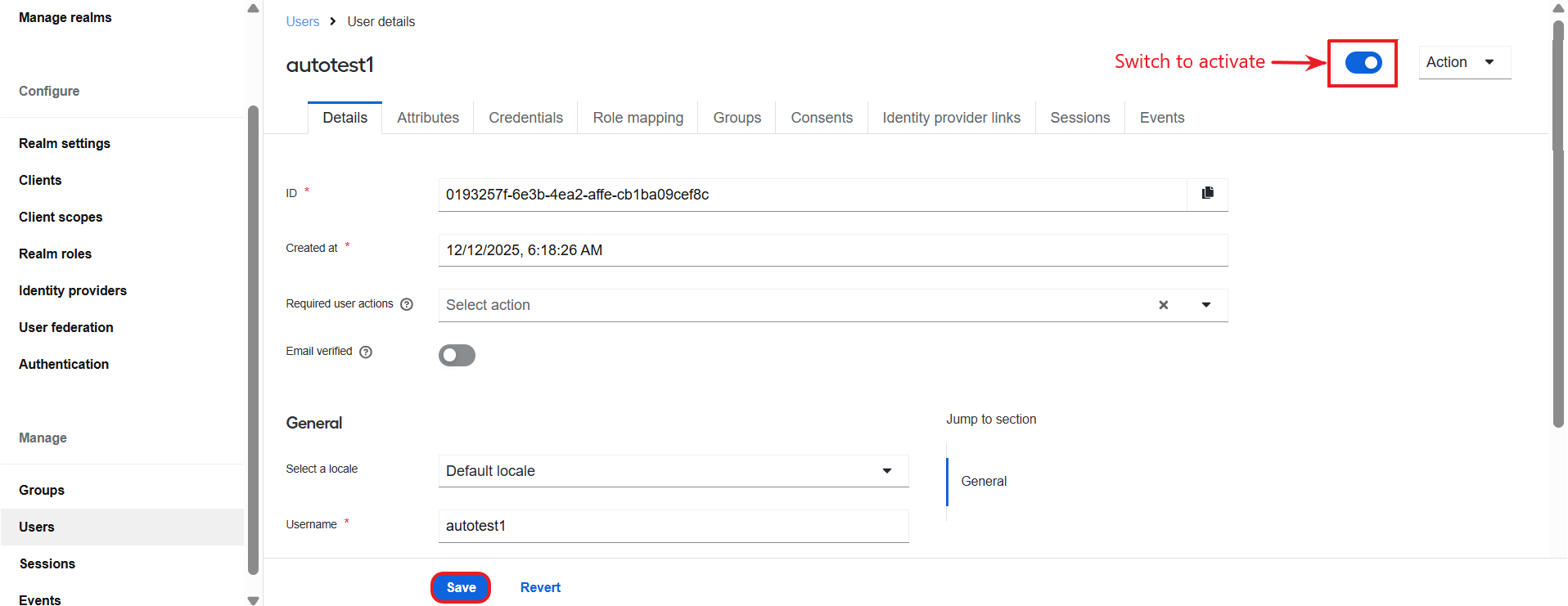
Capture login events
The user deactivation job is based on the LOGIN events captured by Keycloak. These events are enabled by default. You are not supposed to switch them off if you plan to use the User deactivation feature. You can also view deactivated users in the event log stored in Keycloak.
Change user deactivation job frequency
By default, the job that deactivates users runs according to the scheduler at 00:00:00 AM every day. The job switches off all the users for whom the period of inactivity matches the deactivation period in days specified in the settings.
To change the job frequency on the server-side, open INSTALL_DIR/keycloak/keycloak.conf (for example, /opt/workfusion/keycloak/keycloak.conf) and update the value of the workfusion.task.cron.user.disabling parameter.