Release notes
Version 3.0.4
- Release date: October 31, 2022
- Compatible platform version: IA Cloud 10.2.5+
Bug fixes
- Fixed a bug that caused failures of the report generation, if the article title was unusually long and had to be trimmed.
Version 3.0.3
- Release date: October 14, 2022
- Compatible platform version: IA Cloud 10.2.5+
New features
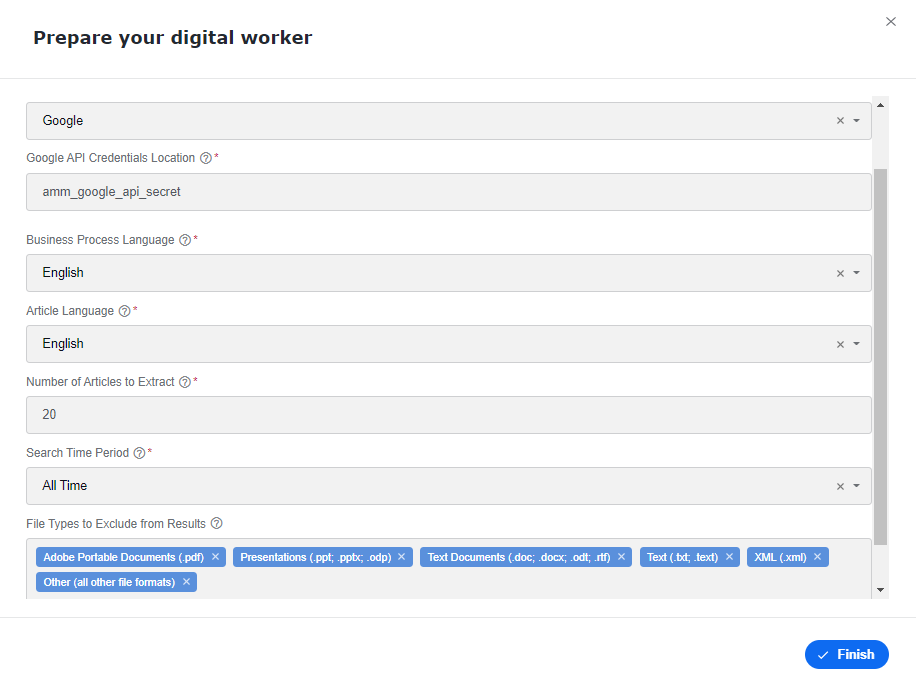
Added the capability to exclude file types when the search provider is Google API.
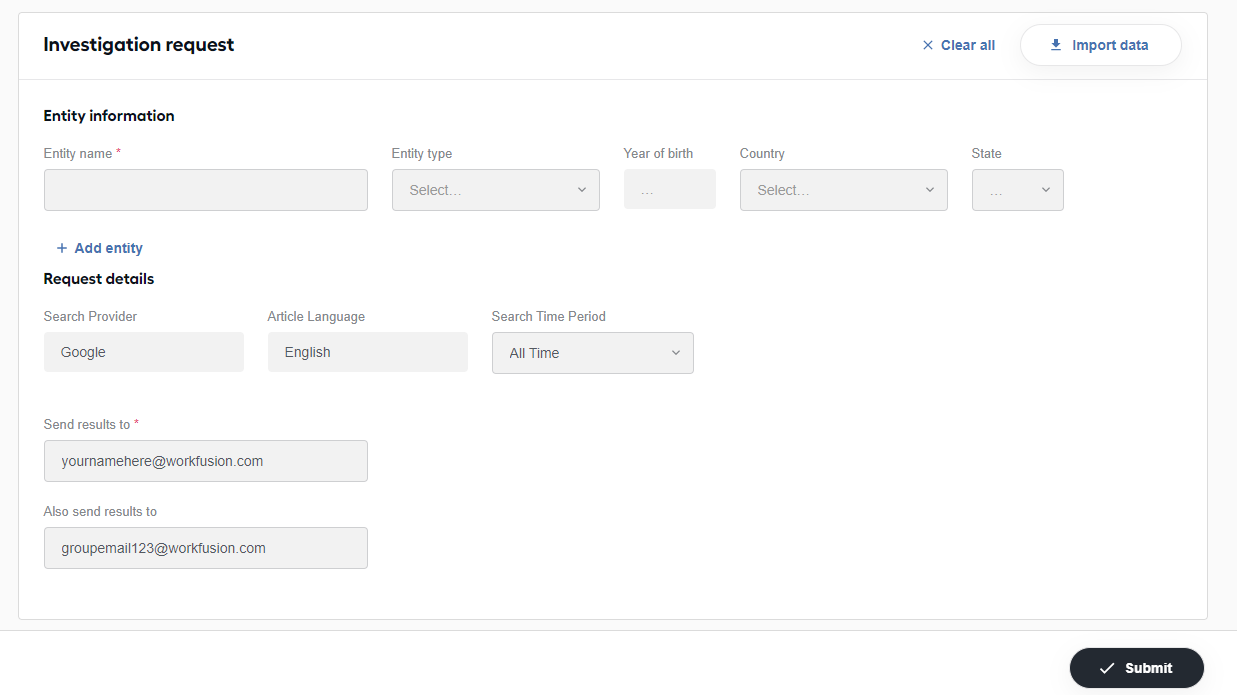
Added the ability to send notifications to two emails when submitting an investigation request via the Launcher in Workspace. With this feature, you can send targeted emails to an individual analyst and notify a group repository email group.
Wrapped multi-word keywords in parenthesis to optimize Google results.
For the Google search provider, in the final reports, added links to the articles' source URLs.
Bug fixes
- Fixed the issue with the investigation status selected originally by an Analyst that appeared different in the final report.
- Fixed the no-results issue for entities. In the final report email, the investigation status now shows "No Results Found" instead of "False Positive".
Version 3.0.2
- Release date: September 26, 2022
- Compatible platform version: IA Cloud 10.2.5+
Bug fixes
Fixed the highlighting of non-English characters to improve readability.
Improved the identifying legal endings for enterprise entities.
Fixed the calculation for the average Manual Task time if multiple users worked on the same manual assignments.
Fixed an issue where articles were not filtered based on the country specified in the investigation when using the Google search provider.
Version 3.0.1
- Release date: September 12, 2022
- Compatible platform version: IA Cloud 10.2.5+
Improvements
- Improved the highlighting of the entity name, keywords, and countries to be identified more easily.
- Updated the Manual Task to show the full name of a province or state.
Bug fixes
- Fixed an issue with a report's status incorrectly displayed in Control Tower.
- Fixed an issue that prevented passing the article's full text to the model.
- Fixed a few issues that prevented Mercury from updating when upgrading to a new version.
- Fixed a bug with email messages when the final status of the investigation chosen by an analyst was not shown.
Version 3.0
- Release date: August 18, 2022
- Compatible platform version: IA Cloud 10.2.5+
Adverse Media Monitoring now supports IA Cloud Enterprise v.10.2.5 and the Platform features released within that version, including multiple sets of configurations for a single AI Digital Worker. Also, RPA is no longer required to run Adverse Media Monitoring.
Manual Tasks
Analysts can save their work and move to the next assignment without completing the entire investigation in a single sitting. Changes are saved for all users if it is reassigned to another analyst.
Improved the Summary page with a simplified view of articles. The articles are separated into two sections so that analysts can quickly identify which ones require their attention:
Articles to Review
Dispositioned Articles
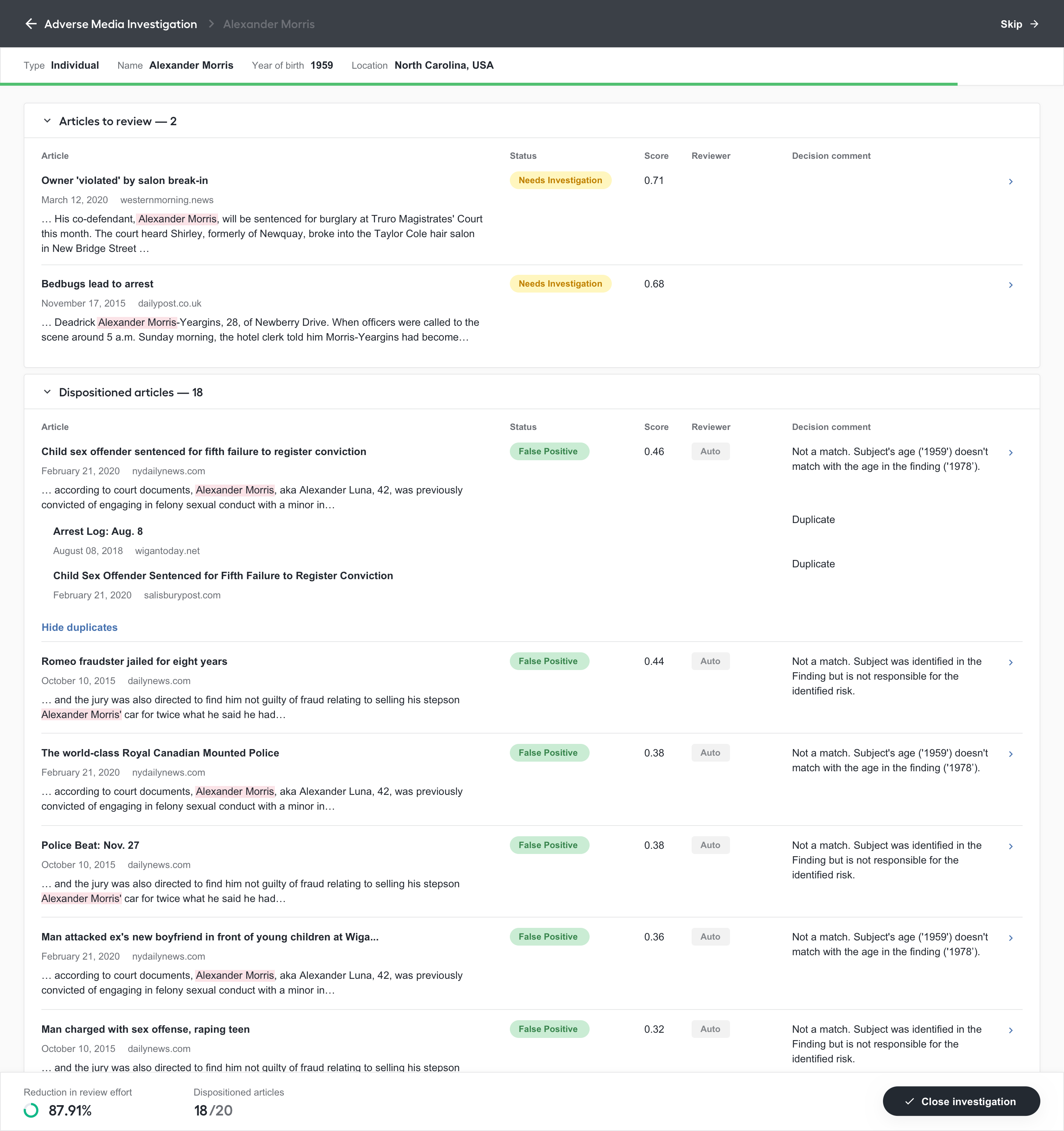
Added the additional information to aid analysts in their decisions:
- Article score.
- Comments from either the model or the human analyst.
- The name of the reviewer who last updated the article status and comment. If the article was automatically adjudicated, the name shows “Auto”.
Streamlined the Details page.
The page includes an “immersive” reader view to clean up the assignment view and add more focus.
Also, we added Article score, Comments from either the ML model or a previous human analyst, and the Read status to aid analysts in their decisions.
Now, we provide the ability to disposition an article as “True Positive”. Previously, only “False Positive” and “Escalate” were available.
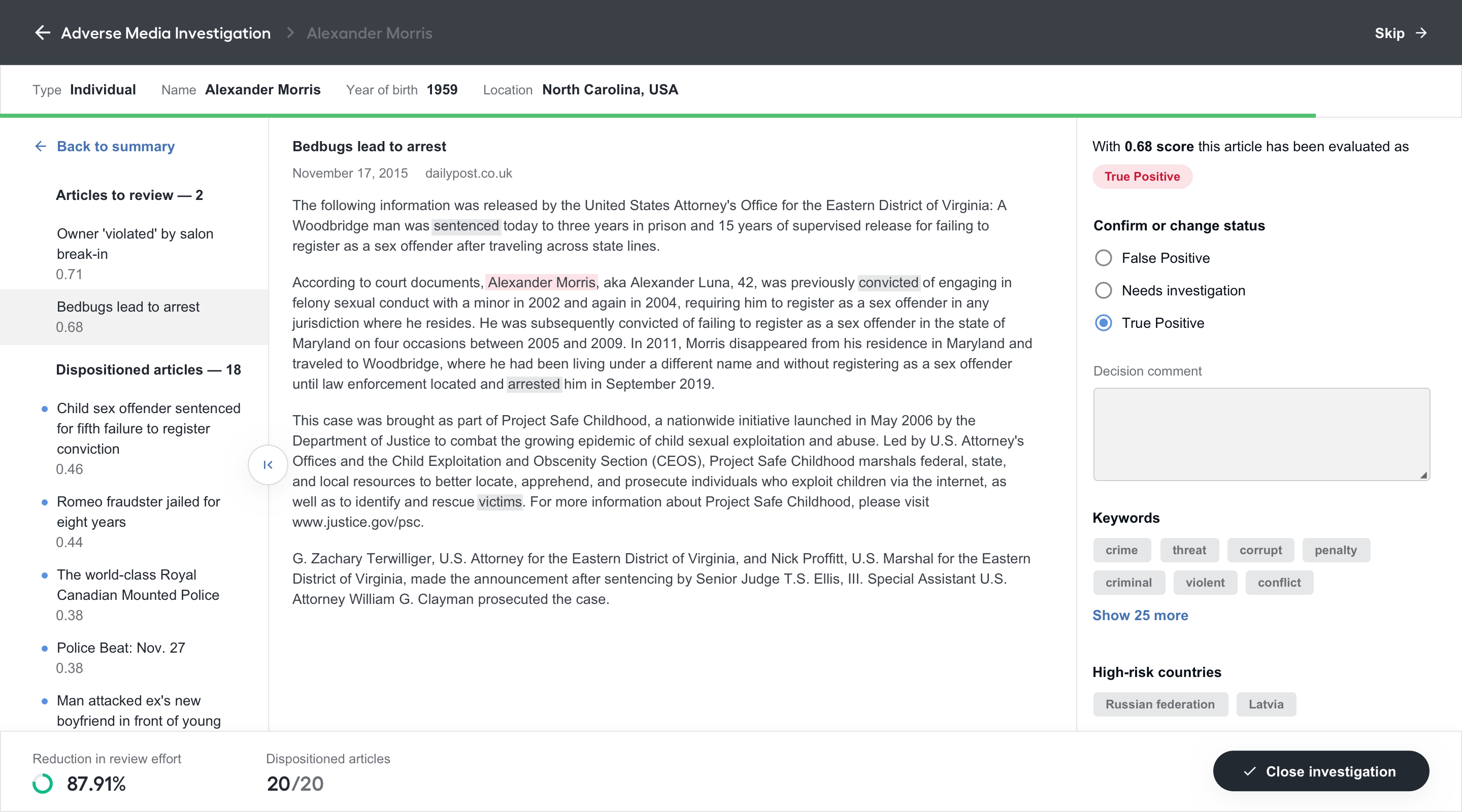
Enriched the “Close Investigation” process by adding the ability to close an investigation with a status and a comment. The following statuses are available:
True Positive
False Positive
Needs Investigation
When a user closes an investigation, a status will be automatically suggested based on the statuses of the adjudicated articles. You can select a different one, but in this case, you receive an error or warning if the status is not valid. For example, if all articles are dispositioned as “False Positive”, an error is raised when you close an investigation as “True Positive”. In case of closing with the status “Needs Investigation”, you receive a warning message but can proceed.
Also, a comment for the entire investigation is automatically suggested based on the statuses and comments from the adjudicated articles. Analysts can adjust this before closing the investigation.
Added the possibility for users to skip a case and automatically move on to the next assignment in their queue.
Added the ability to see the automation rate and progress for an investigation as articles are dispositioned.
Reports
Added additional information with regards to the search parameters and results to improve the audit trail:
- Entity information
- Keywords searched versus keywords found in the results
- High-risk countries searched versus high-risk countries found in the results
- Search period
- Article language
- Reviewers
- Media Source
Improved reports that are generated with no results found for an entity to add clarity and brevity.
Other updates
Improved the automatic adjudications.
Each explanation from the model became more specific. Explanations are provided for the escalated articles instead of those dispositioned as "False Positive". This enables analysts to understand what was evaluated and focus their time and energy more appropriately.
Added clarity to the email notifications for cases when the final report was generated because the Manual Task was available in Workspace or was bypassed. The reasons why a Manual Task is not created can be the following:
- A Business Process was manually stopped before running the investigation.
- No results were found.
- The Manual Task wasn’t created because of the customer’s settings.
Migrated AMM to Open Development Framework v.2. For more information on the benefits of the new framework, see Why adopt ODF 2.
Pre-indexed Data Stores when Adverse Media Monitoring is installed. Now, you don't need to index data stores after the installation. This removed extra step will save you time and some disk space, and you never have to remember performing this routine operation.
Bugfixes
- Fixed the localization issues on the Spanish version of the report.