Release notes
Version 3.2.1
- Release date: March 28, 2023
- Compatible platform version: IA Cloud 10.2.5+
- Fixed the issue with numbers that impacted the display of the confusion matrix in the Overview analytics dashboard.
Version 3.2
- Release date: March 15, 2023
- Compatible platform version: IA Cloud 10.2.5+
New Features
ML Model:
- Improved Focal and Adversity classifications within the English and Spanish ML Models.
- Added additional training to handle cybercrimes more effectively.
Workspace:
You can now automatically assign tasks to yourself when submitting an investigation using the Launcher.
Each batch of names can be assigned to a single worker.
You can assign a batch of tasks to multiple workers by including the worker ID in the input file when uploading it to the Business Process.
Each search request (entity name) can be assigned to a single worker.
You can unassign or keep a task assigned to yourself in Workspace after clicking Save & Continue.
After saving or closing an AMM investigation request, you can now configure Workspace users to be routed back to the queue. Earlier, users were directed only to the following tasks.
Users are no longer routed to the next assignment after submitting an Ad hoc investigation request via Launcher. Instead, they are taken back to the main queue.
Installation and configuration
Drastically changed the configuration wizard to enhance user experience and remove unnecessary settings.
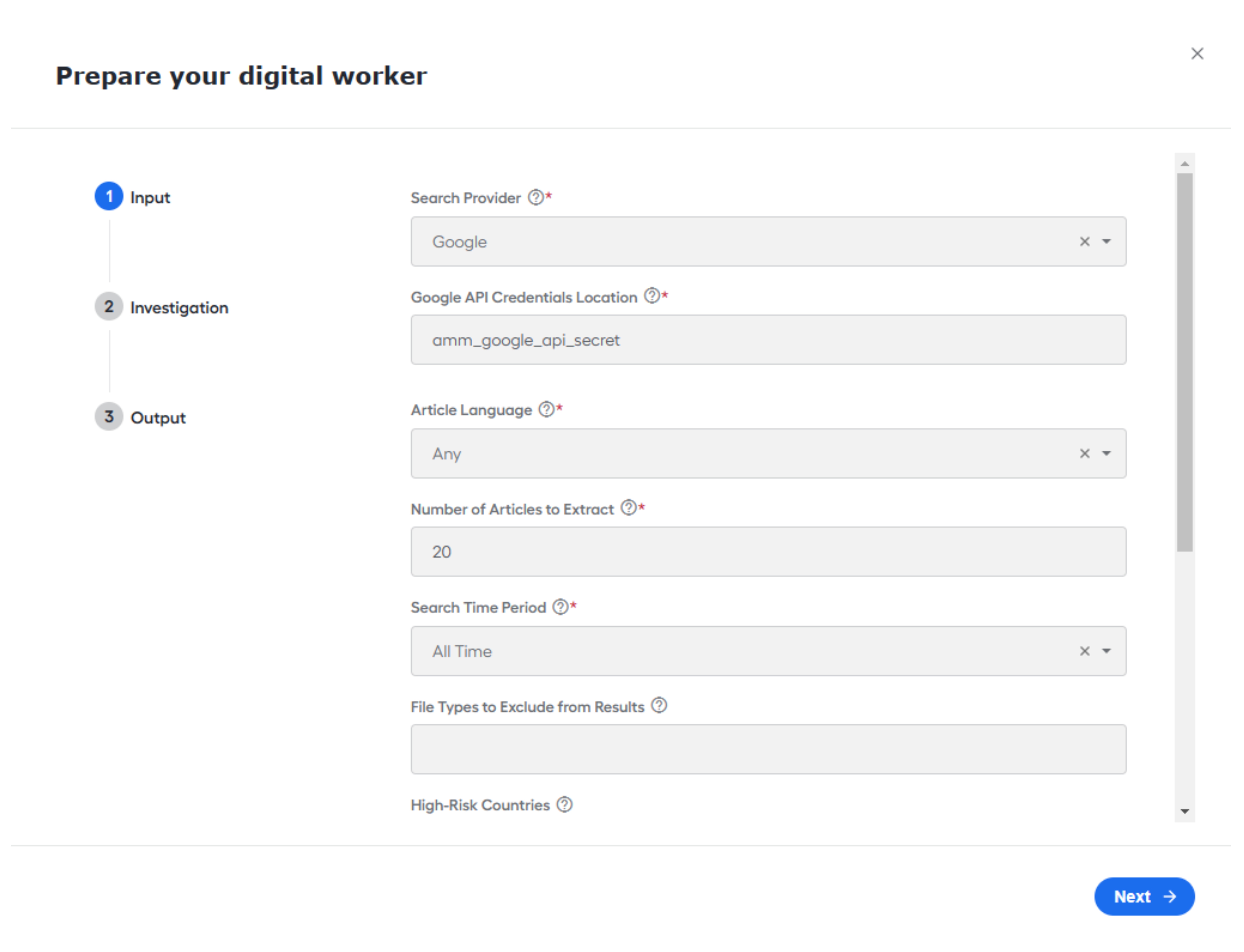
Added the capability to configure Ad hoc search requests tasks from the UI configuration screen. Earlier, this required a CSV file to be uploaded into the Business Process.
One ad hoc investigation task is created when the Launcher BP is run by default.
Added the capability to configure the Model version per variation instead of per AI Digital Worker to support A/B testing better.
Added the capability to trigger the Ad hoc investigations from the Workspace Launcher without creating a Manual Task. You can set this behavior in a variation's configuration.
Added the settings to remove legal endings from the search request. Disabling this feature improves results for small entities and businesses with common names.
Extended the Search period options. Now, Factiva and Google support the following timeframes:
- Today
- 1 day
- 2 days
- 7 days
Google-specific features:
Redirect links are now identified, traced to their source, and checked for relevancy before being included.
Using the Google search provider, you can select "English" and "Spanish" as the article language.
The directory of excluded host sites now contains more names.
Bug fixes
Extended the timeout period for the Launcher tasks. Previously, tasks expired if they were not used for 30 days. That has been extended to 1 year.
Fixed the filter for Batch ID in Workspace.
Fixed the issues that prevented the generation of the PDF version of the report.
Added support for websites that were not downloaded or parsed correctly. This only impacted users using Google as the media provider.