Analyze effectiveness
Tara uses pre-built analytics dashboards to monitor the automation solution and specific metrics for actionable insights into a Business Process (BP).
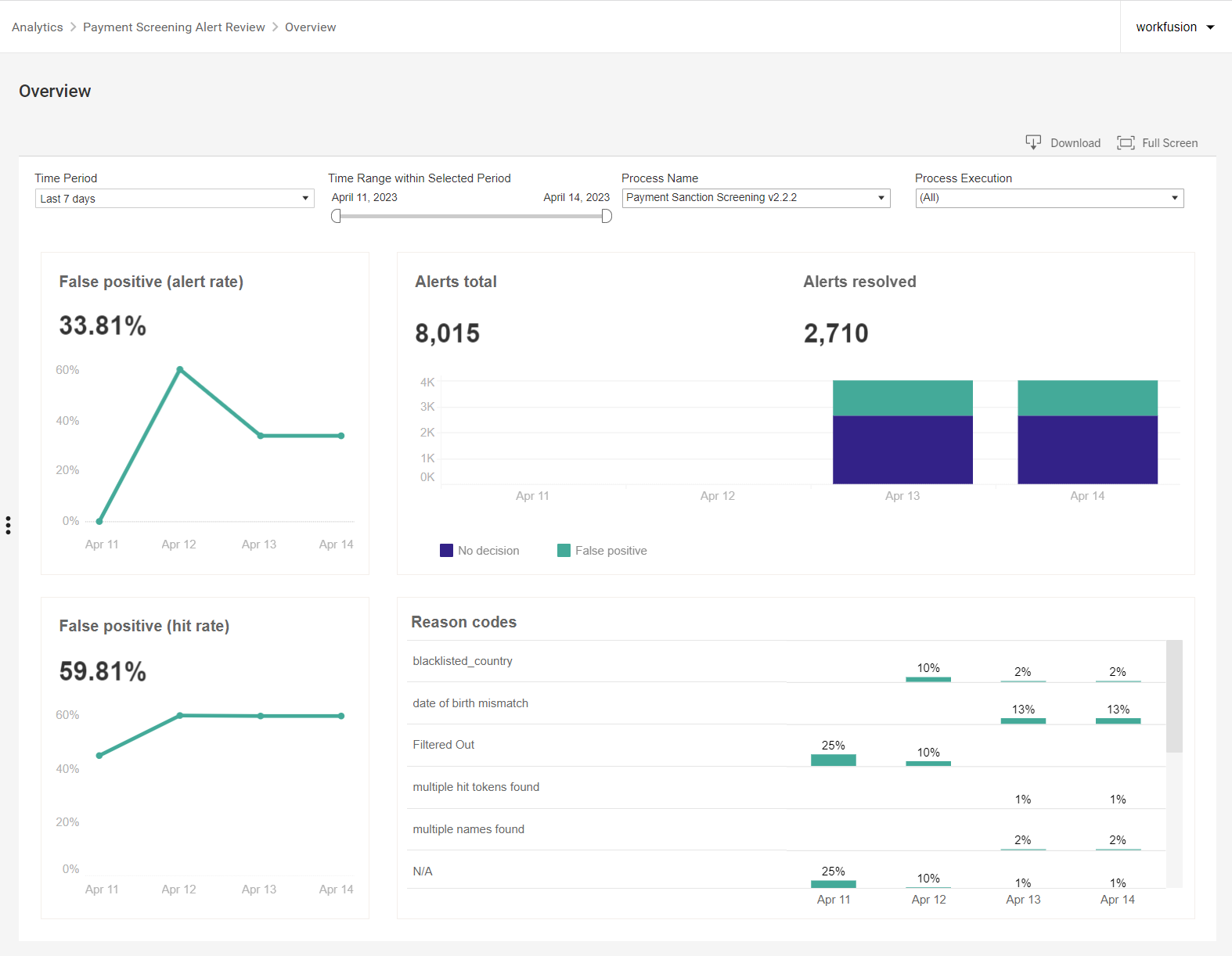
To view Tara dashboards, go to Control Tower > Analytics > Payment Screening Alert Review > Overview.
note
The Analytics dashboard calculates the metrics for finished transactions in the running BP. This means that not all transactions are considered on the Analytics dashboard during the BP execution.
The pre-built out-of-the-box analytics includes the following business metrics:
| Chart | Description | Results |
|---|---|---|
| False positive (alert rate) | Percentage of messages identified as false alerts | FALSE_POSITIVE; total volume of alerts |
| False positive (hit rate) | Percentage of hit alerts identified as false alerts by the ML model and processed automatically | FALSE_POSITIVE; total volume of hits |
| Alerts total | Volume of alerts by the ML model decision | Total volume of alerts |
| Alerts resolved | Alerts identified as false positive | Total volume of resolved alerts |
| Reason codes | Percentage of resolved alerts based on specific mismatch reasons | Percentage of false positive hits by reason code |