Analyze effectiveness
Tara uses prebuilt analytics dashboards to monitor specific metrics for actionable insights into a Business Process (BP).
Dashboards
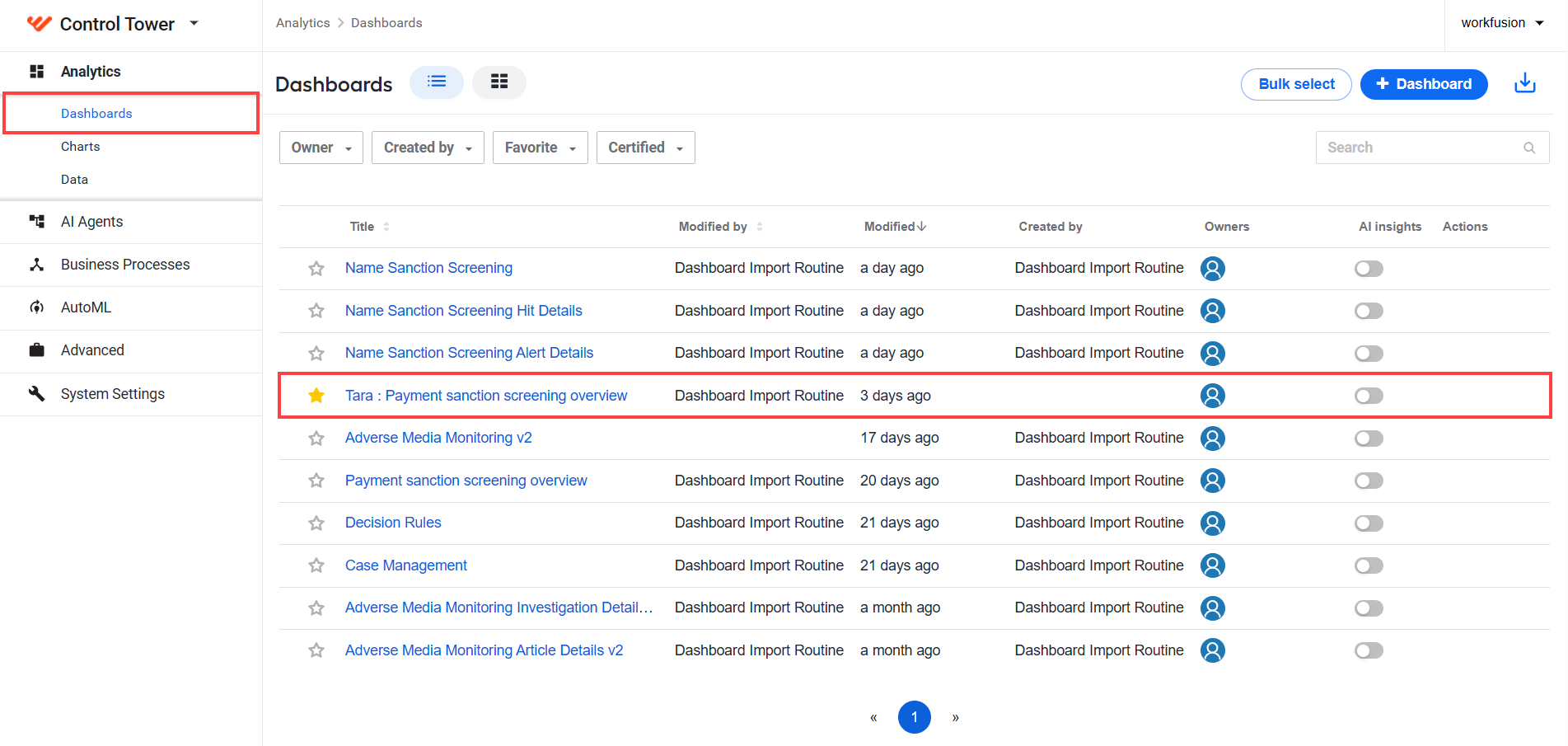
To view Tara dashboards, go to Control Tower > Analytics > Dashboards > Tara: Payment sanction screening overview.
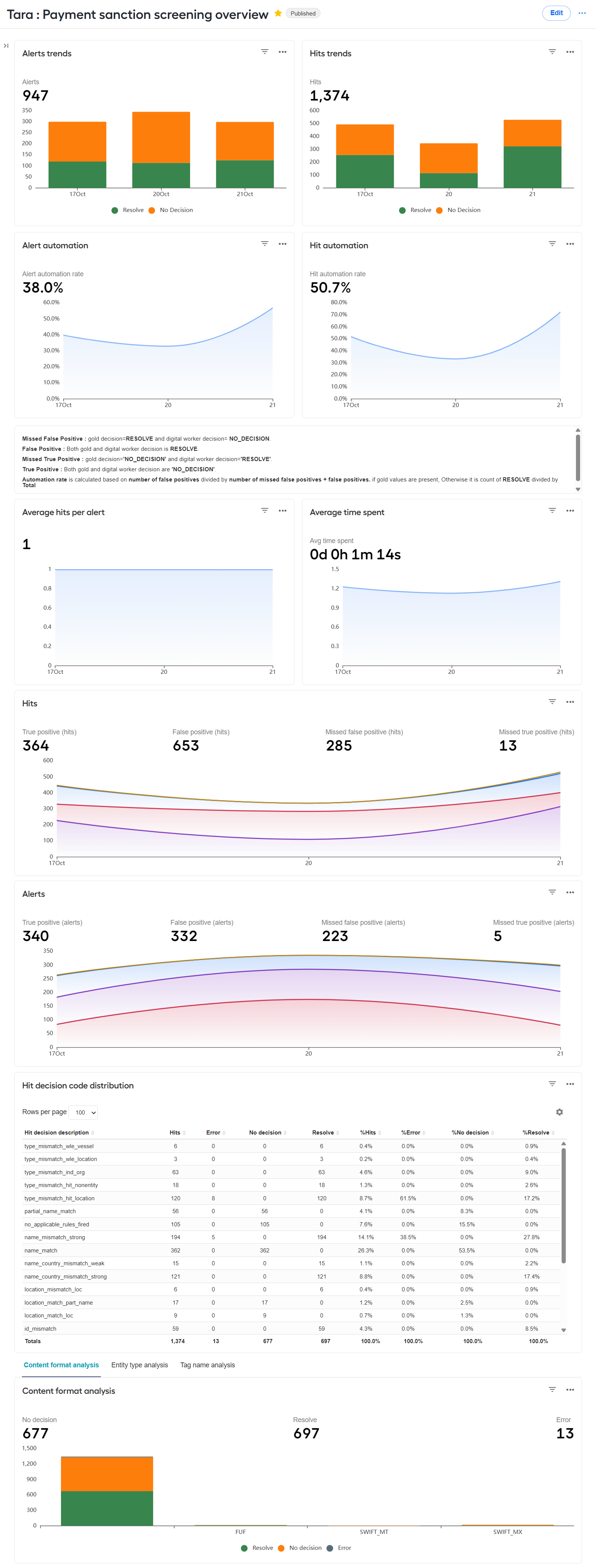
The Payment sanction screening overview dashboard calculates metrics for finished transactions only. Thus, not all transactions are considered on the dashboard during BP execution.
The out-of-the-box analytics includes the following business metrics:
- Alerts trends
- Resolve
- No decision
- Hits trends
- Resolve
- No decision
- Alert automation
- Alert automation rate
- Hit automation
- Hit automation rate
- Average hits per alert
- Average time spent
- Hits
- True positive
- False positive
- Missed false positve
- Missed true positive
- Alerts
- True positive
- False positive
- Missed false positve
- Missed true positive
- Hit decision code distribution
- Content format analysis
- Resolve
- No decision
- Error
- Entity type analysis
- Resolve
- No decision
- Tag name analysis
- Resolve
- No decision
- True positive: both the gold decision and the AI Agent's decision are
NO_DECISION. - False positive: both the gold decision and the AI Agent's decision are
RESOLVE. - Missed true positive: the gold decision is
NO_DECISION, but the AI Agent's decision isRESOLVE. - Missed false positive: the gold decision is
RESOLVE, but the AI Agent's decision isNO_DECISION. The automation rate is calculated as the number of false positives divided by the sum of missed false positives and false positives, provided that gold values are available. Otherwise, it is calculated as the count ofRESOLVEdivided by the total number of cases.
Data Stores
Alert-level analytics Data Store
The pss_messages_analytics_v4 Data Store contains alert-level analytics data.
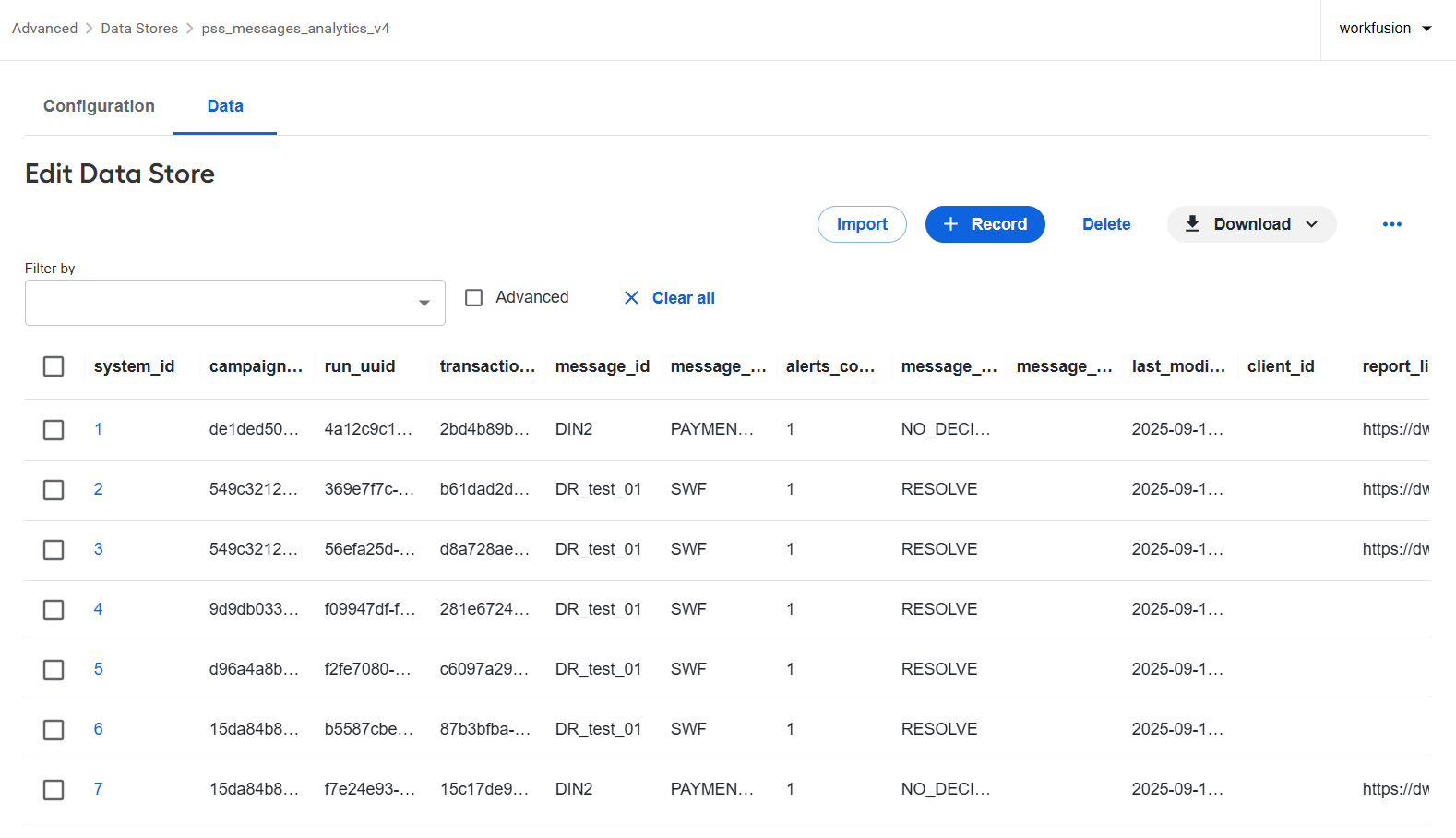
The available columns are as follows:
campaign_uuid: unique identifier of the BP installationrun_uuid: unique identifier of the BP executiontransaction_uuid: unique identifier of a requestclient_id: client executing BPmessage_id: identifier of an incoming alertmessage_type: type of an incoming alertalerts_count: number of hits in the alertmessage_decision: alert decision as a JSON stringmessage_review_decision: alert gold decision as a JSON stringreport_link: generated link of an HTML reportlast_modified: timestamp indicating when a record was last modifiedfiltered_out: flag if alert was filtered outdecision_reapplied: flag if a decision on the alert was made by decision reapplicationmodel_id: decision model identifierner_model_id: Named Entity Recognition (NER) model identifierrequest_insert_time: timestamp indicating when a record was receivedstatus: completion status of a recordtara_version: Tara version used during request executionmessage_subtype: value from the message subtype field
Hit-level analytics Data Store
The pss_alerts_analytics_v4 Data Store contains alert-level analytics data.
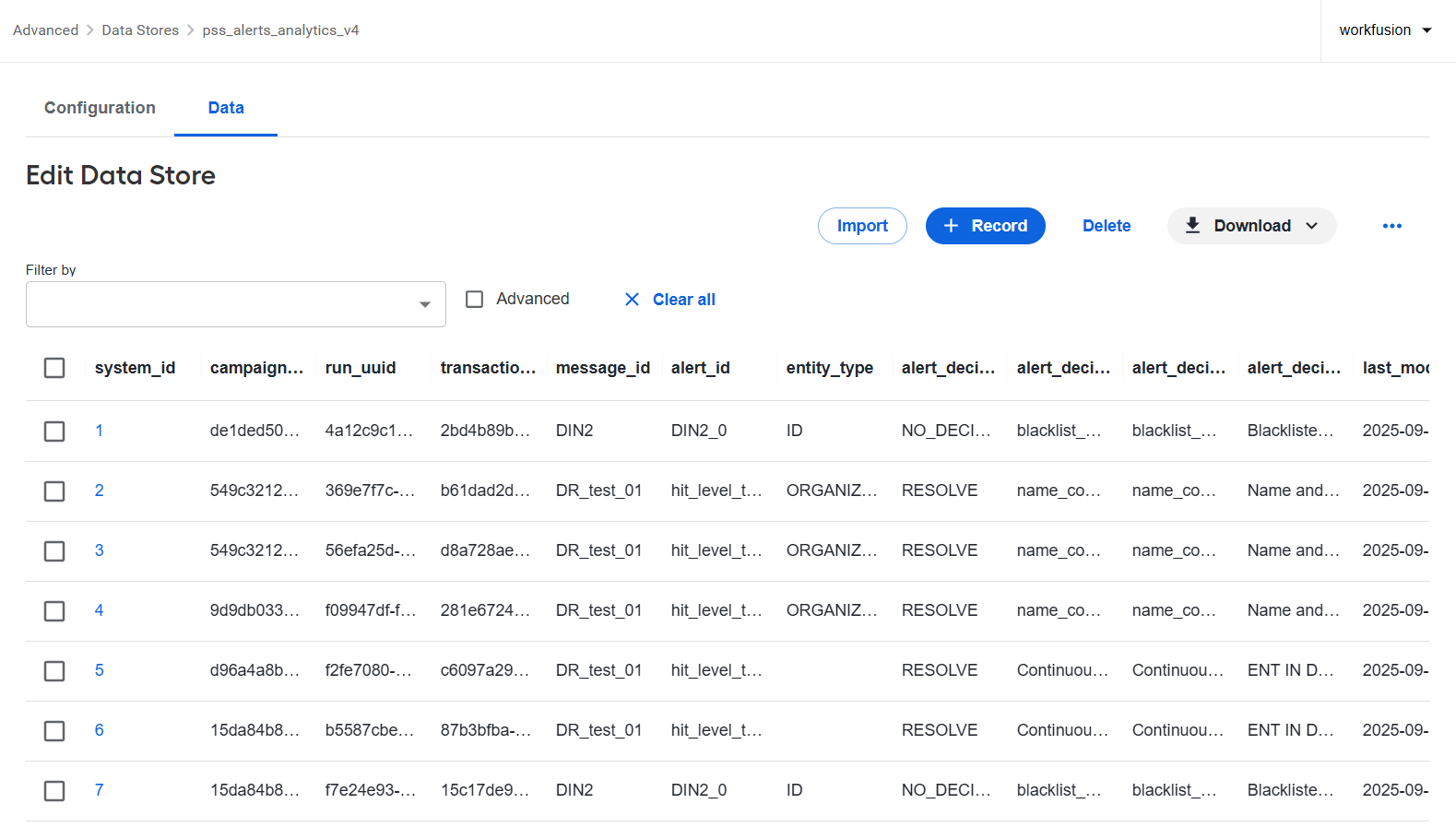
The available columns are as follows:
campaign_uuid: unique identifier of the BP installationrun_uuid: unique identifier of the BP executiontransaction_uuid: unique identifier of a requestclient_id: client executing BPmessage_id: identifier of an incoming alertalert_id: identifier of an incoming hitentity_type: type of a screened entityalert_decision: final hit decisionalert_decision_code: hit decision code or a name of the rule executed to make a decisionalert_decision_description: hit decision description; currently, the same as the codealert_decision_explanation: hit decision explanation, a verbal detailed explanation of the codealert_review_decision: gold hit decisionlast_modified: timestamp indicating when a record was last modifiedfiltered_out: flag if a hit was filtered outdecision_reapplied: flag if a decision on the hit was made by continuous learningmodel_id: decision model identifierner_model_id: NER model identifiercontent_format: message content formattag_name: name of the tag where the hit occurred
Enrichment data analytics Data Store
The pss_de_analytics_v4 Data Store contains enrichment data analytics.
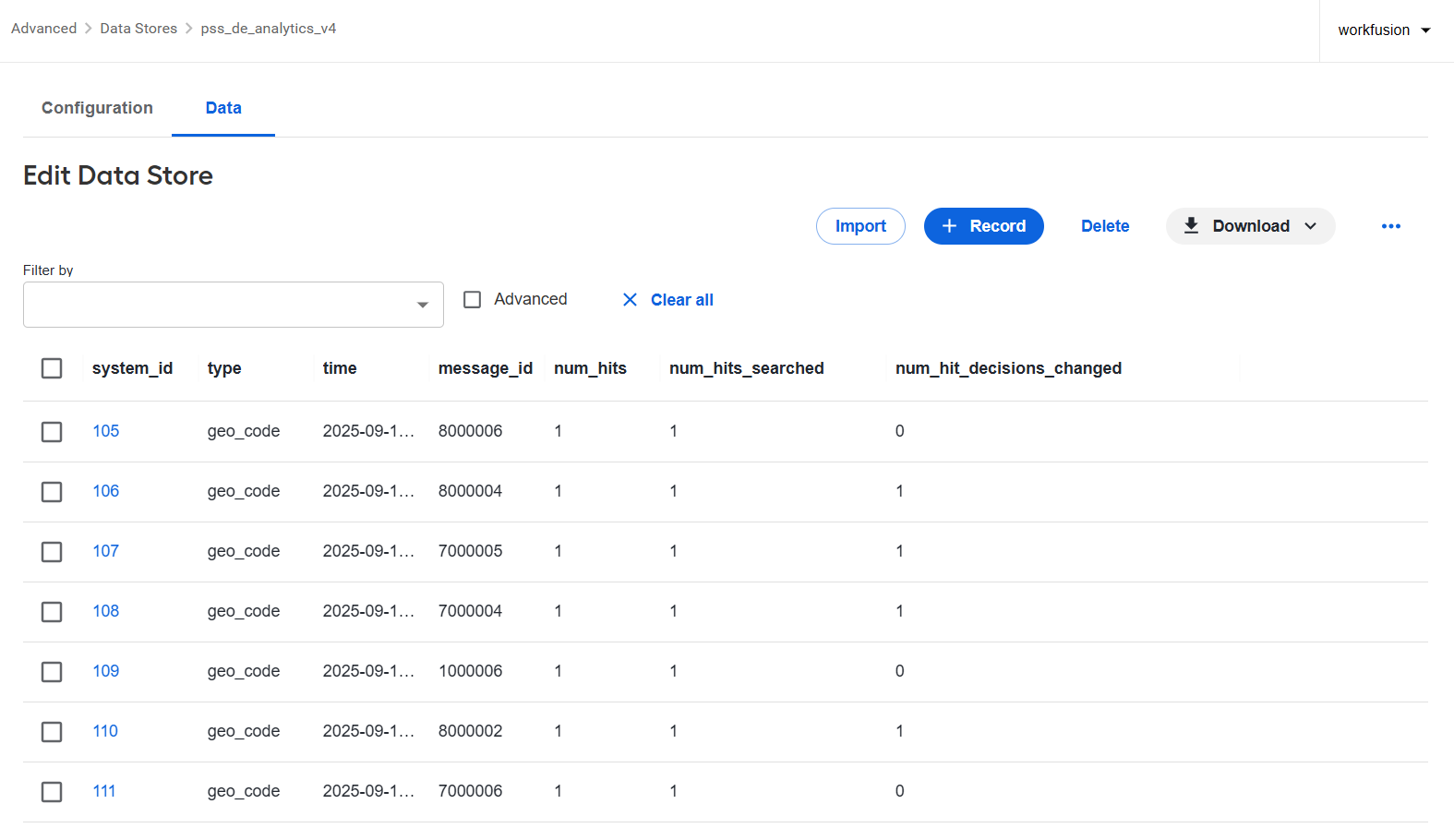
The available columns are as follows:
type: enrichment data providertime: call execution timemessage_id: identifier of an incoming alertnum_hits: total number of hits in an alertnum_hits_searched: number of hits that executed the callnum_hits_decision_changed: number of hits for which the decision was changed because of the call
Also, see View CLDS Data Stores.