Schedule Business Process via Bot Task
Package
Scheduler+v2+10-11-2017.zip
Description
The attached Business Process is used to emulate functionality of the Scheduler with the help of a machine config. You can add this custom logic and use it, if you want to stop a Business Process which has not been completed and re-run it again over a time interval interval.
The Business Process workflow is as follows:
Stop Run for the record in Data Store (with status IN_PROGRESS and campaign uuid from the ETL form) via the REST API call and set the STOPPED status.
Run the Business Process with campaign uuid from ETL form using the start-task plugin. The plugin returns the Run uuid. The machine config inserts a new record to Data Store with status IN_PROGRESS for this campaign uuid.
Using the release plugin the machine config is turned to Sleep for a certain time and then executes this step again.
Optionally, you can add the code below to the machine config to update the record status in Data Store to COMPLETED in the Business Process:
<script>
    <![CDATA[
    import com.freedomoss.crowdcontrol.webharvest.RunDto;
    import com.freedomoss.crowdcontrol.webharvest.WebHarvestTaskItem;

    RunDto run = (RunDto) ((WebHarvestTaskItem) item.getWrappedObject()).getRun();
    String run_uuid= run.rootRunUuid;
    ]]>
</script>
<datastore name="SchedulerDatastore">
    update @this set status = 'COMPLETED' where run_uuid=\${run_uuid};
</datastore>
Preparation
Add the secure storage variable:
Attribute Value alias basic.hash.for.rest key basic.hash.for.rest value <you credentials hash> Create SchedulerDatastore Data Store for monitoring. Example of the record in Data Store:

Import the Business Process with Scheduler to the instance.
Procedure
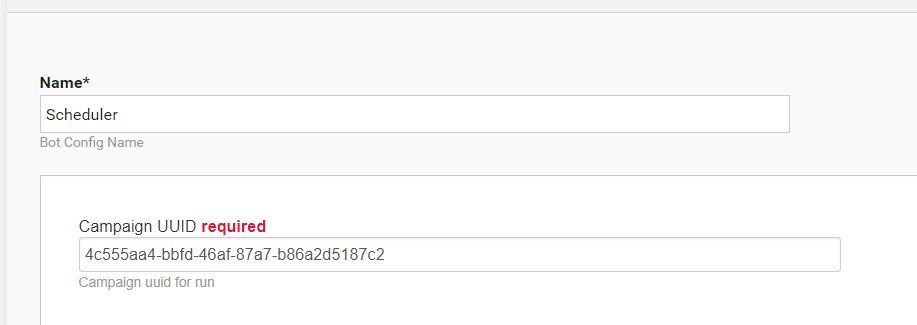
- Start the imported Business Process with Scheduler and provide campaign uuid on the ETL form for the Business Process, which you want to run. To find Campaign uuid go to Campaigns → View all, set the filter to "Composite" and find your Business Process by title. Open the Business Process, go to the Enter Property tab and see the UUID in the Campaign UUID field: