
Working with Dashboard
The Dashboard provides a summary of the significant events associated with your user profile and by default is the first screen displayed when logging in to WorkSpace.
Active Tasks
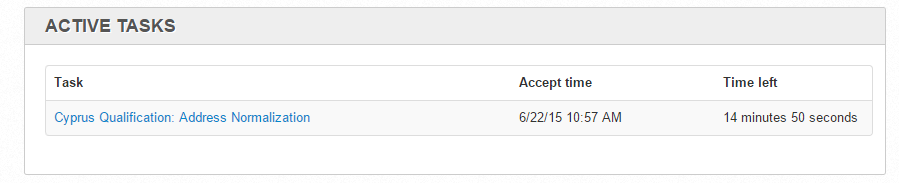
The Active Tasks section displays the tasks that you are currently working on. They are tasks that you've accepted and have not submitted yet and can be revisited (until they expire).
You can keep track of active tasks by using the Time left field which is dynamically calculated based on the expiration time set for the Task.
Messages
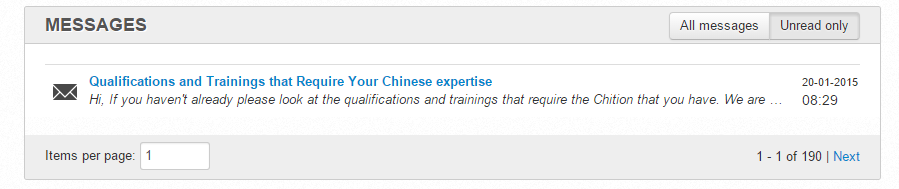
WorkSpace enables messaged communication so that inquiries can be answered or notification about Tasks and Qualifications can be made.
To set the way in which messages are filtered, click the appropriate filter button (All messages, Unread only).
Statistics
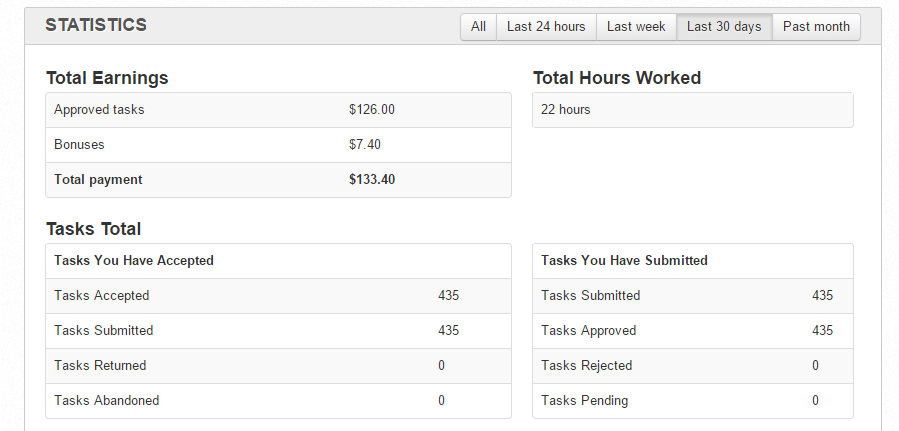
WorkSpace accumulates statistics based on the Tasks you have accepted and submitted. The User Dashboard also lists the total amount of hours worked.
You can filter your statistics based on the time period that best suits your needs. To set the way in your statistical data is filtered, click the appropriate filter button (All, Last 24 hours, Last week, last 30 days, Past month).
The following panels can be disabled by WorkSpace administrator.
Tasks Assigned to Me
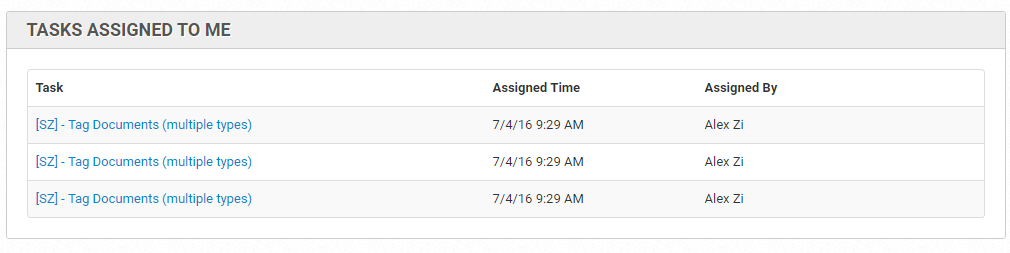
This panel contains all the Tasks assigned to you. To start working on these tasks you need to click an appropriate link and accept it.
You can also reassign any Task or make it unassigned.
Available Tasks
This panel indicates the total number of available Tasks and the number of unassigned Tasks vs. assigned Tasks.
