
Run Priorities
The Run Priorities functionality allows you to control the order in which manual tasks are processed.
For example, you are running several tasks simultaneously on a given endpoint and you want a certain task to have a higher priority than other tasks. You can assign this task a higher Run Priority in task settings, and Workers will see this task at the top of the assignments list when filtering by priority.
To start managing priorities, go to System Settings > Run Priorities.
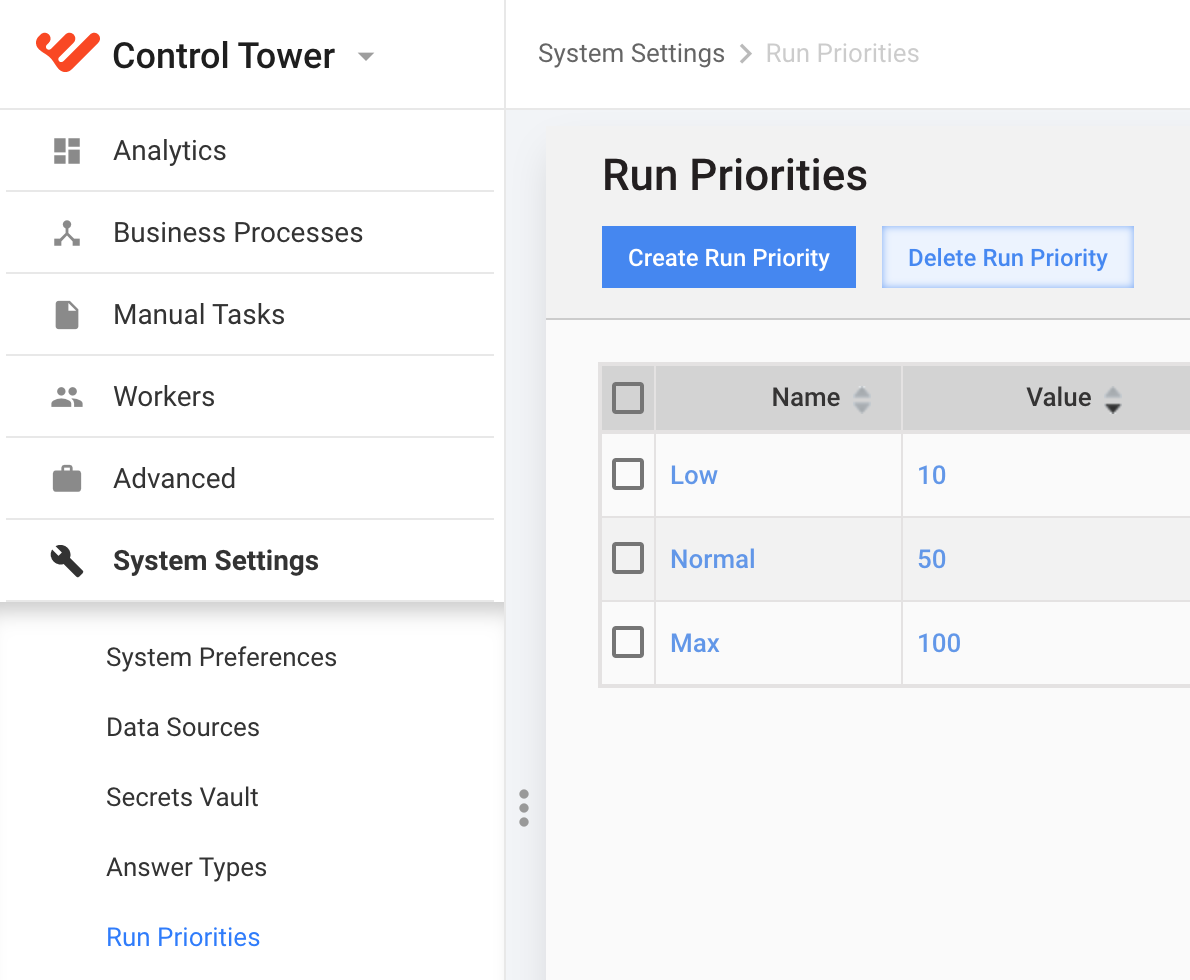
You can perform the following actions with Run Priorities:
- create
- edit (click on the appropriate name)
- delete
The Normal priority is default and cannot be deleted.
Create/Edit task priority
- Click on the Create Run Priority button or select the appropriate priority name in the grid.
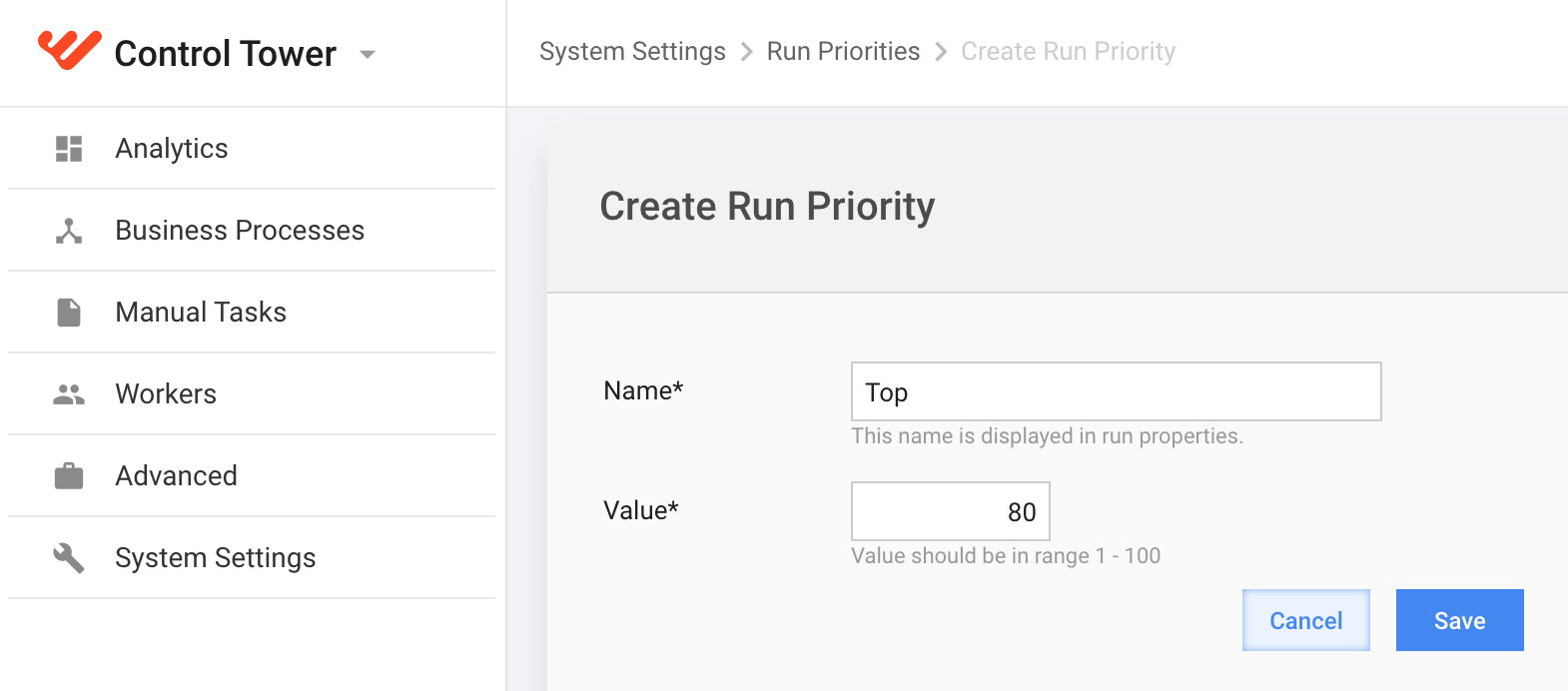
- Enter a unique Name for the priority.
- Enter a priority Value from 1 to 100. The higher this value, Task with higher priority will be processed in the first turn.
- 0-33 - Low
- 34-67 - Normal
- 68-100 - High
tip
To apply Run Priority, edit manual task settings. For more details, refer to Set Run Parameters | Task Settings.