Get model explanations
To get a model explanation, act as follows:
Configure explanation
To configure, add the ConfigurationConstants.ENABLE_FEATURE_IMPORTANCE_EXPLANATION = true parameter as shown below:
Map<String, Object> parameters = new HashMap<>();
parameters.put(ConfigurationConstants.ENABLE_FEATURE_IMPORTANCE_EXPLANATION, true);

LocalTrainingConfiguration configuration = LocalTrainingConfiguration.builder()
        .inputDir(Paths.get(trainingData))
        .outputDir(Paths.get(workingDir))
        .parameters(parameters)
        .id(executionId)
        .build();

ModelRunner.run(MultiClassClassificationGenericSe20Hypermodel.class, configuration);
The ConfigurationConstants.ENABLE_FEATURE_IMPORTANCE_EXPLANATION = true parameter is used for all types of explanations—Liblinear weights, Heuristic scores, and Lime.
Liblinear works for execution and training, LIME—for the execution mode only, and Heuristic explanations—for the training mode only.
Run training or execution runner
For instructions, refer to one of the guides:
Feature explanation for training or execution on a big data set can take more time than usual.
Check output
Check the results folder. For running, use the outputDir parameter path.
Results for training
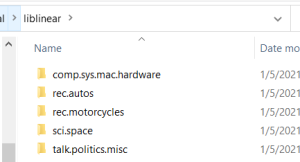
The figure below illustrates the results folder content for model training.
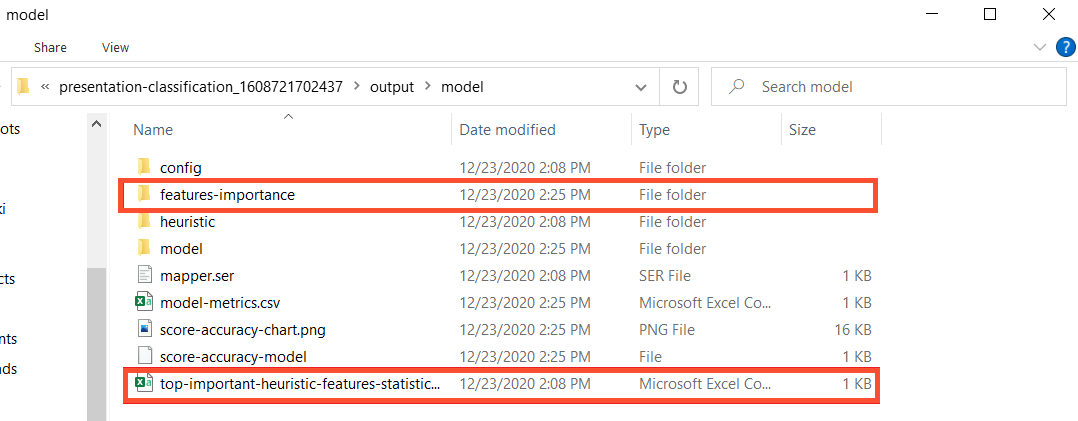
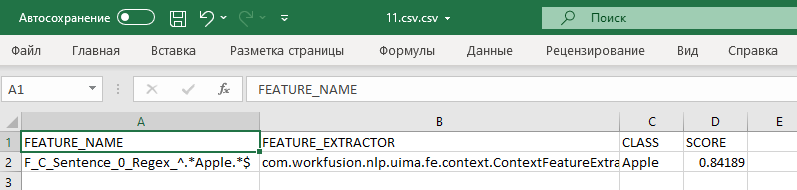
In the top-important-heuristic-features-statistics.csv file, you can find feature importance based on heuristic scores.

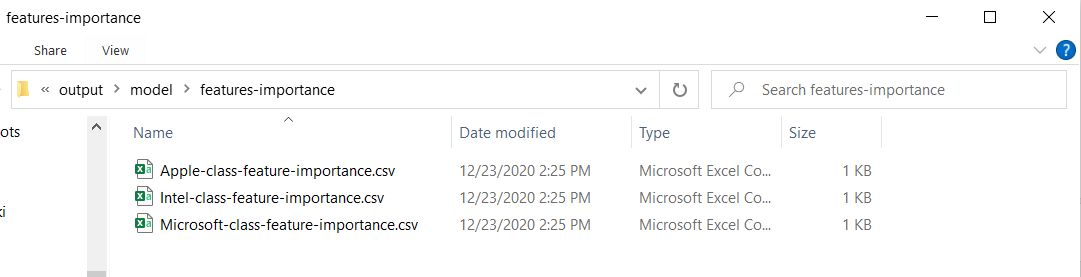
In the features-importance folder, you can find files with the feature importance statistics for each class based on Liblinear weights.
Each file has a similar structure, as shown below:
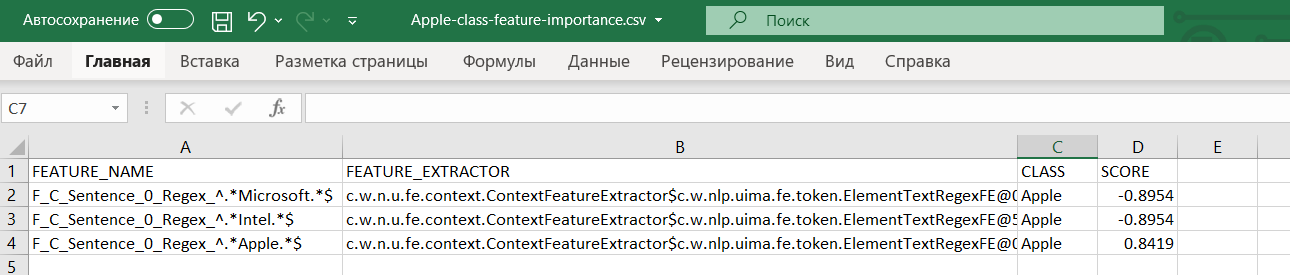
The feature importance score is an absolute value.
Results for execution
The result folder contains the features_importance subfolder with Liblinear and LIME explanations inside.
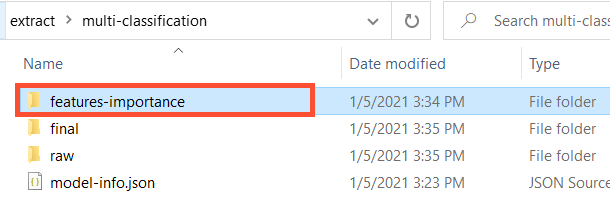
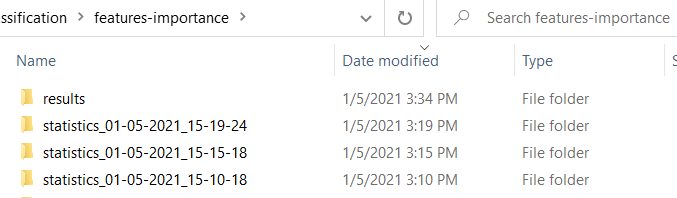
The features_importance subfolder includes the results folder containing feature statistics for the last run and statistics_timestamp folders for older launches.
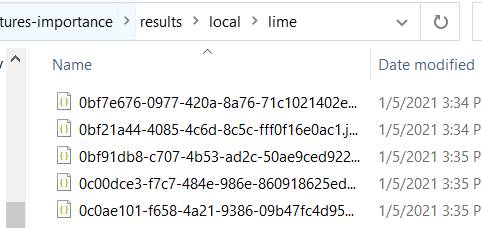
Each results folder contains more subfolders. Their names correspond to explanation types—Liblinear and LIME.

Inside the subfolders, each file contains the following unformatted structure.
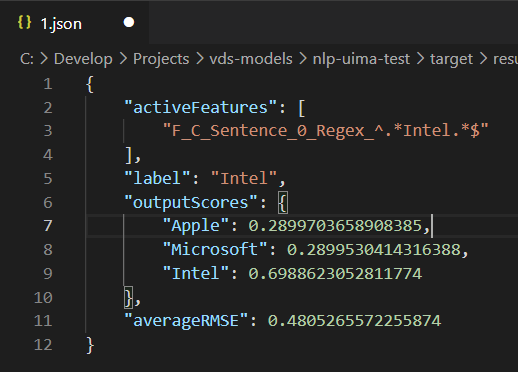
- The
activeFeaturesparameter contains all working features. - The
labelindicates the extracted class for the document. outputScorescontains the probability scores for each class.averageRMSEspecifies the average root-mean-square error (less is better).
For feature importance scores based on Liblinear, look for files inside the folder with the respective name. Each of the files corresponds to a class name related to a specific document.

The statistic file contains the score based on the Liblinear weights for each feature related to a particular document.