Configure and access Solution Catalog
The Solution Catalog provides access to acquired AI Agents and allows you to install new ones. The feature is enabled by default with the Work.AI platform installation.
To install AI Agents from Control Tower, you need credentials and a URL. Request the credentials from the WorkFusion team and add them in the config.yml file before the Product installation.
Update Solution Catalog credentials
If you haven't set up credentials during the Product installation or want to update them after, follow the steps below:
On the MASTER server, go to the installation directory and open the
config.ymlfile for editing:$ cd /opt/workfusion/wf_installer/ # default path
$ ./install.sh edit_config masterEdit the following parameters:
solution.catalog.url={URL_TO_SOLUTION_CATALOG_PROD}
solution.catalog.username={YOUR_SC_USERNAME}
solution.catalog.password={YOUR_SC_PASSWORD}
Save and exit the file.
Apply the credentials by running the script on the MASTER server:
./install.sh configure digital-worker
Access Solution Catalog
To use the Solution Catalog, sign in to Control Tower and act as described below, depending on the Work.AI version you are using.
- Up to v10.2.9
- v10.3
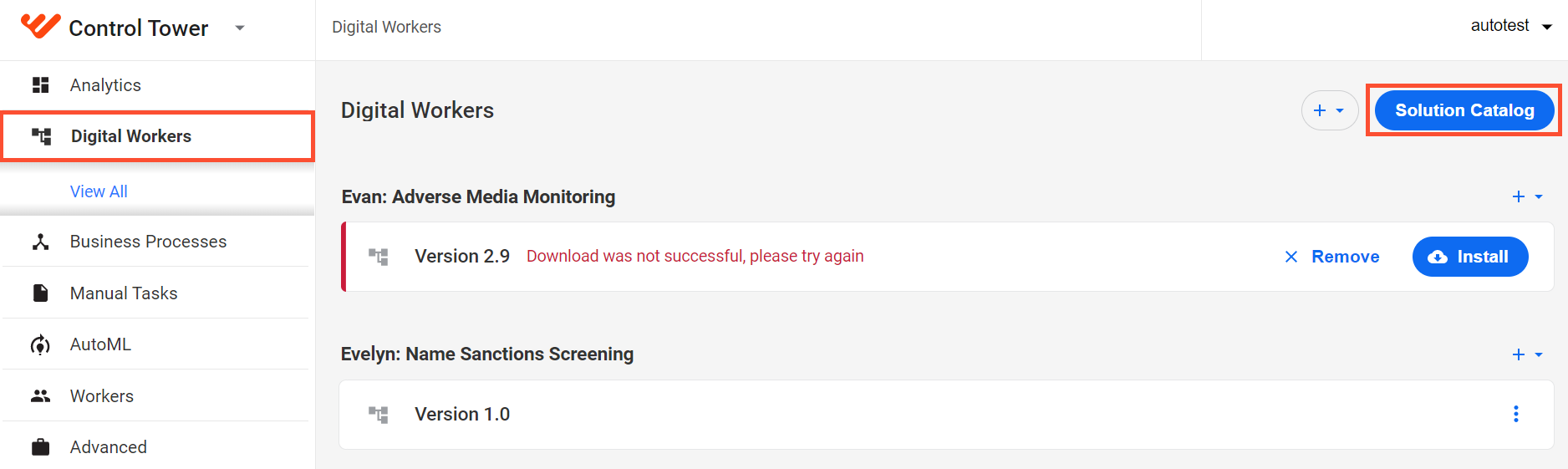
On the left menu, select Digital Workers and click the Solution Catalog button.
A dialog box appears with a list of available AI Agents:
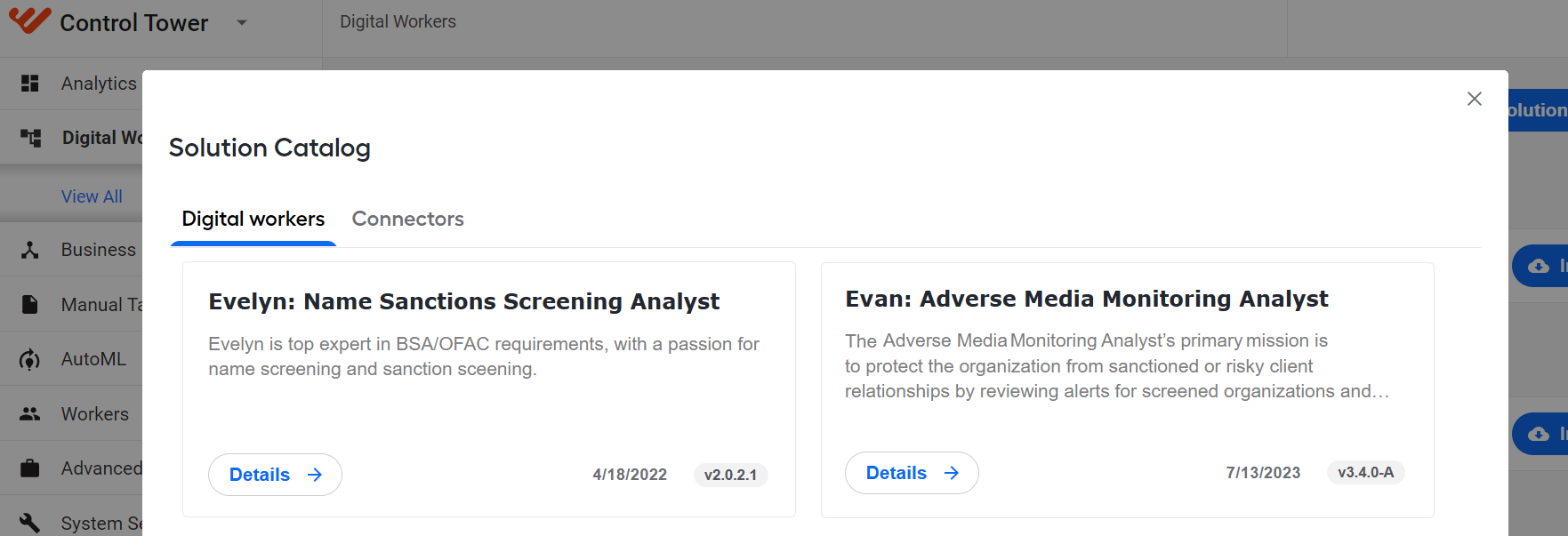
To read a detailed description and initiate the installation of an AI Agent, click the Details button. For instructions to install AI Agents, read the guide.
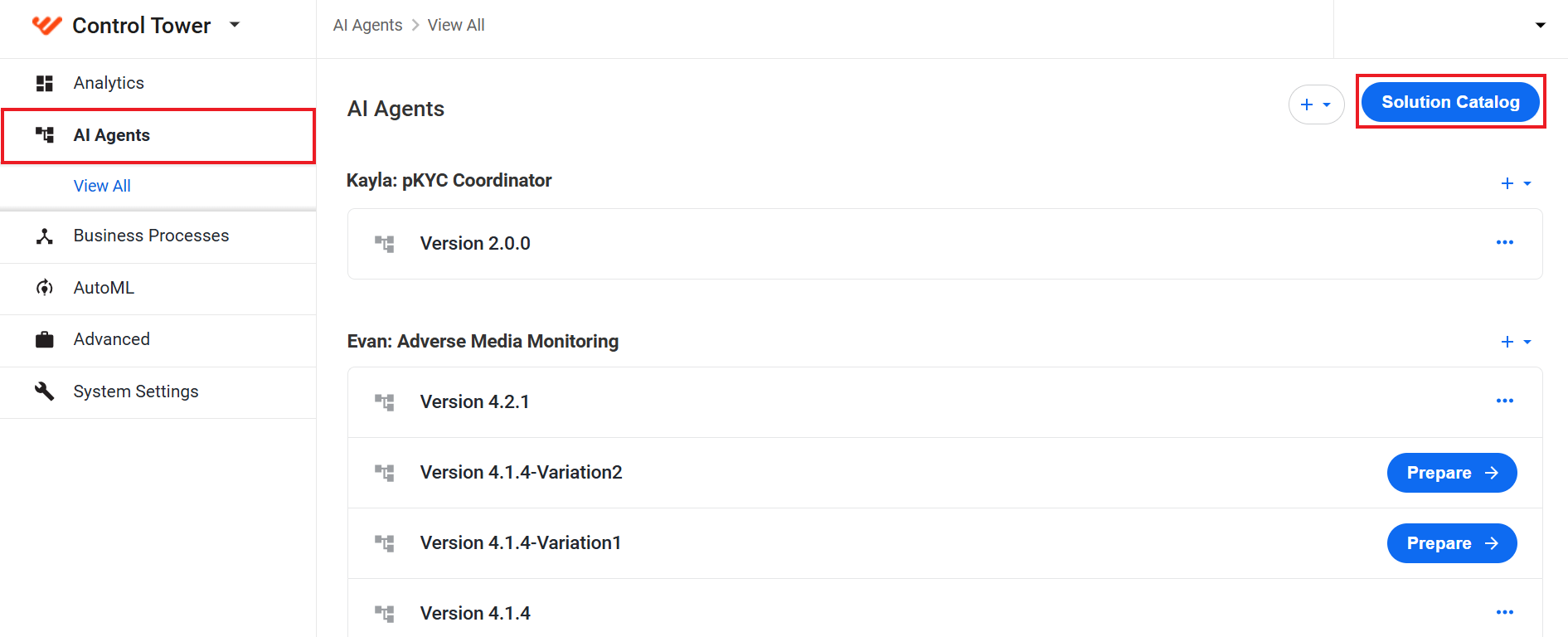
On the left menu, select AI Agents and click the Solution Catalog button.
A dialog box appears with a list of available AI Agents:
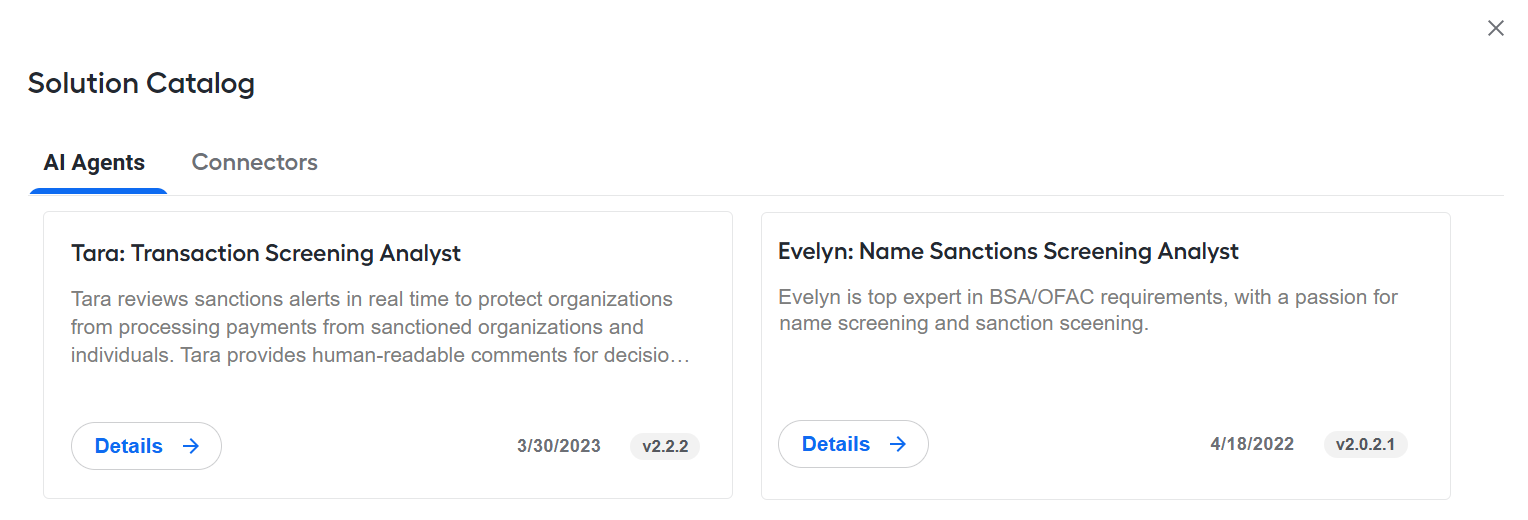
To read a detailed description and initiate the installation of an AI Agent, click the Details button. For instructions to install AI Agents, read the guide.