Analyze effectiveness
You can check the effectiveness of the Name Screening Alert Review with the Analytics components.
To open the skills's dashboard, go to the Control Tower menu and click Analytics > Custom. The Name Sanction Screening dashboard will appear.
The Analytics dashboard calculates the metrics for finished transactions in the running business process. This means that not all transactions are taken into account on the Analytics dashboard during the execution of the BP.
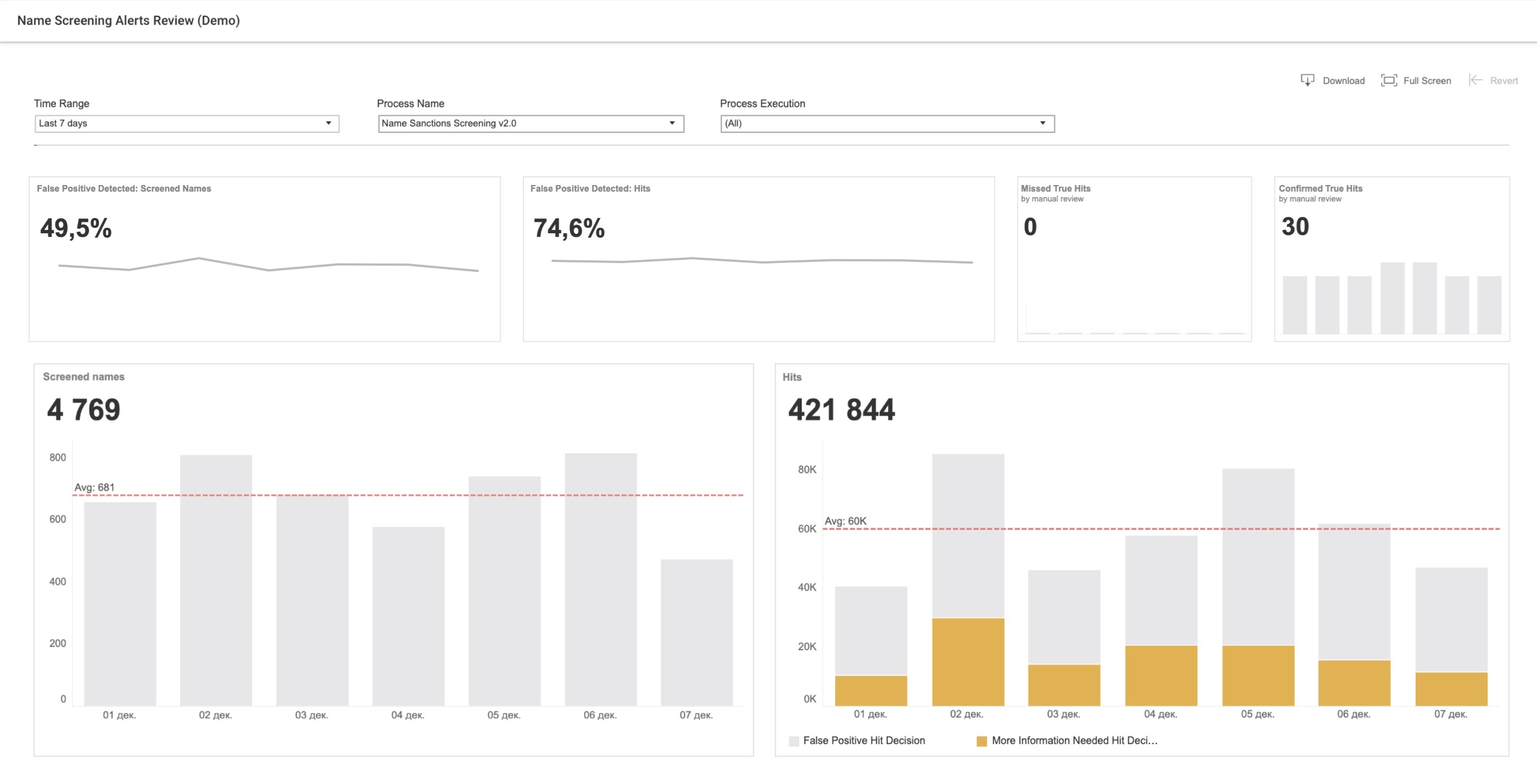
Here, you can track the following metrics:
| Chart | Description | Calculated |
|---|---|---|
| False Positive Detected: Screened Names | False Positive Detected: the Screened Names KPI helps to understand the percentage of names cleared automatically by marking all found hits as false positive hits by the Decision model in the selected period. | The metric is calculated as the volume of cleaned names divided by the total volume of all names with hits. If the search doesn't return any hits for names, these names are not taken into account. |
| False Positive Detected: Hits | The Automation Rate KPI helps to understand the percentage of hits that are marked as false hits by the Decision model and processed automatically in the selected period of time. | Automation Rate is calculated as the volume of false positive hits defined by the Decision model divided by the total volume of all processed hits. |
| Missed True Hits | The Number of Missed True Hits KPI helps to understand bot mistakes (the bot states said it was a false positive, but it was true positive) in the selected period of time. This number must be 0 from business perspective. If this number is greater than 0, then it will be highlighted in orange. The metric shows zero (0) if the hit is not evaluated during the manual review. | Missed True Hits is calculated as the volume of hits that defined as false positive by the Decision model and then defined as true positive by human or by input file. |
| Confirmed True Hits | The Number of True Hits KPI helps to understand how many true hits were found in the selected period of time. The metric shows zero (0) if the hit is not evaluated during the manual review. | True Hits are calculated as the volume of all true hits, which are confirmed by human or by input file. |
| Screened Names | The Screened Names KPI helps to identify the number of processed names in the selected period of time. | |
| Hits | The Hits KPI helps to understand the volume of processed hits in the selected period of time. |