Configure classification model
Classification model rules, thresholds, and stopwords define how a model processes a hit. When a name is run against data providers, they return hit data. Based on the configured rules and thresholds, each hit is given a hit score that determines whether it should be treated as a false positive or escalated.
Rules
The NSS classification model applies rules to determine if a hit should be defined as a false positive. You can set the rules when configuring the NSS skill. For instructions, see Install and configure | Configure model.
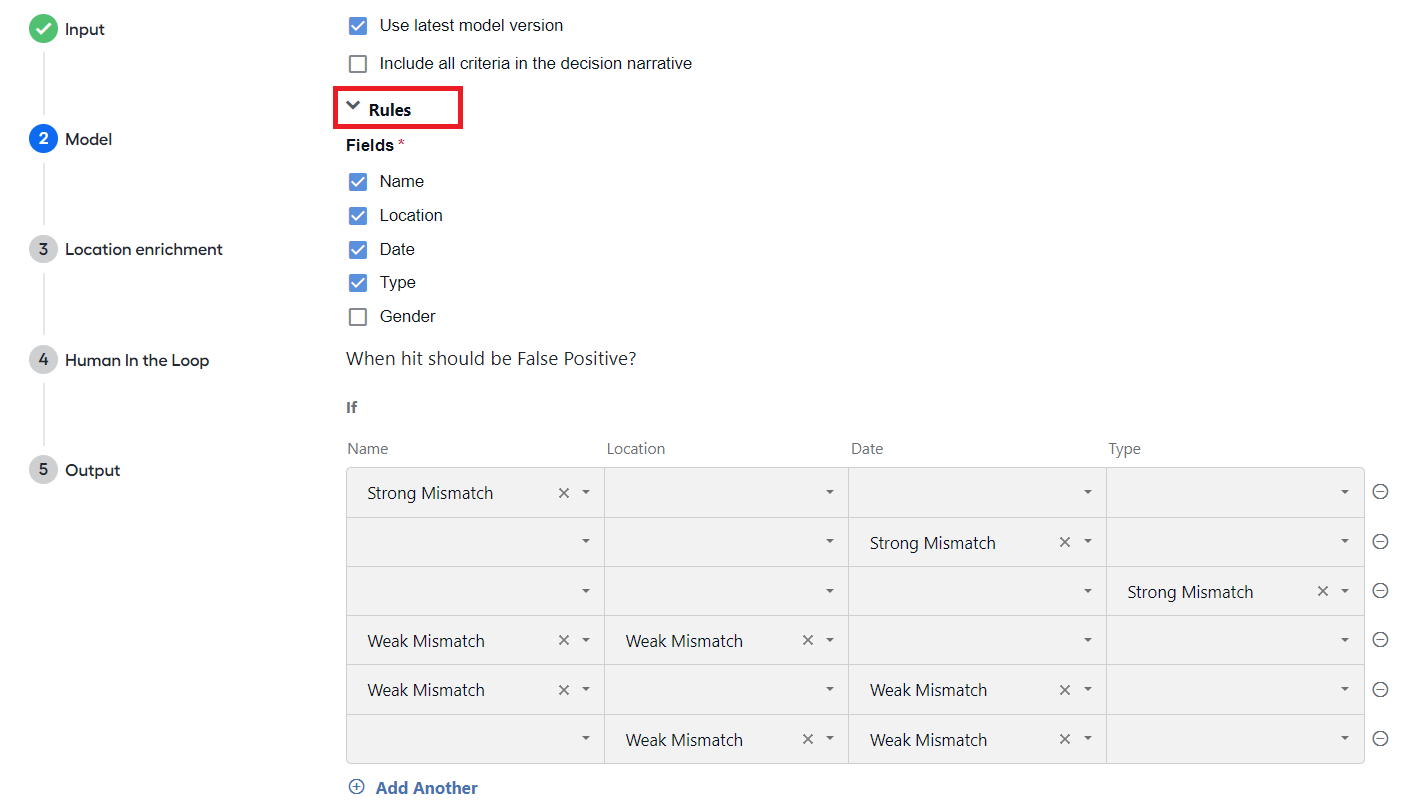
You can set the model to apply the rules based on the following fields:
Name: name of an individual or organization
Location: country of present and past affiliation, ownership, or citizenship
Date: date and year of birth for an individual or founding date and year for organizations
Type: hit type; individual (PERSON) or organization (ENTITY)
Gender: gender of an individual
Thresholds
For each hit, the model provides a hit score. You can define thresholds on the minimum hit score needed for escalation when configuring Evelyn. For instructions, see Install and configure | Configure model.
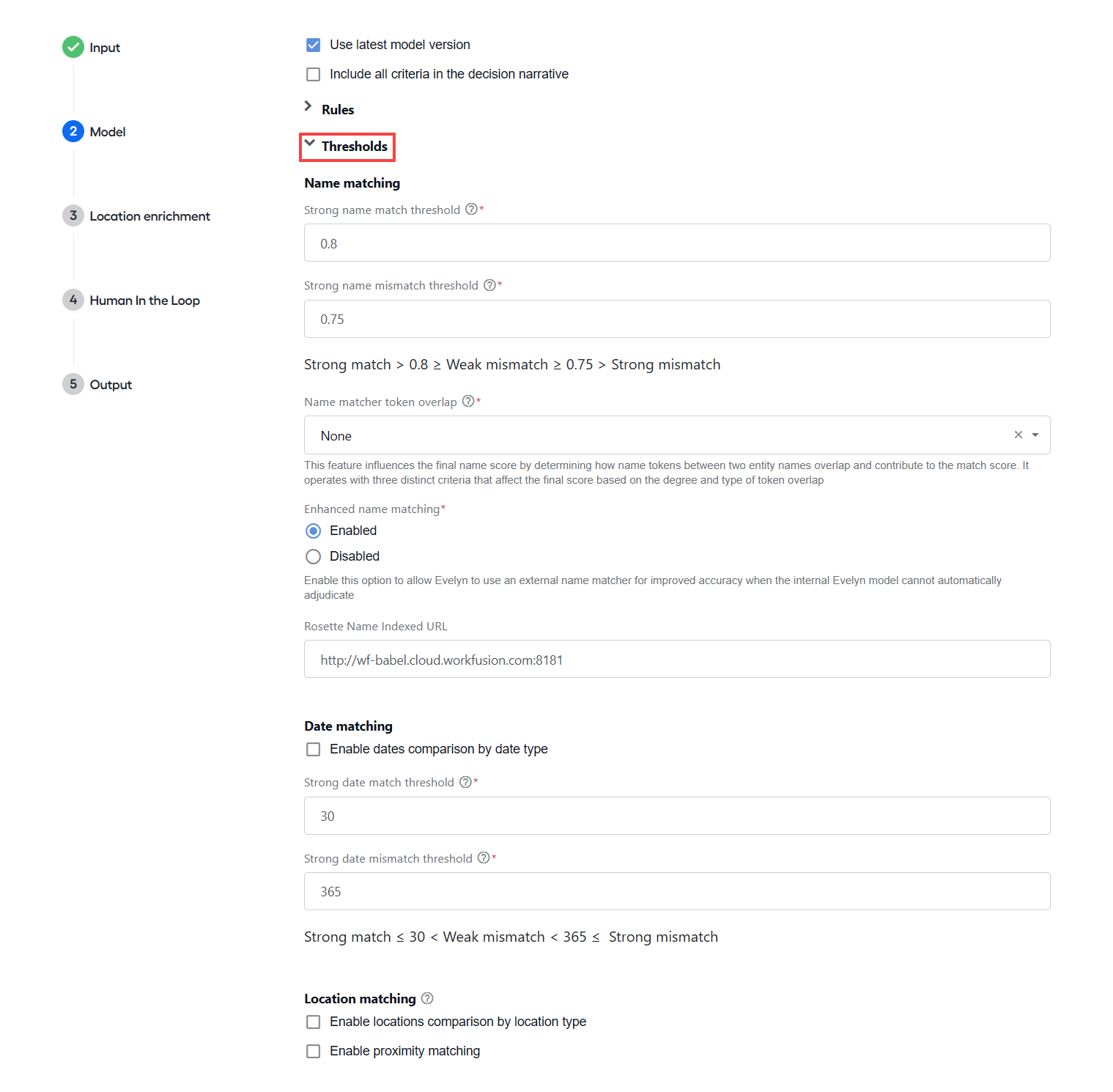
The following settings are available:
Name matching:
**Strong name match threshold**. NSS considers a name to be a strong match if it is similar to a screened entity at or above the defined value.Strong name mismatch threshold. NSS considers a name to be a strong mismatch if it differs from a screened entity by at least the defined value.
Name matcher token overlap. NSS affects the final name score by evaluating the overlap between tokens in the two entity names.
None. No specific token overlap criteria are applied. The final name score is determined by other matching methods or defaults, with no additional influence on the final score.
Rare increases the name score when uncommon or unique tokens overlap between the two names. Recommended for scenarios where unique identifiers in names are critical for matching, assigning greater weight to these overlaps in the final score.
Screened adjusts the name score based on the presence of tokens from the screened name within the WLE name. Useful for partial or variant matches where the screened name is expected to be part of a larger WLE name.
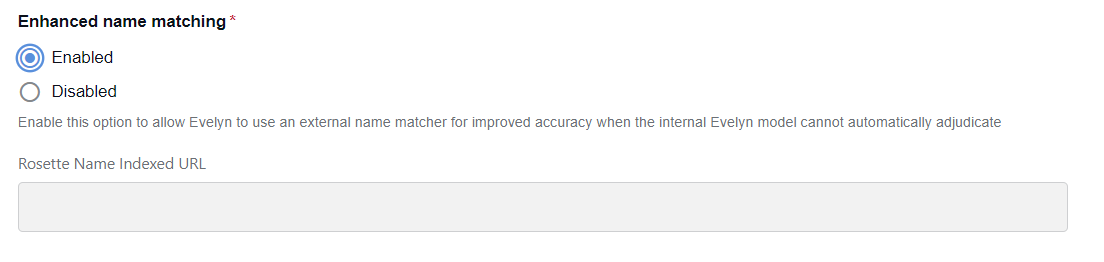
Enhanced name matching. Enable or disable the enhanced name matching feature. If enabled, Evelyn uses the Babel Street name matcher when its native model fails to adjudicate automatically. To set the feature to work, specify the external name matcher URL.
Date matching:
Enable dates comparison by date type. NSS enables comparison logic based on specific date types.
Strong date match threshold. NSS considers a date to be a strong match if the difference between dates is less than or equal to the specified number of days.
Strong date mismatch threshold. NSS considers a date to be a strong mismatch if the difference between dates is at least the specified number of days.
If both dates are in the
MM/dd/YYYYformat and the number of days between them is less than or equal to the configured threshold, they are evaluated based on the strong match or mismatch settings.If at least one of the dates is not in the
MM/dd/YYYYformat, the dates are considered a match regardless of the difference.
Location matching:
Enable locations comparison by location type. Enables matching logic based on specific location types.
Enable proximity matching. Defines how close two locations must be to be considered a match.
In the Proximity threshold field, set the distance.
In the Distance unit dropdown, select kilometers (km) or miles (mi).
Stopwords
Stopwords are common words like "the," "and," or "is" that are typically excluded from the text analysis as they do not carry a significant meaning.
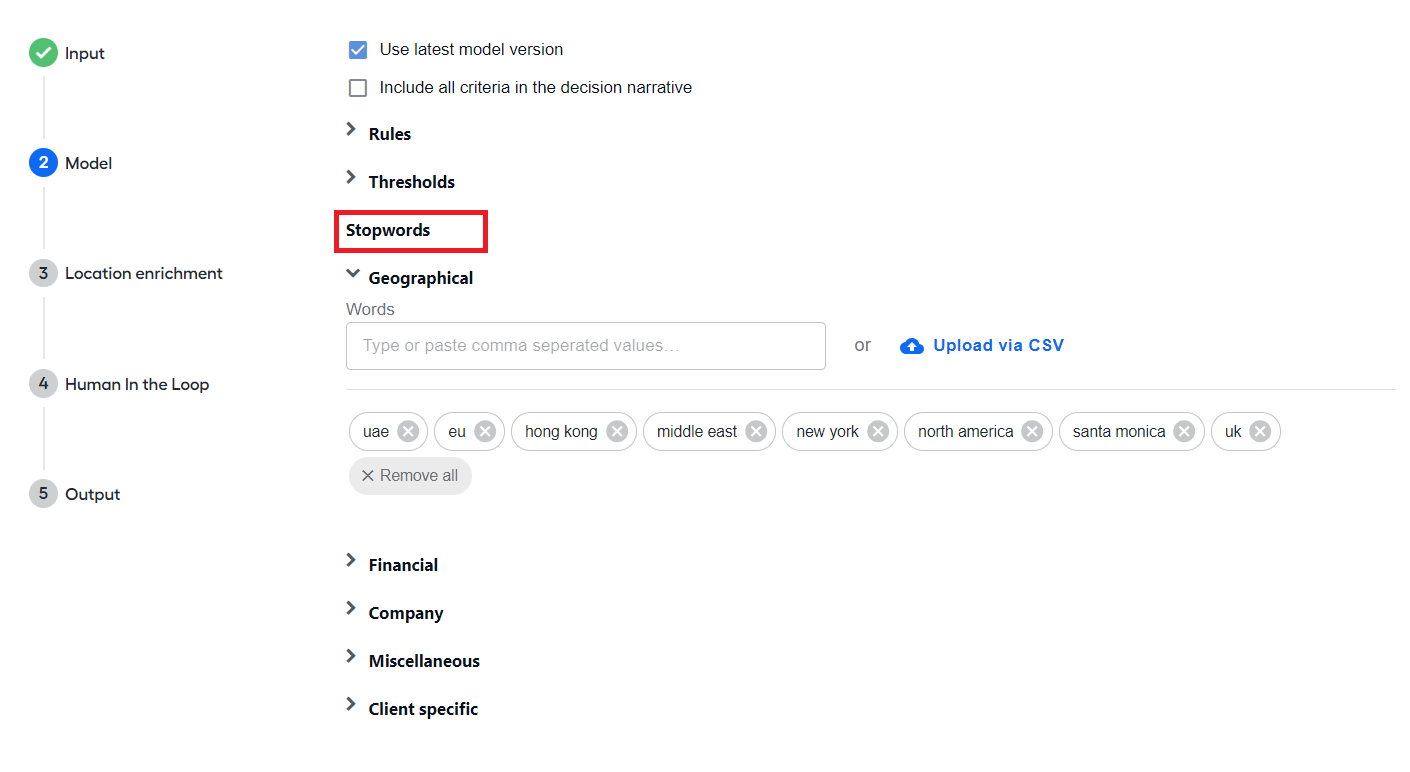
By default, the following categories of stopwords are filled in:
- Geographical: stopwords related to geographic terms
- Financial: stopwords related to financial terms
- Company: stopwords related to company-specific terms
- Miscellaneous: general stopwords that are not domain-specific
Consider the specific domain and context of your classification task when selecting stopwords. Mind that adding or removing stopwords can significantly affect the performance of the NSS Classification Model.
Model decisions
For each rule field, the NSS classification model returns one of the following decisions:
Not Compared when the NSS skill is configured to ignore a particular field in the decision-making process.
Bad Info when either an Input Entity Data field, or Watch List Entity Data one, or both are empty or invalid and cannot be compared.
Strong match when the comparison score is below the configured thresholds for a match.
Weak mismatch when the comparison score is between the configured thresholds for a strong match and a strong mismatch.
Strong mismatch when the comparison score is equal to or above the strong match threshold.
- A valid Location decision is always a Strong match or Weak mismatch.
- A valid Type decision is always a Strong mismatch or Strong match.
Default model configuration
Default rules
The decision matrix below describes the default rule configuration of the NSS classification model for Name, Location, and Date when a hit is marked as a false positive. In all other cases, the hit is escalated for further review.
| Name | Location | Date | Type | Resolution |
|---|---|---|---|---|
| Strong mismatch | False positive | |||
| Strong mismatch | False positive | |||
| Strong mismatch | False positive | |||
| Weak mismatch | Weak mismatch | False positive | ||
| Weak mismatch | Weak mismatch | False positive | ||
| Weak mismatch | Weak mismatch | False positive |
If any field decision is Strong mismatch or any two field decisions are Weak mismatch, the hit is marked a false positive.
If the comparison results are between the weak and strong factors, the model produces a Weak Mismatch outcome.
Default thresholds
See the default threshold values in the table below:
| Threshold | Default value |
|---|---|
| Strong name match threshold | 0.8 |
| Strong name mismatch threshold | 0.75 |
| Strong date match threshold | 30 |
| Strong date mismatch threshold | 365 |
Model narrative
If the model's final decision is False positive, the narrative can include:
- Only the rule factors triggering the model to take a specific decision
- All factors for strong match and weak mismatch
If you want the model's decision narrative to include all factors for strong match and weak mismatch, select the Include all criteria in the decision narrative checkbox during configuration.
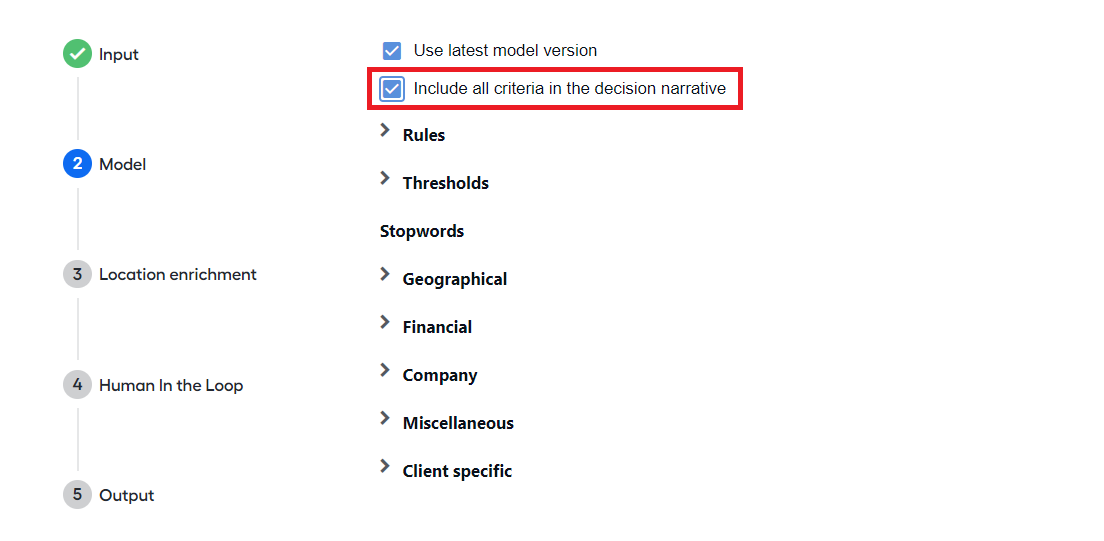
For instance, let's assume that the rule setup on the configuration screen is as follows:
If the model's false positive decision is triggered based on the value in the first row, the following lines appear in the model narrative:
False Positive.
Strong name mismatch (“{input_name}“, “{wle_name}“).
If the model's final decision is Need more information, the narrative contains one Strong match and Week mismatch factors (if any):
Please review manually. Not enough information to disposition.
Strong name match (“{input_name}“, “{wle_name}“).