
Start Business Process with Trigger element
To start a Business Process (BP) based on external events or scheduled polling of a source system, you can apply a special Trigger start element when designing your BP.
additional reading
For technical details on the Trigger Worker archetype, see also Trigger Connector.
There are several ways you can add the Trigger element to your BP:
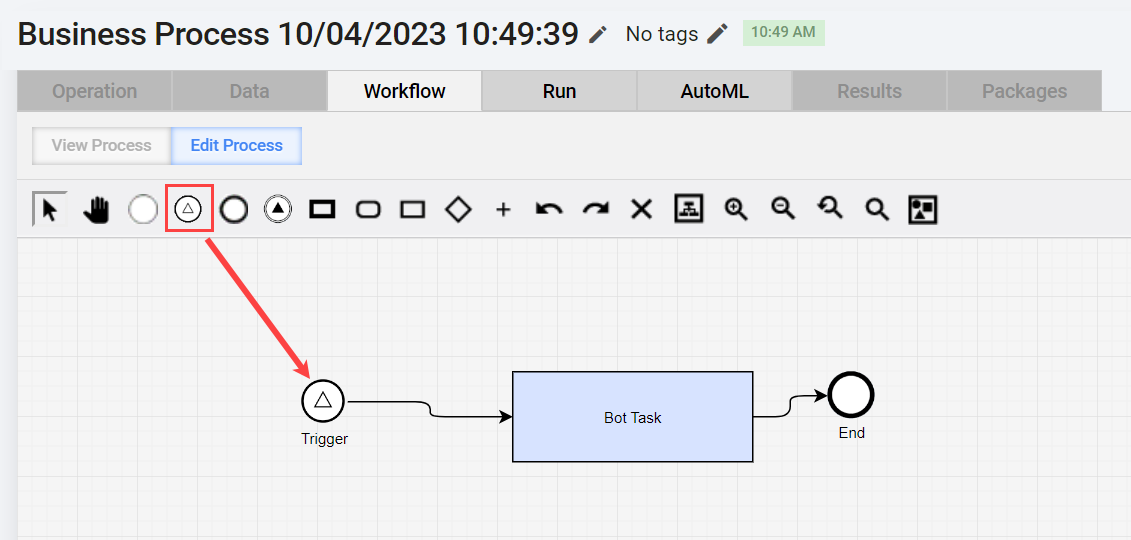
Navigate to the Workflow tab, select the Trigger element from the configuration panel above the canvas, and place it as the first step of your BP.
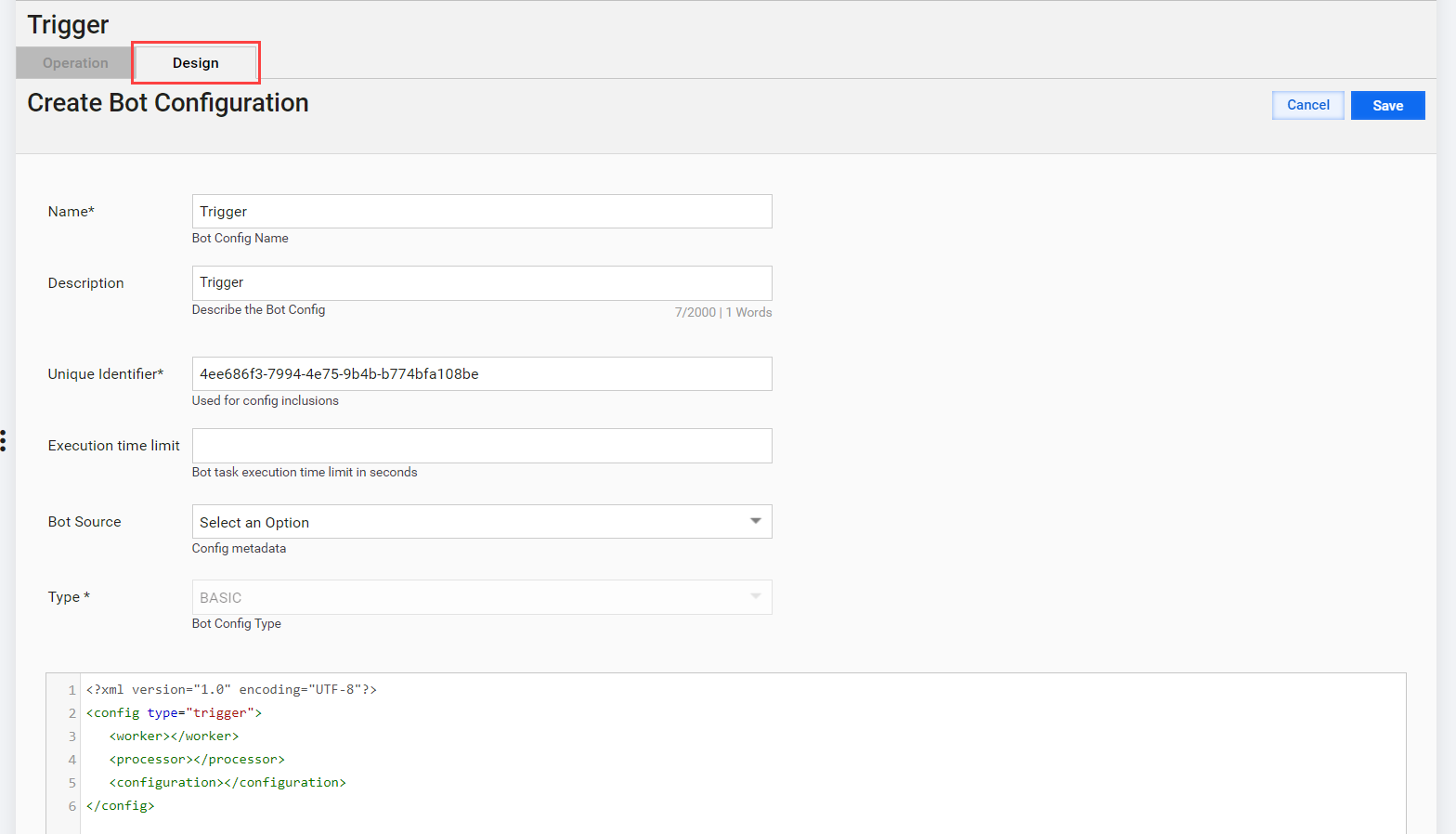
Right-click the Trigger element, select the Edit option, and in the configuration window, on the Design tab, specify the bot step settings manually.
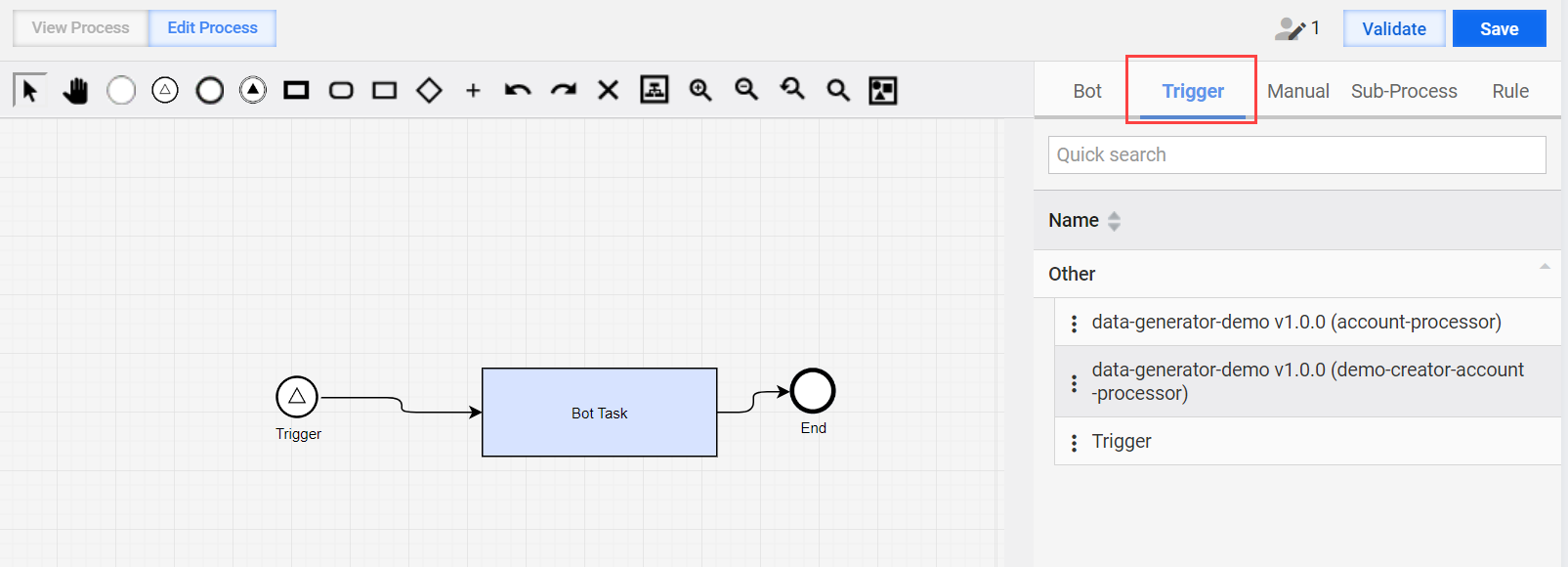
Import the trigger artifact as a part of the asset bundle that contains a bot configuration inside the artifact. You can drag and drop the already configured trigger step from the right menu on the Trigger tab.
Limitations
For IA Cloud Enterprise v10.2.8, only a single start element is supported. Thus, you can use only one Trigger element at the start of your BP.
For IA Cloud Enterprise v10.2.8, only synchronous record sending is supported. A record-sending thread is blocked, waiting for a response from Control Tower or a timeout.
You cannot change the BP input type to or from a trigger-based one while there are active BPs, for example, during the bundle import with overwrite or BP workflow modifications. A corresponding error message is shown.