Add BCB module
In some cases, designing a project requires an approach different from what Simple Archetype suggests. For example, you want to automate the user interface (UI) in your internal applications via RPA bots. At the same time, you'd like to keep each RPA automation in a separate Maven module and check in each module into a separate Git repository so that you can grant Git access and share specific RPA application automations with specific teams, enabling them to reuse your code and contribute.
To implement this, perform a few manual steps to add a Maven BCB module and include it into the final deployable Bundle:
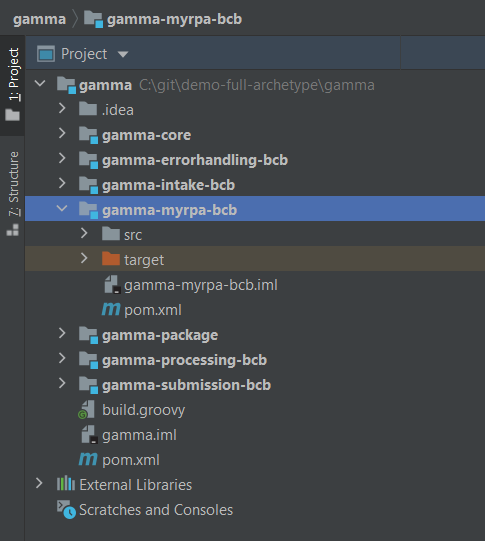
In IDE, clone any of the existing BCB modules, for example,
[UC_CODE]-intake-bcb, by copy-pasting via the IDE context menu. When pasting, provide a new module with a different name, for example,[UC_CODE]-myrpa-bcb.infoDon't forget to delete classes and resources related to the module you have cloned and add source files for your new module.
Open
[UC_CODE]-myrpa-bcb/pom.xmland rename the module in the<artifactId>and<name>tags:<?xml version="1.0" encoding="UTF-8"?>
<project xmlns="http://maven.apache.org/POM/4.0.0"
xmlns:xsi="http://www.w3.org/2001/XMLSchema-instance"
xsi:schemaLocation="http://maven.apache.org/POM/4.0.0 http://maven.apache.org/xsd/maven-4.0.0.xsd">
<modelVersion>4.0.0</modelVersion>
<parent>
<groupId>com.mybank</groupId>
<artifactId>gamma</artifactId>
<version>1.0.0</version>
</parent>
<artifactId>gamma-myrpa-bcb</artifactId>
<version>1.0.0</version>
<name>gamma-myrpa-bcb</name>
<dependencies>
.........................Open the root
pom.xmland add a new<module>to the project:.........................
<modules>
<module>gamma-core</module>
<module>gamma-intake-bcb</module>
<module>gamma-processing-bcb</module>
<module>gamma-submission-bcb</module>
<module>gamma-errorhandling-bcb</module>
<module>gamma-myrpa-bcb</module>
<module>gamma-package</module>
</modules>
</project>Change the
[UC_CODE]-package/assembly/package.xmldescriptor by adding a new module to it:..................
<!-- MyRPA BCB -->
<dependencySet>
<outputDirectory>artifactory-dependency/bcb/com/mybank/gamma-myrpa-bcb/${project.version}</outputDirectory>
<includes>
<include>com.mybank:gamma-myrpa-bcb:jar:${project.version}</include>
</includes>
<useTransitiveDependencies>false</useTransitiveDependencies>
<useStrictFiltering>true</useStrictFiltering>
<useProjectArtifact>false</useProjectArtifact>
</dependencySet>
</dependencySets>
</assembly>Delete the
[UC_CODE]-myrpa-bcb/[UC_CODE]-intake-bcb.imlcloned IDE configuration file.Reload the modified Maven project. Select the root project in the project list > click and select Maven > reload the project.
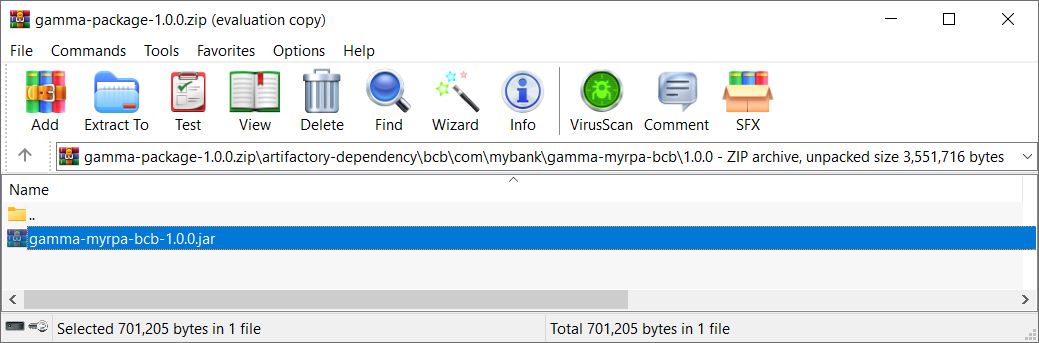
Rebuild your project and verify that the new BCB is included in the newly built Bundle zip artifact.