
Sunbird 1.1.5
note
Available since September 4, 2017.
Sunbird 1.1.5 contains a few improvements of the entire platform and components, for example, playback of recordings, and offers new capabilities in the Recorder for Web Actions (objects in iFrames) and support of Recorder variables in the text input fields for the Actions.
caution
If you are an RPA Express user already, you should update to this version to continue using OCR as the previous license expired on September 3, 2017.
New features and improvements
Platform Improvements
Playback in Recorder
Playback has been refactored and improved to make the process faster and more stable, especially when switching between windows.
Recorder
Web Element action
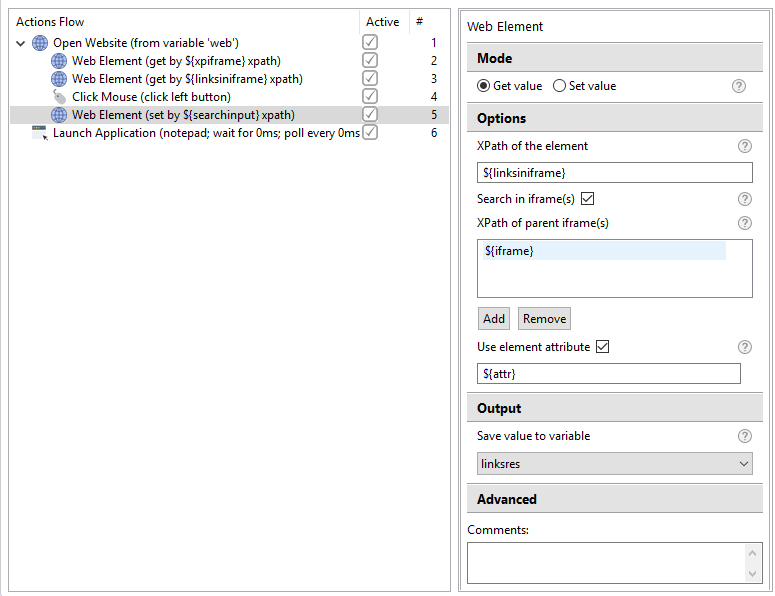
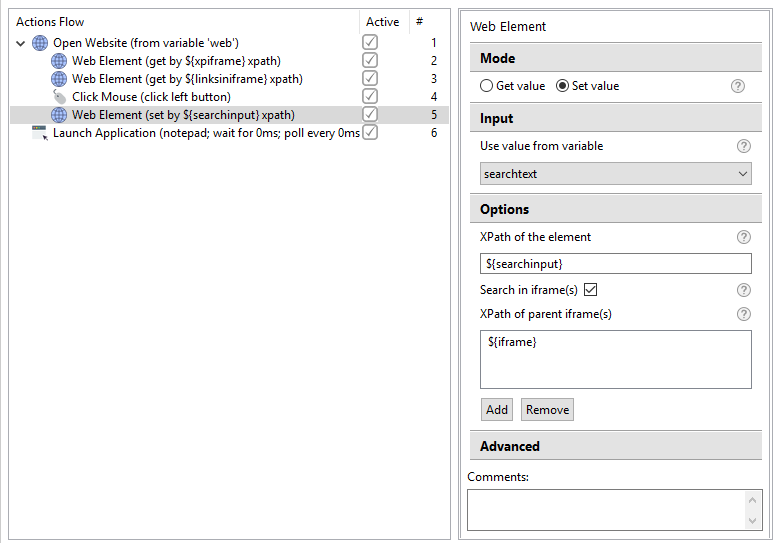
The Web Element Action is now capable to handle elements located in iFrames.
- Get value - you can get a value from a web element, which is enclosed in an iFrame or even multiple iFrames. Additionally, you can use an attribute of the web element to process exactly that one you need.
- Set value can be used to access and set a value to a web element in an iFrame or iFrames.
Click Mouse Action
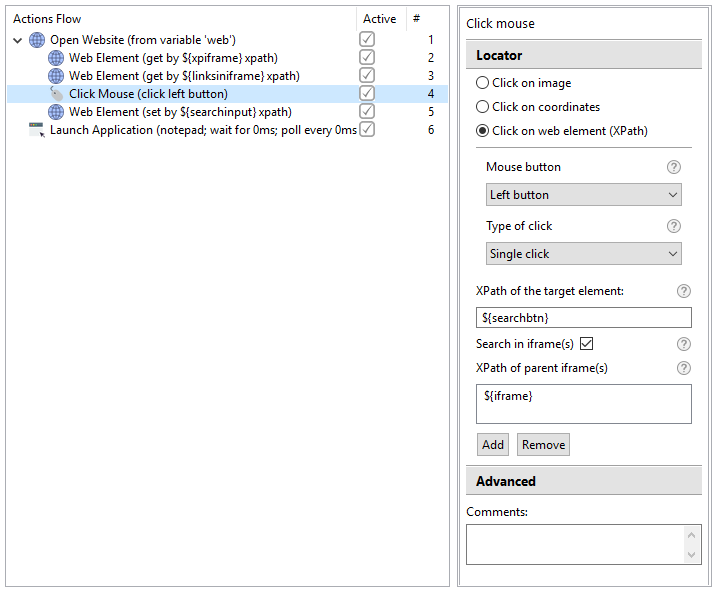
You can use the Click Mouse Action to access web elements in iFrames.
- Click on web element (Xpath) can now be used to access a web element in an iFrame or iFrames.
Recorder Variables
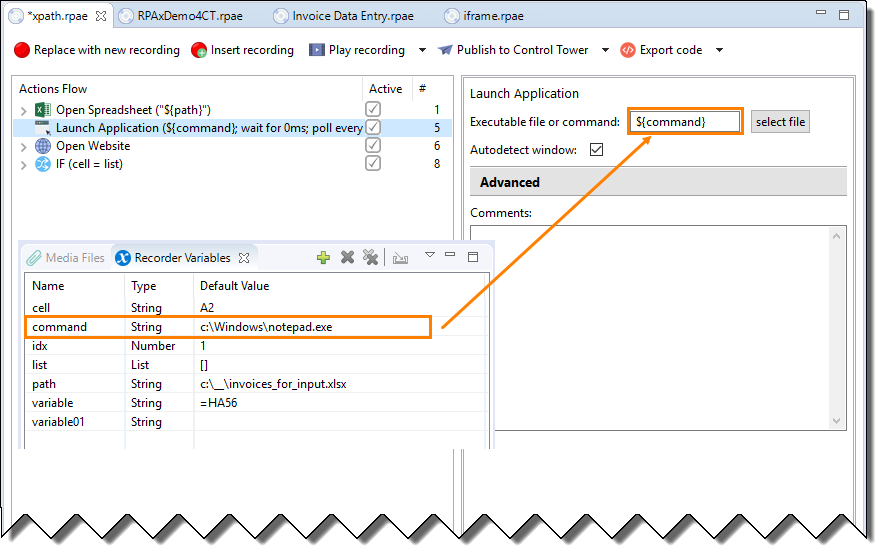
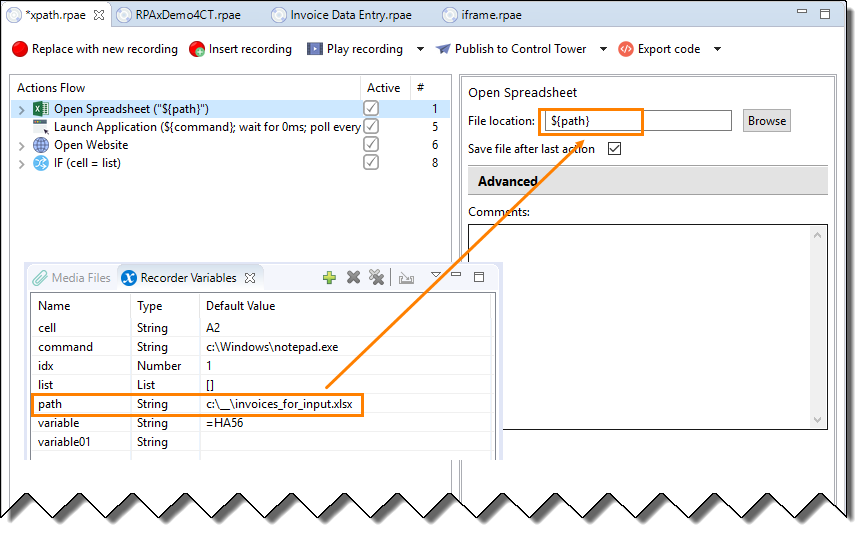
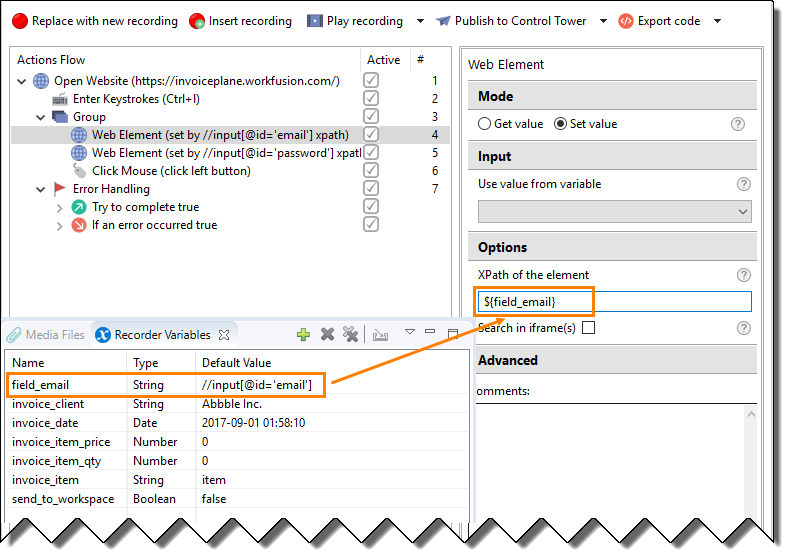
You are able to use Recorder variables in any text input field of the Actions (currently not supported for the other types). Find some examples of using Recorder variables below:
- Path to application or command - you can define the path to an application or a command to be used in your recording.
- Path to file can be used to open a file, for example a spreadsheet.
- Xpath of a web element can be set using a Recorder variable:
Bug Fixes
Recorder
- Files, whose names contain spaces, can not be used in the Excel actions.
- The Mouse Click action does not work with Xpath as the Switch to Window has been used before the step.
Known issues
- Loops do not work in the Excel Actions. The workaround is as follows. Instead of the nested loops, put the loops outside the Excel Actions, when possible.
- If the same image is used in several actions, the anchor area cannot be adjusted for each step. The workaround ia as follows. Create different images for each action instead of re-use the same image.
- Sometimes the recording playback gets frozen. The solution is to redownload the installation package and update your RPA Express to the latest version.
- Recorder is unable to capture keystrokes in the Command Prompt. The workaround is as follows. You can paste commands to the Command Prompt from the clipboard and send the Enter keystroke from the Enter Keystroke action.
- The Auto-detect window Action cannot switch to the application windows after the Window maximize Action. The workaround is as follows. As the application window opens, switch to another window first, then move the focus to the application.
Text Actions
- Change case issues: sentence case does not work, if the text contains '!' or '?'.