
RPA Express 2.1.0
note
Available from September 17, 2018.
important
Compatible with SPA 9.1 or higher
RPA Express 2.1.0 contains security enhancements, the option to change setup parameters, a new Inspector tool, and fixes to issues reported for the previous version.
The video contains a short overview of the main improvements available in this version. For the full list of new features and bug fixes, see the description below the video.
Deployment
Option to change setup parameters
Users can now change the following parameters without reinstalling RPA Express:
- Username
- Password
- Server Control Tower Hostname (in case of Workstation installation)
- Number of Bots
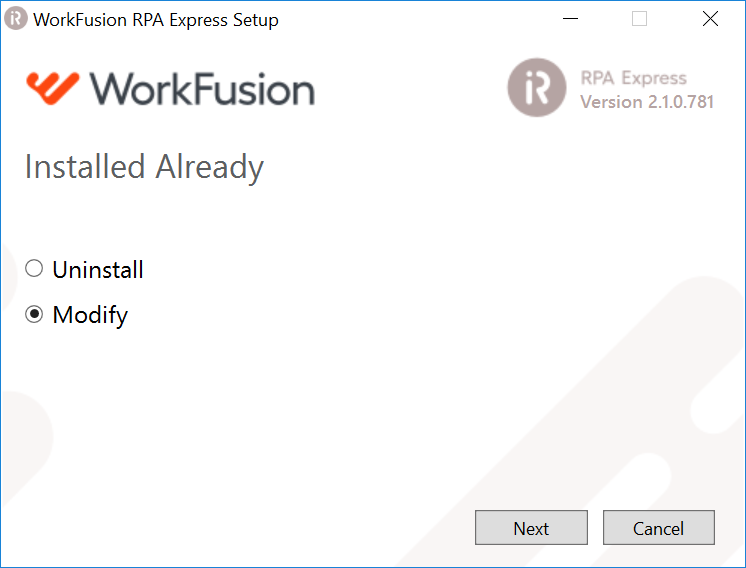
To change the parameters, the user needs to launch RPA Express Installer and select Modify mode.
WorkFusion Studio
Secrets Vault
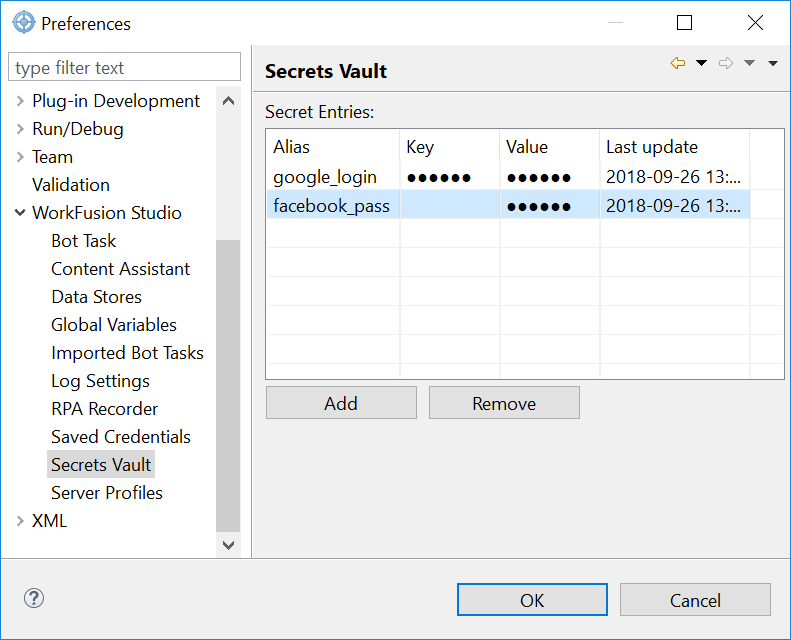
Secrets Vault, that is a component to store sensitive data, such as login and password information, has been added to WorkFusion Studio.
The data is encrypted, not shown in the recording, xml configs and log files, and accessed by the bot only during the script execution. Thus, users are able to share their recordings without passwords and other secret information being exposed.
Learn more about using Secrets Vault in WorkFusion Studio.
Inspector tool
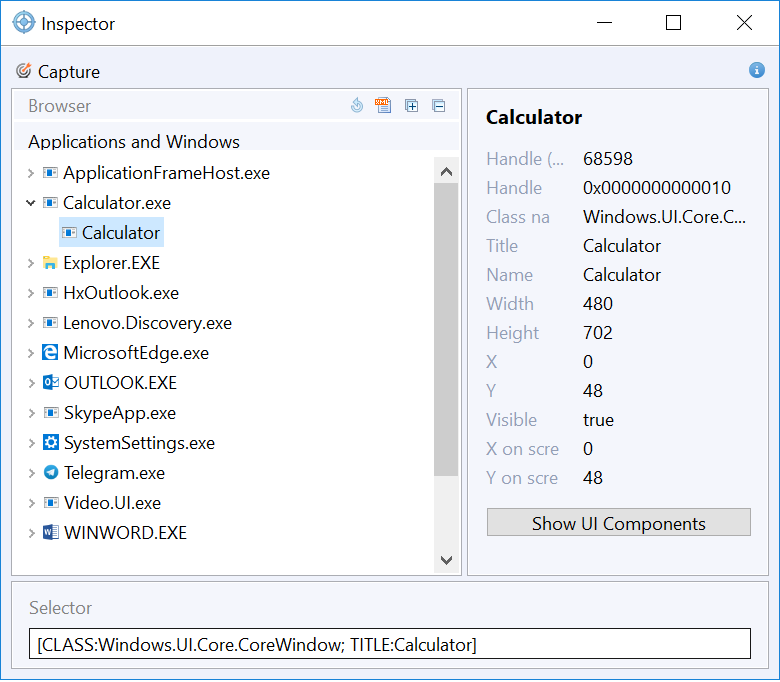
The Inspector interface and performance have been considerably improved.
UI/UX
- New Inspector UI is compatible with WorkFusion Studio style.
- UI trees with** Applications and Window Elements** are combined into one tree with navigation.
- Capture button is active out of the box. There is no need to open the target window to inspect an element.
- New buttons to expand/collapse the UI tree.
- New button to export the UI tree to an XML file.
Performance and functionality
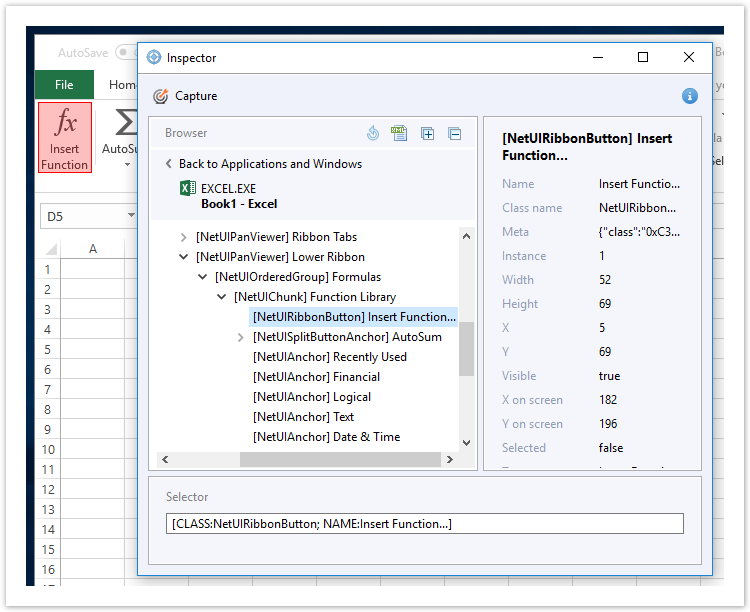
- Inspection speed has been increased significantly (to inspect an Excel cell, less than a second is needed).
- Users can inspect dynamic elements, including dropdowns and expandable menus.
WorkFusion Studio performance
- Switch to window action has been sped up significantly.
- Execution of actions inside loops and conditions in recordings has been sped up.
Bug fixes
- Some keystrokes and special characters are not sent to remote desktops and applications accessible through RDS.
- A key combination entered in Enter Keystrokes action causes WorkFusion Studio to crash.
- In some cases the SPACE key doesn't work in a browser.
- The OCR plugin doesn't work in WorkFusion Studio.
- Renaming 'element' variable inside For Each loop changes variable names outside the loop.
- Exporting recording without variables to a bot task generates code without export plugin.
- Multiple bots require password entry when opening under non-admin user.
- Variable disappears from Date Format action after being renamed.
- XPaths don't work after an exception in an iFrame when using Exception Handling.
- Files and Folders actions don't work with files with Japanese characters in the filename.
- All sheets in Excel file used in Switch to Sheet action are kept active after execution.
Known issues
- Computer is not restarted after installation under non-admin user.
- In WorkFusion Studio, Expression actions that use String variables to calculate a number, need to be updated.
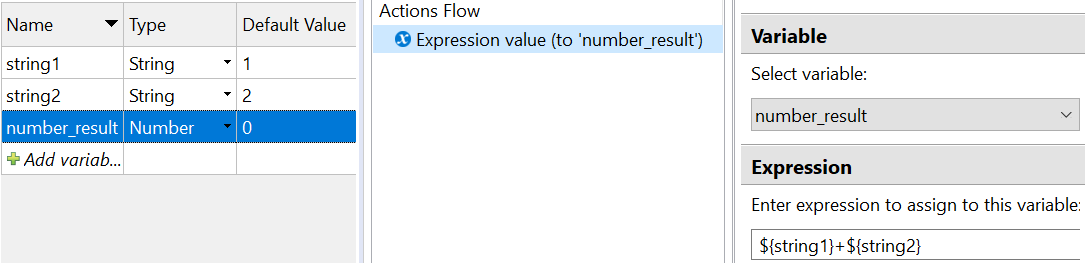 There are two ways to do it. These are as follows.
- Go to File > Save as, and give it a new name.\
- Or use
${string1 as RNumber}and${string2 as RNumber}instead of${string1}and${string2}. Then it will run as expected.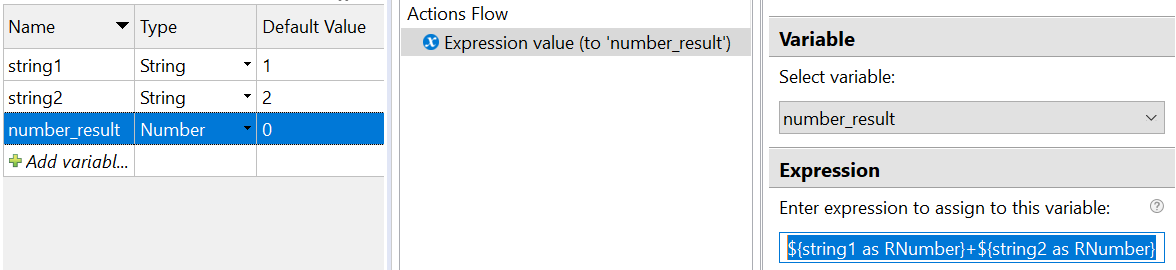
YouTube channel
The RPA Express team launched a channel on YouTube. There will be lots of short practical videos that will improve your automation skills with RPA Express. Please subscribe and press the bell icon to never miss a video.