Learn Java examples
There are two types of Java examples:
To get the examples, go to the GitHub repository.
Code examples
Code examples are low complexity parts of automation solutions. To view them, go to the aa-examples/src/main/java/com/workfusion/example folder.
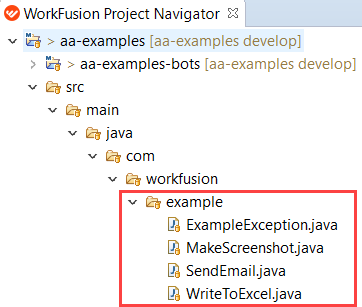
The examples are as follows:
ExampleException
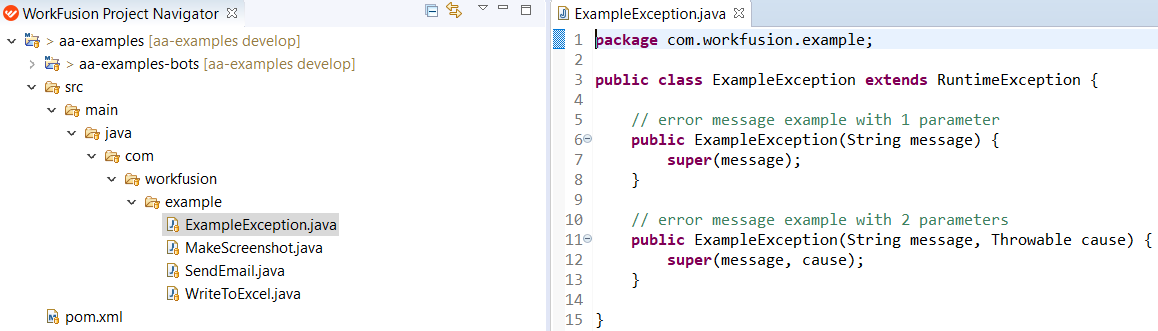
Tracking errors via a console or logs can be time-consuming and uninformative. That is why it is preferable to have a separate message with an error description.
The example is a separate piece of code used to throw exceptions via messages. To view the example, go to the src folder:
MakeScreenshot
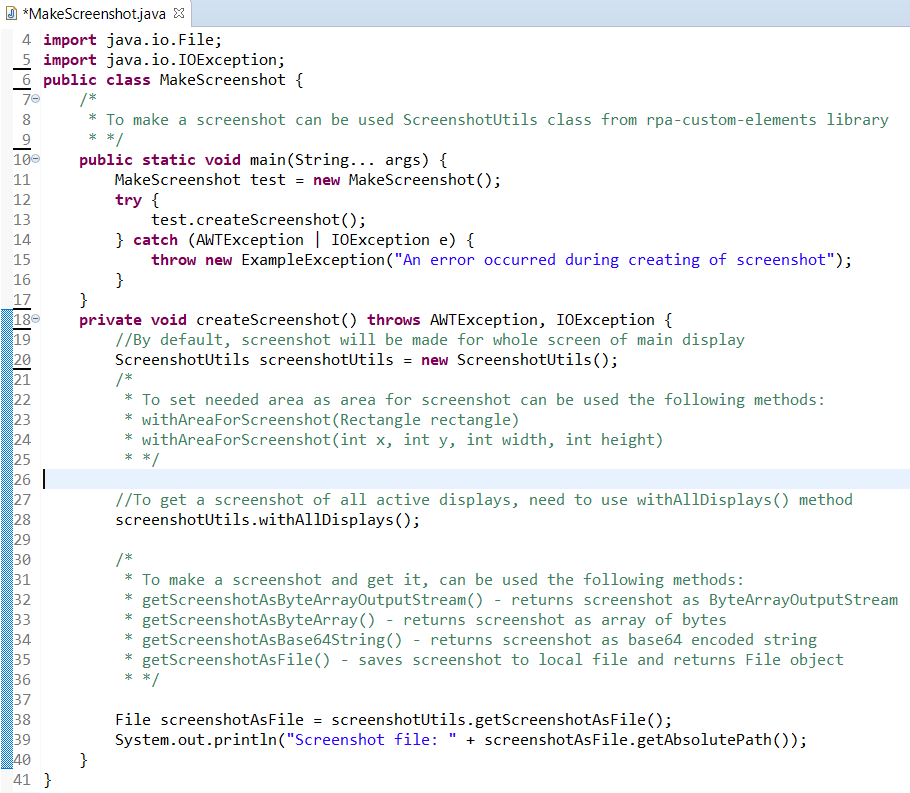
Making screenshots on each stage of creating an automation solution is a common practice for any RPA developer. Sometimes, it is the only way to see what is happening on the server or production environment.
The example has several variants of how to implement screenshots in the code:
SendEmail
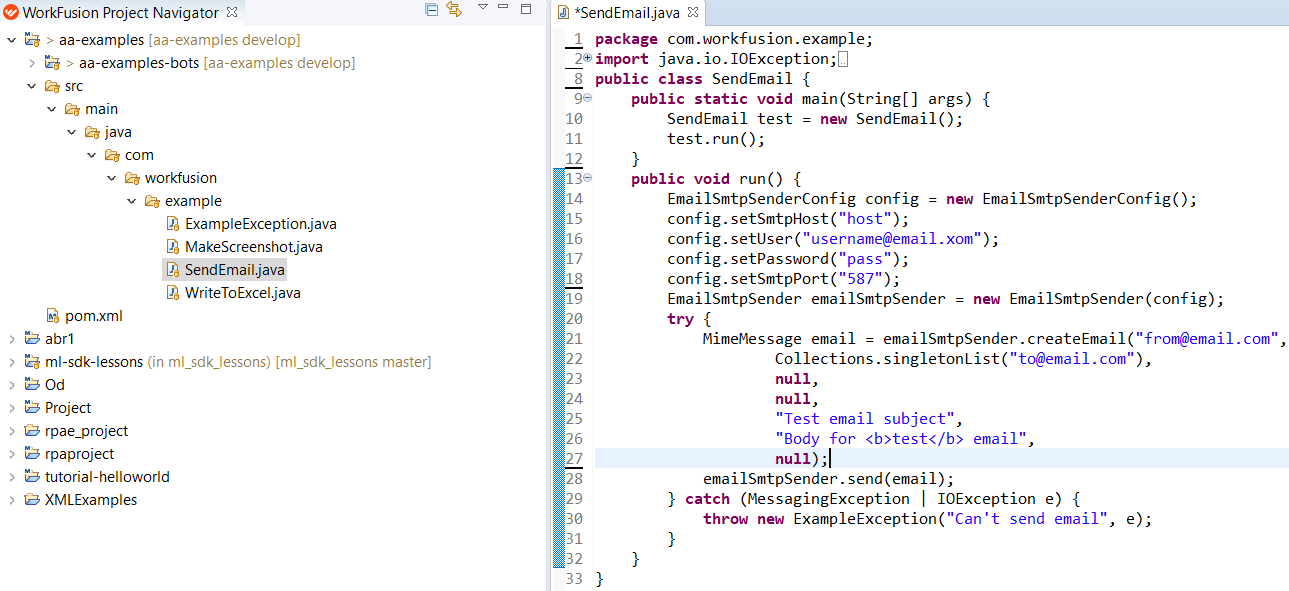
Sending an email via SMTP is a typical example of automation solutions. The approach refers to the most reliable way that doesn't involve any user interfaces of web mail services.
The example is a separate piece of code used to send emails with a text body. To view the example, go to the src folder:
WriteToExcel
Working with Excel files is the most common example of a low complexity part of an automation solution. The approach doesn't involve any direct manipulation of MS Excel via the user interface and is recommended for handling Excel files.
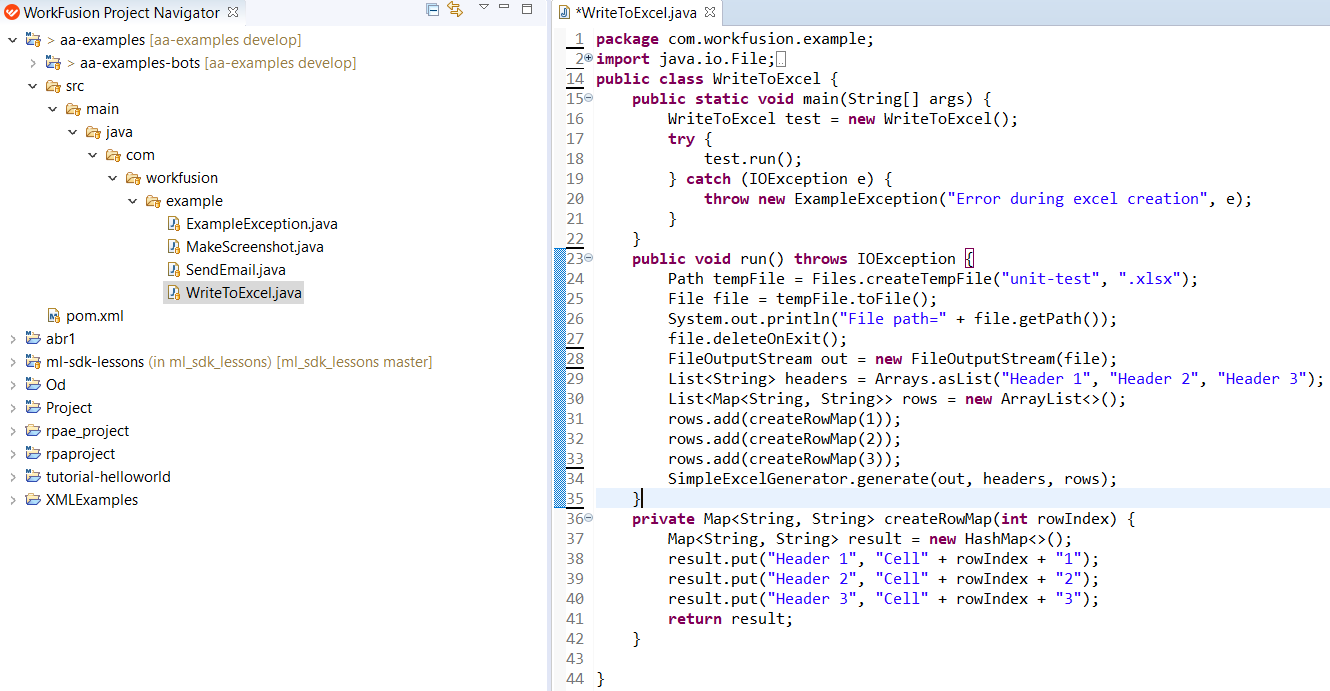
The example is a separate piece of code used to create an Excel file and add some data to it. To view the example, go to the src folder:
Full ODF 2-based examples
Full ODF 2-based examples are low or medium complexity standalone automation solutions. To view the examples, go to the aa-examples/aa-examples-bots directory.
Inside the task folder of each example, find the main Bot Task. If there are several files, the same problem has several solution examples.
- If there are different solutions, you can put commands common for these solutions in a special folder named
common_workfloworautomation. - If there is one solution inside the folders, put the code that should be put on separate files for real production projects, as here you can use all methods and classes for a web or desktop system. Thus, other Business Processes can use these parts or files with code, preventing the code from copying and pasting for the same system in order to automate its parts.
Create an automation project of the concrete system including all page objects with elements. Mind the methods that work with the system and its objects. Later, the project is launched as a dependency for a particular task.
Some examples can have input files with initial data. To find the input files, go to the appropriate resources folder:
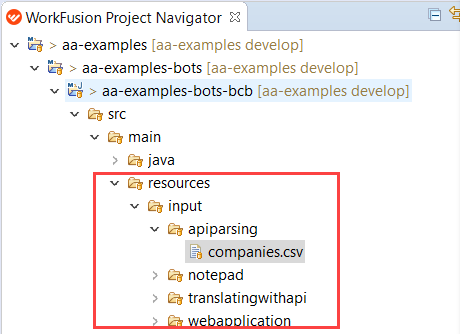
The examples are as follows:
apiparsing
Using API services in all possible cases is the recommended approach to build an automation solution.
The example provides the basics of working with API services. The idea is to get some information after an API request is sent using the https://us1.locationiq.com/ service. As a result, the service provides a response in the form of an XML file. To get the needed data, parse the response.
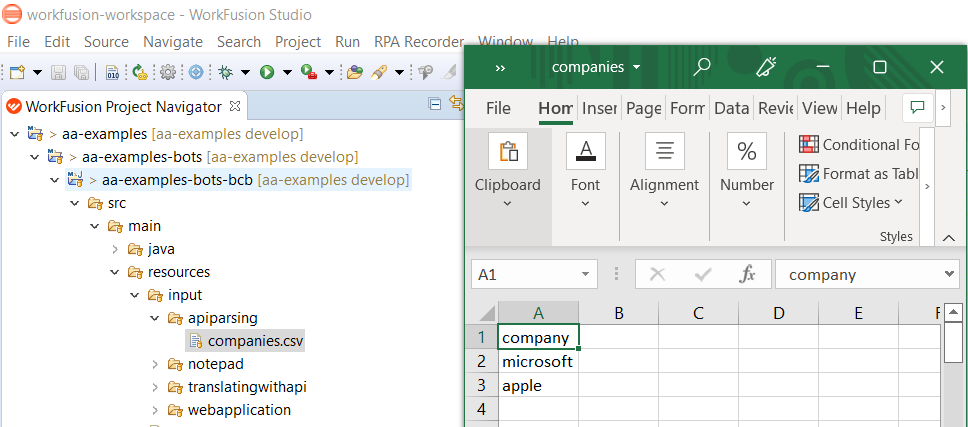
The example contains the input file with company names:
Inside the apiparsing example, there are five files with the code. You can use two different ways after you get all needed responses on executing GetResponseFromLocationIQ.java:
- GroovyXML Parser
- JAXB
In the latter case, map the resulting XML file to class and get a class object filled with data.
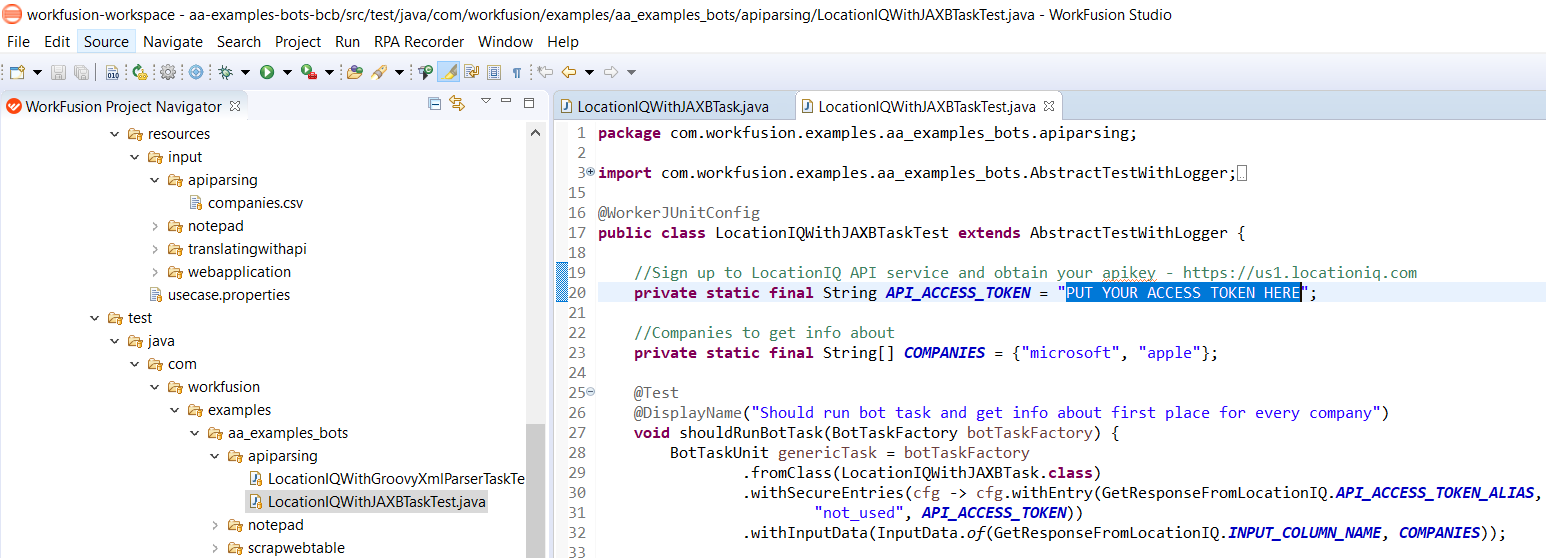
To run the example, apply an API key. Go to the appropriate TaskTest.java file and put the key in the API_ACCESS_TOKEN variable.
common
The example contains general scenarios used in multiple examples. It is not intended to be a standalone example of solving a particular automation task.
In the ODF 2 interface, there is a Generic Task. If it is included, you can get access to some simple task output.
The Run method has to return a list of maps where the key is a column, and the result is a result. At the final stage, you have the list of maps, each element of it being a separate export line.
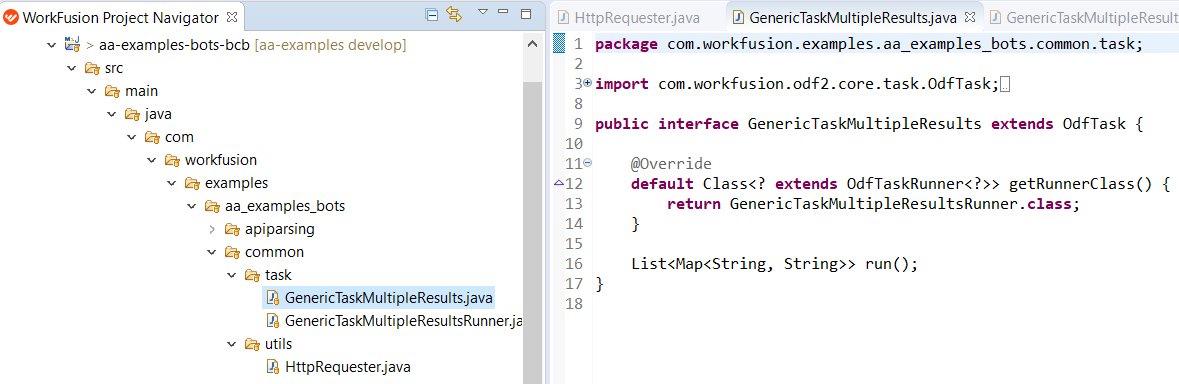
Using this interface doesn't include any other logic like Transaction, Processing, and so on. When a Bot Task needs to export some complex results, for example, output lists, include additional logic.
translatingwithapi
translatingwithapi is another example of practicing the API request usage. In the example, a text is translated with the help of MS Azure. To find the initial text with the language code (en) you have to translate to, go to the input.csv file:

To implement the example, perform the following preliminary steps:
Register in Microsoft Azure.
Run the service in your profile and get the key. Mind that you shouldn't share this key as the service charges payments on reaching some limit.
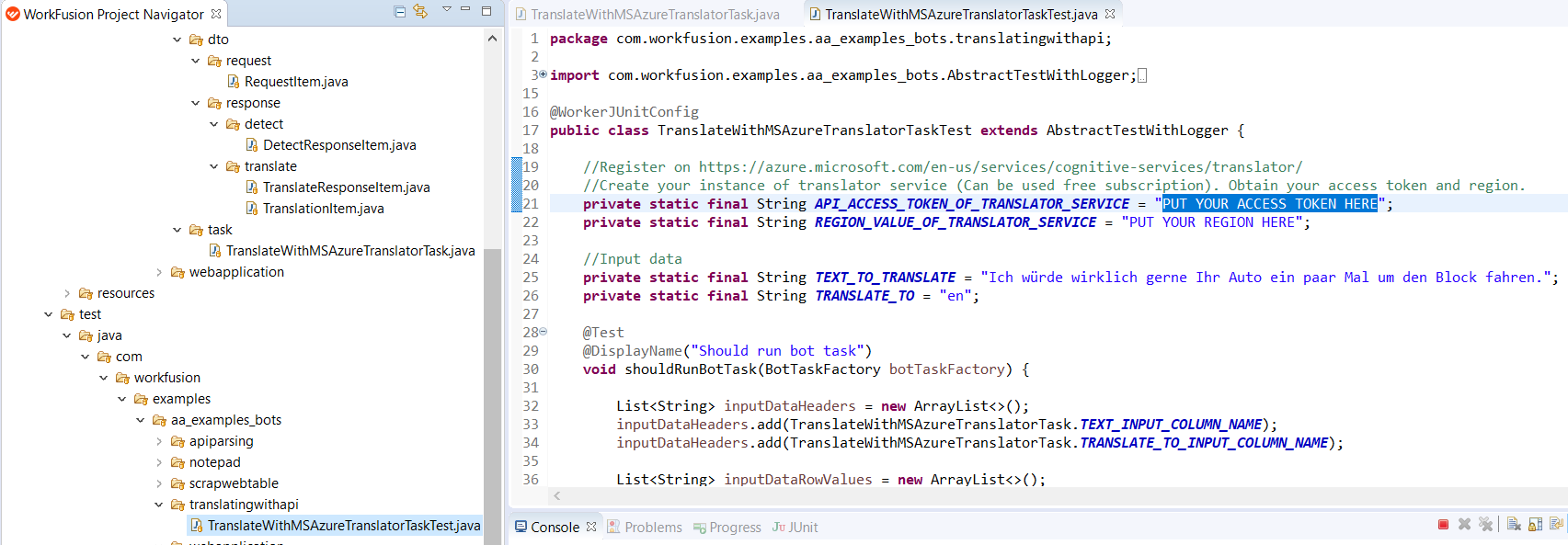
Put the key and region in a specific test file:
scrapwebtable
Scraping the data from website tables is a common requirement for building an automated solution. The root source in the example serves the https://www.w3schools.com/html/html_tables.asp website, but you can easily change it to any other.
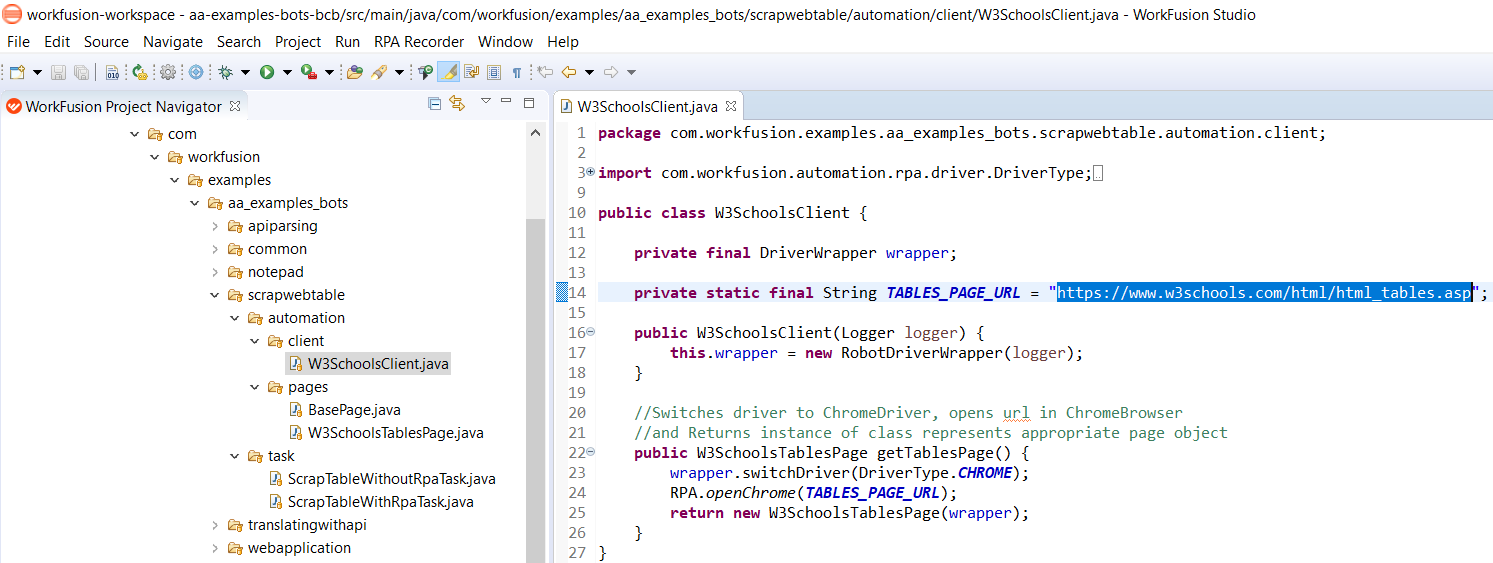
The example has two solutions:
Without RPA usage. The approach deals with a GET request and receives the website's page source. Then, the source is parsed as a regular XML page. It works stable for web pages with static content.
With RPA usage. Inside the components, there is a Table component with the
GetTableDatamethod. It returns the list of maps with data from the needed table.To see final results in logs, apply a special logic in test files. All test classes are inherited from the
AbstractTestWithLoggerclass. In this abstract class, theLogResultsmethod is applied where you provide the List of Maps from the result. The logs sort the results according to a simple key-value scheme. The approach allows the export from Bots.
notepad
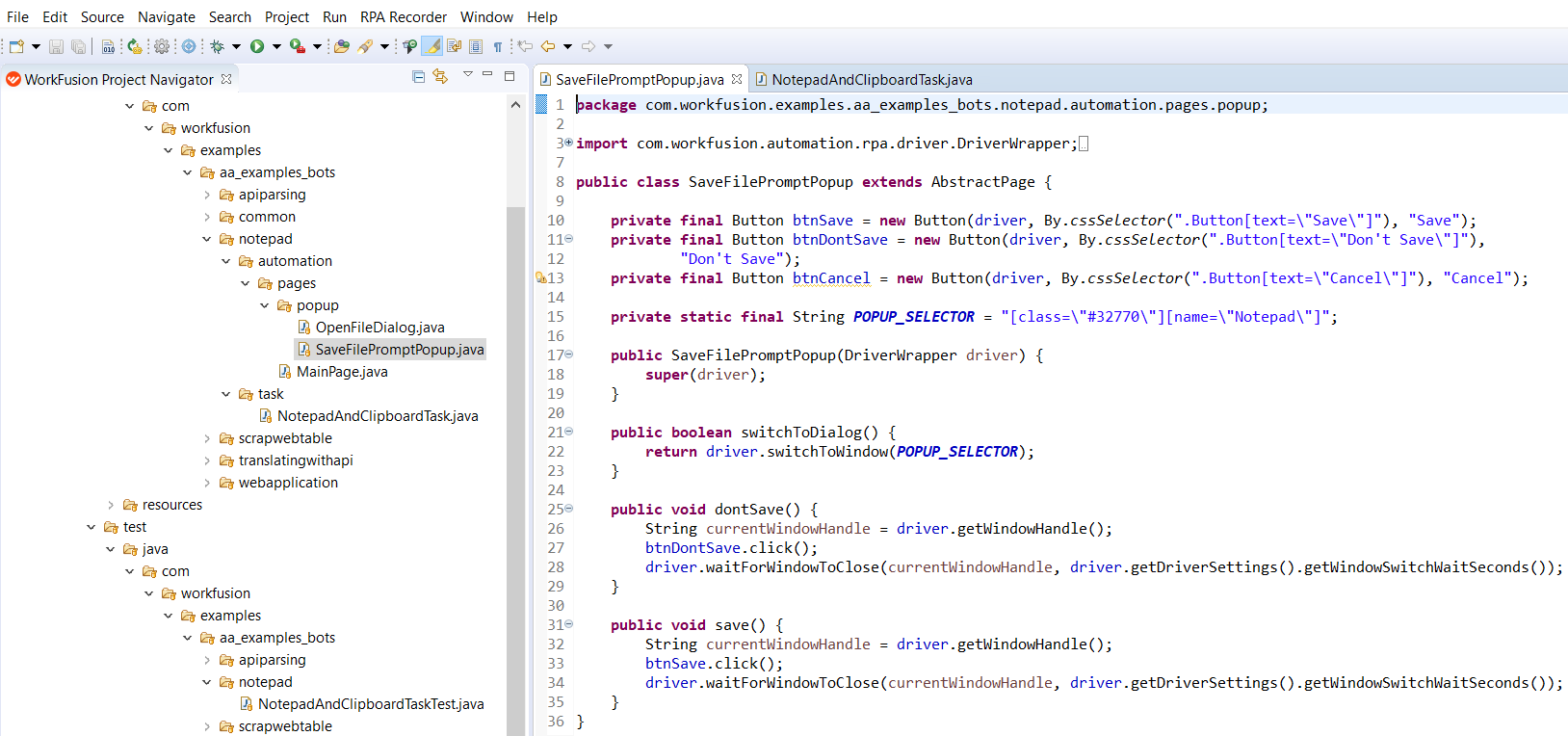
Working with Desktop applications is a must in building automation solutions. The example shows how to deal with the Notepad application. In particular, you work with files in local S3 MinIO File Storage, different Windows dialogs, Clipboard, text.
To run the example on your local environment, do as follows:
Create a workfusiondevelopment bucket on local S3 File Storage MinIO. Alternatively, you can use the existing bucket and specify its name:
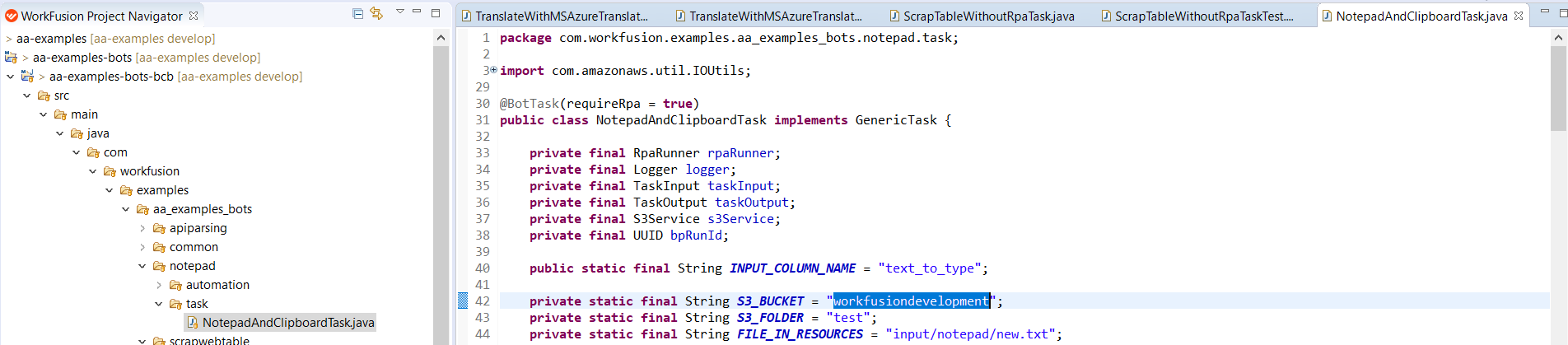
Launch the script. An input file is uploaded from the
resourcesfolder and copied to the S3 MinIO folder.Download the file using its link to the S3 storage.
Open the file in Notepad and print the text. The temporary file is deleted at the end of the script.
webapplication
Automating web-based applications is the most common example of an automation solution. This is a medium complexity automation example that you can use directly for common web applications. The general project structure looks as follows:
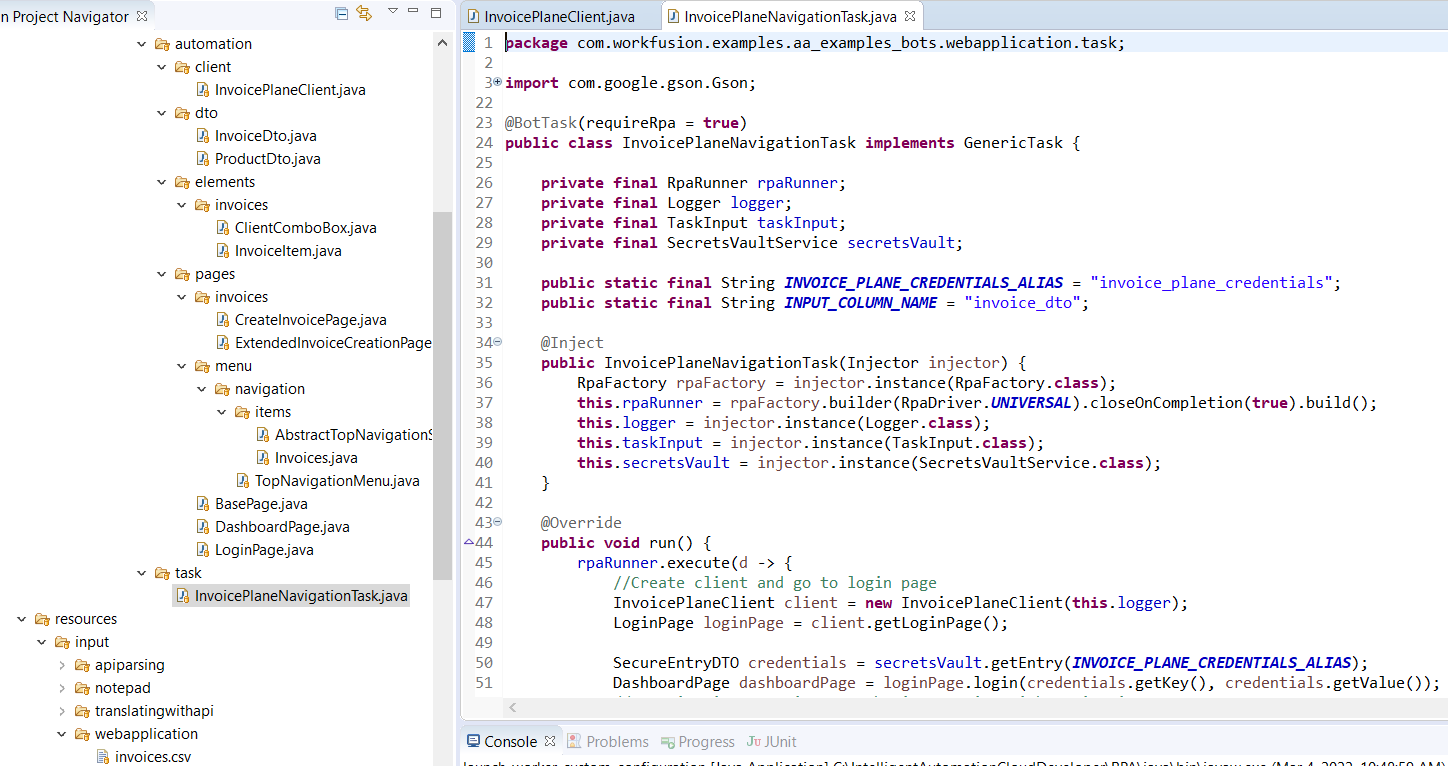
The example provides data for the https://train-invoiceplane.workfusion.com web application. The workflow is as follows:
A bot populates information about the product into invoices stored inside the web system. The task input is a CSV file that has a JSON structure for the data:

After the bot logs in to the web system, all data is added to an invoice form.
The invoice is saved inside the web system, and the bot logs out.
google
Interacting with web-based applications and web sites and scraping data are common problems for building automation solutions. The google example is a medium complexity automation solution you can apply directly to common web sites.
The general project structure looks as follows:
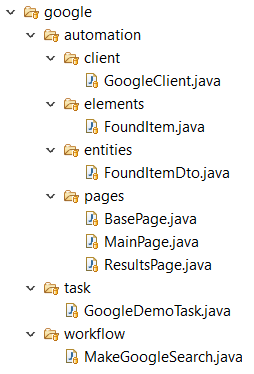
The workflow is as follows:
The bot interacts with the http://www.google.com website, provides the input data for the search panel as a CSV file, and scrapes the found results.
The input CSV file provides the value for the
text_to_searchvariable.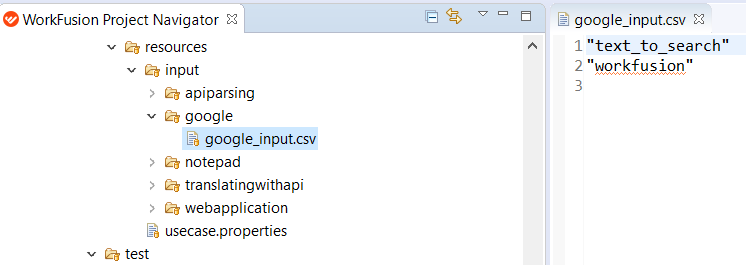
The bot adds this value to the search panel, performs the search, and grabs the title, link, and description.
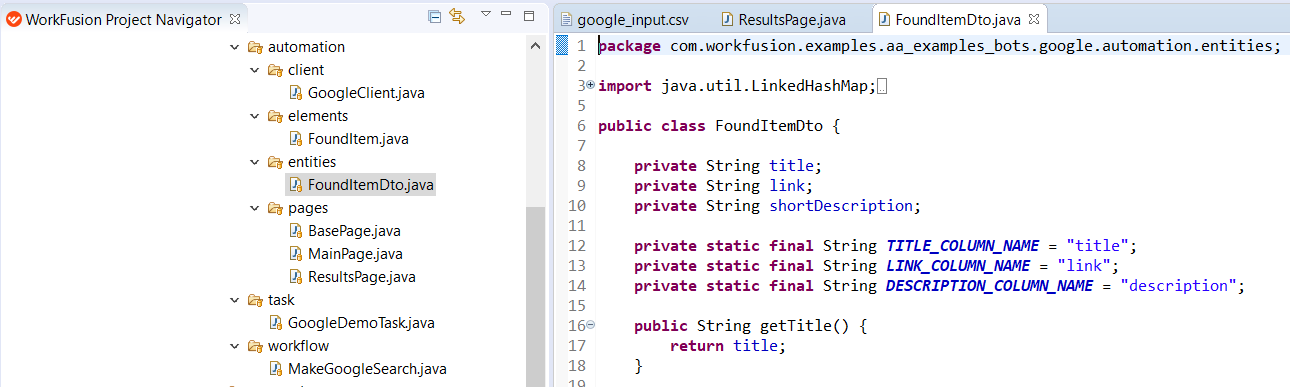
After running the example in Control Tower, find the output on the Result tab. If you use local Eclipse, see the results in console logs.
steam
steam is a medium complexity out-of-the-box example used to interact with a website. The example has the following structure:
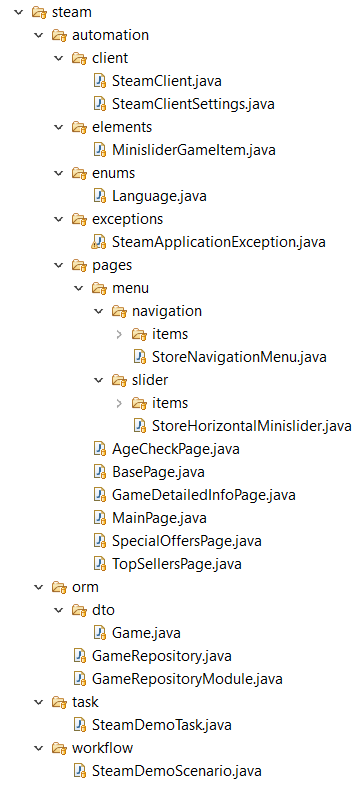
The workflow is as follows:
The bot opens https://store.steampowered.com/, applies the script to change the language to English, and navigates to the main menu.
The bot selects New & Noteworthy / Current Specials, goes to the game list, and chooses Top Sellers.
The bot finds a game with the maximum discount:
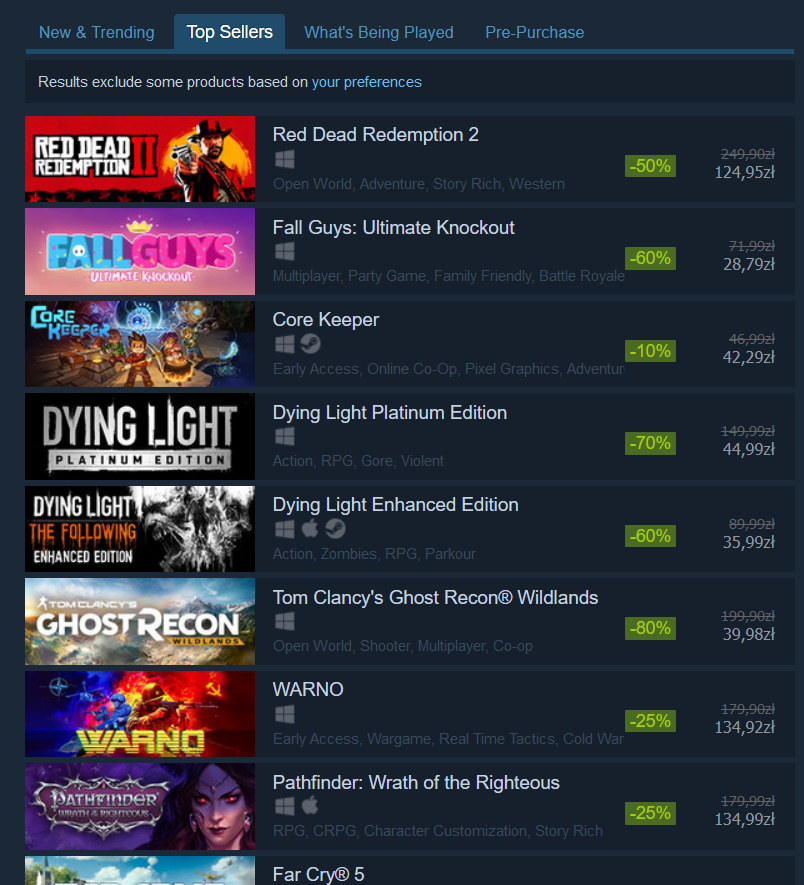
The bot opens a link to the game and grabs its name and release date.
The results are saved to a Data Store with three fields: record_id, game_name, release_date. After running the example in Eclipse, see the results in console logs.