View POM and settings files
The WorkFusion Work.AI automation enables usage of some standard Maven build technics.
Initiate project from archetype
When you start a project, specify archetype parameters by filling appropriate fields.
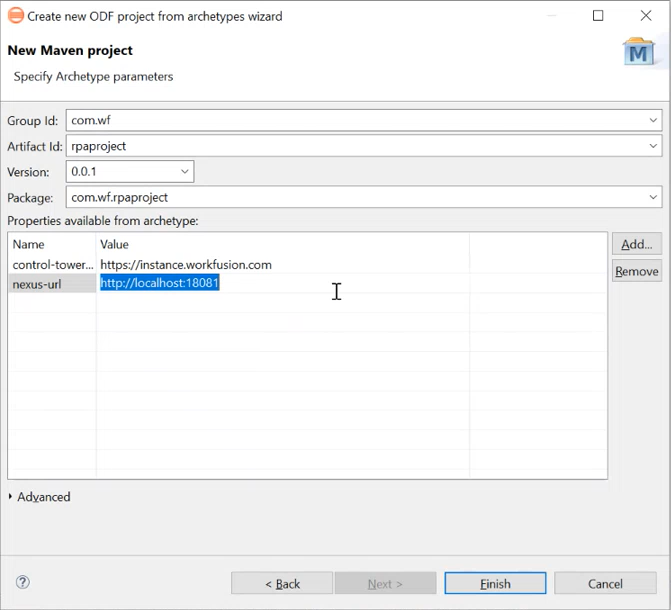
Make sure to avoid using SNAPSHOT versions, as the deployment mechanism doesn't support them. The Nexus repository accepts the release-type versioning only. Thus, it accepts release-like versions only, for example, 0.0.1, 1.0, 10.2.8.2323.
On starting the project, Maven generates a project from the archetype. This project contains several modules. For our example, we have created an RPA projec with two modules in it.
Project configuration with root and modules pom.xml
BCB module's pom.xml
The BCB module's pom.xml file has the following content:
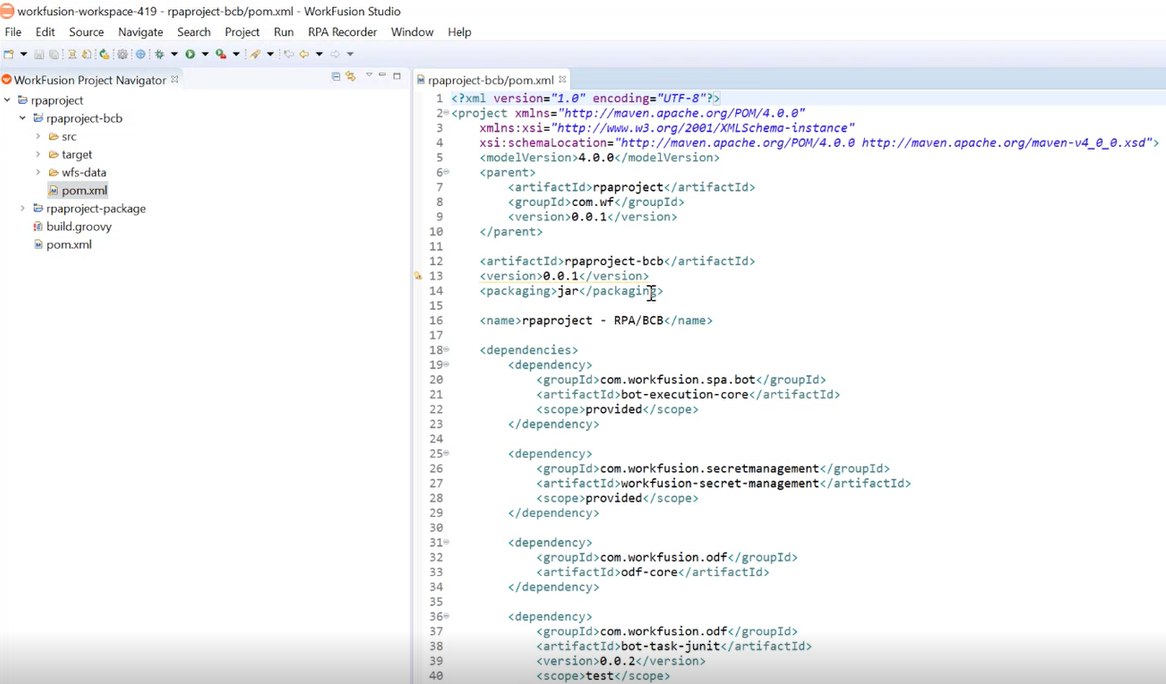
- Line 7 includes the project name that is
rpaproject, initially given as Artifact Id. Also, the version of the JAR file is specified as 0.0.1. - On line 15, the
rpaproject - RPA/BCBname is the starting point for the names of all Bot Tasks from the project deployed to Control Tower. - Starting from line 18, the code lists dependencies needed for ODF, testing, and other processes. Note that ODF depends on a specific worker version that is a part of the Work.AI platform of a specific version. If the project is deployed into a different version of Work.AI later, you must update dependencies for the worker, build a new Asset Bundle, and deploy it.
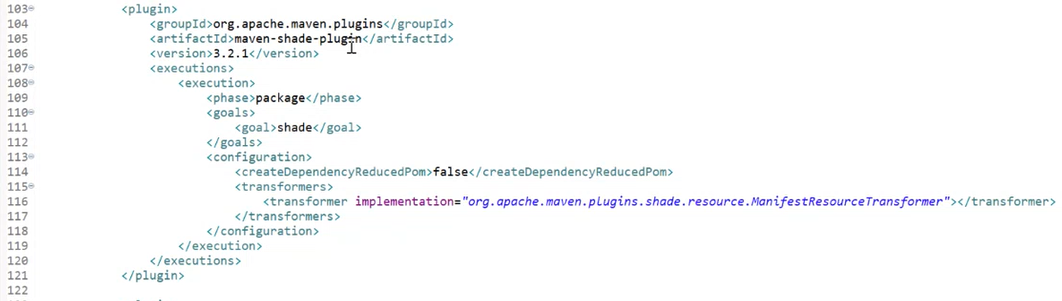
- On line 103, the maven-shade-plugin description starts. Here, you can package the sources of third-party libraries to be included in a JAR file so you can use them across all BEP Workers.
Root pom.xml
The main pom.xml file has the following structure:
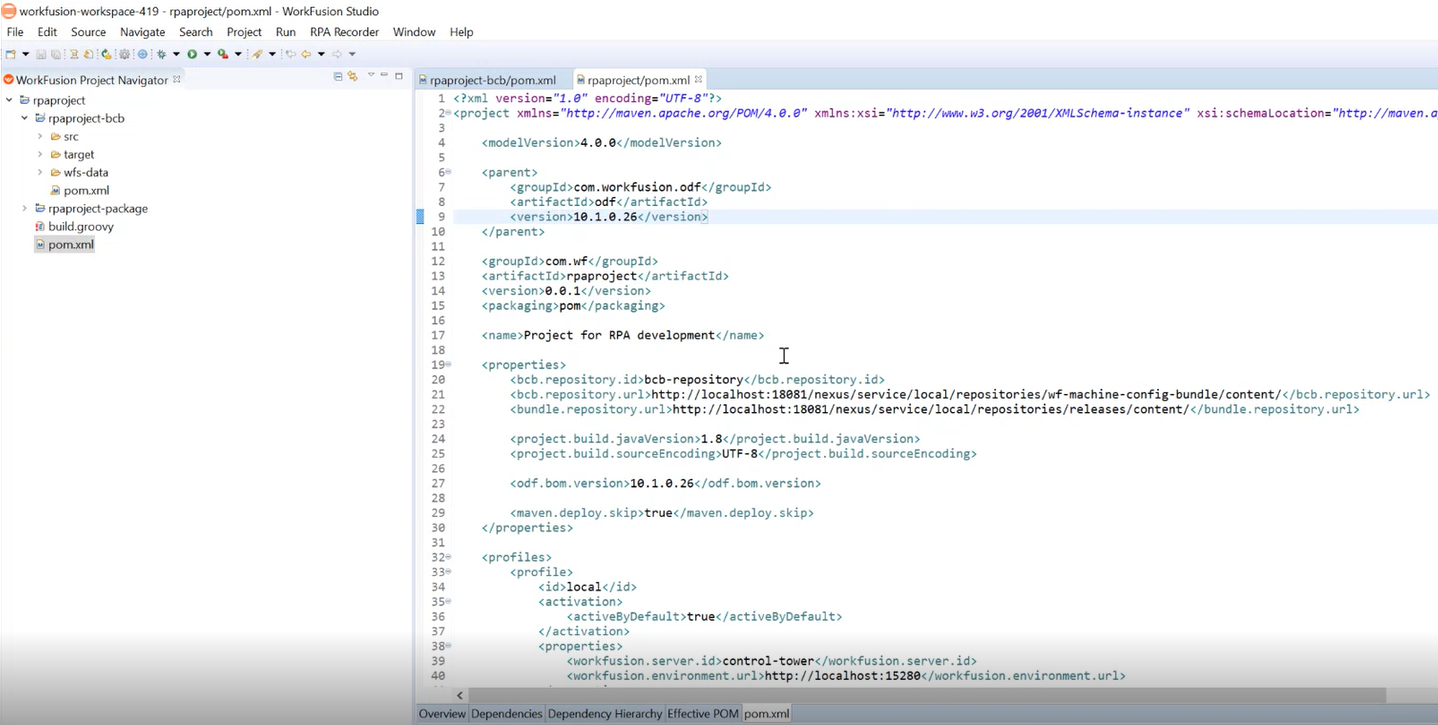
Line 9 contains the current ODF version, which is 10.1.0.26.
Starting from line 19, you can find project properties:
- bcb.repository.id: a repository in local Nexus for the local Control Tower deployment
- bcb.repository.url: the URL of the local Nexus repository for the BCB artifact deployment
- bcb.repository.bundle: the URL of the local Nexus repository to store the final Asset Bundle
Starting from line 32, there are two profiles—local and remote—for two project deployment options:
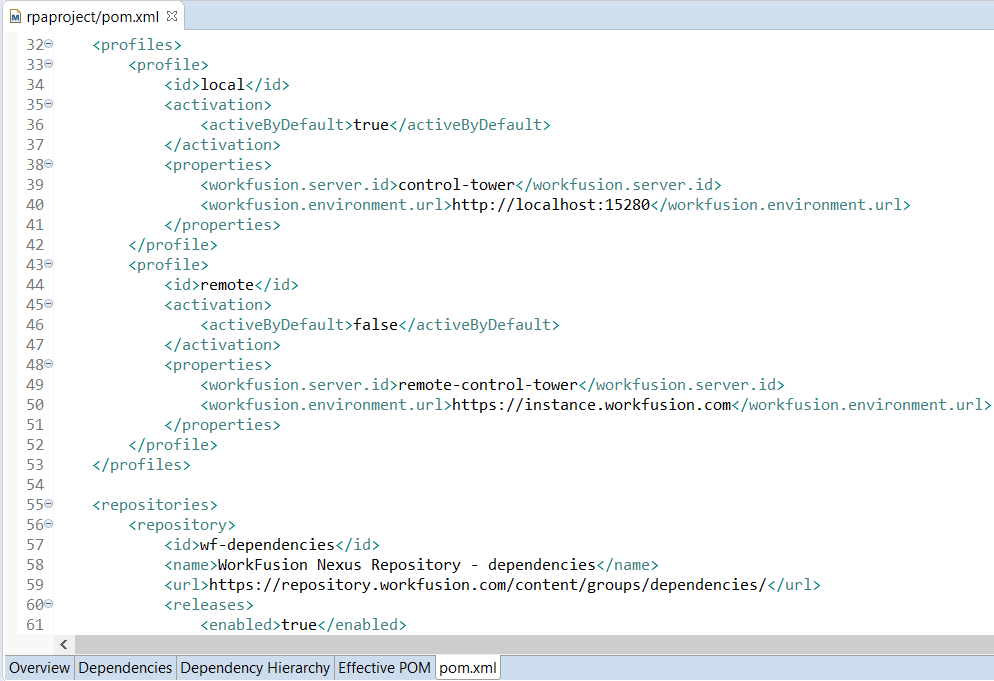
On line 50, specify the appropriate URL to the remote Control Tower. At the end of the root
pom.xmlfile, you can see the project child modules. Currently, there are BCB and Package modules in it.
Package module's pom.xml
To get the Package pom.xml file, go to rpaproject > rpaproject-package.

pom.xml has the following structure:
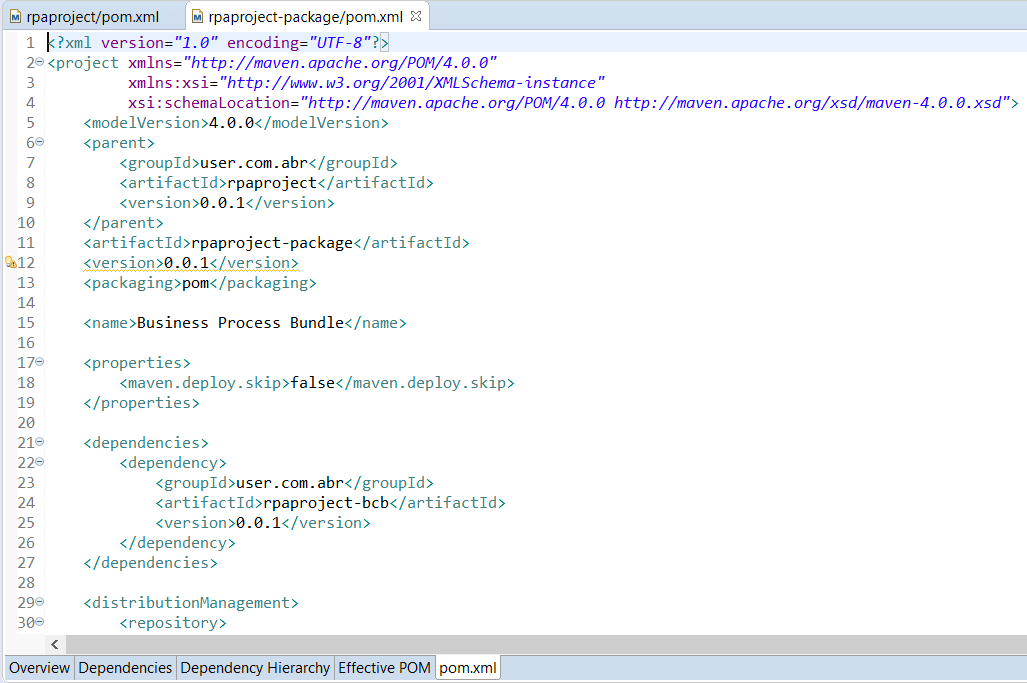
- Line 11 contains
artifactId, which isrpaproject-package. - Starting from line 21, you can see the dependencies from
rpaproject-bcb.
Maven configuration in settings.xml
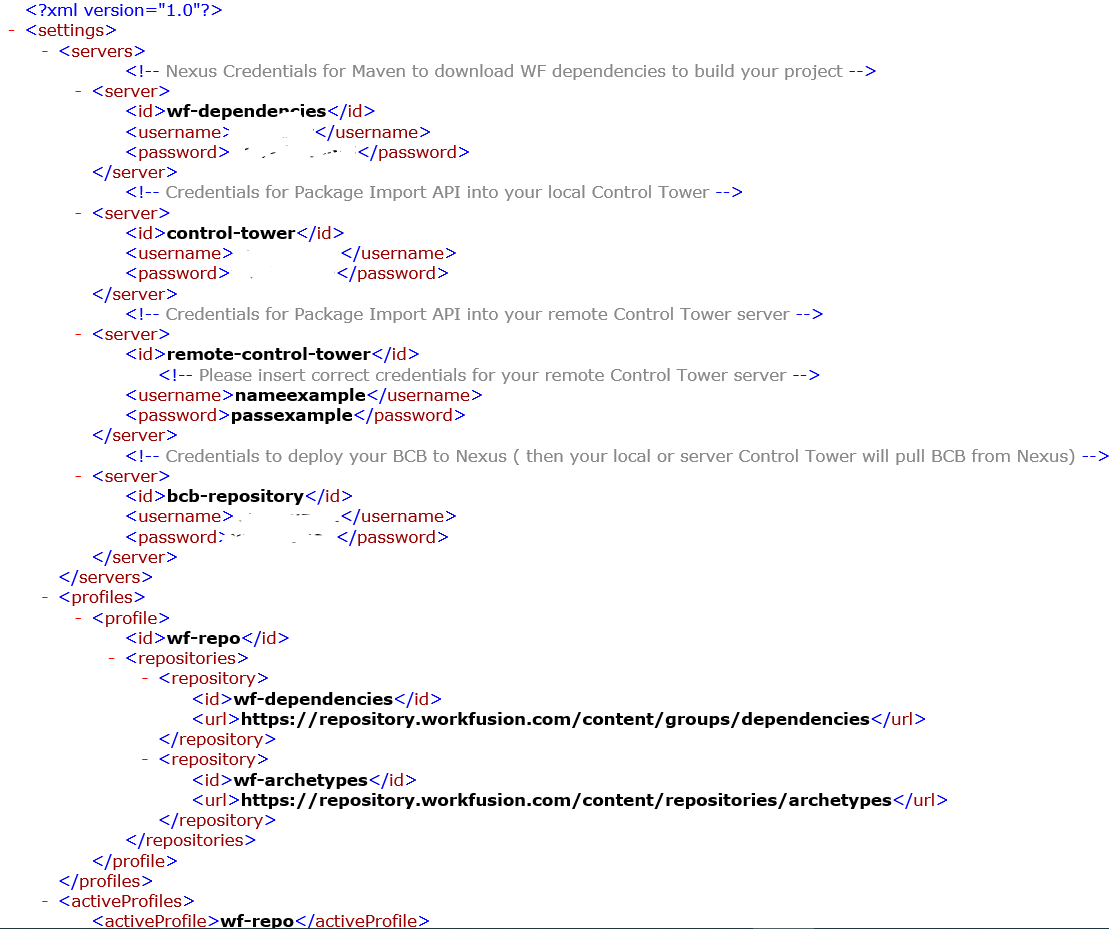
View the credentials to the Maven configuration in settings.xml. Go to the C:/Users/[USER_NAME]/.m2 folder to find the file.
During installation, Work.AI Developer puts the pre-generated settings.xml file with credentials into the WorkFusion public Nexus repository at https://repository.workfusion.com. If you already have the Maven configuration file, the installer merges its contents but also backs up your original settings.xml.
The settings.xml file looks as follows: