Set assignment priority and assignees
Configure custom assignment priority
If the input data for a Manual Task contains the _sys_mt_hit_priority column, the value is used as an assignment priority. The column value must be within the range of 1 to 100.
The table below lists value ranges with associated assignment priority indications:
| Value | Priority |
|---|---|
| 1-33 |  Low Low |
| 34-67 |  Normal Normal |
| 68-100 |  High High |
The custom sorting of assignments by priority is only possible if you enable the group by priority option as described in Work with queues. Mind that every worker has to enable the group by priority option for each assigment queue individually.
If there is no _sys_mt_hit_priority column in the input data or the value is beyond the allowed range (1 to 100) or not a number, the assignment priority is the same as the task priority.
Configure assignee for assignment
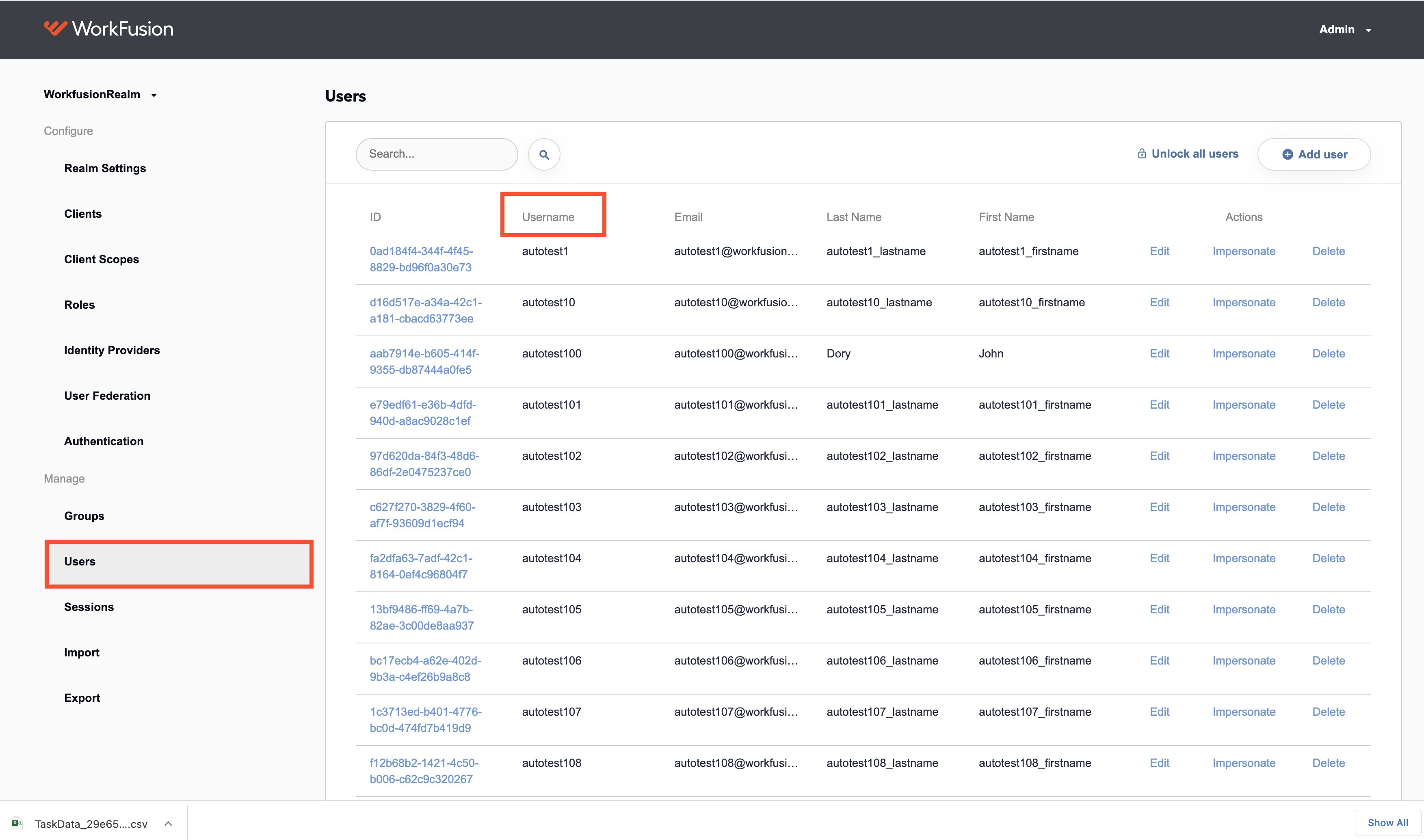
If the input data for a Manual Task contains the _sys_mt_hit_assignee column, the value from the column—a username—is used as an assignee in Workspace.
The same username is added to the list of authorized users in Keycloak. To check, sign in to Keycloak, click Users, and go to the Username column.
For the new values from the _sys_mt_hit_assignee column to appear in the Assignee filter list in Workspace, respective assignees must sign in to WorkSpace at least once before running a process.
If there is no _sys_mt_hit_assignee column in the input data or it contains an invalid username, the assignment has no assignee.
For troubleshooting guides, refer to the following support guides: