Add Bot Task
Bot Tasks contain work to be done by WorkFusion's bots automating human labor. Bot Tasks can exist only as a Business Process step, and you can create them using code tools or in a no-code manner.
Examples: address parsing, determining the width and height of an image, interacting with your API or repository, or filtering content that does not meet specific criteria.
Add to BP flow
You can add a Bot Task to a BP using one of the following methods:
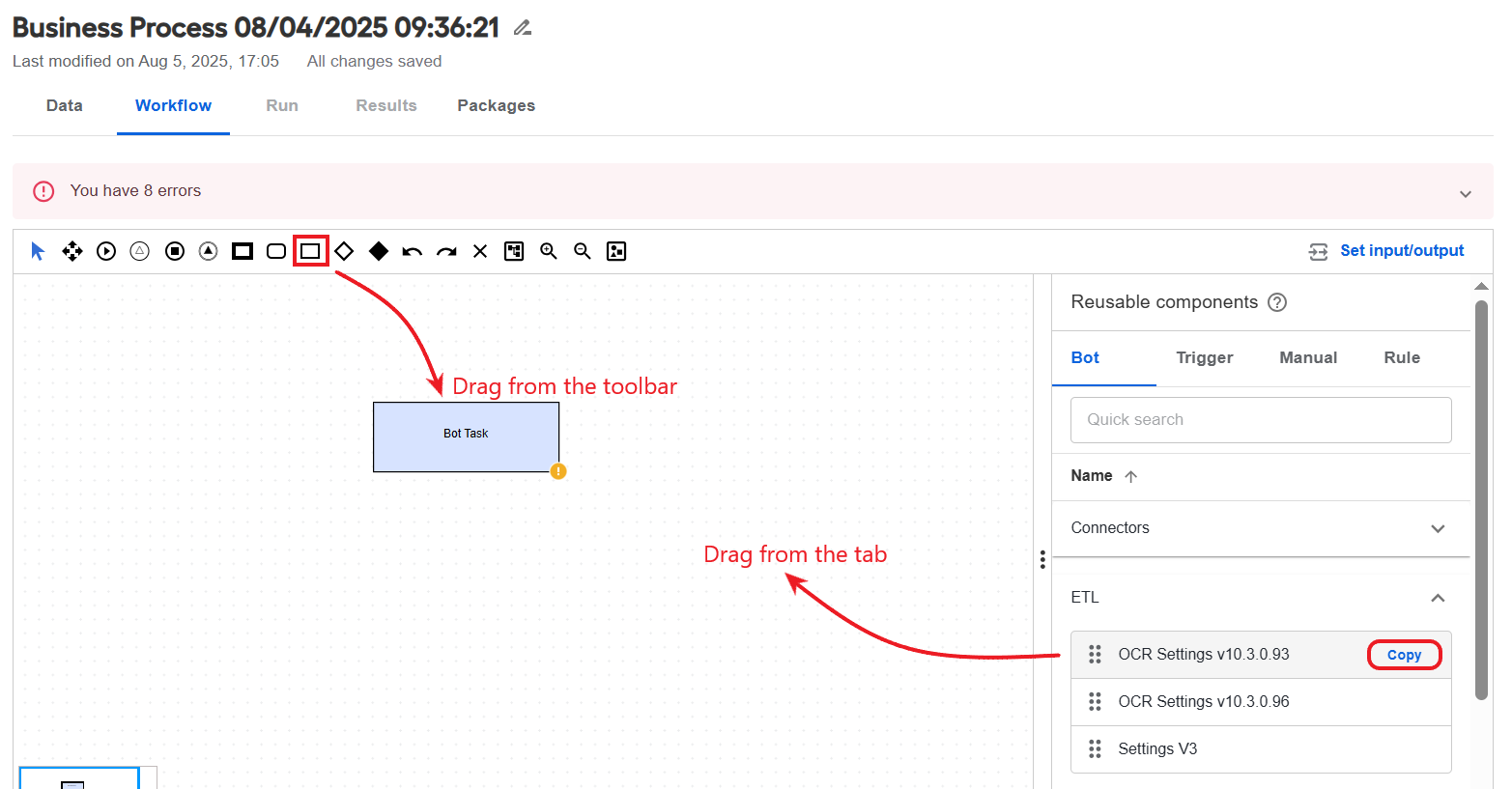
Drag the Bot Task element to the canvas from the toolbar. In this case, a blank task is created. You will need to select an Operation and configure settings from scratch.
In the Reusable components panel, navigate to the Bot tab and drag an option to the canvas. In this case, the task configuration is copied from the source task. You can edit the task if needed. Any changes you make to the task are propagated to all BPs where the task is used.
Alternatively, click the Copy button for an option in the list, in which case an independent task copy is created. You can then drag the created copy to the canvas and edit the task configuration as needed. The changes you make are not propagated to the source task or other independent copies of the same task.
Select Operation
Double-click the Bot Task element you added to the canvas and choose an Operation on the side panel. The Operation serves as a template to create a Bot Task.
Click an Operation category and click Select next to the option of your choice.
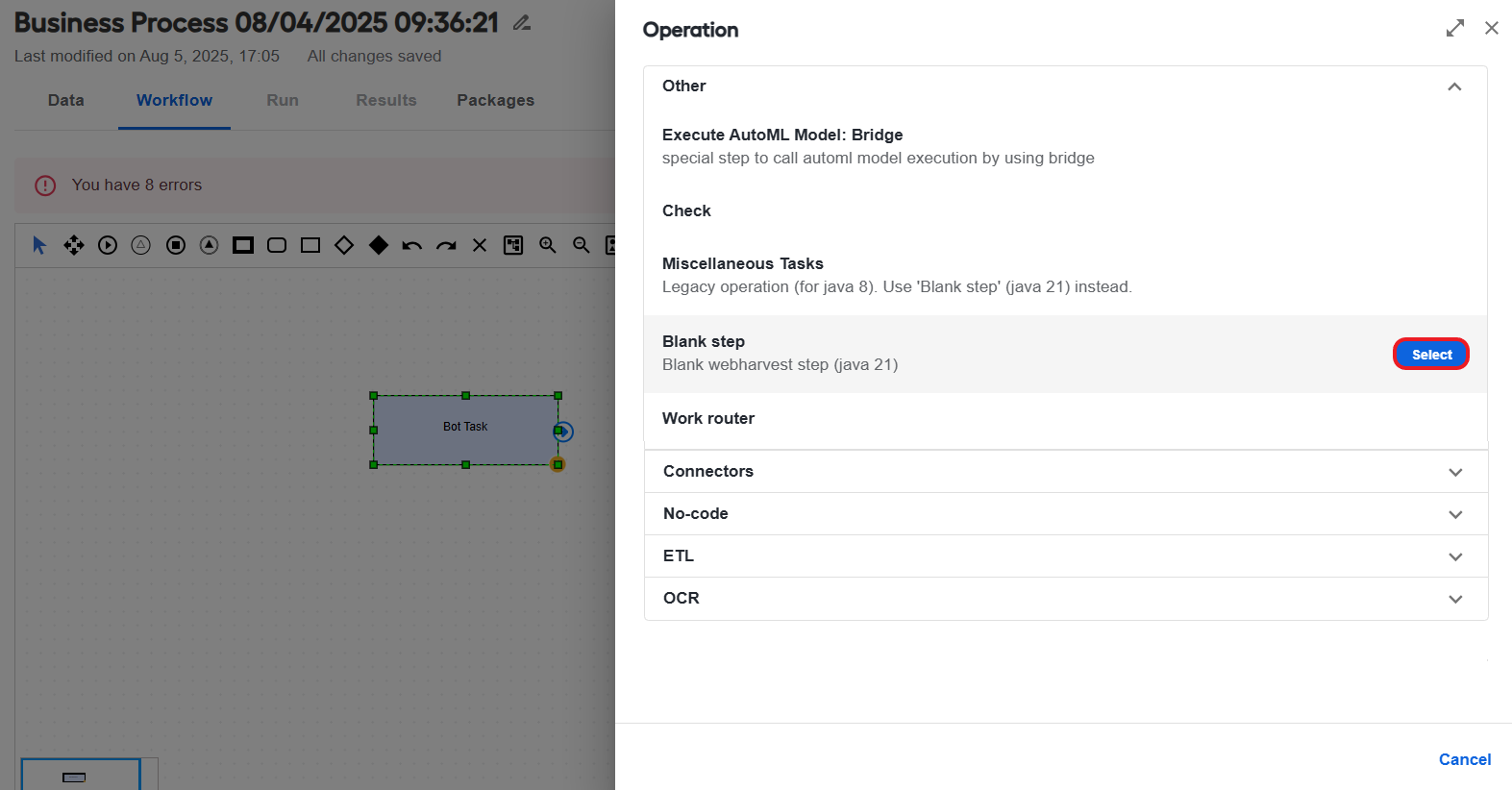
The following Operation categories are available:
Connectors to create custom BP elements for interfacing with external systems. For details, see Configure no-code Generic Connector.
ETL to create Bot Forms, otherwise known as ETL. It is a special Bot Config type intended for flexible re-using, where instead of direct code editing, you can define initial parameters (variables) through a user interface form.
No-code to create Bot Tasks with complex decision logic without code. For details, read Configure no-code Decision rules step and Configure no-code Transformation step.
OCR to create Bot Tasks for optical character recognition (OCR). For more information, read Configure OCR step and OCR providers.
Other for Operations beyond the above categories.
Configure no-code Bot Task
Once you select an Operation, a Bot step configuration panel opens where you can configure the Bot Task settings in a no-code manner.
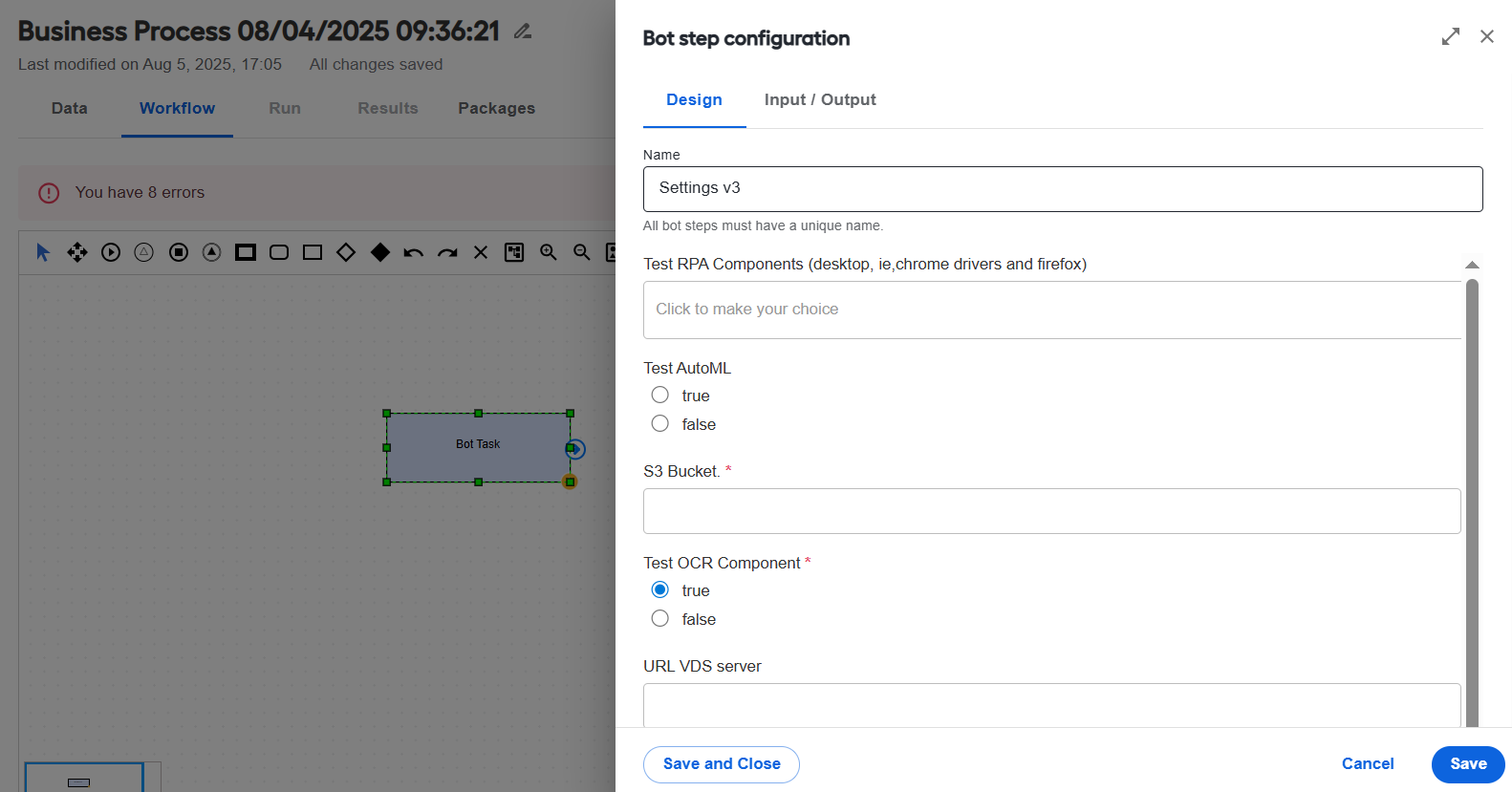
To configure a Bot Task without using code, act as follows:
On the Design tab, set a name for the task and fill in other fields as required. The settings can differ, depending on the Operation category and type you have chosen.
On the Input/ Output tab, set the data flow from and to the particular step.
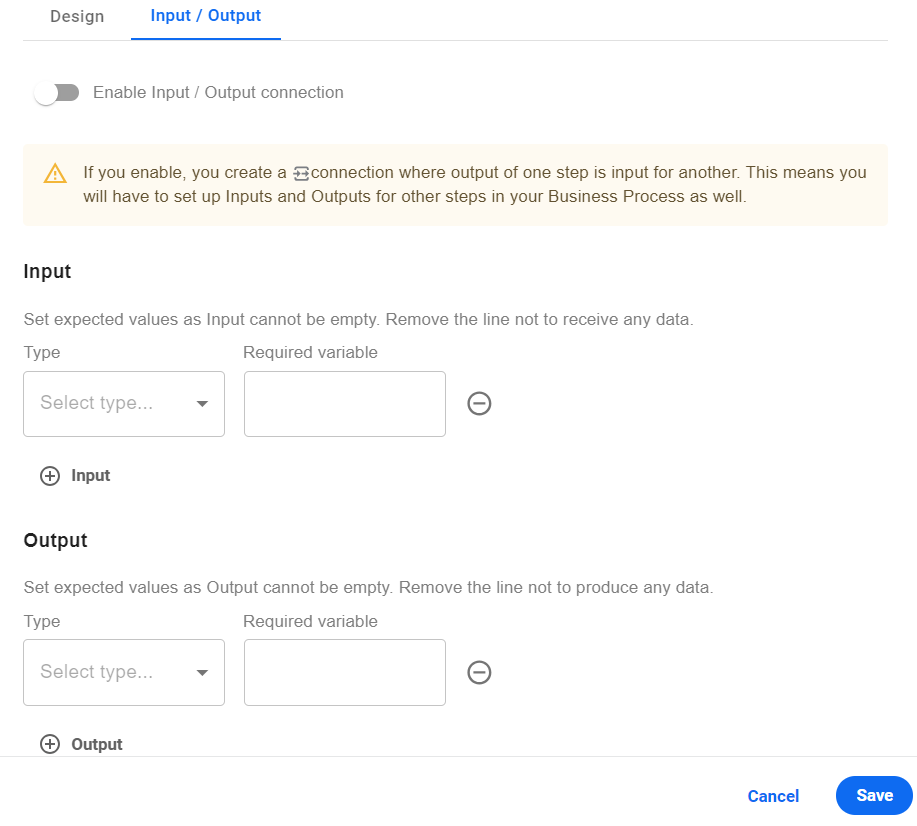 warning
Enabling the Input/ Output feature for a step turns a BP into a schema-based one. So, for the BP to execute as expected, you have to set contracts for other steps within the BP as well. For more information, refer to Configure input and output contracts in Business Process.
Save the task before closing it. After saving the task, make sure to save the BP.