Add and configure error handling
Configuration of the error handling in a Business Process (BP) involves the following:
Build an error handling flow. Initiated by the Error Handler step, the flow is a branch within a BP that handles record-level failures and can be used to return an appropriate output to the external connector. For implementation details, read the Build error handling flow section.
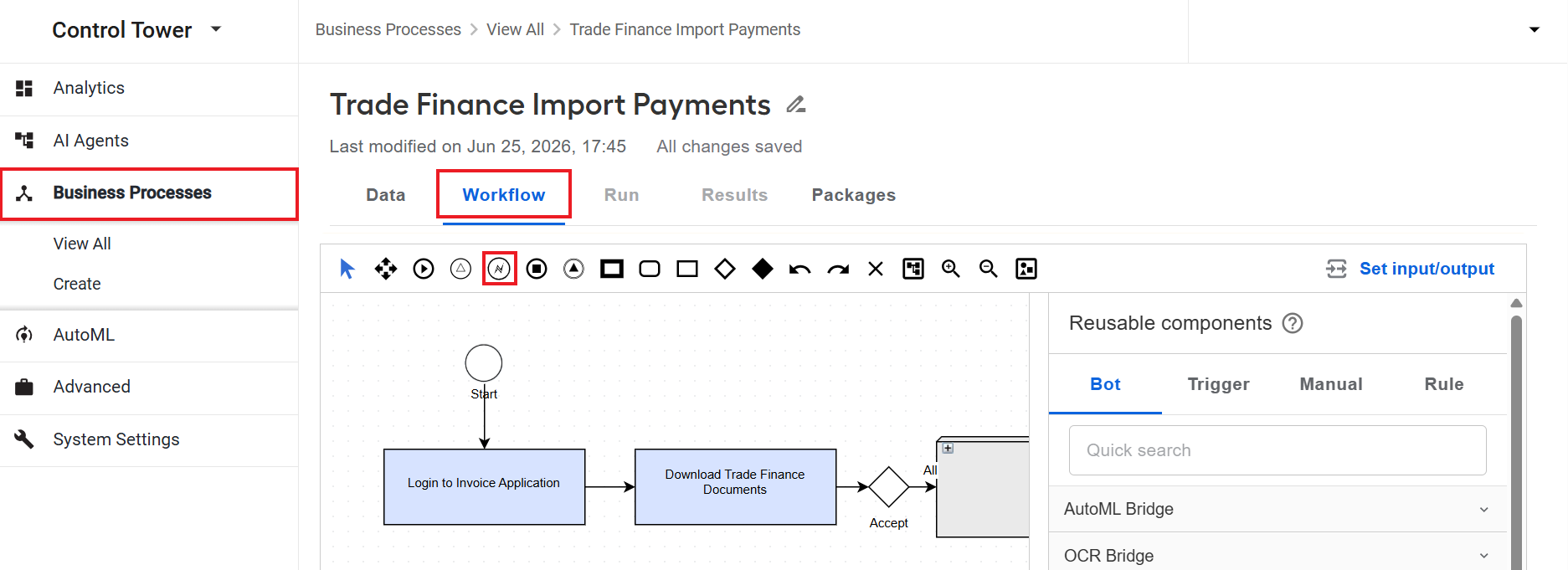
The Error Handler step is available in the toolbar on the Workflow tab when you open a BP.
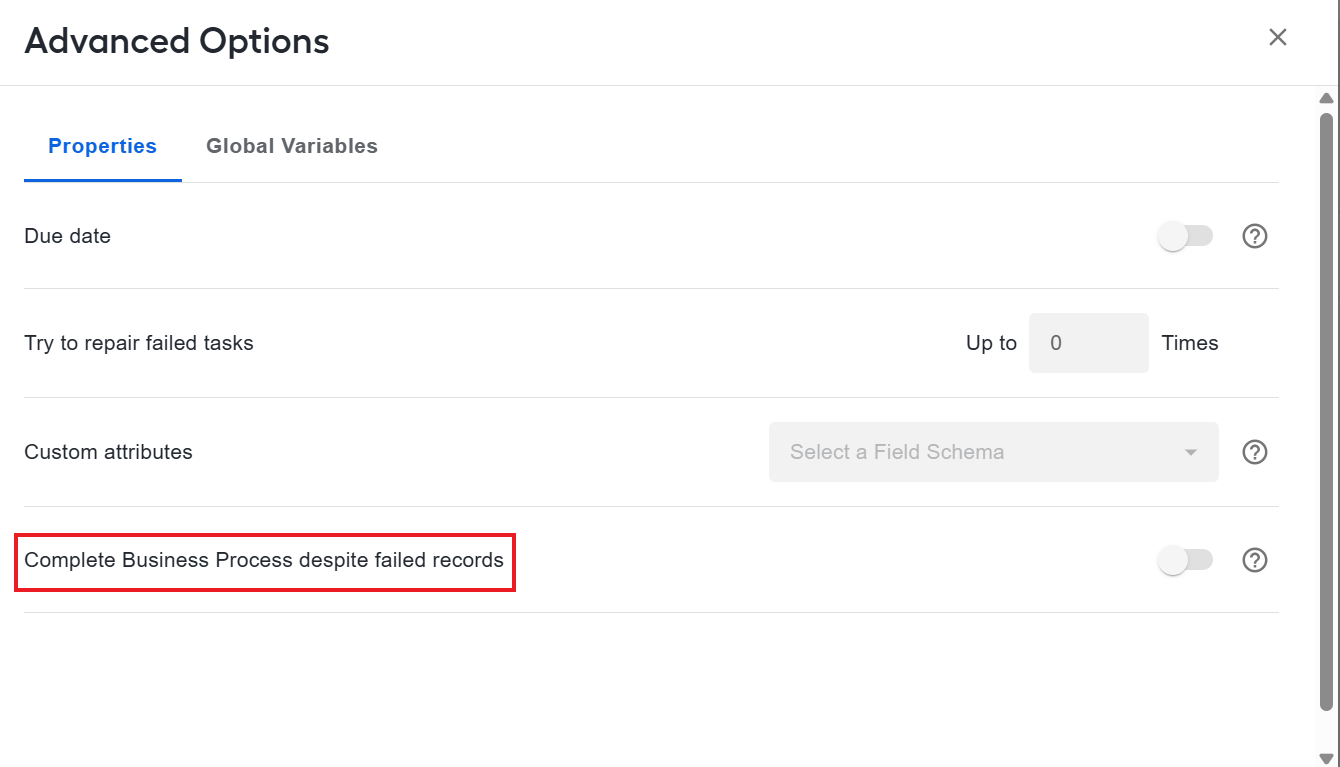
Set BP behavior on failure. You can set the BP to continue executing despite any record failures. For details, read the Set BP behavior on failure section.
Build error handling flow
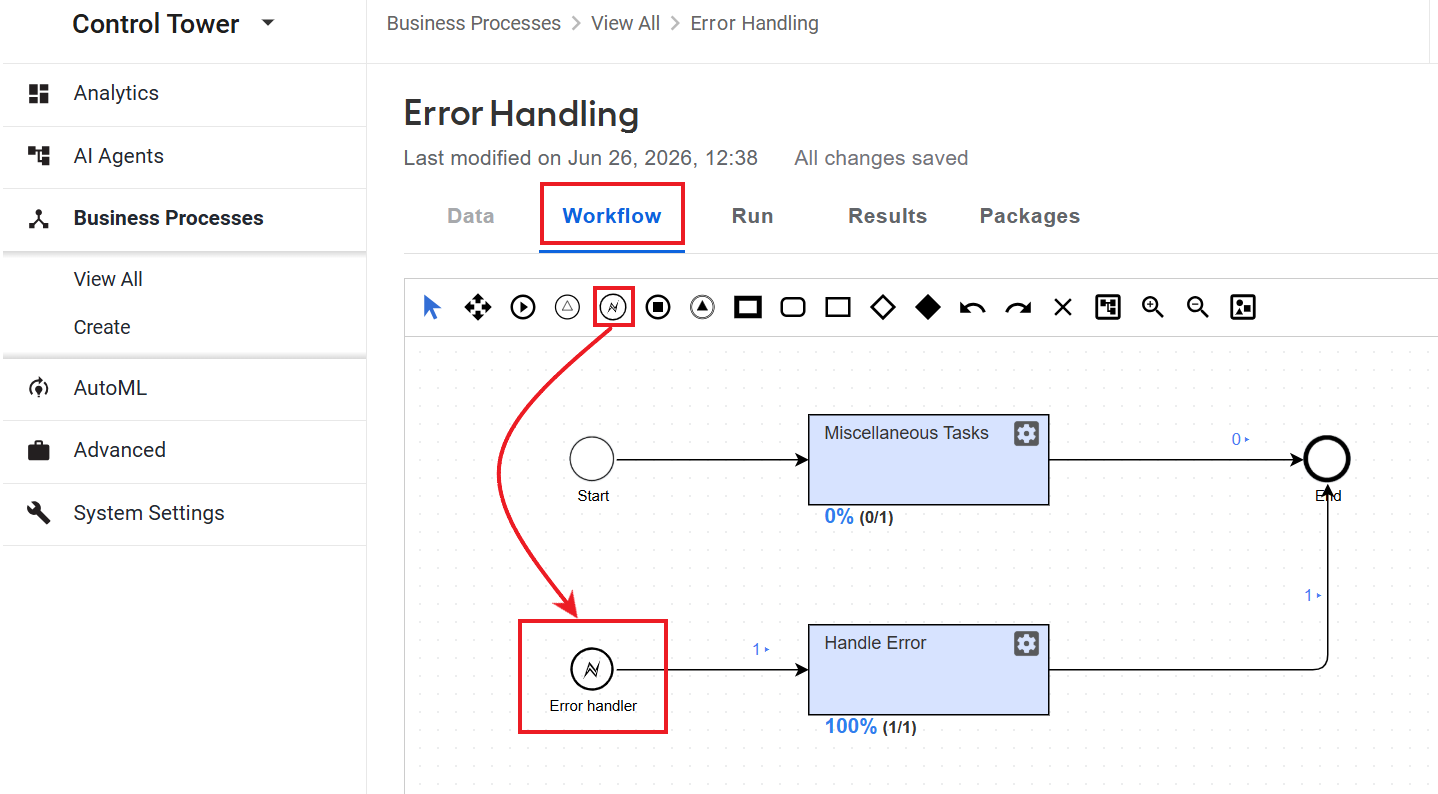
You cannot connect an Error Handler step directly to the main BP flow. The rule is also enforced by the BP validation. Instead, you need to create a separate branch within the BP that should start from the Error Handler step. The branch must not intersect with the main BP flow. This prevents an infinite loop when a step repeatedly fails and is retried by the error handling flow.
Prerequisites
The instruction in the Implementation section describes the steps to build an error handling flow for the following prerequisites:
- The main Business Process flow has already been created and designed as appropriate.
- You have required permissions to edit the BP.
- Retry behavior for the BP is configured.
Currently, the error handling flow is supported only for Bot Tasks. Manual Task processing errors and some system errors are not forwarded to the error handling flow.
Implementation
To implement an error handling flow, do as follows:
Open the Business Process where you want to add an error handling flow.
On the Workflow tab for the BP, drag the Error Handler element from the toolbar to the canvas.
Add one or more bot steps to convert errors into the desired output and send data to another BP or an external connector if needed.
Connect the branch to the main BP.
The figure below shows a sample error handling flow with an Error Handler element:
Error handling steps cannot have contracts and do not receive data from BP transactions.
If the error handling flow fails, both the record and the entire BP are marked as failed.
Error handling sequence
The error handling flow is executed in the following sequence:
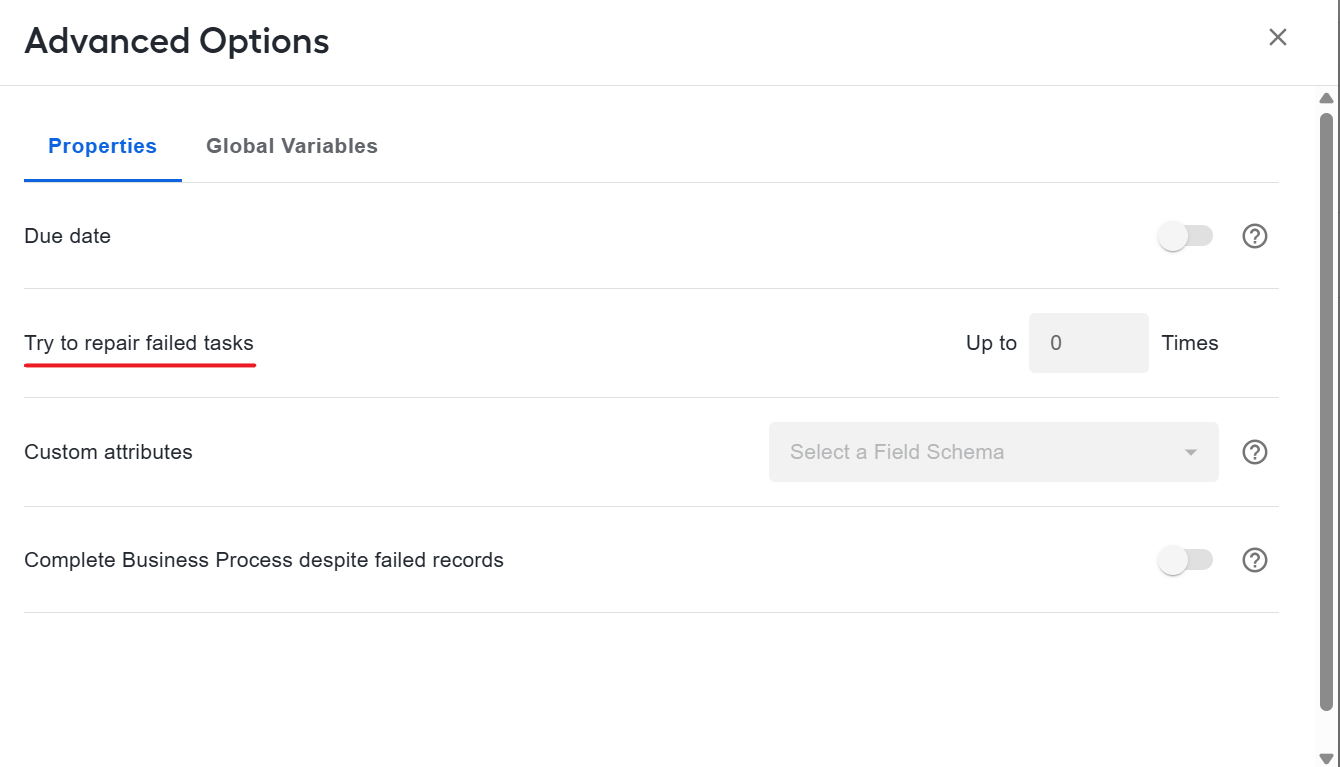
When a BP step fails, the BP makes several retry attempts to repair the step as configured in the Try to repair failed tasks up to parameter in Advanced Options.
After all retry attempts have been exhausted, the record is routed to the error handling flow. The record contains the following data:
Error message
Stack trace (if available)
Input data of the failed step
The error handling flow processes the data and returns output or fails. Further step and BP processing depends on the failure behavior settings.
Set BP behavior on failure
To configure how a Business Process continues after a failure, follow these steps:
Open the Business Process instance where you want to set the BP behavior for failed records.
Navigate to the Run tab of the BP and click Advanced Options.
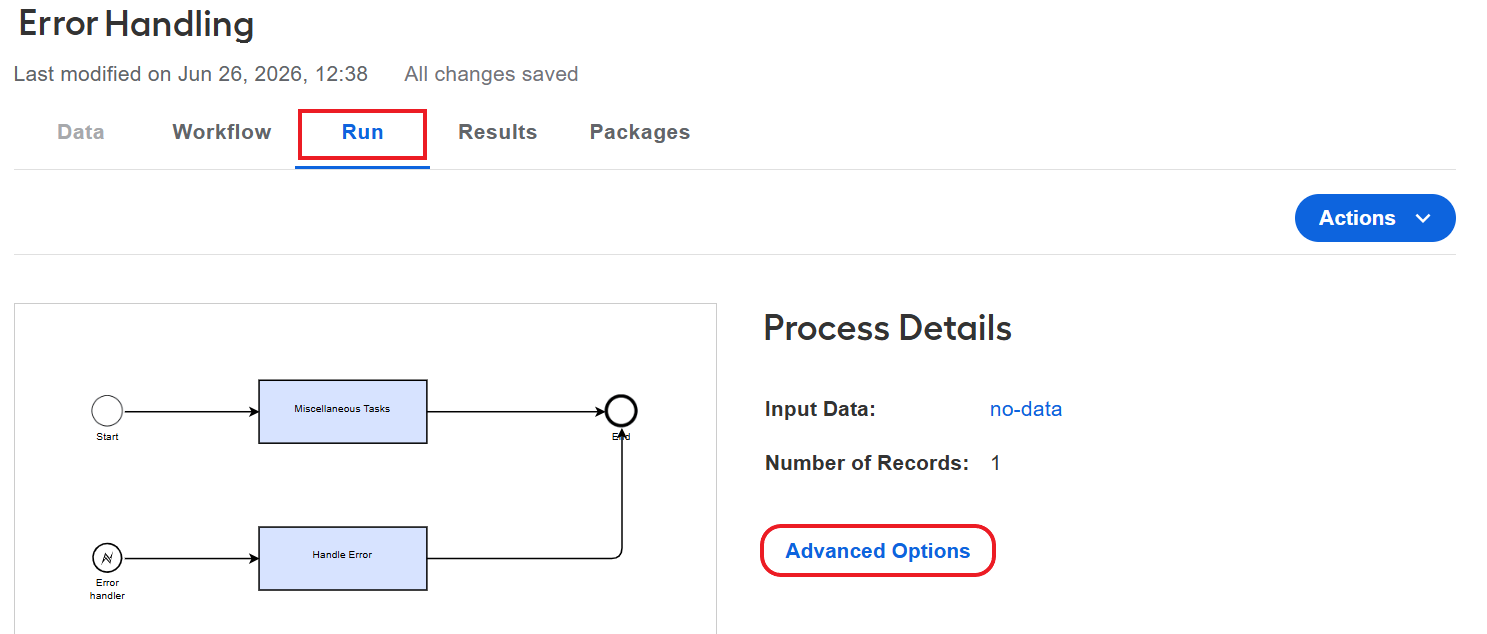
On the Properties tab, set the Complete Business Process despite failed records toggle:
If the toggle is off, the BP with a failed record will not be completed.
If the toggle is on, the BP with a failed record is automatically completed. The task is not marked as failed, but the BP event log contains an error. In this case repair is not possible.
When you add an Error Handler step to the BP workflow, the toggle is on by default. If you remove the Error Handler step from the flow, the toggle is automatically switched to off.