
Process
The Process dashboard allows for an in-depth drill-down into the following entities:
- Process execution volume by status
- Quantity of completed transactions and transactions in processing
- SLA Violation slices by time
- Volume and number of processes without preset SLA
- Process executions with issues
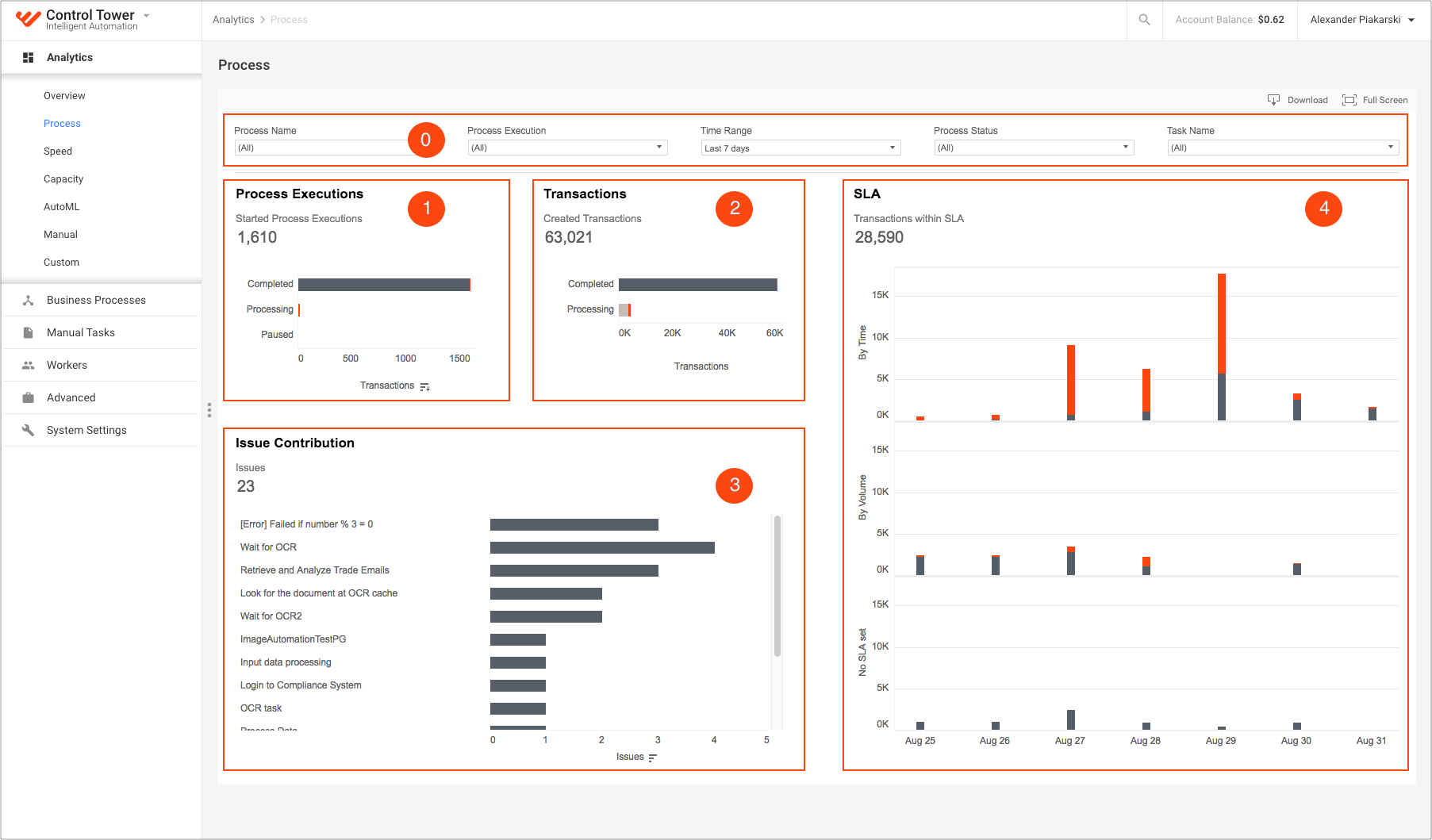
The dashboard comprises the following charts based on the indications in the figure above:
- Process Executions
- Transactions
- Issue Contribution
- SLA
Process Executions
The chart shows the number of process executions with a breakdown by the process status:
X-axis: number of process executions
Y-axis: process statuses
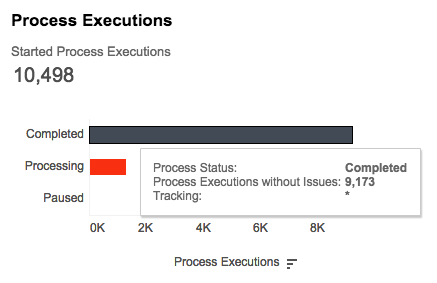
The red color segment indicates the number of process executions with issues.
Tooltip
The tooltip enables access to the following data:
- Process status
- Number of process executions
- Transaction tracking
Transactions
The chart shows the number of transactions with breakdown by their status:
X-axis: number of transactions
Y-axis: process statuses
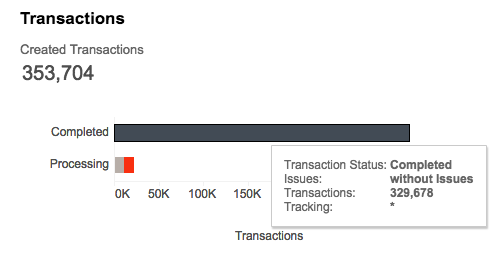
The red color segment indicates transactions with issues.
Tooltip
The tooltip enables access to the following data:
- Process Status
- Issues
- Number of transactions
- Transaction tracking
Issue Contribution
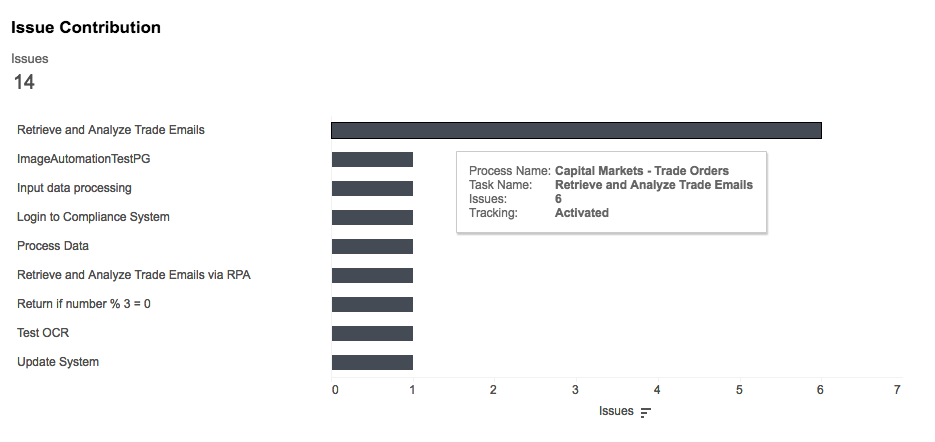
The chart shows tasks with issues:
X-axis: number of issues
Y-axis: list of tasks in the descending order
Tooltip
The tooltip contains the following information:
- Process Name
- Task Name
- Number of issues
- Transactions tracking
SLA
SLA (Service Level Agreement) is used to define whether transaction processing meets business expectations. The chart shows the number of transactions within SLA and SLA violations on a daily basis:
X-axis: Process Execution Start Date
Y-axis: the number of transactions on a particular day, divided into three parts by the SLA setting
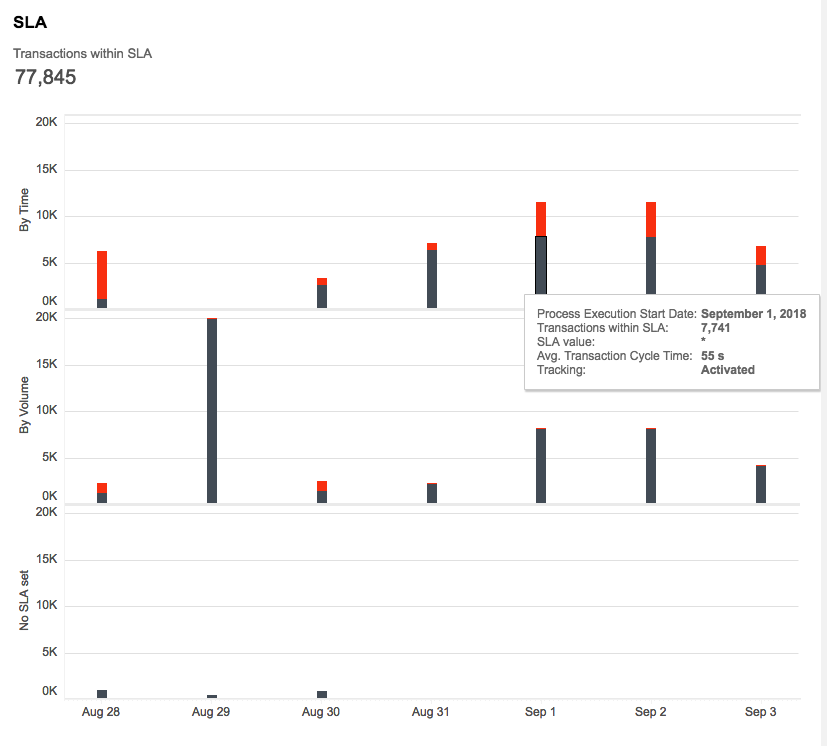
There are three possible SLA settings:
SLA by Time. The cycle time of a transaction must be lower than X seconds. If a transaction cycle time is less than or equal to the SLA value, a transaction meets SLA. Otherwise, SLA is missed.
SLA by Volume. The transaction volume must be higher than X transactions per day. If the volume for a day is greater than or equal to the SLA value, all transactions meet SLA. All transactions below the SLA value are marked as missed SLAs.
No SLA set. All transactions are considered to meet SLA by default.
Color coding
The chart uses the following color coding:
-Gray: transactions within SLA (met SLA)
-Red: SLA violations (missed SLA)
Tooltip
The tooltip contains additional information:
- Process Execution Start Day
- Number of SLA violations or Transactions within SLA, depends on which element you hover over
- SLA value:
- Seconds for SLA by Time
- Number of transactions for SLA by Volume
- Null for No SLA set
- Average Cycle Time for the element's aggregated transactions
- Transaction tracking