
Manage Global Variables
Global variables are intended to store common values used in different BPs and not hard-code them in Bot Tasks. Global variables can be used to store the following information:
- URLs of services (OCR rest service, web app login page)
- parameters (minimal DPI for document recognition, output file extension)
- modes (test or production)
- strings (names, messages, translations)
- timings (schedules, timeouts)
To insert a global variable value, include a <var-global name="variable_name"/> plugin into your Bot config.
By default, all global variables are stored in Data Stores > Global Variables.
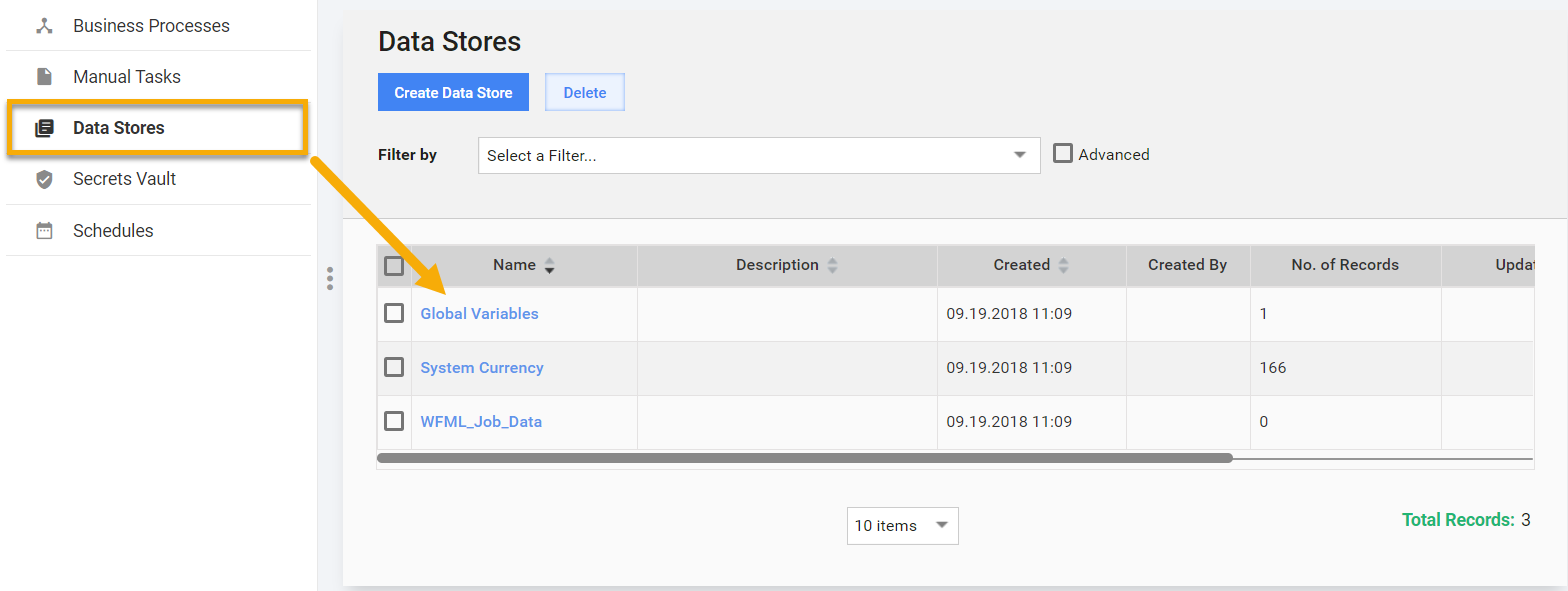
Variable names correspond to column headers, values are taken from the first row (if other rows exist, they are ignored). Read more about Data Stores.
You can use and create Global variables right inside the BP Workflow without manually creating Data Stores and adding columns to the Field Schemes.
Insert a
<var-global>plugin into your Bot steps with a meaningful name attribute.Global Variables usage in Machine Configs
<export include-original-data="true">

       <single-column name="OCR">
           <var-global name="ocr_rest_url"/>
       </single-column>

       <single-column name="VDS">
           <var-global name="vds_params"/>
       </single-column>

       <single-column name="Timeouts">
           <var-global name="rpa_timeouts"/>
       </single-column>

</export>
To name a global variable, use only lower case alphanumeric characters and underscores, for example,
ocr_parameters.Save the step and the BP.
You will get a warning: "Global variables used in Step_Name Bot step are missing N values".
Click on the warning message or go to Run > Advanced Options > Global Variables.
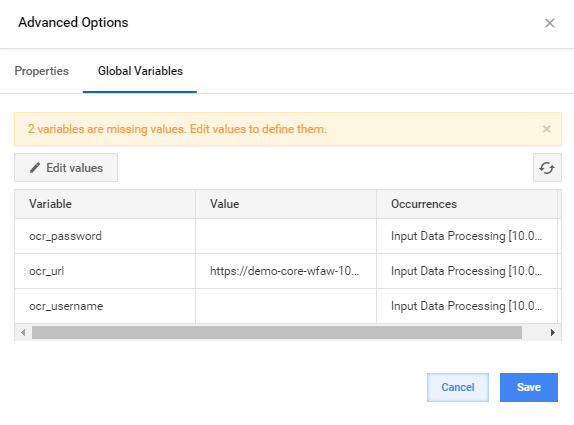
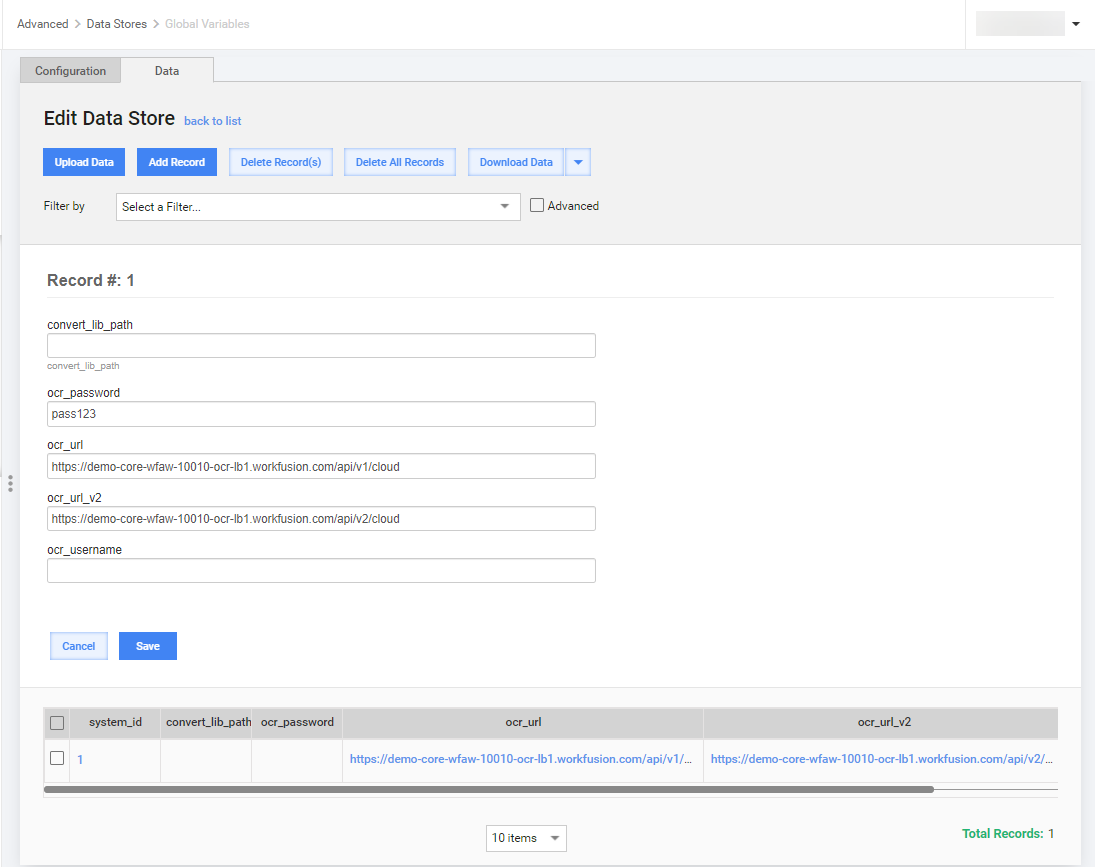
- Click on the Edit Values button. Data Stores > Global Variables are opened in the edit mode in a new tab.
note
Global Variables are a default configuration within Data Stores and cannot be deleted.
- Set values for all variables that are missing values and press Save.
- Return to the Global Variables tab and click on the Refresh button.
- Click on OK and save the Business Process.
tip
If global variables are set in the Data Stores > Global Variables, you can use them in Bot steps of other processes.