
Create Tasks with ongoing Qualifications
In the Intelligent Automation Cloud, you can mix regular worker tasks with Qualification ones from the Gold file to drop the Worker Qualification Score after a certain amount of errors.
Create ongoing Qualification
To implement an ongoing Qualification, follow the steps below:
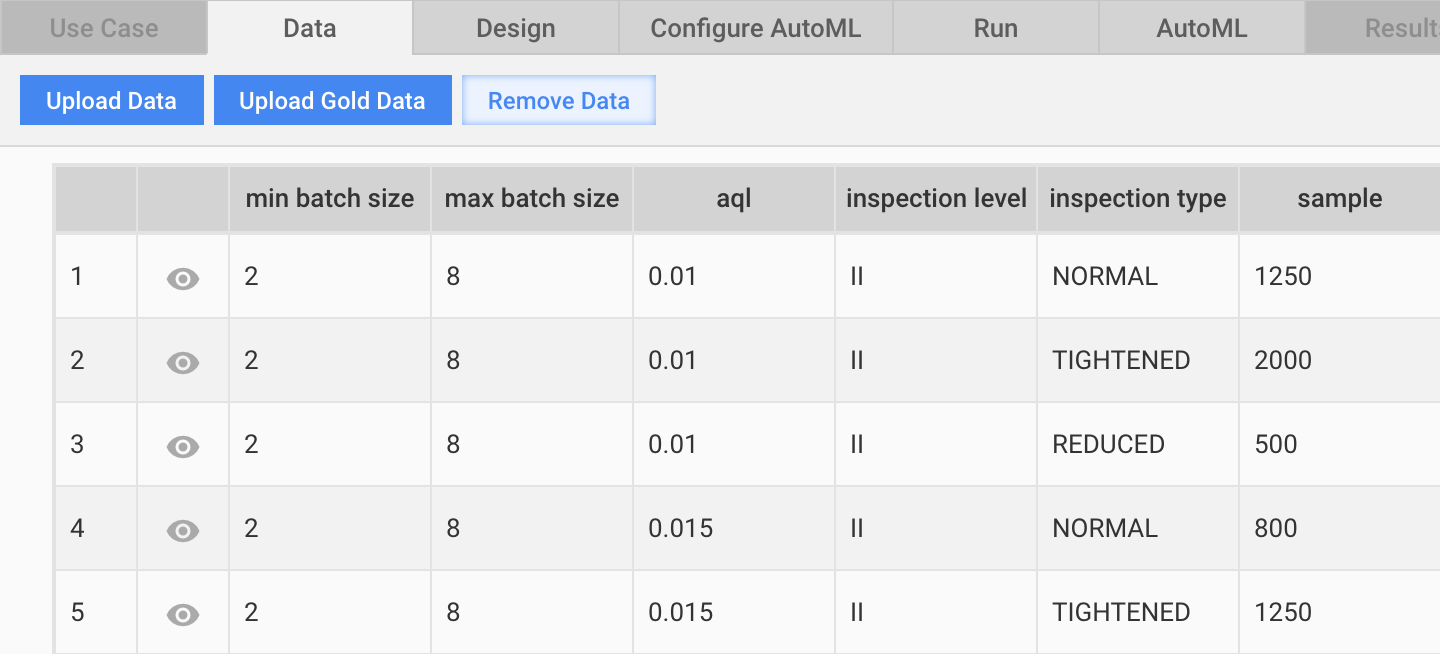
Create a regular Manual Task and provide a Gold Data file along with input data.
On the Run tab, click Advanced Options > Properties, set the Percentage of Gold Records parameter to a value greater than zero.
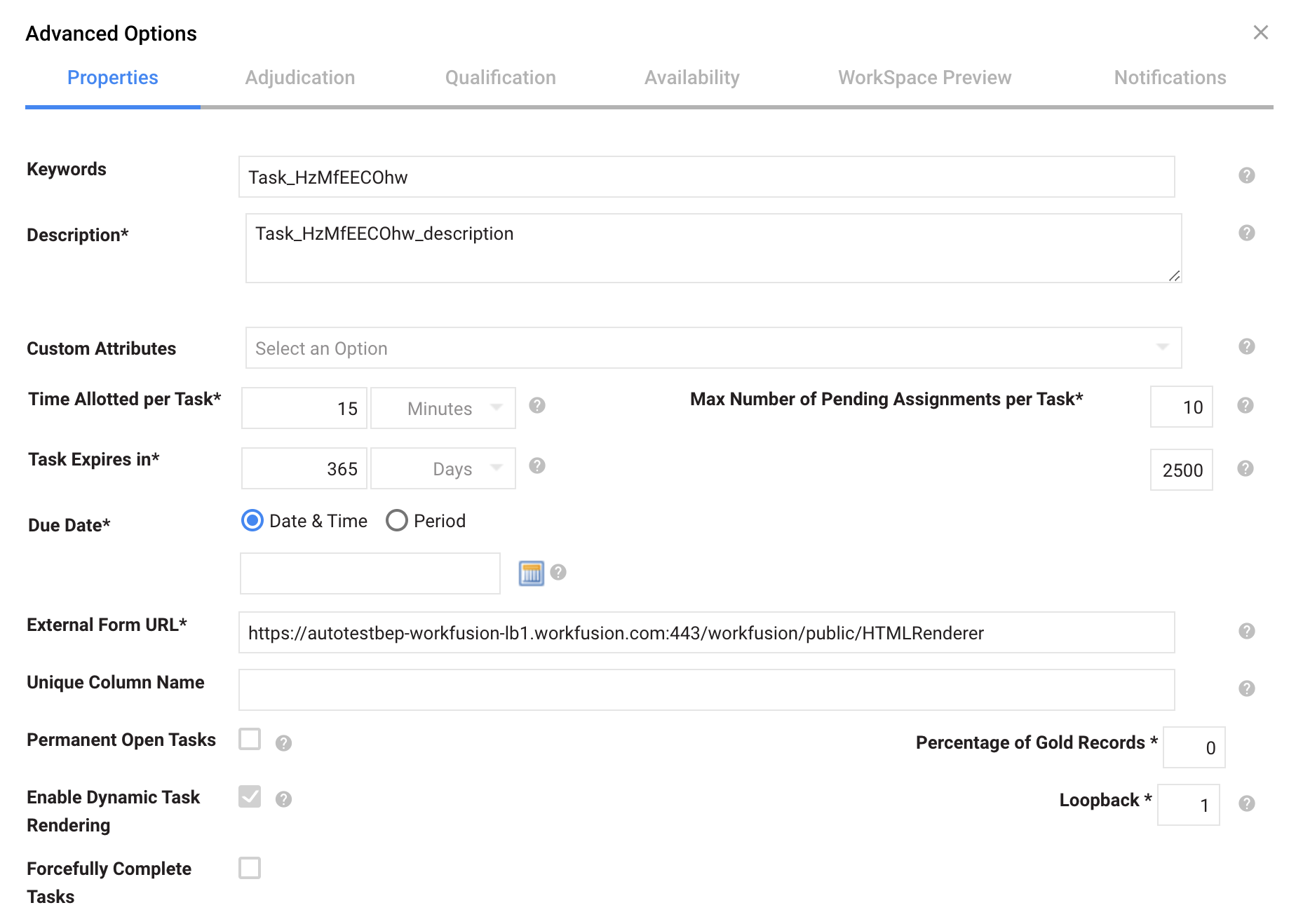
If you specify 10%, and the input file has 1,000 records, the resulting total number of records to be run is 1,100: 1,000 input records and 100 gold data ones.
Open Advanced Options, go to the Adjudication tab, and click Advanced View.
Under Check every i-th gold question, set the number of Gold records you want a worker to complete before their score is checked.
Save the Adjudication Rule.
If the setting is 10, once a worker completes ten Gold records, their score is checked. If the percentage is lower than 90%, the score is dropped. It is checked again after they complete another ten Gold records in any run you add Gold records to.
Set a value at least as high as 10 to be sure the resulting sample set is enough for a worker. Five is too few, whereas 10 or more would work well.
Also, you get emails from workers once their score is dropped. Therefore, to preempt blowback, before implementing this Gold Data, you may want to send the workers a message that their score is to be dropped if the quality of their work diminishes.
Update ongoing Qualifications from Business Process
You can also monitor and update the worker Qualification Score for tasks in a Business Process (BP):
- Open your BP and go to the Design Business Process tab.
- Enable the Edit Mode.
- Double-click the Manual Task in your BP.
- Navigate to the Data tab and click the Upload Gold Data button.
- Set all other options the same way as described in the Create ongoing Qualification section above.
- Save the Manual Task and save your BP.